

 eclipse-che
[UX] When devfile startup fails, provide actual useful logs to help with debugging
Is your enhancement related to a problem? Please describe
- log in to https://che-dogfooding.apps.che-dev.x6e0.p1.openshiftapps.com/
- load a devfile from https://raw.githubusercontent.com/crw-samples/fuse-rest-http-booster/devfilev2/devfile.yaml
- stop workspace load
- make changes to devfile to test it out (before having to commit to a repo)
- attempt to load - but if you make a mistake, you get useless errors like this:
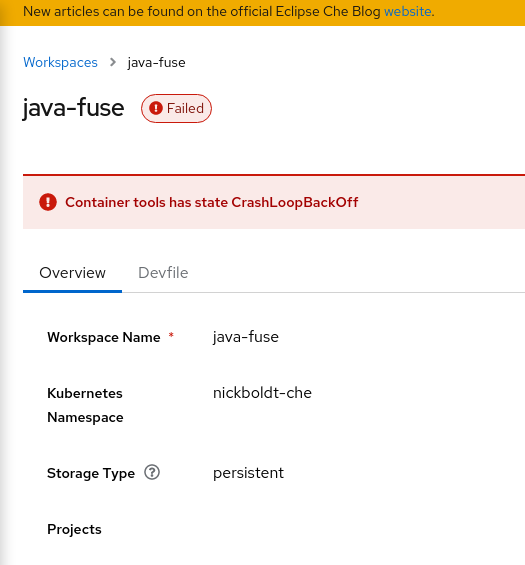
or
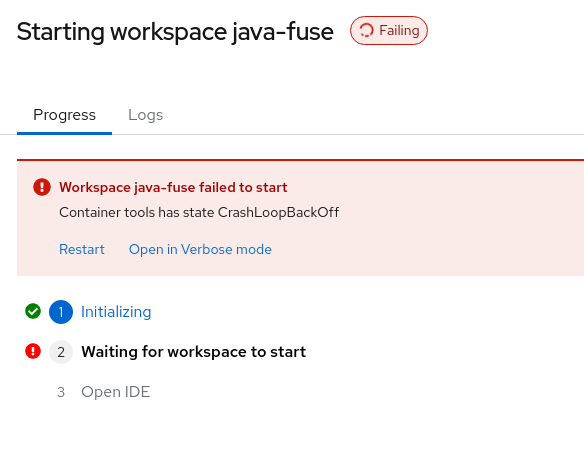
Which just reiterates the condition of the problem, but provides no data to help explain WHY the container is in crashloopbackoff.
Then I click the link for "open in Verbose mode"
and I get this, even though I don't have any workspaces running (because the failure in progress counts as a running workspace?? nice.):

Describe the solution you'd like
More console output. More debug output. More useful information about why me making these tiny changes failed the load:
      image: registry.redhat.io/codeready-workspaces/plugin-java11-rhel8
      memoryLimit: 3Gi
      sourceMapping: /projects
      volumeMounts:
        - name: m2
          path: /home/jboss/.m2
        - name: gradle
          path: /home/jboss/.gradle
to
      image: 'quay.io/crw/udi-rhel8:2.16-110'
      memoryLimit: 3Gi
      sourceMapping: /projects
      volumeMounts:
        - name: m2
          path: /home/user/.m2
        - name: gradle
          path: /home/user/.gradle
Describe alternatives you've considered
-
Cursing, and flipping the table.
-
Committing changes to github repo fork, then iteratively:
- delete workspace
- load workspace after each incremental change
- hope it works
- repeat if not
Additional context
trying to reproduce https://issues.redhat.com/browse/CRW-2591

Dug thru console logs while the pod was loading and found:
2022-03-15 19:51:00.532 root WARN The local plugin referenced by local-dir:/home/theia/.theia/plugins does not exist.
The reason there's no context shown is because the dashboard is just forwarding the error message from the DevWorkspace Operator.
For issues like CrashLoopBackoff, the DevWorkspace Operator provides the controller.devfile.io/debug-start: "true" annotation, which can be applied to the DevWorkspace in order to not remove the pod when it enters CrashLoopBackoff. From here, it's possible to view pod events and logs to figure out what the issue is.
However, I agree that more UI around this would be useful. Perhaps the dashboard can automate setting the debug-start annotation in verbose mode and attempt to grab logs from pods when an error occurs.

Issues go stale after 180 days of inactivity. lifecycle/stale issues rot after an additional 7 days of inactivity and eventually close.
Mark the issue as fresh with /remove-lifecycle stale in a new comment.
If this issue is safe to close now please do so.
Moderators: Add lifecycle/frozen label to avoid stale mode.

The issue was resolved in https://github.com/eclipse-che/che-dashboard/pull/708 and https://github.com/eclipse-che/che-dashboard/pull/774.
