easingthemes
Multi-Destination deploy
How can I deploy one code base into multiple destinations? for example, we have a project we want to deploy into the following domains: example1.com example2.com example3.com ... but the domain list is not static maybe get it from a dynamic list or something like that.

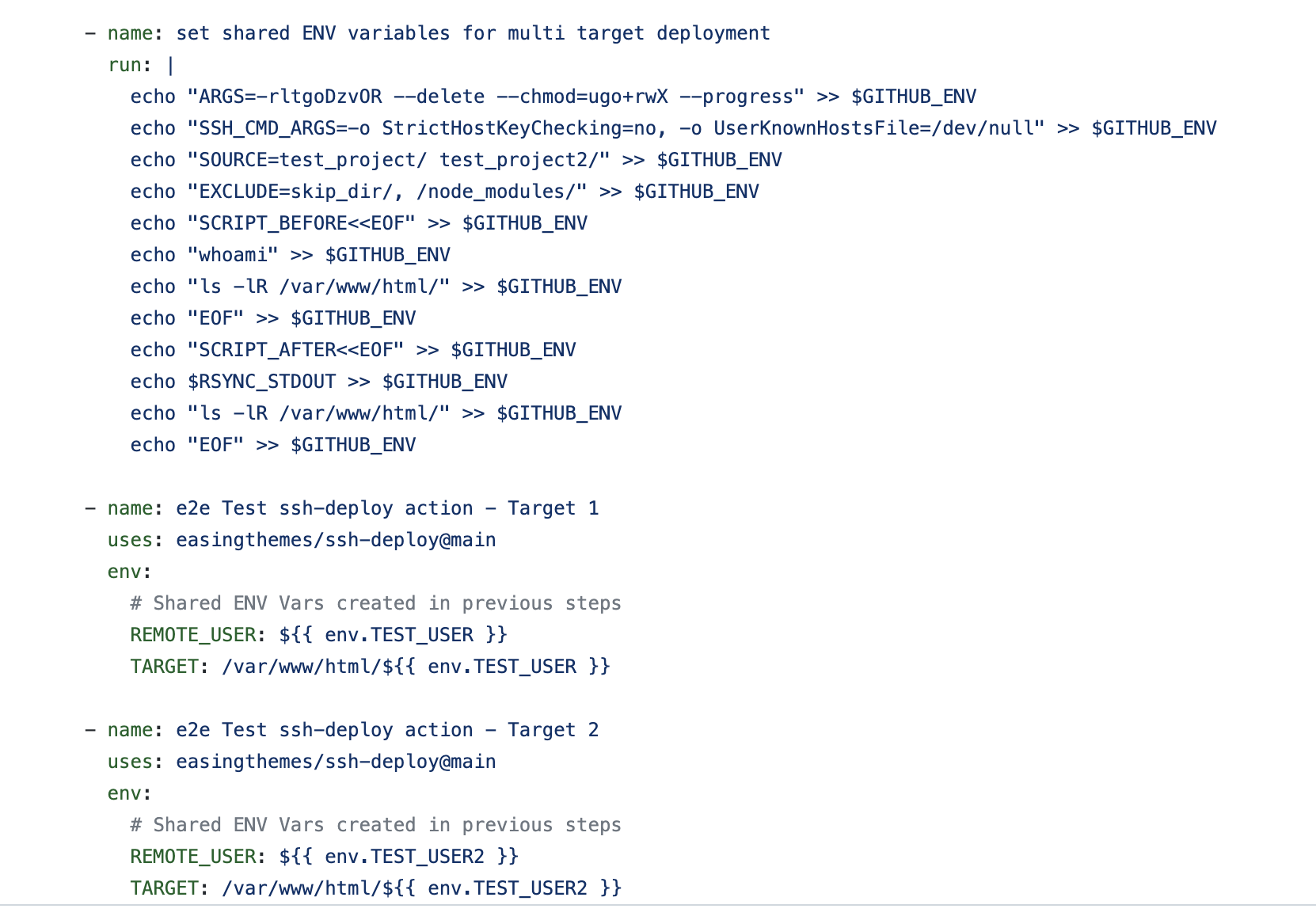
Currently, you can repeat the action:
   - name: Deploy to Staging
      uses: easingthemes/ssh-deploy@[USE LATEST VERSION]
      env:
        SSH_PRIVATE_KEY: ${{ secrets.SSH_PRIVATE_KEY }}
        SOURCE: "dist/"
        REMOTE_HOST: ${{ secrets.REMOTE_HOST_ST }}
        REMOTE_USER: ${{ secrets.REMOTE_USER }}
        TARGET: ${{ secrets.REMOTE_TARGET }}
    - name: Deploy to Prod
      uses: easingthemes/ssh-deploy@[USE LATEST VERSION]
      env:
        SSH_PRIVATE_KEY: ${{ secrets.SSH_PRIVATE_KEY }}
        SOURCE: "dist/"
        REMOTE_HOST: ${{ secrets.REMOTE_HOST_PROD }}
        REMOTE_USER: ${{ secrets.REMOTE_USER }}
        TARGET: ${{ secrets.REMOTE_TARGET }}
Since rsync is not supporting multiple destinations, even if I add input vars as an Array I would need to repeat all the steps in the action anyway, because beside the HOST, USER and KEY can be different also.
Not sure how to handle errors in this case. Eg if one HOST fails, should I break the process, or just log error?

Check e2e workflow example https://github.com/easingthemes/ssh-deploy/blob/main/.github/workflows/e2e.yml