
eXpand
 eXpand copied to clipboard
 eXpandFramework
On New Project Creation eXpand App Wizard is not visible
𝗗𝗲𝘀𝗰𝗿𝗶𝗯𝗲 𝘁𝗵𝗲 𝗯𝘂𝗴 On New Project Creation eXpand App Wizard is not visible,
𝗧𝗼 𝗥𝗲𝗽𝗿𝗼𝗱𝘂𝗰𝗲 On VS 2019 CE
- Install DevExpress 20.2
- Install the Library from Xpand.VSIX-20.2.504.0.vsix
- Open VS
- New Project
𝗘𝘅𝗽𝗲𝗰𝘁𝗲𝗱 𝗯𝗲𝗵𝗮𝘃𝗶𝗼𝗿 eXpand Framework Application wizard available for new projects.
𝗦𝗰𝗿𝗲𝗲𝗻𝘀𝗵𝗼𝘁𝘀
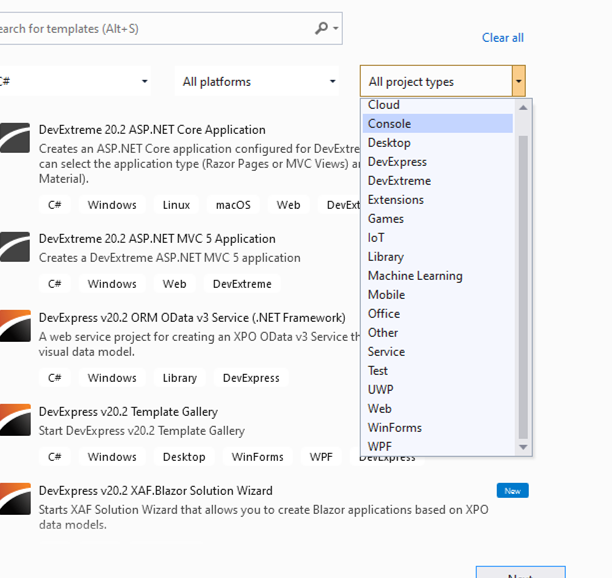
𝗛𝗼𝘄 𝘄𝗲 𝗽𝗿𝗶𝗼𝗿𝗶𝘁𝗶𝘇𝗲 𝗶𝘀𝘀𝘂𝗲𝘀
- Installation
For all other issues the posting time is respected.

we do not provide wizard support anymore since we switched to nuget packages
https://www.youtube.com/watch?v=LvxQ-U_0Sbg

Hello, add nuget package problem. Can you help me?
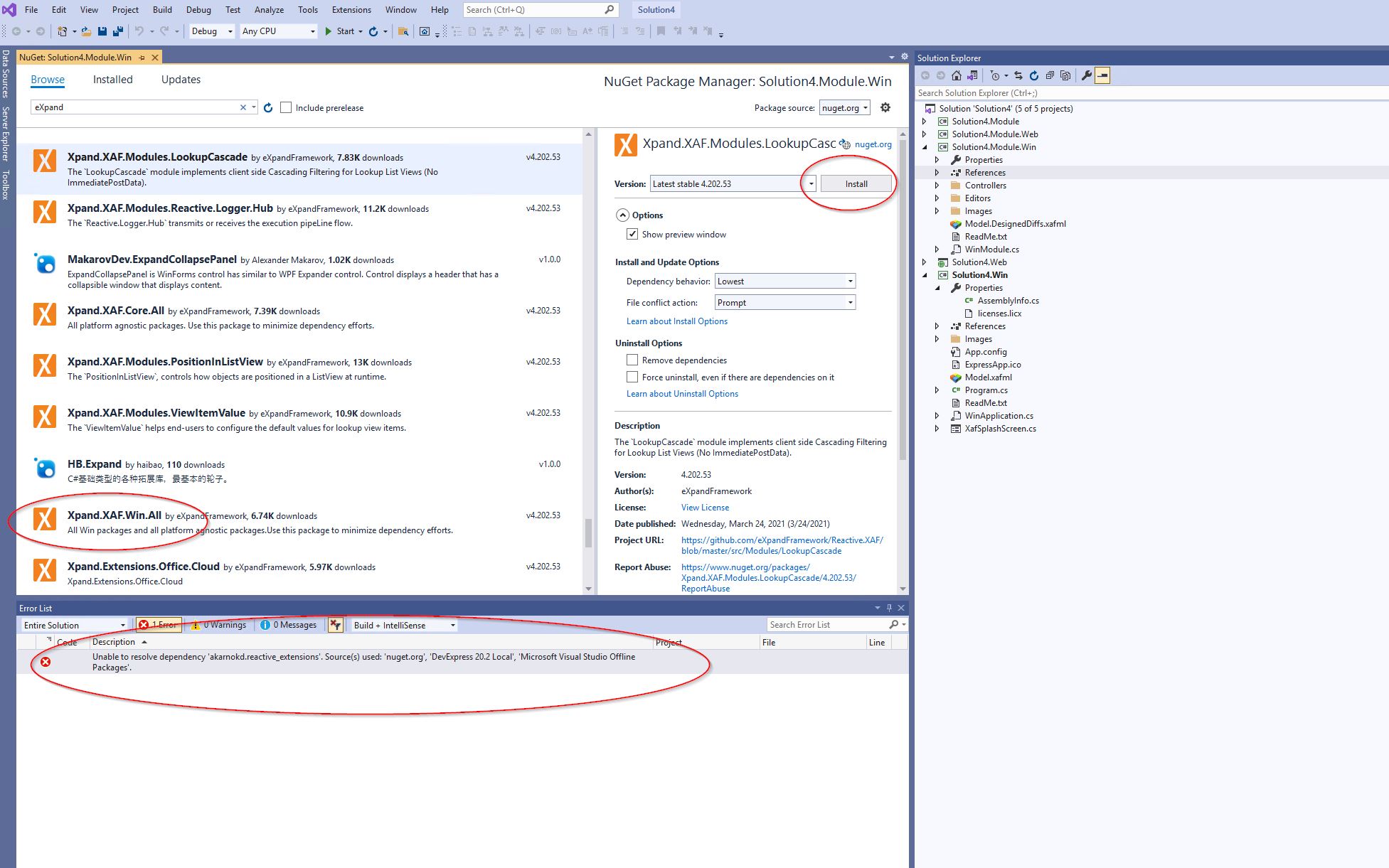
Severity Code Description Project File Line Suppression State Error Unable to resolve dependency 'akarnokd.reactive_extensions'. Source(s) used: 'nuget.org', 'DevExpress 20.2 Local', 'Microsoft Visual Studio Offline Packages'.

nuget paketlerine geçtiğimizden beri artık sihirbaz desteği sağlamıyoruz
https://www.youtube.com/watch?v=LvxQ-U_0Sbg
Hello, can you share if there is a more detailed video other than this video?
Merhaba nuget paketi problemi ekleyin. Bana yardımcı olabilir misiniz?
Önem Kodu Açıklama Proje Dosyası Satır Önleme Durumu Hatası 'akarnokd.reactive_extensions' bağımlılığı çözülemiyor. Kullanılan kaynaklar: 'nuget.org', 'DevExpress 20.2 Local', 'Microsoft Visual Studio Offline Packages'.
When we install the following packages in order, the problem is resolved.
akarnokd.reactive_extensions Microsoft.Graph.Beta Enums.NET.dll System.ServiceModel.Http.dll Google.Apis.Calendar.v3.dll Xpand.XAF.Win.All
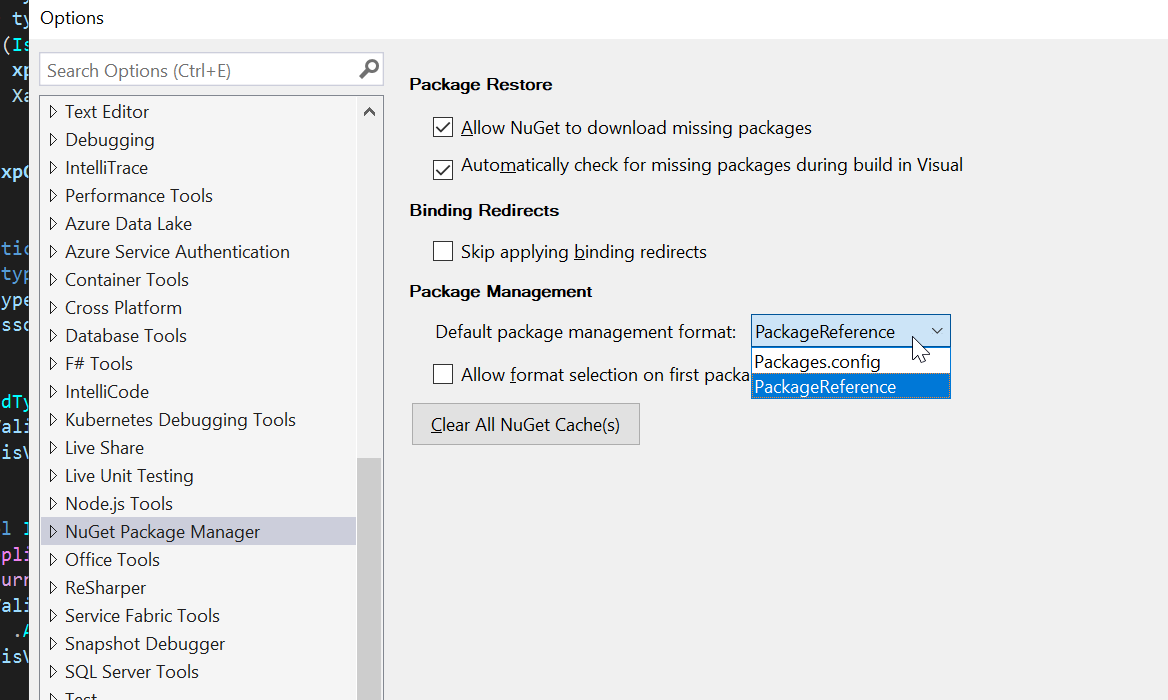
package.config yerine packagereference biçimini kullanın
thank you so much
Closing issue for age. Feel free to reopen it at any time.
.Thank you for your contribution.
