

 eKoopmans
How to fix document indent at starting point
How to fix the document indent at the starting point. In the settings, the margin is set to 0, but when generating the document, it is not created from scratch
const element = request.responseText; const opt = { margin: 0, filename: 'test.pdf', pagebreak: { mode: 'legacy'}, image: { type: 'jpeg', quality: 0.98 }, enableLinks: true, html2canvas: { dpi: 90, scale: 1, letterRendering: true}, jsPDF: { unit: 'mm', format: 'a4', orientation: 'portrait', compress: true } }; html2pdf().set(opt).from(element).save();

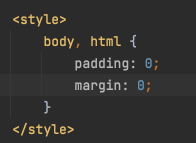
You can try setting the margin-top property of the html element to 0.
html {
    margin-top: 0;
}


You can try setting the marginLeft and marginTop options in the jsPDF object to 0:
const opt = {
  margin: 0,
  filename: 'test.pdf',
  pagebreak: { mode: 'legacy' },
  image: { type: 'jpeg', quality: 0.98 },
  enableLinks: true,
  html2canvas: { dpi: 90, scale: 1, letterRendering: true },
  jsPDF: { unit: 'mm', format: 'a4', orientation: 'portrait', compress: true, marginLeft: 0, marginTop: 0 }
};

html2pdf().set(opt).from(element).save();
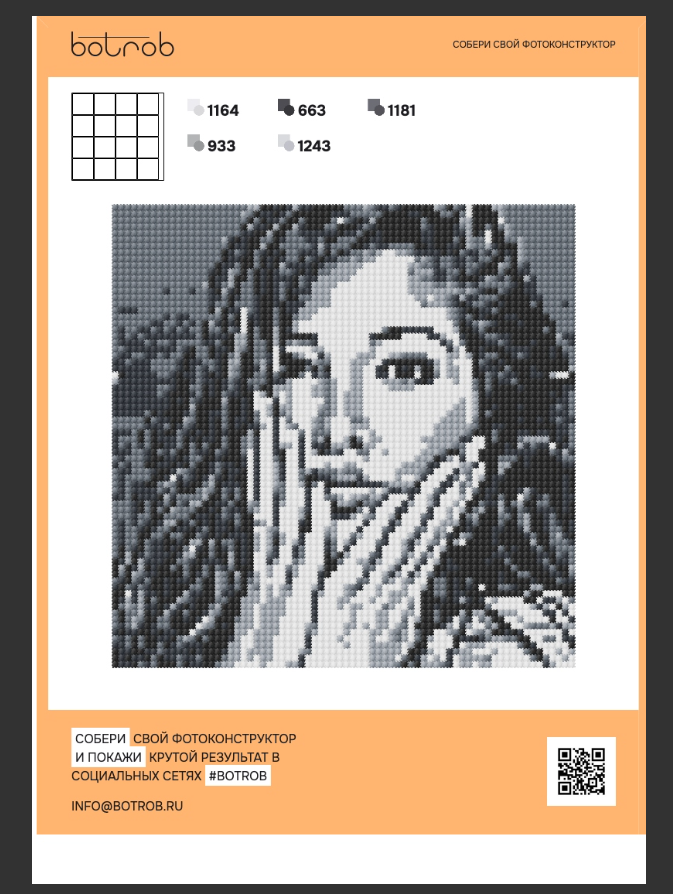
The left margin remains and page breaks are gone, although I added the html2pdf__page-break class to the div element test (5).pdf
The pagebreak option pagebreak: { mode: 'legacy' } sets the mode to legacy, which disables the default page break behavior of the library. Instead of this use: pagebreak: { mode: 'css', after: '.break-point' } .
As we have already tried many other options, adding the noPdfOpenParams option to the opt object is worth a try for the indentation problem. Here's updated opt:
const opt = {
  margin: 0,
  filename: 'test.pdf',
  pagebreak: { mode: 'css', after: '.break-point'  },
  image: { type: 'jpeg', quality: 0.98 },
  enableLinks: true,
  html2canvas: { dpi: 90, scale: 1, letterRendering: true },
  jsPDF: { unit: 'mm', format: 'a4', orientation: 'portrait', compress: true, marginLeft: 0, marginTop: 0 },
  noPdfOpenParams: true
};

html2pdf().set(opt).from(element).save();
Everything turned out great. Thanks a lot. The lateral indents are gone. It remains to understand why top indents are added where there is a break and how to make the color of the document page #ffb470 test.pdf
I'm glad to hear that everything is working well now!
Regarding the issue with top indents, you can try adding the following CSS:
.break-point{
  margin: 0;
  padding: 0;
}
Regarding the color of the document page, you can use the backgroundColor option in the jsPDF object to set the background color of the PDF document:
const opt = {
  margin: 0,
  filename: 'test.pdf',
  pagebreak: { mode: 'css', after: '.break-point'  },
  image: { type: 'jpeg', quality: 0.98 },
  enableLinks: true,
  html2canvas: { dpi: 90, scale: 1, letterRendering: true },
  jsPDF: { unit: 'mm', format: 'a4', orientation: 'portrait', compress: true, marginLeft: 0, marginTop: 0,  backgroundColor: '#ffb470' },
  noPdfOpenParams: true
};

html2pdf().set(opt).from(element).save();