

 dwarvesf
Preferences window opens at every restart
Bug
The preferences window opens every time I restart. This is a bit annoying because it can’t be turned off if the program is scheduled to run automatically when I log in.
Steps to reproduce
- Open the preferences window
- Ceck
Start Hidden Bar when I log in - Restart your computer
- See error: The preferences window opens
Expected behaviour
The window should only open when I click the app icon or open the preferences from the menu bar.
Environment
Desktop:
- OS: macOS Big Sur
- Version: 11.4

I can confirm the same thing. It's running on an M1 Mac mini on the macOS Montery (macOS 12) betas. I have only installed Hidden Bar since installing the betas, so can't confirm if it was happening on other versions. But can confirm it's been like it since beta 1 of macOS 12.
"Start Hidden Bar when I log in" = ON "Show preferences on launch" = OFF
macOS Monterey Beta 4: Hidden Bar: v1.8


Same problem here on M1 Mac Studio. The preferences pane opens at every startup. Is there a way to fix this?

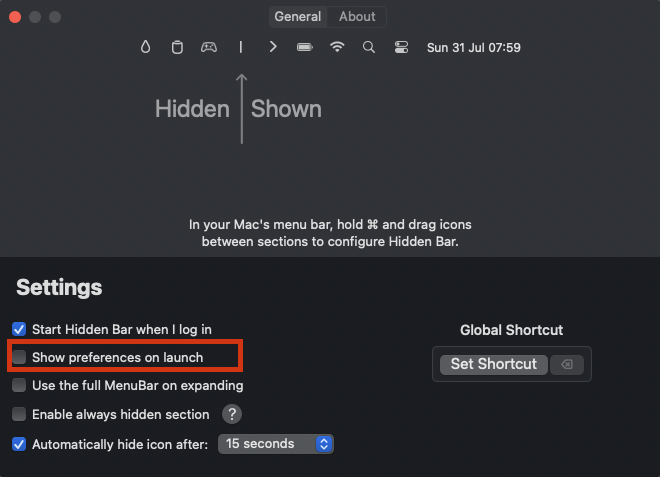 In the Preferences, click the appropriate checkbox to keep the app from showing them on launch.