

 duckduckgo
issue #914 bottom-anchored content and canvas drawing fixed
Task/Issue URL: https://github.com/duckduckgo/Android/issues/914
Description
There were two issues: (1.)When we visit Reddit or Twitter they show bottom-anchored content which got partially hidden. (2.)Website like https://sketch.io/sketchpad/ contains canvas was not working properly, because someone added the AppBar hide functionality to fix the above issue, which was not the correct approach.
Steps to test this PR
(1) .First issue fix can be tested by visiting Twitter and Reddit without login. (2.) We can test the second issue fix by visiting https://sketch.io/sketchpad/ and drawing something on canvas.
Feature 1
- [ ]
- [ ]
First issue UI changes
Before

After

Second issue UI changes
Before
After

I will take a look (right now I'm afk).
Just to set expectations:
- when the fire button is highlighted, the url bar should be pinned (doesn't hide on scroll)
- on any other scenario, the url bar should react when the user scrolls (hide/show, but not pinned to the top)

I will take a look (right now I'm afk).
Just to set expectations:
- when the fire button is highlighted, the url bar should be pinned (doesn't hide on scroll)
- on any other scenario, the url bar should react when the user scrolls (hide/show, but not pinned to the top)
I have checked all the browser they use pinned URL bar. if you want to scroll the URL bar it will always cause issues with the canvas content.
if I am not wrong before someone added this scrolling url bar, to fix that bottom-anchored content , even duckduckgo also used pinned URL bar
Here is that conversation, please read this. if we still want that scrolling effect we can work on that also. :https://github.com/duckduckgo/Android/pull/674
I will take a look (right now I'm afk).
Just to set expectations:
- when the fire button is highlighted, the url bar should be pinned (doesn't hide on scroll)
- on any other scenario, the url bar should react when the user scrolls (hide/show, but not pinned to the top)
I have checked all the browser they use pinned URL bar. if you want to scroll the URL bar it will always cause issues with the canvas content.
Ideal scenario will be to do the same as in Chrome. They also hide/show the url bar when user scrolls
If you can test once I don't think they ever hide that. I have built a browser from scratch, in my opinion hiding the URL bar is not a very good security practice anyone can use a phishing attack to show a fake web page with different URL,if the URL bar is there I can constantly check the URL I am at. App i have built with encrypted content :https://play.google.com/store/apps/details?id=com.artis.browser. if we still want that i would love to work on that with your guidance and support.
Hi @cmonfortep ! please review this PR (bottom-anchored content and canvas drawing fixed). Let me know your thoughts
@AndroidPoet will take a look thanks. Just to set expectations, I'm planning to review it beginning next week.
@AndroidPoet I see we still have the toolbar pinned to the top. As I commented, expected behavior is to mimic what chrome or similar browser do.
Here's a gif of the behavior on Chrome as an example:
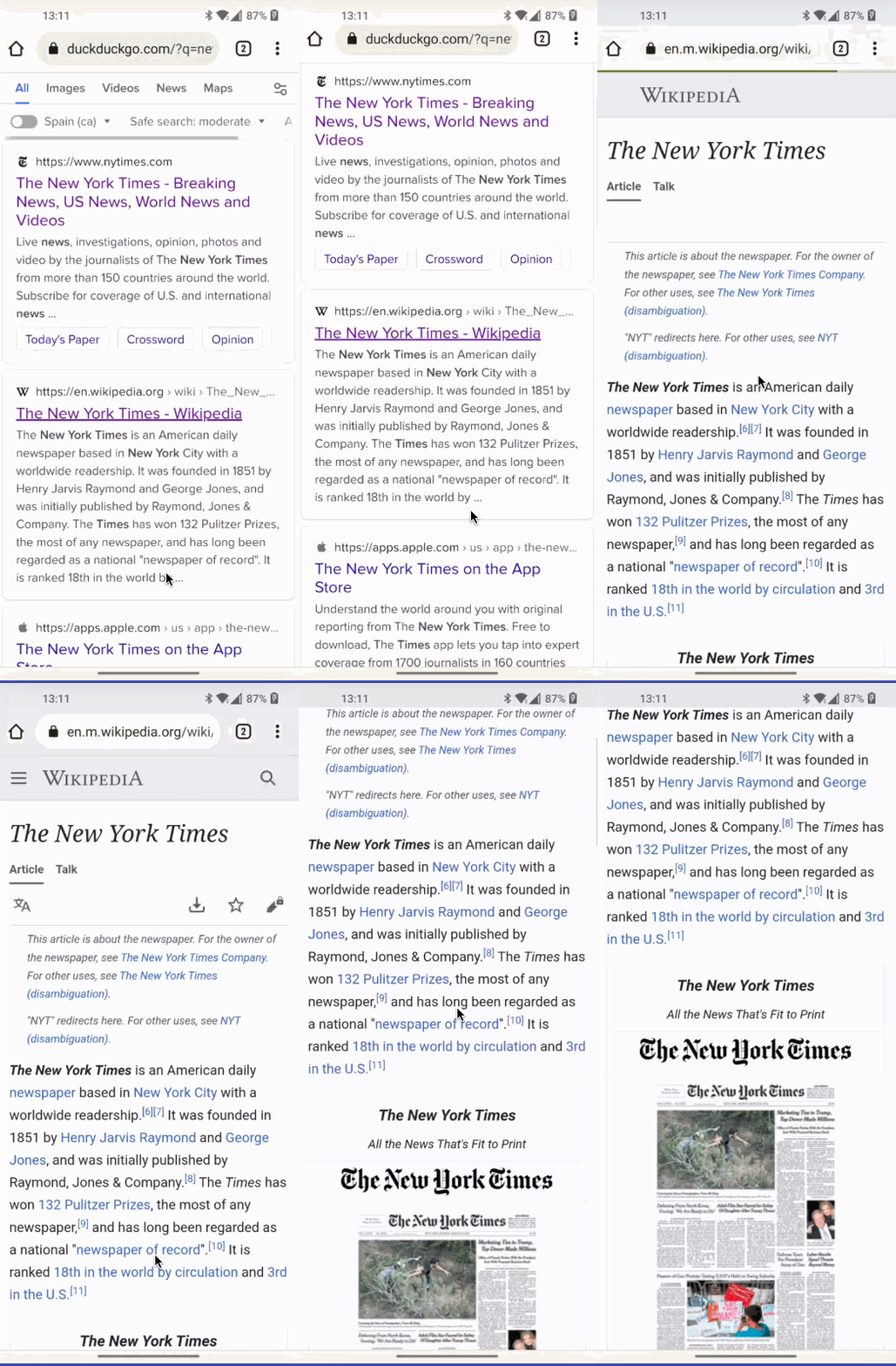
@AndroidPoet I see we still have the toolbar pinned to the top. As I commented, expected behavior is to mimic what chrome or similar browser do.
I see they have this Scrolling Behavior for Appbar i guess i can fix this i got the idea.
I don't remember the exact details since I explored that a long time ago, but IIRC the issue was more related to the WebView. You can give a behavior to the appbar, but the webview doesn't react to those events in the same way as other views will do.
I have explored this and found a solution now the task is how to migrate those changes without touching the main files. I am trying to implemented that.
Update: Hi! @cmonfortep I spent last week on this issue only, I have almost achieved the solution. I need to add a few more checks for the desired result+perfromance.
https://user-images.githubusercontent.com/13647384/174241476-fd6907a7-99f3-48e5-ae85-ed8763c27520.mp4
Looks promising! Looking forward to seeing the final version.
I can see some blank space when scrolling, is that the optimization/performance you are talking about?
Yes,that blank space is the problem I am trying to fix and improve performance
Hi! @cmonfortep! this is the best solution, there is still a minor glitch that can be fixed in the future,If this is acceptable, I would love to implement it.
https://user-images.githubusercontent.com/13647384/174943705-883c6318-4377-48bb-9cec-0a81cbccbc25.mp4
Thanks @AndroidPoet, I will take a look this week.
I have not implemented it yet. Let me know your views on above video.
If you can push the code I can test it and give some feedback. Yeah, on the video I can see it's not perfect but maybe good enough to fix the issue.
cmonfortep
Hi @cmonfortep i am bit busy with interviews will push code next week .
Heads-up I won't be available next week, but someone from the team will be able to review it.
Same as I posted in the other PR, we can keep this PR open if we actively working on it, otherwise it's best if we close it until we have time again for it. Thanks
@cmonfortep assigning to you for clarity @AndroidPoet is this still active? Can it be closed?
