
ionic-3-file-transfer-example
 ionic-3-file-transfer-example copied to clipboard
 dsgriffin
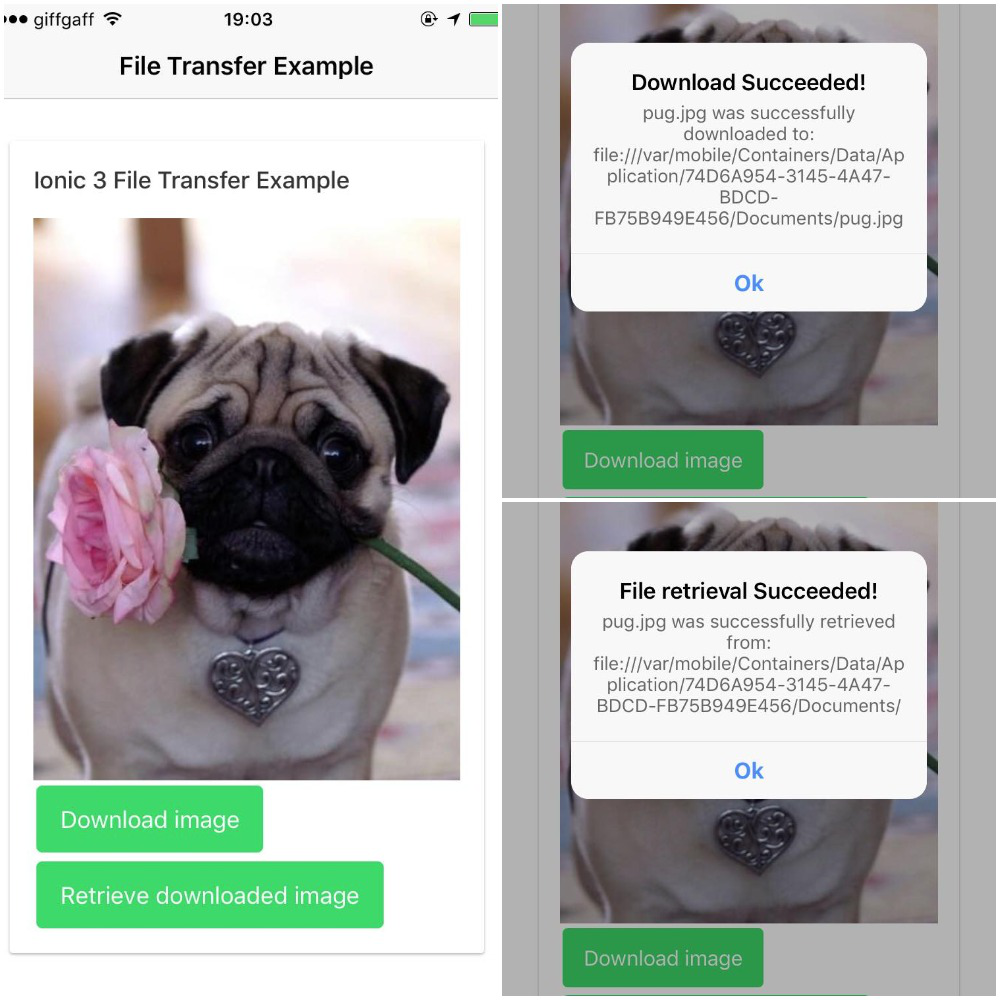
:file_folder: File Transfer in Ionic 3 using Ionic Native's File and Transfer modules


A simple file transfer example in Ionic 3 using Ionic Native's
- Transfer module to download a file to the local device
- And then, using the File module, retrieve that file
Requirements
- File Transfer will not work on an emulator; you'll need an iOS or Android device
- If you're building/testing for/on iOS, you'll need XCode.
Build
Clone the repository and follow the steps based on the platform of your device.
iOS
npm installcordova platform add iosionic cordova build ios- Connect your iOS device and run the application, either by
- Opening up the relevant
.xcodeprojonXcodeand clicking the run button (making sure your device is selected) - Running
ionic cordova run ios --deviceon your CLI - this requires that the npm packageios-deployis installed globally (npm install -g ios-deploy)
Android
npm installcordova platform add androidionic cordova build android- Connect your Android device and run the application with
ionic cordova run android(make sure USB debugging is enabled on your device)
File Transfer - Storage Locations
The .jpg used in this example is saved in different locations dependant on platform:
-
iOS - in the app-specific
Documents/folder usingcordova.file.documentsDirectory -
Android - persistent and private data storage within the application's sandbox using
cordova.file.dataDirectory
Here's the list of the different places you can store files using this plugin.
License
MIT
 dsgriffin