testssl.sh
 testssl.sh copied to clipboard
 drwetter
Terminal colors
As noted in #1518, choosing colors for use on the terminal is not as easy as choosing colors for HTML, since there are fewer colors available for use on the terminal and since not everyone uses the same color theme. With the current 3/4 bit colors, another complication is that different terminals assign different colors to these color codes.
In the future, it may be worthwhile to consider using the 8-bit colors (see https://en.wikipedia.org/wiki/ANSI_escape_code#Colors). The 8-bit colors seem to be widely supported and seem to display consistently on different platforms. While it offers many more colors than the 3/4 bit option, it is still offers very few options compared to the 24-bit colors supported by HTML, but the 24-bit colors do not seem to be sufficiently well supported for use in terminals.
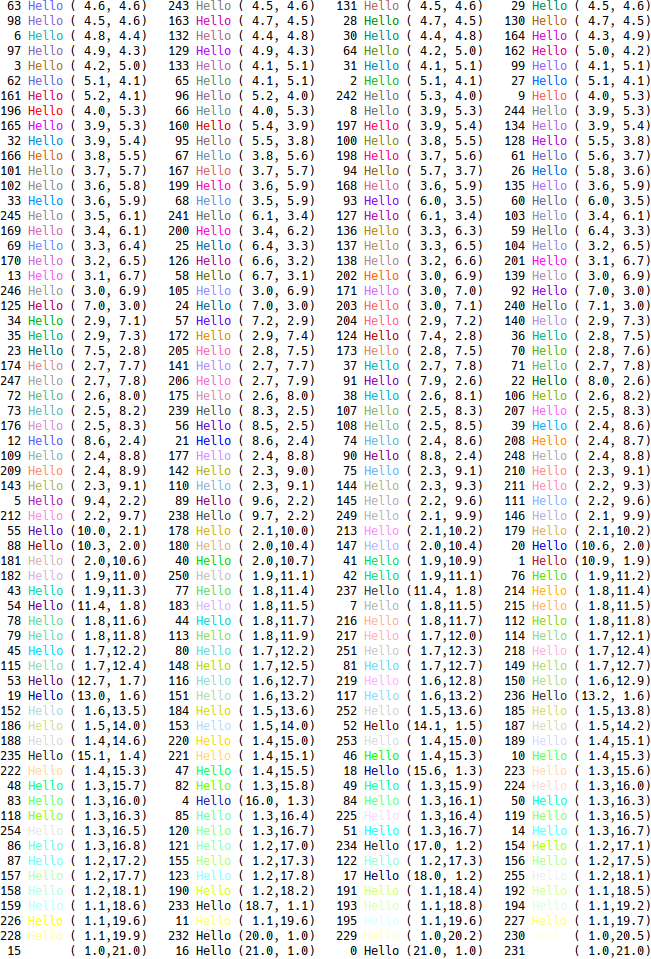
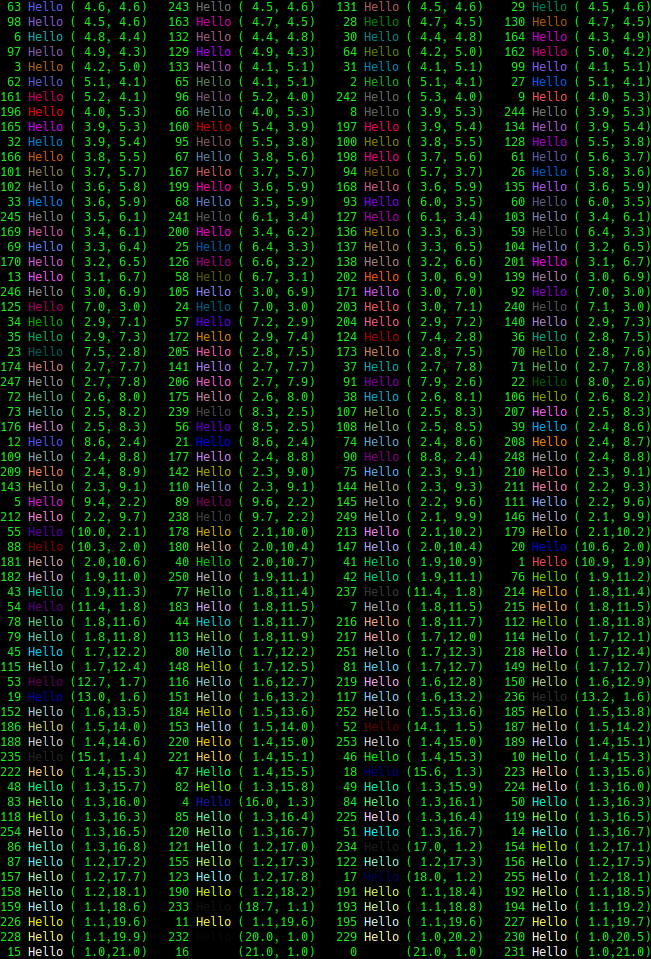
In case there is an interest in moving to the 8-bit colors in the future, I created the two images below in order to help in selecting colors. I wrote a program that would write "Hello" in each of the 256 8-bit colors. To the left of each code is its number. To the right of each number is a pair showing the color's contrast when on displayed on a white background and on a black background. The colors are sorted by minimum contrast value. So, the colors that appear first should work okay on both black and white backgrounds (with both backgrounds, the contrast ratio is slightly higher than the minimum of 4.5 that the W3C's Web Content Accessibility Guidelines (WCAG) specifies for a color to be accessible). Colors that appear later are either darker or lighter, so they show up better on one background and worse on the other. The first image shows each of the colors on a white background and the second shows then on a black background (using a "green on black" color scheme).

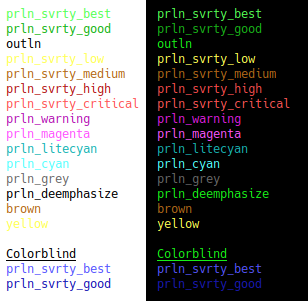
As noted previously, the escape sequences that are currently used for colors display different colors on different terminals. Here is how they appear in Konsole on Kubuntu 18.04 using a "black on white" color scheme and a "green on black" color scheme:
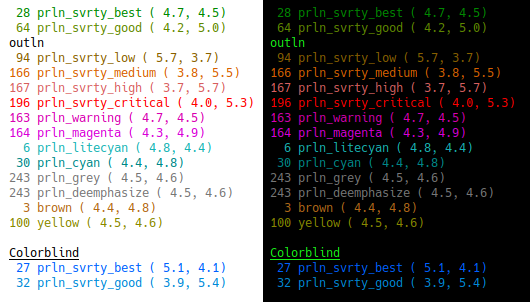
https://en.wikipedia.org/wiki/ANSI_escape_code#Colors suggests that the 8-bit colors should be displayed more consistently on different terminals. The following is a suggestion for a set of 8-bit colors to use for testssl.sh, in case a decision is made to on the terminal colors at some point in the future. The number to the left each function name is the 8-bit color's number. To the right of each number is a pair showing the color's contrast when displayed on a white background and on a black background. Most of the colors below do not satisfy W3C's Web Content Accessibility Guidelines (WCAG) (a contrast of 4.5 or more), as they are either too light to the white background or too dark for the black background. However, this is the best I have been able to do given the limited color choices and that testssl.sh doesn't know the terminal's color scheme.