dremin
add visible desktop button on bottom right like in win 7 pls

This is probably intentional, as the "Show desktop" button is a feature released in Windows 7 with the Superbar. But for now, you can show the desktop by using the Quick Launch feature and setting it to the "%AppData%\Microsoft\Internet Explorer\Quick Launch" folder and you will have the option to switch to the desktop by pressing the "Show desktop" icon.


feature released in Windows 7 with the Superbar
Some Windows 98 and Windows 2000 beta buils actually have this button too, though it was scrapped before release both times
This being said, it'd be pretty nice to have those unimplemented buttons as an option for Win95-98 and Win2000 themes

feature released in Windows 7 with the Superbar
Some Windows 98 and Windows 2000 beta buils actually have this button too, though it was scrapped before release both times
This being said, it'd be pretty nice to have those unimplemented buttons as an option for Win95-98 and Win2000 themes
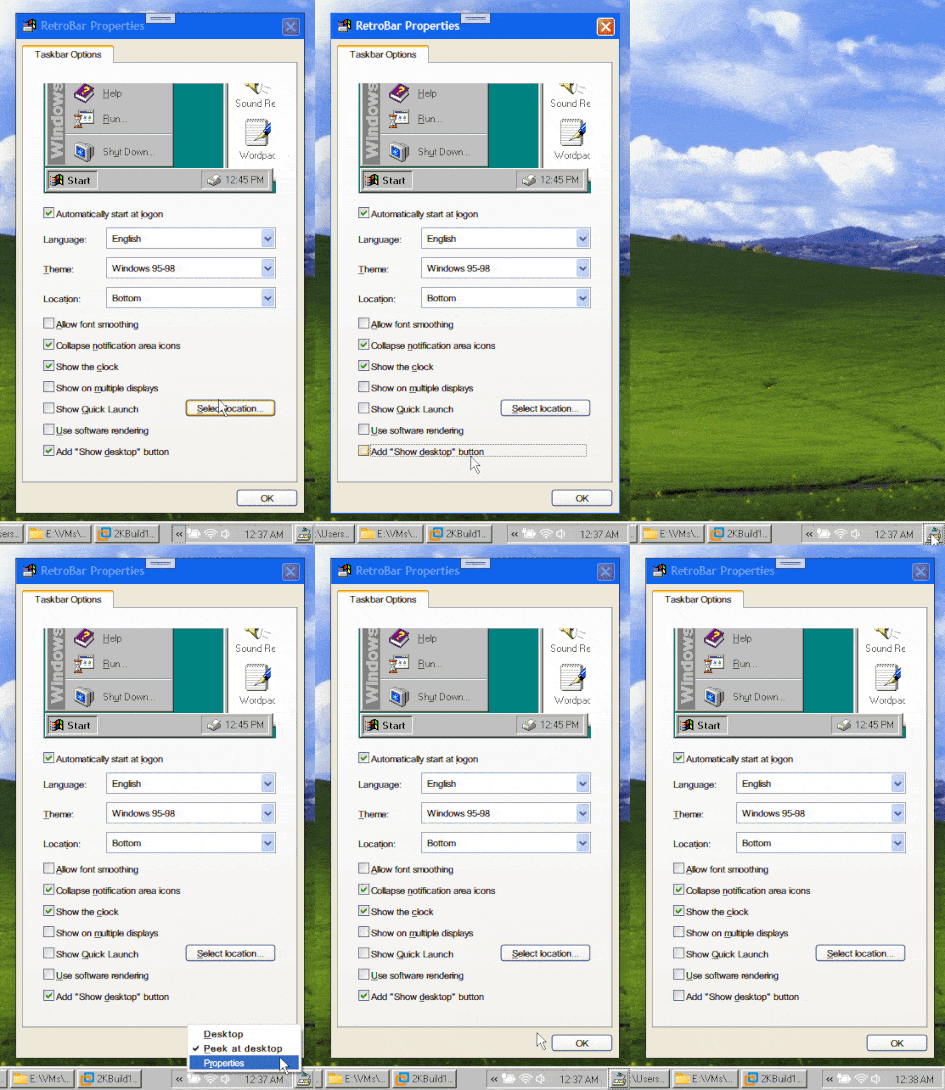
Yeah, I started working on this feature a few days ago. I knew it was there in previous versions, that's why I said it was finally released (to manufacturing) with the Superbar. Also, you've read my mind... I originally used exactly those two images to recreate it! But now I have access to those systems to more precisely design the behavior of the button.
I'm working to make it work for all themes, just a setting in the properties makes it available or visible.
Look: