

 drawpile
connecting lines issue
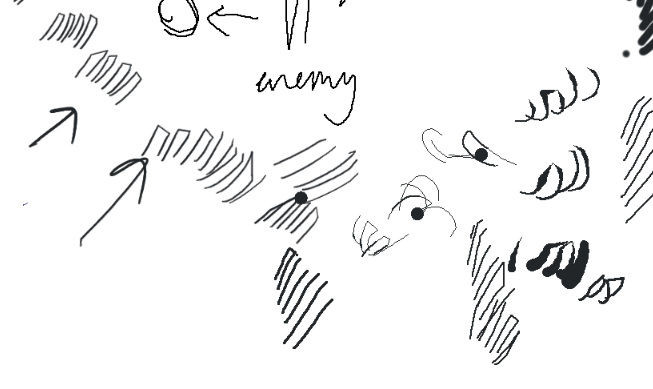 When I try to draw or hatch it's just start connecting my lines in one point or with each other.
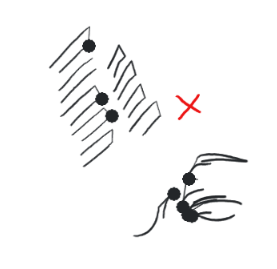 and sometimes put these random giant circles with pressure
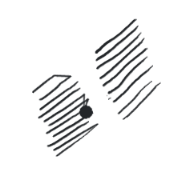 It happens when I drew faster or lift the pen too much.

Can you go to help, tablet tester and try in there?
Regarding the big circles, there's nothing that can be done about that. It's a known issue as Drawpile has no hardware acceleration, but hopefully with Drawpile 2.2 coming out, those issues should largely go away since it will have multi-threading support.
If you have further questions, join the Discord server. Invite link is on the main website's lower left corner.

It works just fine in tester, I'll be waiting for the update thank you for the reply.
What's your smoothing set to in the input settings? Can you put screen shots of that and the tablet tester?
What's your smoothing set to in the input settings? Can you put screen shots of that and the tablet tester?
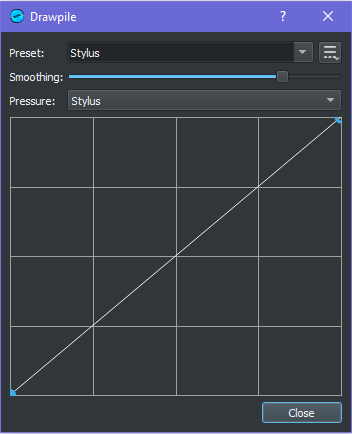
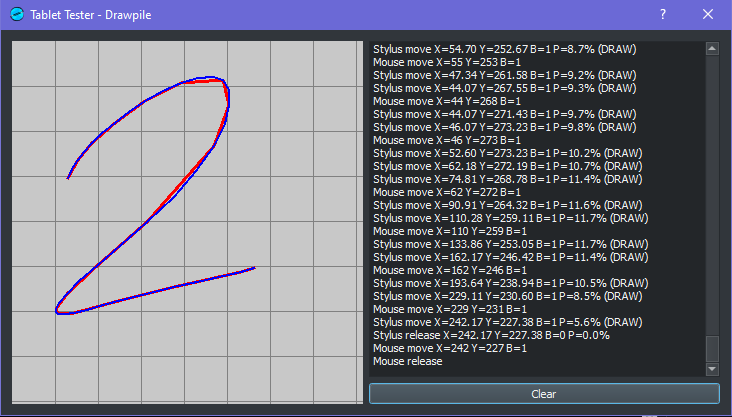
Try reducing the smoothing to a lower value. Having it high can cause issues with connecting lines.
Try reducing the smoothing to a lower value. Having it high can cause issues with connecting lines.
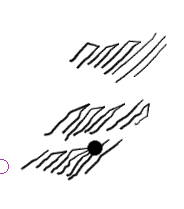
Now it's makes same thing with jagged lines.
Are you using windows? If so, is it windows 10? What version? (Windows key + r and type winver, then hit enter).
What is your tablet brand, model number, and driver version?

same issue system: win10 21H2 19044.1645 tablet: UGEE EXRAI pro16 tablet driver version:1.6.4
i asked some one and some of them have this problem too it seems to be randomly happens

@MachKerman @Valagroyl Have either of you tried the latest beta version? There's a lot of changes to the way it works now, and you might find it improved. I'd also suggest trying to go to edit, preferences, input to see if changing the "driver" option helps at all.
https://github.com/drawpile/Drawpile/releases
Thank you for reminding it! After giving up for a long time, I've tried the new version and the problem is gone.
Thank you for reminding it! After giving up for a long time, I've tried the new version and the problem is gone.
Excellent! I'm glad to hear it. :)
FYI, there's also a Turkish translation of Drawpile in the beta now, so hopefully that helps as well. If you're like to contribute to that or review the translation, you can do so online.
https://hosted.weblate.org/projects/drawpile/desktop/