
Fusion
 Fusion copied to clipboard
 dphfox
Utilities for connected animations
Sometimes when working with UI, you want to smoothly move an element between two entirely different ancestors - for example, when dragging a card between lists. This is commonly known as 'connected animation' or 'shared element transitions'.
Fusion should investigate whether it can provide better support for these types of animation,.

I think it's useful to try and make more rigorous what it would mean to have a 'connected animation'.
Perhaps the defining characteristic is that there is one UI element that is shared by multiple ancestors. For example, suppose that we have a list of photos, where tapping on a photo will show it in a fullscreen viewer:
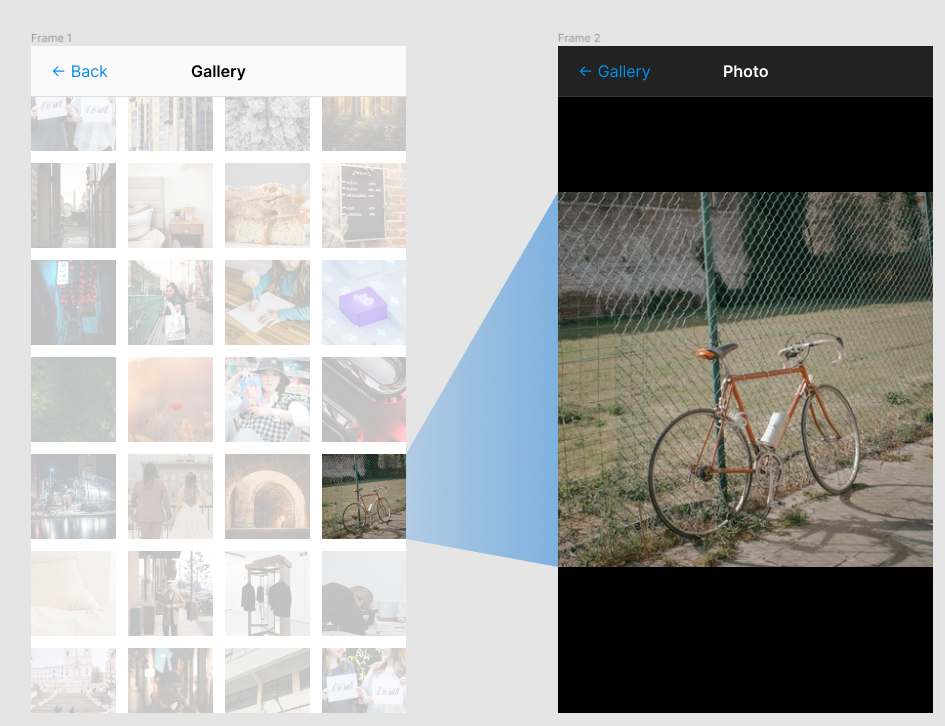
The bicycle photo has a position in the grid, and thus needs to participate in the layout there, but also needs to show up in the photo viewer.
To start off with, we should remove the duplicated bicycle photo. There should only ever be one bicycle photo in existence. In order to do this, we can replace both occurrences of the bicycle photo with placeholder 'slots':
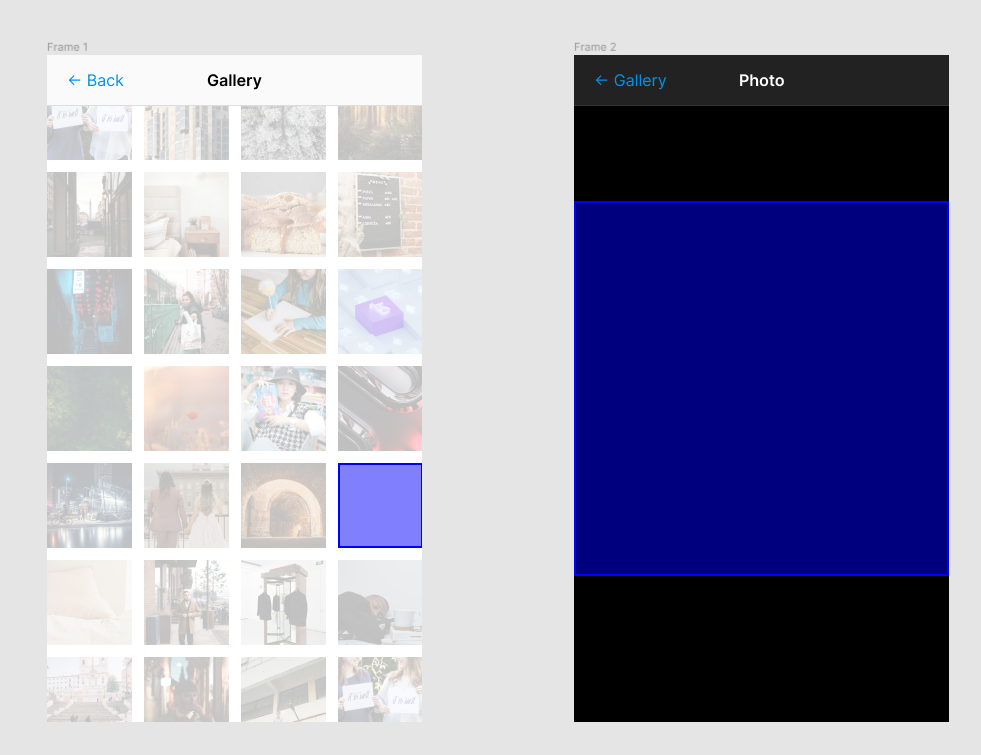
Then, we can create a flexible, movable frame specifically for the bicycle photo to be parented. It doesn't have a fixed position or size, so it can take on any dimensions. It also doesn't have a fixed ancestor, so it can switch between the two slots:
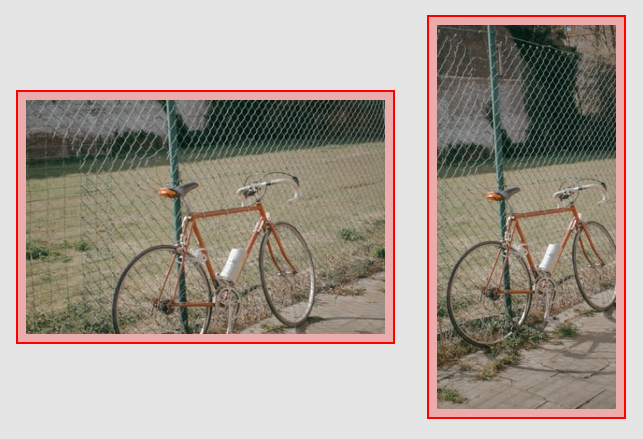
Now, we can easily re-add this single bicycle photo into our UI by parenting the flexible frame into either slot:
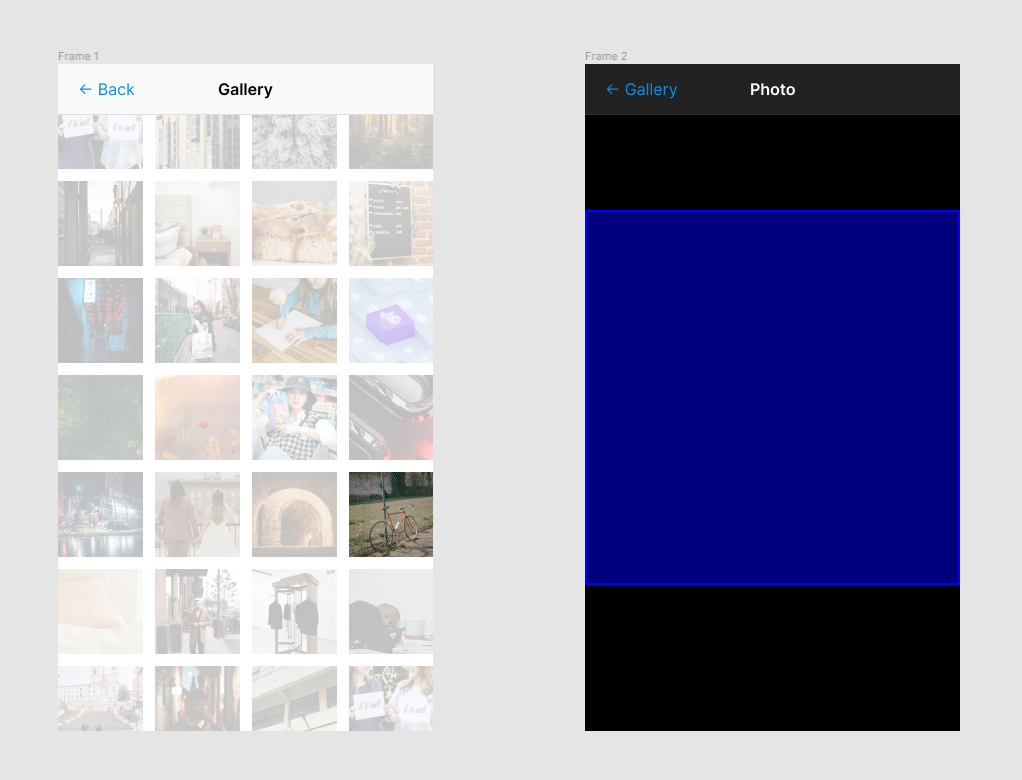
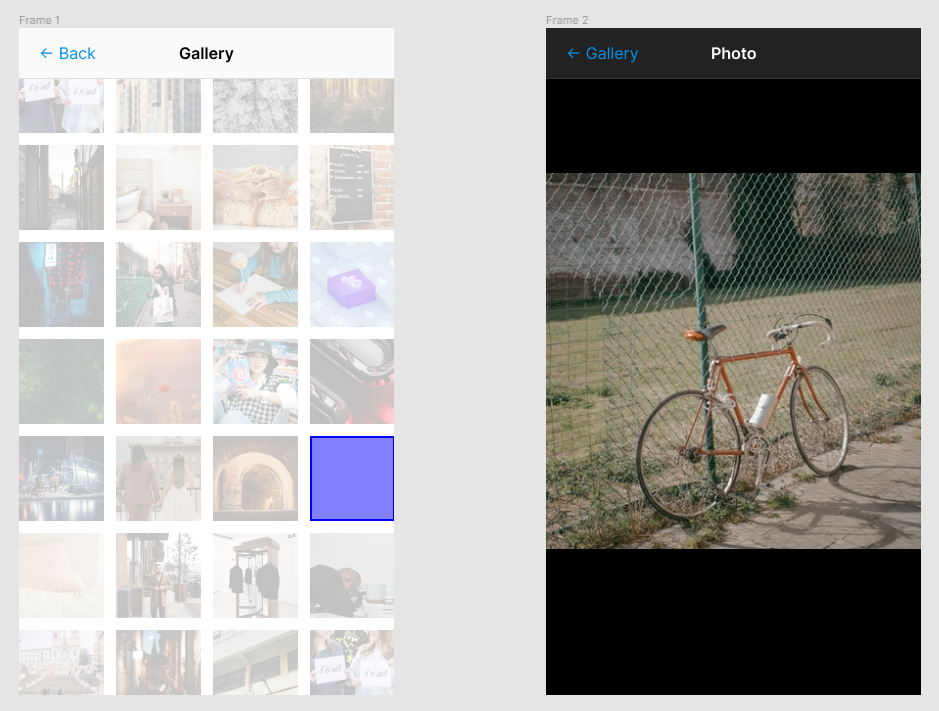
However, the bicycle photo is now completely isolated from either ancestor thanks to the flexible frame. In order to animate the transition, we can move the flexible frame out of either slot, and into a layer that sits above the entire UI. Then, the absolute position and size of the flexible frame can be animated smoothly to show the bicycle photo moving between the two slots.
This is one way in which we could implement connected animations. Further consideration might be needed for some details - for example, how should automatic sizing be handled, and how would this interact with UI that is created on the fly such as contextual menus?
Some thoughts:
- It's best to not explicitly encode which slots the connected element will target - any connected element should be able to move to any slot at any time. This gets around awkward issues with UI elements being created and destroyed dynamically, and should overall better fit into Fusion's flexible, self-contained design philosophy from an API perspective. We could achieve this by giving the connected element a Target property which can be a state object pointing to a slot.
- The overlay layer and the slots should always have a common LayerCollector ancestor, relative to which we can take consistent AbsolutePosition/Size/Rotation readings (as far as I know, all AbsolutePosition/Size/Rotation properties are relative to the 2D space defined by their nearest LayerCollector ancestor - more testing may be needed here to verify this)
- For maximum correctness, we should take into account how UIScale could affect the overlay layer
- We can incorporate efforts from #87 when building out this API - the idea of unified animation curves can be applied here too. The connected element could accept a mover just like a generalised follower object could accept a mover, meaning both APIs will be compatible with the same animation curves naturally with no extra effort.
- The connected animation API should focus on morphing the transform of the connected element, and leave the specific animation of sub-elements up to the user. Animating the sub-elements is easy. Animating the transform across multiple ancestors is not.
On the topic of automatic sizing:
There are two kinds of slot I've identified thus far - one where the transform of the connected element is determined by the slot (i.e. Position/Size of the connected element depends on the slot), and another where the transform of the slot is determined by the connected element (i.e. Position/Size of the connected element determines the sizing of the slot). I'll call these two kinds of slot 'fixed' and 'autosized' respectively.
It's worth noting why this should be a property of the slots; simply put, you can often have UIs where a connected element goes between being explicitly sized to being managed by the autosizing engine. For example, consider this UI, where you can tap on a pill to open up a new page:
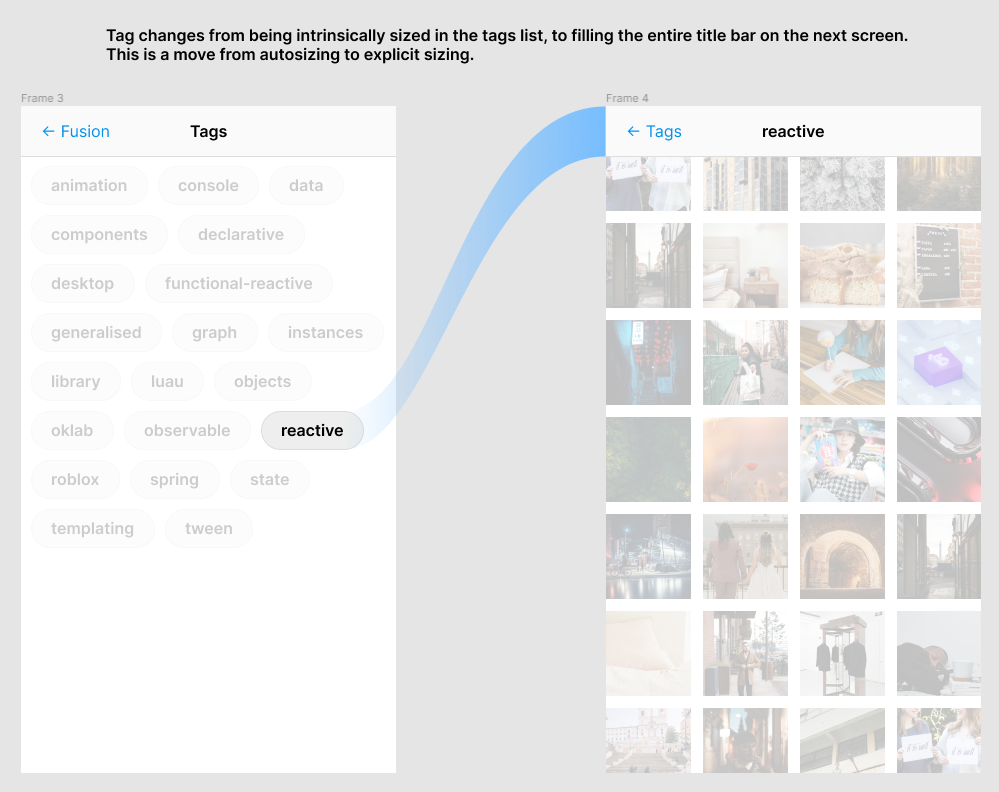
Open question - what's the best way to evaluate the absolute size of an autosized element like this, given that we might need this information while the element is not being autosized?
Was reading about how web development approaches these kinds of transitions (https://css-tricks.com/animating-layouts-with-the-flip-technique/) and perhaps one way of measuring the metrics of a non-autosized element is to instantaneously make it autosized in a controlled environment to measure its metrics, then instantly moving it back into place before the next render frame.
We should also probably come up with a shorter, neater name for all of this. I think a neat name could be 'flyover' since we're using this to animate elements 'flying over' to their destination. It also specifically doesn't imply any animation outside of that 'flying', which helps reflect what this API is actually responsible for, versus what it leaves up to the user. This is not a fully-automatic morph animation implementation, after all.
We could then name the slot components FlyoverSlot and name the connected element components Flyover.
-
It might be useful to acknowledge that this is venturing essentially into UI specific territory, since everything else in Fusion up to this point is designed to build a reactive graph that you can represent with any instance
-
you have access to every ancestor of an instance. you could calculate a child's absolutesize in a layout using a recursive function that considers an instance and its parent, and then the parent's parent, etc. the child's position (over time) is a whole different monster

- It might be useful to acknowledge that this is venturing essentially into UI specific territory, since everything else in Fusion up to this point is designed to build a reactive graph that you can represent with any instance
The criteria for an idea making it into Fusion is not generality. Instead, what I look for is applicability - if we implemented this, would it be usable by a wide group of people? I believe that a vast majority of UI could benefit from having better tools for transitions and animations.
More generalisable things tend to be more flexible and usable by more people of course, but generality isn't the metric that matters.
On that note, I've also been thinking about other things this could be used for. I could imagine a drag+drop use case where you attach a slot to the cursor, so when you pick something up it animates to the cursor and when you drop it, it smoothly snaps back into position.
- you have access to every ancestor of an instance. you could calculate a child's absolutesize in a layout using a recursive function that considers an instance and its parent, and then the parent's parent, etc. the child's position (over time) is a whole different monster
Why would position be an issue? We have AbsolutePosition.
Relevant experimental web API for connected page transitions in single page apps: https://youtu.be/JCJUPJ_zDQ4
I will probably address this as part of another project that is broader than Fusion's scope.