

 dotnet
The button/Label control in the tabControl's tabPage2 move up after the app built
-
VS Version: The latest main VS build
-
.NET Core Version: VS comes with .NET SDK 6.0.22.10605
-
Have you experienced this same bug with .NET Framework?: No
Minimal repro:
- Create a .NET Core winforms app.
- Add a TabControl to the form designer.
- Add a button into the tabPage2 of the tabControl1.
- Change the Anchor' property value of the button to 'None' or 'Buttom&Right'.
- Set the form's font property value to 'Segoe UI, 12pt' and Font style is Regular.
- Observe the Button's location value and build the app.
- Observe the Button's location value.
Or
- Extract "TestApp.zip" and open it in VS.
- Observe the Button's location value and then build the app.
- Observe the Button's location value.
Actual behavior:
The Button's location before build app is (220,180), after build app, the location of the button becomes (220,174).
The value of the Button's location property changes and the position moves up.
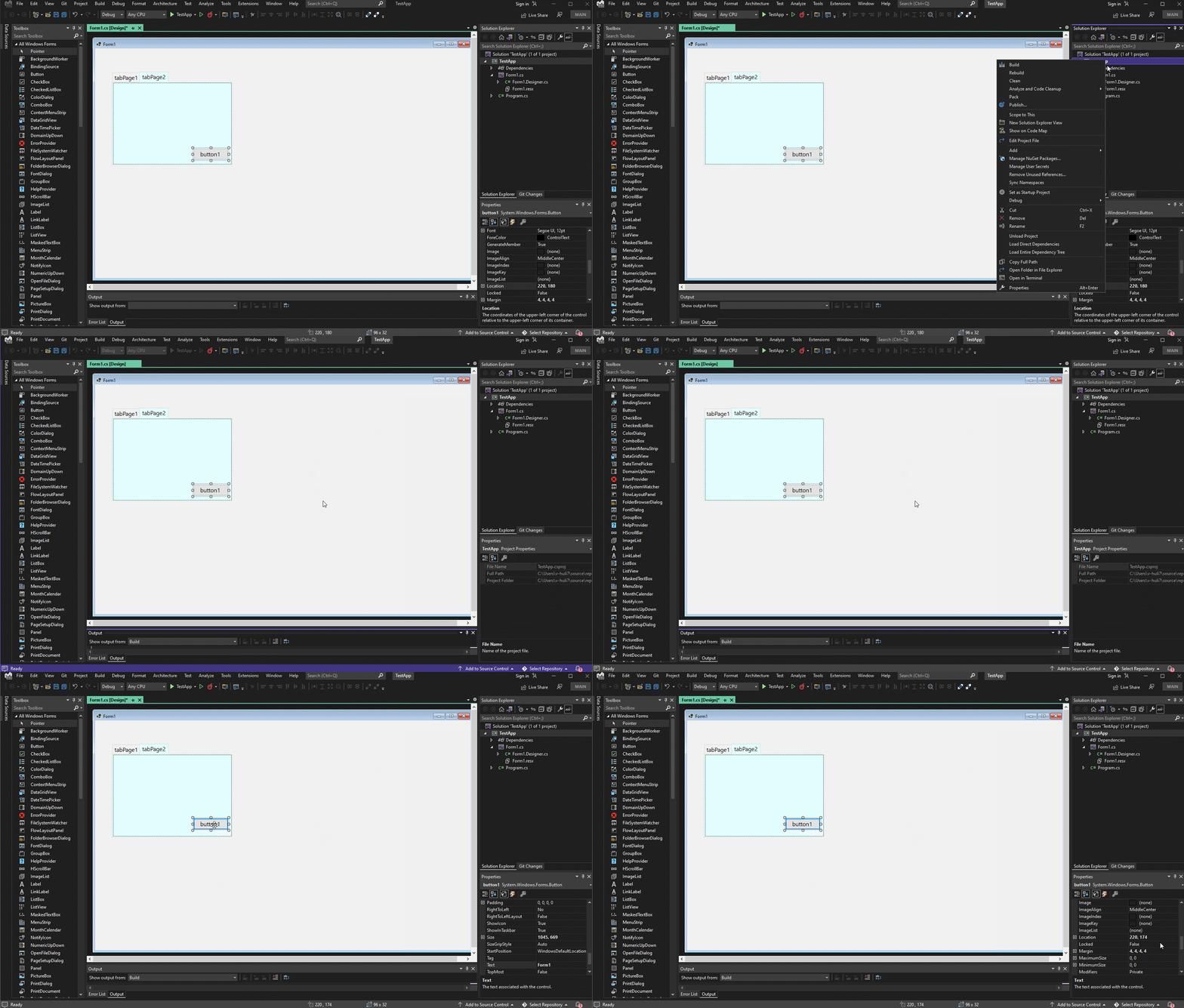
Expected behavior:
The Button's location before build app is (220,180), after build app, the location of the button remains (220,180).
The value of the Button's location property should not change and the position remains unchanged.

More info
- The button/Label control in the tabControl's tabPage1, the issue cannot repro, it occurs from tabPage2 and onwards in tabs.
- Workaround: If you don’t change the Anchor property of the Button so that it defaults to (Top, Left), then the font of the Form is changed to “Segoe UI”, 12F, System.Drawing.FontStyle.Regular". After build project, the button will not move up.
- The initial feedback ticket: https://devdiv.visualstudio.com/DevDiv/_queries/edit/1457510/?triage=true
- Original issue: 4029

@Ashley-Li, can you check latest status on this in .Net 8.0 and update the bug?

@dreddy-work I'm sorry I missed this one. Verified this issue on .NET 8.0 latest build: 8.0.100-rc.1.23404.2 it still repro.
Hi, I reported the same issue twice. The first time (3 years ago), Microsoft rejected it because they concluded it happen "only" with "some" fonts, in that case, SegoUI. Then I reported it again 1 week ago because even with the DEFAULT project font, it happen if you change the SIZE of the font to 16. They close the tickekt, stating it was duplicate.
I'm not so glad to found out this issue has started to be taken into consideration on March 2022, while I reported it the first time in december 2020.
I want to correct some information about that bug.
- You don't need to "build" the project in order for it to happen. Just CLOSE the form visualization and reopen it. see that in action here: https://www.youtube.com/watch?v=tqnVR5GQcPY
- the bug seem to happen on a resize event (on show)
Nevertheless, here my hypothesis: there is probably a round function in cause here. during a resize, the size and position of an object is evaluated according to the "remaining space" the round function would return an improper integer that triger a position further up and a size slightly off (smaller)
Hope that help.
