

 dotnet
ChildMdi Container control rendering issues when not Maximized
-
.NET Core Version: dotnet-sdk-7.0.100-alpha.1.21568.2-win-x64
-
Have you experienced this same bug with .NET Framework?: No
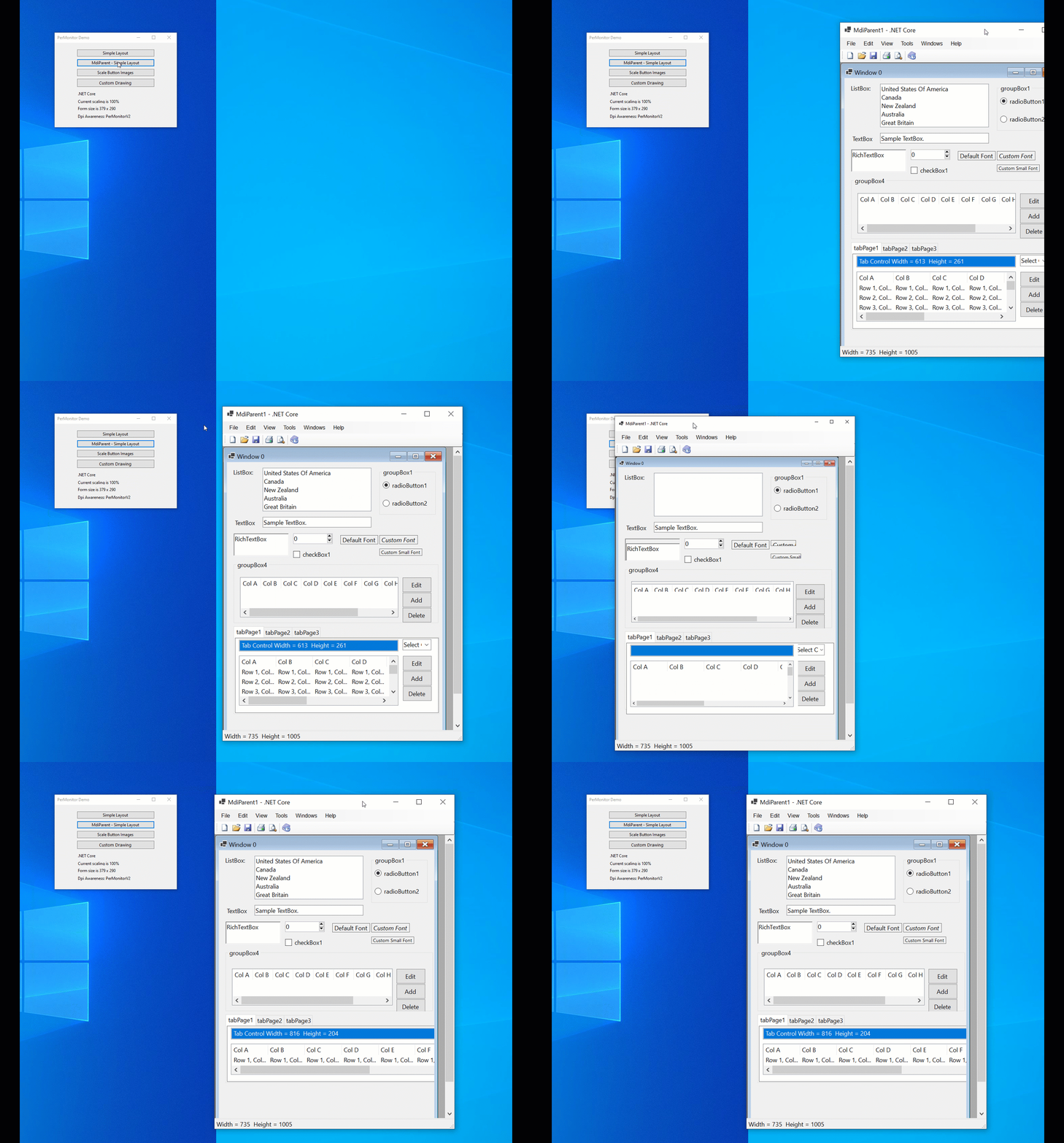
Issue When moving an MdiParent to a higher DPI monitor, the ChildMdi (not maximized) TabControl on the bottom becomes slightly wider and slightly shorter after multiple moves.
Run the project and click MdiParent - Simple Layout on the 100% monitor
Click on the Maximize/Minimize to un-maximize the ChildMDI form, then drag the MdiParent to the 150% monitor. The Width = 613 and the Height = 261 as displayed in the text box inside the tab control. After moving it to the 100% and back again, the size becomes 619x233. After doing this again, it becomes 816x204 and the tab control now runs past the right edge.
 PerMonitorHDPICore - NET 7.0.zip

Hi @dreddy-work, has any progress been made on this issue?
@alanhoman, unfortunately not. I have not got a chance to look deeper here.

HDPI was set as a high priority for .NET 6 and this goal was not reached which prevented us from migrating our Enterprise WinForms app from .NET Framework to .NET 6.
It was my understanding that everything would be addressed in .NET 7, but if the 4 issues (#6265, #6260, #6259, #6253) I opened are not worked on soon (along with HDPI issues from others), then I am concerned that the .NET 7 goal will also be in jeopardy, and this will get pushed off to .NET 8.
Will there be a commitment to completing all of the HDPI issues in .NET 7? I understand that resources are tight, and I would be willing to help, but changes at this level are too involved and require a deep understanding of WinForms internals. I am also including @RussKie and @merriemcgaw on this for comment.
which prevented us from migrating our Enterprise WinForms app from .NET Framework to .NET 6.
I assume your .NETFRAMEWORK version app was running either in SystemAware mode or Unaware mode and you do not see this issue there. Migrating with same Dpiawareness mode should not block migration. Am I missing something here?
Thank you for offering help @alanhoman . There are some less severity and limited scope but HDPI related bugs that I can share with you to try out HDPI space in winforms.
Focus has been around getting core winforms designer on par with Framework. I hope we get good enough ( if not complete) work done in Net7.0 for HDPI. Are these the only issues that are blocking your app to move to PMV2 mode?
We are using PerMonitor V1 (via app.manifest, <dpiAware xmlns="http://schemas.microsoft.com/SMI/2005/WindowsSettings">True/PM</dpiAware>). We then have a base form that detects DPI changes and applies the new font size to every form effectively scaling everything properly. This has worked well but does not work with PerMonitor V2. For V2 (on .NET 6), we have to rely on Winforms to handle all of the scaling. It is close to working except for the 4 issues I opened.
From all of my testing so far, this is the only thing preventing us from moving to PMV2 on .NET 6.
@alanhoman , I spent sometime and this issue is in combination with Docking and AutoscaleMode set at Font. Is it bad enough if you change AutoscaleMode to DPI? There might be still rounding issues, but I expect it to be 1-2 pixel. Can you try that on your sample app and let me know?
I tried setting the AutoscaleMode to DPI, but this has more issues than Font.
I tried setting the AutoscaleMode to DPI, but this has more issues than Font.
I am actively investigating it. Hopefully get the fix out soon. I was playing with sample app and it was not changing the tab control size drastically so wanted to check on your application. Will update you.
@alanhoman , can you try attached PR and see if it resolved https://github.com/dotnet/winforms/issues/6265 for you?
Will this be part of the nightly build tonight? I find this the easiest way to test.

Will this be part of the nightly build tonight? I find this the easiest way to test.
No. it will take couple of days to reach nightly build after this PR is merged. It is still in review process and i wanted to see if one of your issues is fixed by this. Especially when MDI is not maximized. I am still looking into MDI maximized scenario.
WinForms has limited control on MDI with respect to its size and positioning when DPI changed. We are trying if there is a simple work around until we get some fix from windows. There is an internal issue raised against windows here.
I would like to test it now, but I have found setting up my environment to test a specific PR is complicated.
@alanhoman have you tried this https://github.com/dotnet/winforms/blob/main/docs/debugging.md#1-copy-your-changes-into-the-sdk?
Working with this repo is frustrating. I am a Senior Software Engineer and have been working with WinForms since 2003 (19 years total). Our largest project has 1,700 forms. I would really like to and honestly need to have the .NET Core/7 WinForms project succeed.
Here are the things I have tried:
-
Clone the https://github.com/dotnet/winforms repo, build it, then copy the dll's to C:\Program Files\dotnet\shared\Microsoft.WindowsDesktop.App\7.0.0-preview.3.22116.6. After doing this and running my project, I get a run time error. Is this approach recommended? I have the daily SDK installed.

-
Clone the https://github.com/dreddy-work/winforms/tree/fix6259_1 repo. When I try this, the WinForms solution does not build. Is this approach recommended or is there another way to do this? Do I need to uninstall the daily SDK and install something else?
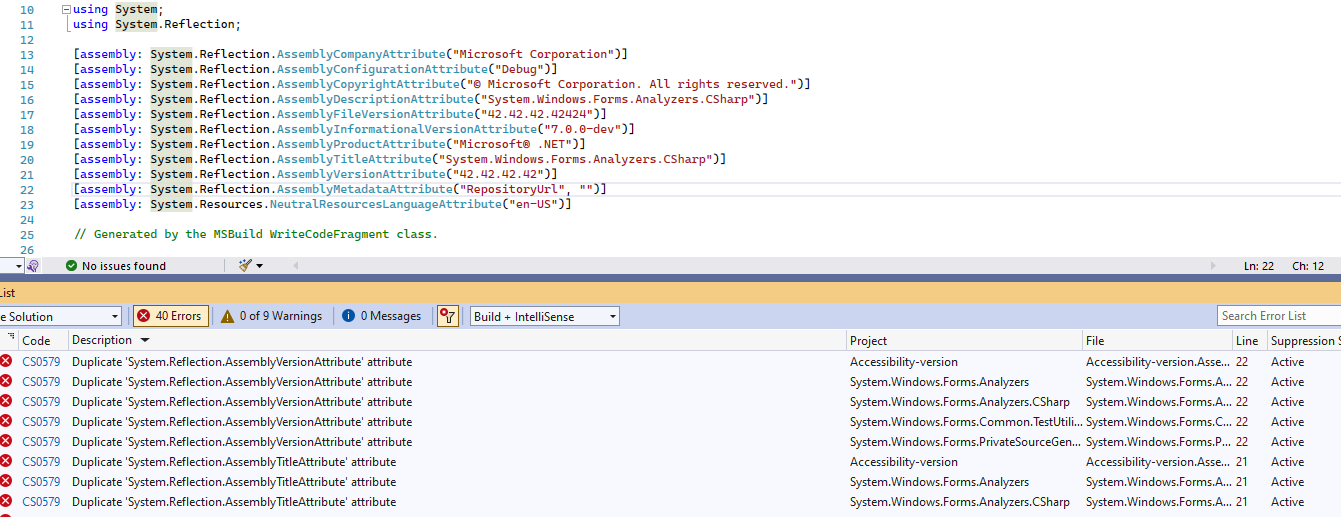
-
Install the daily .NET Core SDK's from https://github.com/dotnet/installer/blob/main/README.md#installers-and-binaries. This works, but the form looks worse now on a 150% monitor than it did when I submitted this issue. How up-to-date are these with the WinForms main branch?
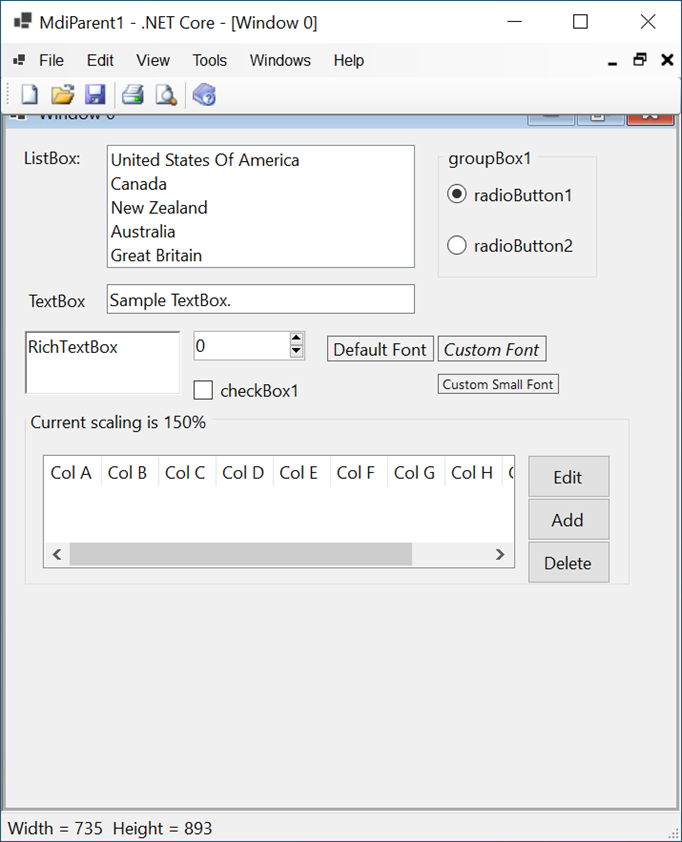
THanks @alanhoman for trying this out.
- Clone the https://github.com/dotnet/winforms repo, build it, then copy the dll's to C:\Program Files\dotnet\shared\Microsoft.WindowsDesktop.App\7.0.0-preview.3.22116.6. After doing this and running my project, I get a run time error. Is this approach recommended? I have the daily SDK installed.
This issue was recently introduced by runtime and is fixed now (if you install todays daily build of SDK).
- Clone the https://github.com/dreddy-work/winforms/tree/fix6259_1 repo. When I try this, the WinForms solution does not build. Is this approach recommended or is there another way to do this? Do I need to uninstall the daily SDK and install something else?
This should not happen. You do not need to uninstall latest SDK here. Did you try build from command line too?
- Install the daily .NET Core SDK's from https://github.com/dotnet/installer/blob/main/README.md#installers-and-binaries. This works, but the form looks worse now on a 150% monitor than it did when I submitted this issue. How up-to-date are these with the WinForms main branch?
WinForms has limited control on MDI windows and enabling PermonV2 mode for MDI is challenging. MDI maximized scenario is still under investigations and is next in line here. Did you see anything worse in non maximized scenario?
- Clone the https://github.com/dotnet/winforms repo, build it, then copy the dll's to C:\Program Files\dotnet\shared\Microsoft.WindowsDesktop.App\7.0.0-preview.3.22116.6. After doing this and running my project, I get a run time error. Is this approach recommended? I have the daily SDK installed.
I am able to get the main branch to run now, but there are 2 issues. When I run the project in debug mode and try to open a Simple Layout, or an MDI Parent, neither form ever appears. When not in debug mode, the windows open. Then, when I move the MDI Parent to a 150% monitor is still has the same issue as the last image I sent. The tab control with tab1, tab2, and tab3 disappear when moved to the 150% monitor.
- Clone the https://github.com/dreddy-work/winforms/tree/fix6259_1 repo. When I try this, the WinForms solution does not build. Is this approach recommended or is there another way to do this? Do I need to uninstall the daily SDK and install something else?
I still have this problem. With the new SDK it still will not build. I tried VS and command line and neither worked. I have no way of testing your fix and will have to wait until it is merged into main unless you have a solution, or another set of instructions.
- Install the daily .NET Core SDK's from https://github.com/dotnet/installer/blob/main/README.md#installers-and-binaries.
I still have the same issue. The tab control with tab1, tab2, and tab3 disappear when moved to the 150% monitor. This issue did not occur in earlier versions of .NET 7 (such as when I first submitted this issue). This does not occur when the form is not maximized. For our app, we use a docking control and all windows are maximized, so having everything work when maximized is required.
- Clone the dotnet/winforms repo, build it, then copy the dll's to C:\Program Files\dotnet\shared\Microsoft.WindowsDesktop.App\7.0.0-preview.3.22116.6. After doing this and running my project, I get a run time error. Is this approach recommended? I have the daily SDK installed.
This was caused by incoherent version of .NETCoreApp workload. This was fixed in https://github.com/dotnet/sdk/pull/24009, we should expect a coherent nightly SDK soon.
2. Clone the https://github.com/dreddy-work/winforms/tree/fix6259_1 repo. When I try this, the WinForms solution does not build. Is this approach recommended or is there another way to do this? Do I need to uninstall the daily SDK and install something else?
For some reason you have \bin and \obj folders created under each project not under \artifacts folder. VS sometimes does this when you switch to a different branch. In this situation I suggest the following steps:
- close VS
- run
git clean -xdffrom the repo root.
If you're only interested in private binaries, and not in debugging of the Windows Forms source, then you don't really need VS, and you can build it from the cli: .\build.cmd -c Release.
If you wish to debug (or otherwise explore or tinker with the code) then you need to perform the following steps:
PS> .\restore.cmd
PS> .\start-vs.cmd
The more detailed instructions can be found in https://github.com/dotnet/winforms/blob/main/docs/building.md and https://github.com/dotnet/winforms/blob/main/docs/debugging.md.
Hope this helps.
@alanhoman, is your project available to share with us?
Yes, on my initial entry of this issue just below the animated gif, there is a link to the zippped project. Here is another link to it: PerMonitorHDPICore - NET 7.0.zip
Thanks @RussKie!
The git clean -xdf cleared up all of the build errors and I was able to proceed with testing fix6259_1 from @dreddy-work.
For some reason you have \bin and \obj folders created under each project not under \artifacts folder. VS sometimes does this when you switch to a different branch. In this situation I suggest the following steps:
- close VS
- run
git clean -xdffrom the repo root.
The only minor issue is the NativeTests project does not build. This is not a show stopper since the important projects build properly now.
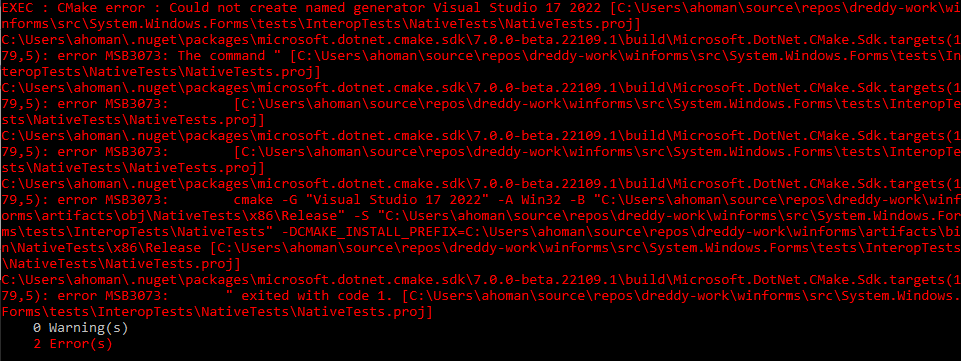
Now that I can build fix6259_1 from @dreddy-work, I confirmed that this issue is fixed. When the MDIParent (not maximized) is moved from 100% to 150% and then back and forth multiple times, the tabControl width and height are always exactly the same and the form it always formatted properly. The slight changes in size and layout no longer occur. This is great news!
When the MDIParent is maximized, it now lays out worse than is does with the main branch and still has the issues in #6260. I am also having the issue with the latest SDK that if I try running in debug mode, the main form opens up, but when I click on SimpleForm or MDIParent, these forms never come up and the app freezes. This may be an SDK issue.
Awesome. These errors look related to CMake. Please check you have CMake installed and on the PATH. It's listed in the docs.
Thanks @alanhoman for confirming the fix. Yes, i am aware of issues in the maximized state and also in the top-level form and i will be looking into it as well.
For debugging issue, internal team made aware of it and they are currently investigating if it has anything to do with debugger.
Thanks for the update @dreddy-work. Once the fix is merged, I think this issue can be closed. Also, @RussKie, installing the latest version of CMake solved the build issue, so I can now build everything properly!
Fix here has introduced a regression. Looking at it wholistically in the next PR and reverting earlier fix here.
@Olina-Zhang, can you please retest this scenario with .Net 8.0 and update current status?
@dreddy-work verified on .NET 8.0.100-rc.1.23380.1 from main branch, the initial issue still repro, please check below video:
https://github.com/dotnet/winforms/assets/45864985/2270309e-1854-498d-80f3-c7632fb7ea19
