

 dotnet
.NET Framework - The Capture property is not taken into account when a control handle is recreated and the cursor is positioned outside the form boundaries
This issue has been moved from a ticket on Developer Community.
Hello,
My name is Vladislav Yurgens. I'm a software engineer in the WinForms team at DevExpress.
Recently, one of our customers reported a problem related to our DockPanels. Having investigated the issue, we noticed that it relates to common mechanisms of the Mouse Events and the Control.Capture property. In particular, the Capture property value is not taken into account if a control handle was recreated during mouse operation (resizing or dragging) and the cursor is positioned outside the form boundaries.
Thus, we were able to reproduce the issue using only standard components. In the attachment, you will find a sample project and a video demonstrating the problematic behavior.
To reproduce the issue, do the following:
1) Open the solution, build it, and run the application;
2) Drag any border of a panel using the Left Mouse Button to resize the panel;
3) Release the Mouse Button within form boundaries -> everything works as expected;
4) Drag any border of a panel using the Left Mouse Button to resize the panel again;
5) Keeping the Mouse Button pressed, move the cursor outside the form boundaries;
6) Release the Mouse Button and try to move the cursor to the form boundaries -> the issue occurs.
In the OnMouseMove method, we restore the Control.Capture property value when the control handle is recreated. However, the restored value is not taken into account; that is why, Mouse Events do not work properly. Thus, we expect that the property value would be correctly applied to allow processing the Mouse Events accordingly.
Impact: This issue affects our Docking mechanism in RightToLeft mode. It can be easily reproduced with our DockPanels. Since a large part of our Customers use the Docking Library, it's important to resolve this issue.
Should you require additional information in this regard, please let us know. We will be happy to follow up.
Original Comments
Feedback Bot on 8/14/2020, 11:23 AM:
We have directed your feedback to the appropriate engineering team for further evaluation. The team will review the feedback and notify you about the next steps.
Lydia Shi [MSFT] on 8/17/2020, 10:53 AM:
Hi, winformsteam,
Thanks for your feedback. We already know your question. But for us to investigate this further, we want to know why you want to recreate handle when the mouse moved outside of the Form? We look forward to hearing from you.
Thanks,
Lydia
Feedback Bot on 8/27/2020, 09:11 AM:
We will close this report in 14 days because we don’t have enough information to investigate further. To keep the problem open, please provide the requested details.
winformsteam on 9/2/2020, 08:39 PM:
Hello,
Please accept my apologies for the delayed reply.
Let me describe our scenario in greater detail.
In our components set, we have a panel that mimics the UI of the standard ToolWindow form in the Visual Studio. This panel can be used as a container for other panels. In this case, these panels are displayed as tab headers at the bottom of the parent panel.
In turn, end users can drag the tab headers to place the dragged panel into a standalone form. The described issue with the Capture property relates to the following situation.
There is a parent container panel with two child panels. An end user drags one of the child panels. When one of the child panels is removed from its parent, the container panel must be disposed of to display only the last panel. The disposal causes the "Capture" issue on the dragged panel (the Capture property is applied to the panel, but it does not work as expected). That is why, the end user cannot drag this panel without releasing the Left mouse button.
Please let me know if I can be of more help.
igveliko [MSFT] on 9/3/2020, 00:35 PM:
(private comment, text removed)
Lydia Shi [MSFT] on 9/3/2020, 01:48 PM:
Thanks a lot to @igveliko [MSFT]'s workaround, which is very useful. The following GIF is the result of using workaround:

Also, @Vladislav Yurgens, we hope this workground can help you.
winformsteam on 9/7/2020, 10:06 PM:
Hi,
Thank you for the update.
Unfortunately, the workaround does not resolve the issue with the Capture property. Let me clarify this.
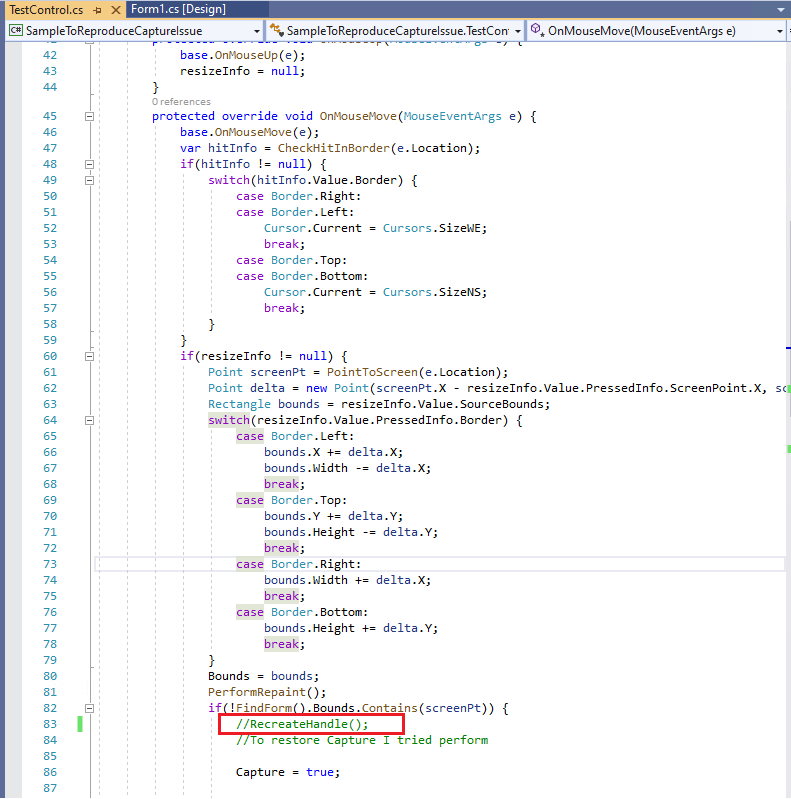
In the sample project, we added the RecreateHandle method call to emulate the effect of disposing of the panel container when an end-user drags some of the child panels. This step is required to demonstrate the issue with the Capture property. In particular, the property value is not taken into account for the dragged panel when the parent container is disposed of in our product. Also, we cannot reset the "resizeInfo" value as it breaks the current drag operation of the child panel.
As for resetting the Capture property value in the OnHandleDestroyed method, this does not affect incorrect processing of the child panel's Capture property. I have also recorded a video to demonstrate that the issue is still reproducible with the code snippet.
Please note that you need to do the following to reproduce the problem:
1) Drag any panel border with the Left Mouse Button pressed to resize the panel;
2) Keeping the Mouse Button pressed, move the cursor outside the form boundaries;
3) Release the Mouse Button and try to move the cursor to the form boundaries -> the issue occurs.
igveliko [MSFT] on 9/8/2020, 11:42 AM:
(private comment, text removed)
winformsteam on 9/11/2020, 09:28 PM:
(private comment, text removed)
igveliko [MSFT] on 9/15/2020, 07:39 AM:
(private comment, text removed)
Original Solutions
Feedback Bot solved on 9/1/2020, 05:36 PM, 0 votes:
We are unable to investigate this issue further without the additional information requested. If you are able to provide more information, you can request the issue being reactivate below. See our guidelines for further information about our process.

-
.NET Core Version: 5.0.100-rc.2.20464.14
-
Have you experienced this same bug with .NET Framework?: Yes
More info:
- It’s not a regression issue.
- This issue cannot reproduce after commenting out code in red box:
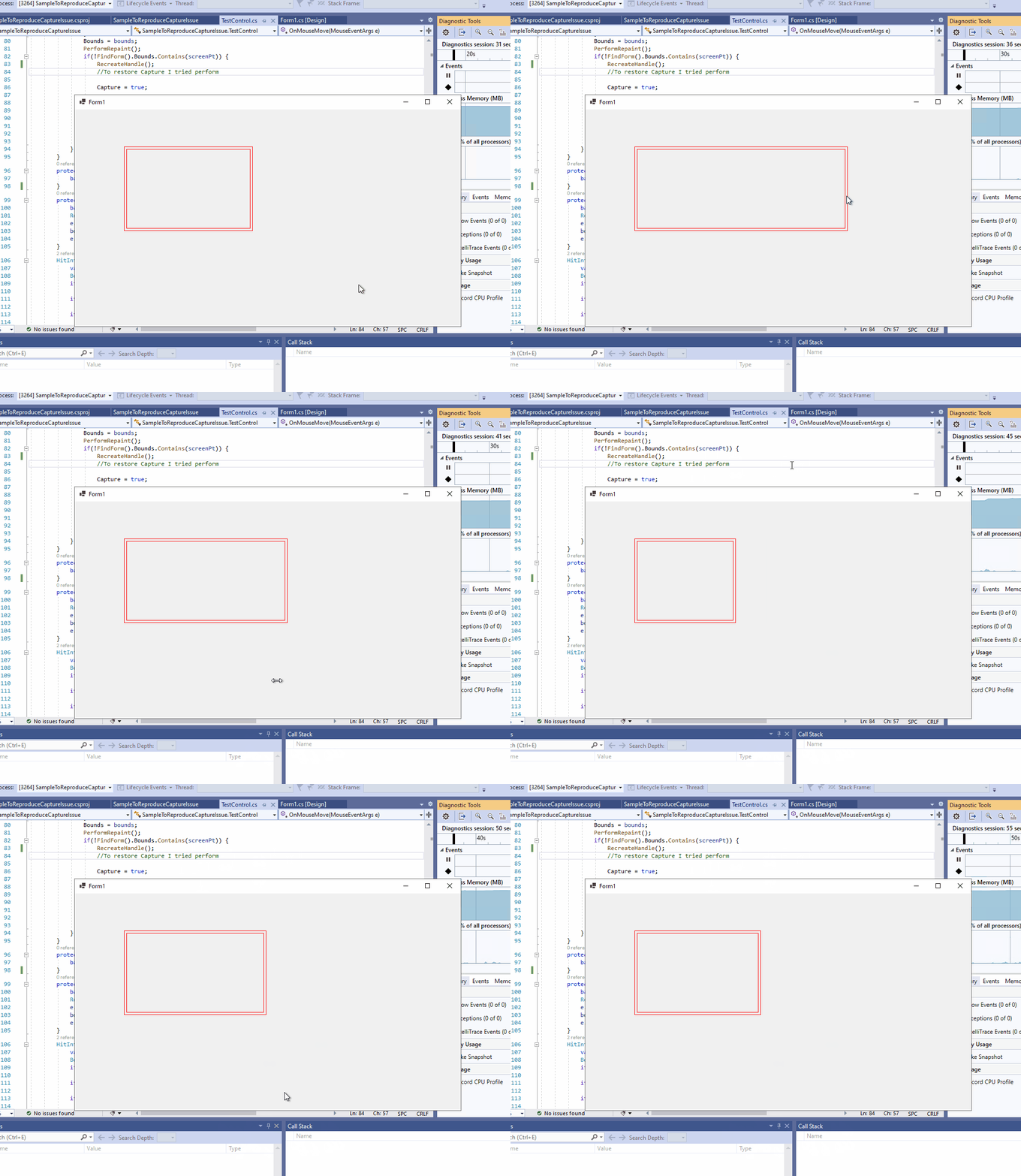
Problem description:
Panel cannot be resized when the cursor is moved outside the boundaries of Form.
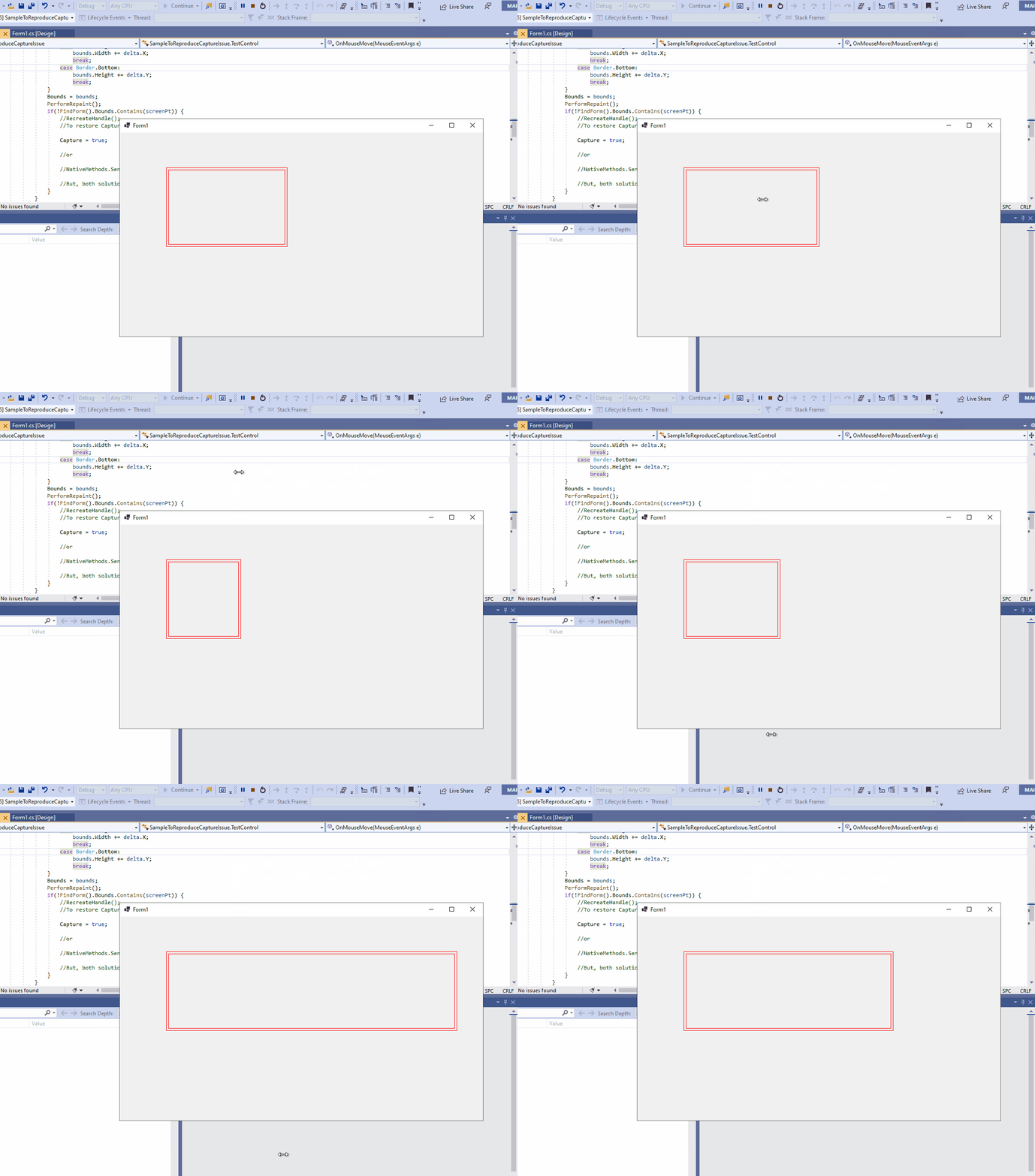
Expected behavior:
Panel can be resized when the cursor is moved outside the boundaries of Form.
Minimal repro:
- Launch the attached project SampleToReproduceCaptureIssue.zip in VS.
- Run this project
- Drag any border of panel using left mouse to resize panel
- Keep the left mouse pressed and move the cursor outside the Form boundaries, release the left mouse and try to move the cursor to the form boundaries

If you have a fix in mind, we are more than happy to consider taking it in .NET 6.
.NET Framework, however is in servicing only mode. Please work directly with @OliaG to determine viability of a change there. There is a very high bar for servicing .NET Framework due to compatibility requirements.

If we get a request to look at addressing this for .NET Core we can reevaluate.
