dotnet
The PrintPreviewControl control have no dotted rectangle when using Keyboard focus on it
Repro:
- create a core winforms application
- add a text box and a print preview control to a form
- run the application and TAB through the form result: TAB key moves focus from the text box to the print preview control even though this control is not editable.
Let's consider a comprehensive fix in Core 6.0 -
- set default value for TabStop property to false:
        [Browsable(false)]
        [DefaultValue(false)]   << add this line
        [EditorBrowsable(EditorBrowsableState.Never)]
        new public bool TabStop
        {
            get => base.TabStop;
            set => base.TabStop = value;
        }
- if the developer sets TabStop to true, we should draw the focus rectangle
Originally posted by @Tanya-Solyanik in https://github.com/dotnet/winforms/issues/3660#issuecomment-666847840

Additional details:
On a form with a textbox and a print preview control, TAB will attempt to move focus to print preview control. This control does not display a focus frame, so focus is not visible, and it should not be focusable because there is nothing to edit. The problem is that designer had generated code like this:
//
// printPreviewControl1
//
this.printPreviewControl1.Location = new System.Drawing.Point(485, 350);
this.printPreviewControl1.Name = "printPreviewControl1";
this.printPreviewControl1.Size = new System.Drawing.Size(785, 389);
this.printPreviewControl1.TabIndex = 1;
With specific TabIndex assigned to the print preview control. If designer had generated code like this:
//
// printPreviewControl1
//
this.printPreviewControl1.Location = new System.Drawing.Point(485, 350);
this.printPreviewControl1.Name = "printPreviewControl1";
this.printPreviewControl1.Size = new System.Drawing.Size(785, 389);
this.printPreviewControl1.TabStop = false;
then pressing TAB would not have moved focus away from the textbox. Our goal is that all controls by default generate accessible code when dropped from the toolbox onto the designer, when possible. In this case we should generate TabStop=false instead of TabIndex=1;.
To generate that, we should add a new attribute to runtime PrintPreviewControl's TabStop property as suggested in the bug. To test it you would need to install winforms and primitives dlls into the "shared" location in the SDK ( I think)
The border doesn't draws because message WM.PAINT (0x000F) doesn't pushes for this control when "Tab" pressed. For other controls this message triggers drawing of borders. Moreover, I've tried call default Wm Paint method from another message's handle and it causes an exception. It looks like drawing of borders for PrintPreviewControl never have been supported.

@NikitaSemenovAkvelon - the border should not be drawn because print preview control is not editable, it does not process keyboard focus.
To generate that, we should add a new attribute to runtime PrintPreviewControl's
TabStopproperty as suggested in the bug. To test it you would need to install winforms and primitives dlls into the "shared" location in the SDK ( I think)
There are several ways to test local changes. One is with the WinformsControlTest project, and it works for the majority of test cases. Another is to copy the test bianries to the global SDK as described in https://github.com/dotnet/winforms/blob/main/docs/debugging.md. @NikitaSemenovAkvelon feel free to ping me directly, if you have any questions.

Moved to triage.
This fix introduces a subtle change. Before and after default generated code does not have TabStop property in .designer.cs. If this source runs on the before binaries, effectively TabStop is true. If it runs on the after binaries, TabStop is false because the default value is interpreted differently.
I think that this is acceptable because focus frame had never been displayed around this control, so the end user will not notice the difference other than an extra TAB keystroke to move around the form.

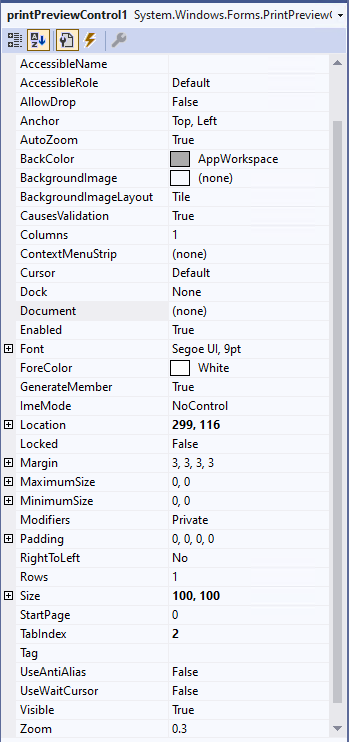
Verified on .NET 8.0 latest build from main branch: NET 8.0.100-alpha.1.22451.15, issue was not fixed. When I add TextBox, Button and PrintPreviewControl to the form. run the application and TAB through the form. click TAB three times is a loop, so PrintPreviewControl does not show the selected border but is still the selected state. And PrintPreviewControl's TabStop property is still displayed in the properties box, and the default value is True.
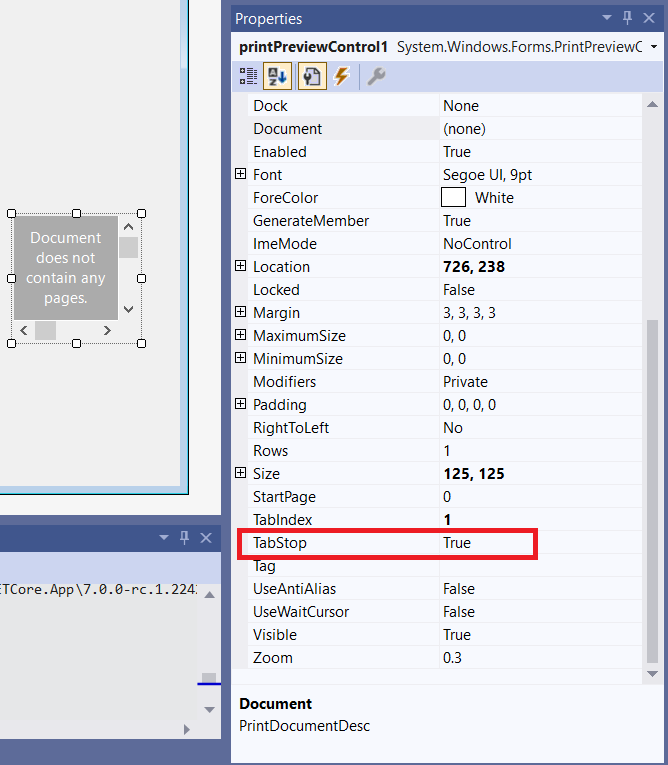
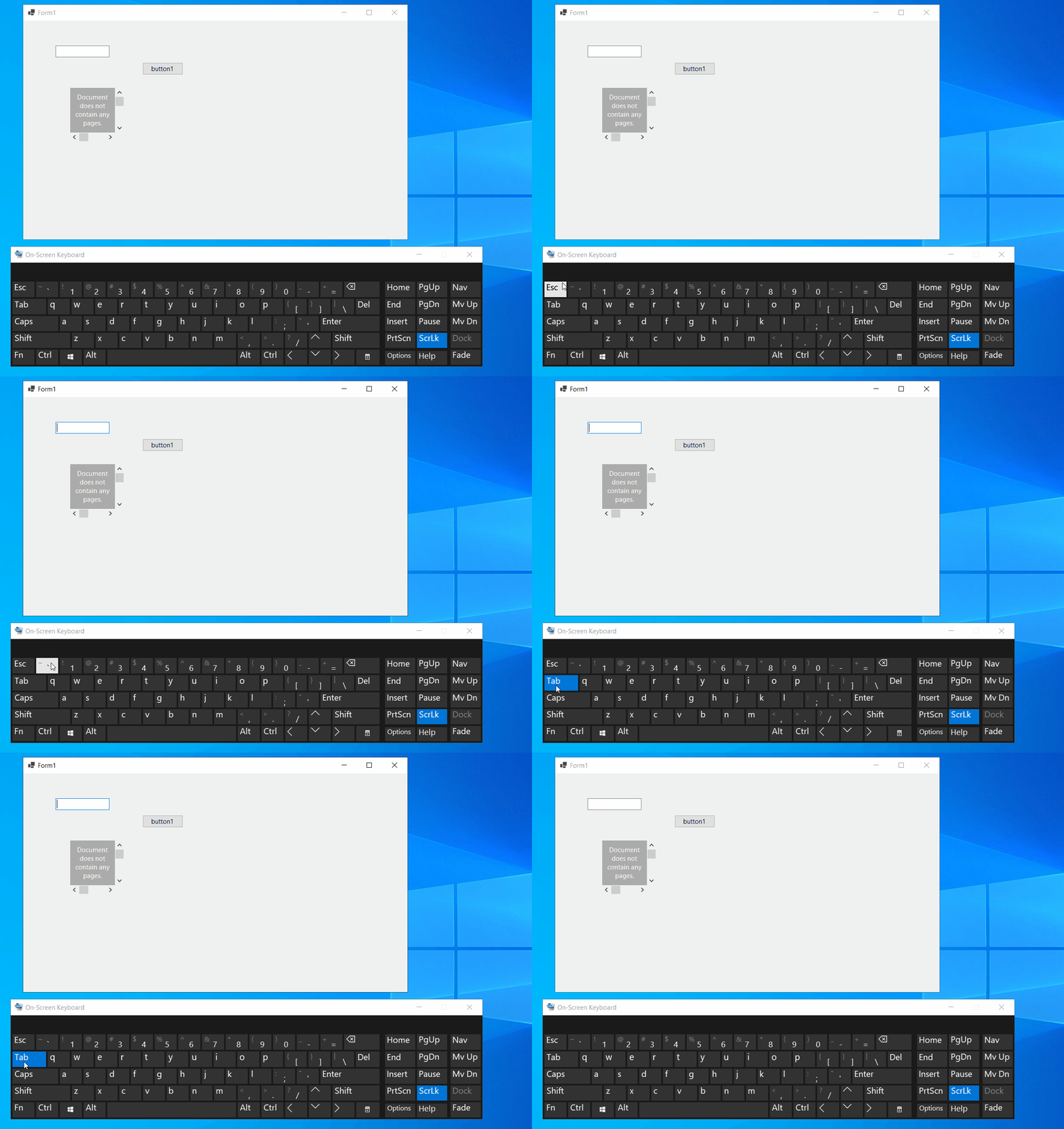

@MandiMan , main is not flowing all the way. It is possible that this fix might not be there yet in the installer. I sent out an email reply on this. Please follow up after SDK is up to date with winforms runtime.

Verified this issue in the latest .Net 8.0 SDK build: 8.0.100-alpha.1.22469.15, it was fixed. Please cehck below gif:
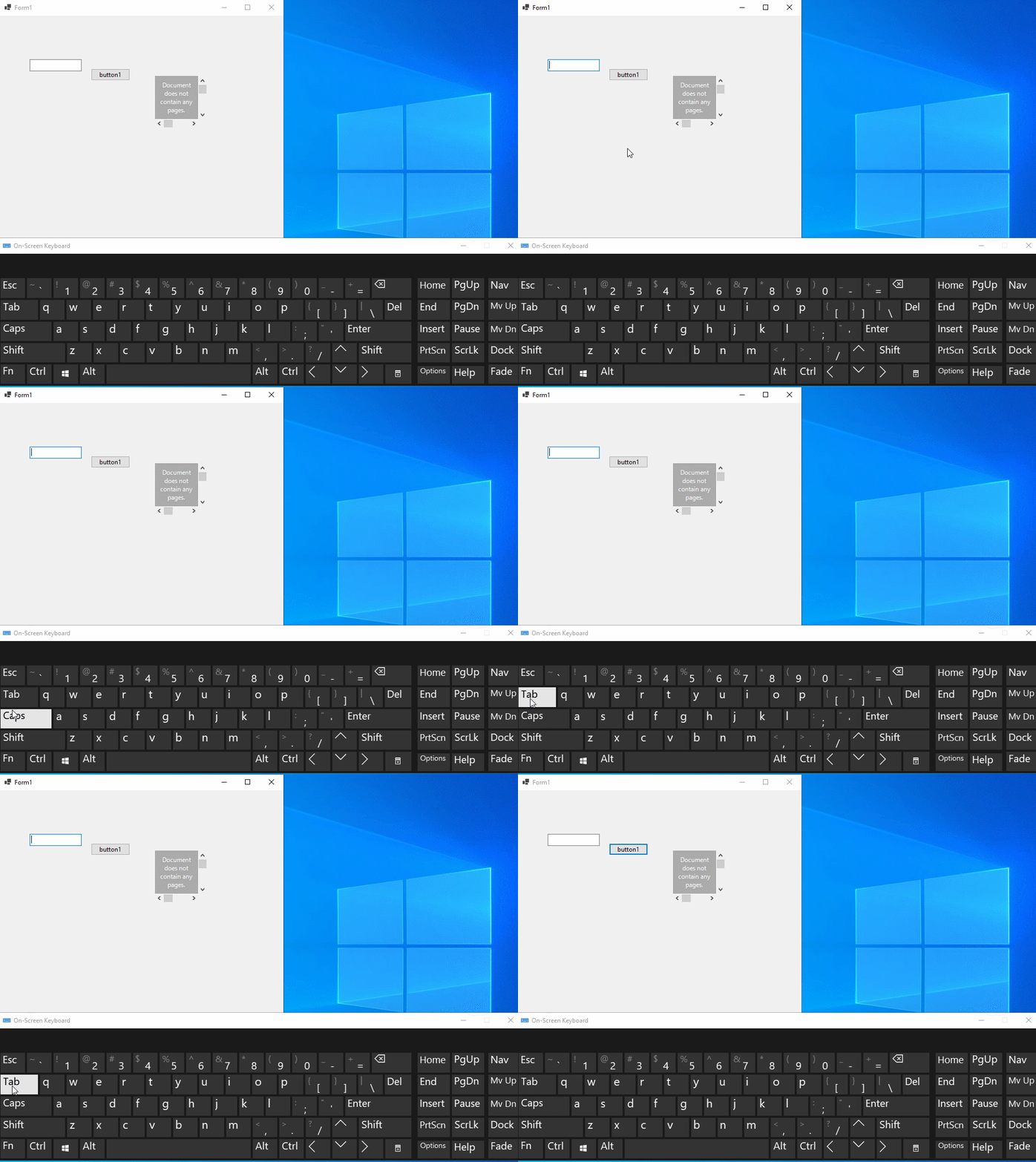 The TabStop property of PrintPreviewControl is as follows: