
vscode-csharp
 vscode-csharp copied to clipboard
 dotnet
Some problems occurred when opening razor in VScode
Environment data
VS Code version:1.67.2 C# Extension version:1.25.0
Steps to reproduce
- Clean Mac machine 2.install SDK 7.0.100-preview.5.22276.4
- Create a new razor project and open it in VS code
- Razor projects loaded successfully with some problems
Expected behavior
razor project loaded successfully without problems
Actual behavior
Razor projects loaded successfully with some problems
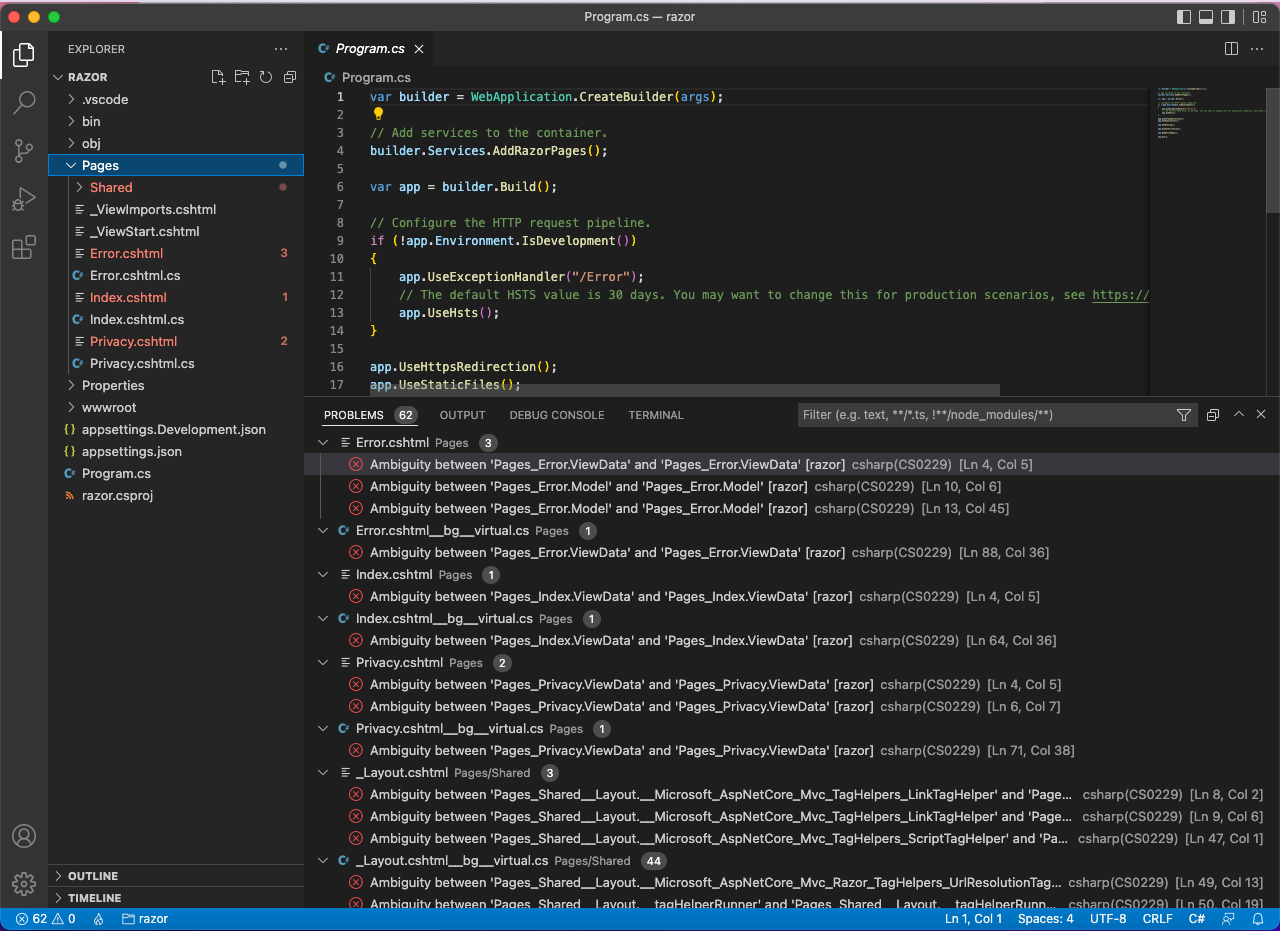
OmniSharp log
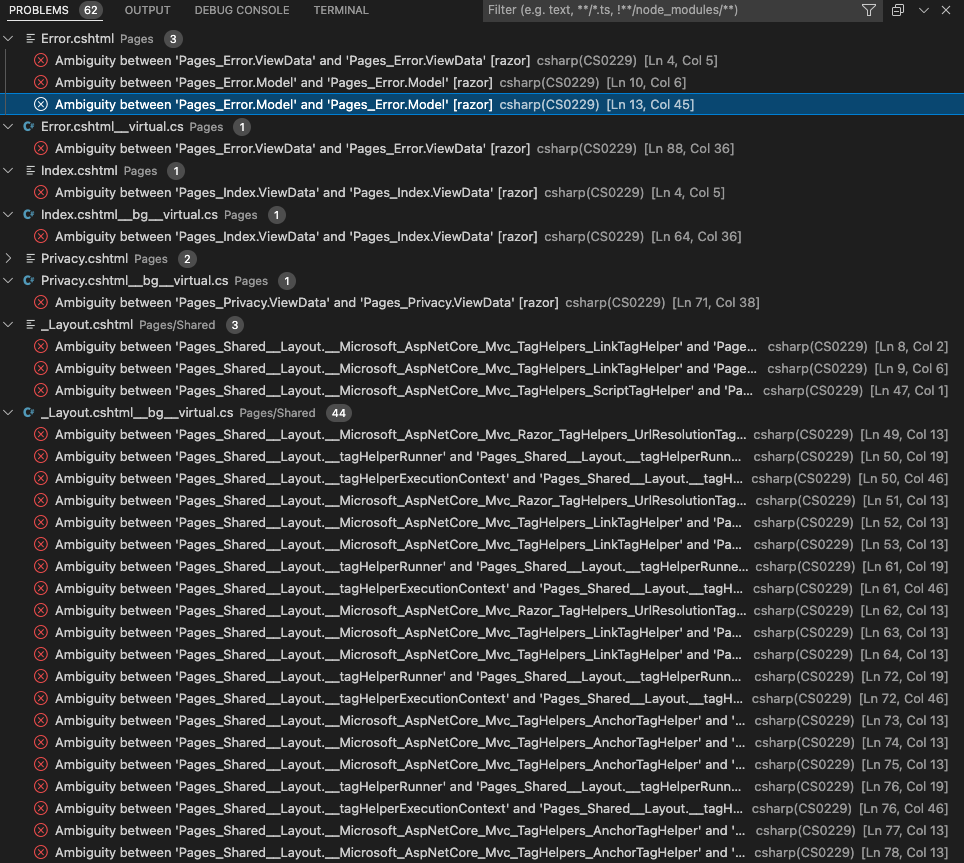

Additional context
Repro on Intel and M1 chip,
dotnet --info output:
.NET SDK:
Version: 7.0.100-preview.5.22276.4
Commit: ffce45d0d7
Runtime Environment: OS Name: Mac OS X OS Version: 12.4 OS Platform: Darwin RID: osx.12-arm64 Base Path: /usr/local/share/dotnet/sdk/7.0.100-preview.5.22276.4/
global.json file: Not found
Host: Version: 7.0.0-preview.5.22272.3 Architecture: arm64 Commit: 0864cc5539
.NET SDKs installed: 7.0.100-preview.5.22276.4 [/usr/local/share/dotnet/sdk]
.NET runtimes installed: Microsoft.AspNetCore.App 7.0.0-preview.5.22273.7 [/usr/local/share/dotnet/shared/Microsoft.AspNetCore.App] Microsoft.NETCore.App 7.0.0-preview.5.22272.3 [/usr/local/share/dotnet/shared/Microsoft.NETCore.App]
Download .NET: https://aka.ms/dotnet-download
Learn about .NET Runtimes and SDKs: https://aka.ms/dotnet/runtimes-sdk-info

Hi @yinjiehe01, Can you reproduce this issue again and share the OmniSharp Log from the VS Code Output Pane? It contains a lot of information which will help us troubleshoot the problem.

@JoeRobich This issue also repro on sdk:7.0.100-preview.5.22305.1+ VScode:1.67.2 + C# Extension version:1.25.0
Here is the log from the VS Code Output Pane.
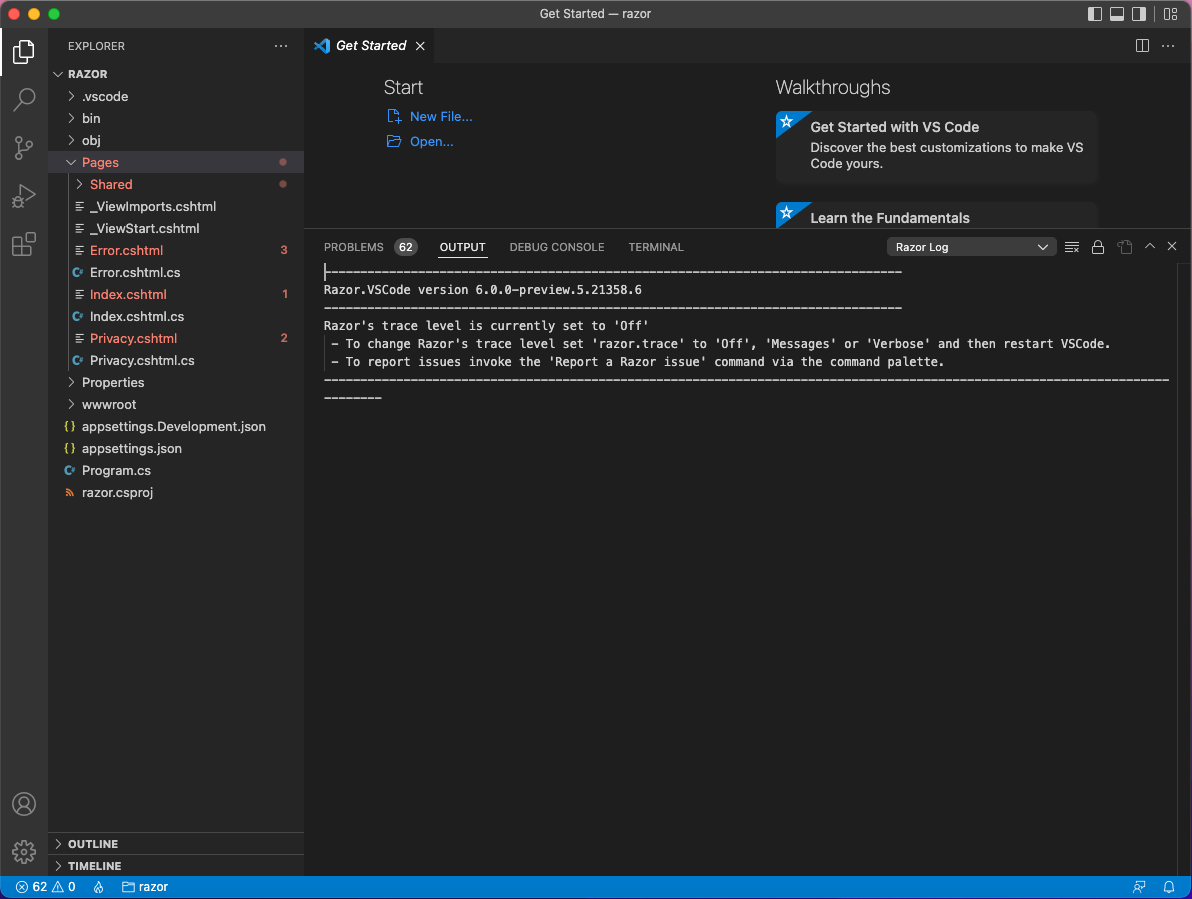
@yinjiehe01 Sorry, your screenshot is the Razor Log, can you change to the OmniSharp Log in the dropdown?
@JoeRobich Sorry, that's my mistake, the below is the OmniSharp Log: Starting OmniSharp server at 6/7/2022, 3:11:53 PM Target: /Users/m1e2e/test1/razor
OmniSharp server started with .NET 7.0.100-preview.5.22305.3 . Path: /Users/m1e2e/.vscode/extensions/ms-dotnettools.csharp-1.25.0/.omnisharp/1.39.0-net6.0/OmniSharp.dll PID: 966
Starting OmniSharp on Unknown 0.0 (Unknown) info: OmniSharp.Services.DotNetCliService Checking the 'DOTNET_ROOT' environment variable to find a .NET SDK info: OmniSharp.Services.DotNetCliService Using the 'dotnet' on the PATH. info: OmniSharp.Services.DotNetCliService DotNetPath set to dotnet info: OmniSharp.MSBuild.Discovery.MSBuildLocator Located 1 MSBuild instance(s) 1: .NET Core SDK 7.0.100 17.3.0 - "/usr/local/share/dotnet/sdk/7.0.100-preview.5.22305.3/" info: OmniSharp.MSBuild.Discovery.MSBuildLocator Registered MSBuild instance: .NET Core SDK 7.0.100 17.3.0 - "/usr/local/share/dotnet/sdk/7.0.100-preview.5.22305.3/" info: OmniSharp.WorkspaceInitializer Invoking Workspace Options Provider: OmniSharp.Roslyn.CSharp.Services.CSharpFormattingWorkspaceOptionsProvider, Order: 0 info: OmniSharp.MSBuild.ProjectSystem No solution files found in '/Users/m1e2e/test1/razor' info: OmniSharp.MSBuild.ProjectManager Queue project update for '/Users/m1e2e/test1/razor/razor.csproj' info: OmniSharp.Script.ScriptProjectSystem Detecting CSX files in '/Users/m1e2e/test1/razor'. info: OmniSharp.Script.ScriptProjectSystem Did not find any CSX files info: OmniSharp.WorkspaceInitializer Configuration finished. info: OmniSharp.Stdio.Host Omnisharp server running using Stdio at location '/Users/m1e2e/test1/razor' on host 947. info: OmniSharp.MSBuild.ProjectManager Loading project: /Users/m1e2e/test1/razor/razor.csproj info: OmniSharp.MSBuild.ProjectManager Successfully loaded project file '/Users/m1e2e/test1/razor/razor.csproj'. info: OmniSharp.MSBuild.ProjectManager Adding project '/Users/m1e2e/test1/razor/razor.csproj' info: OmniSharp.MSBuild.ProjectManager Update project: razor
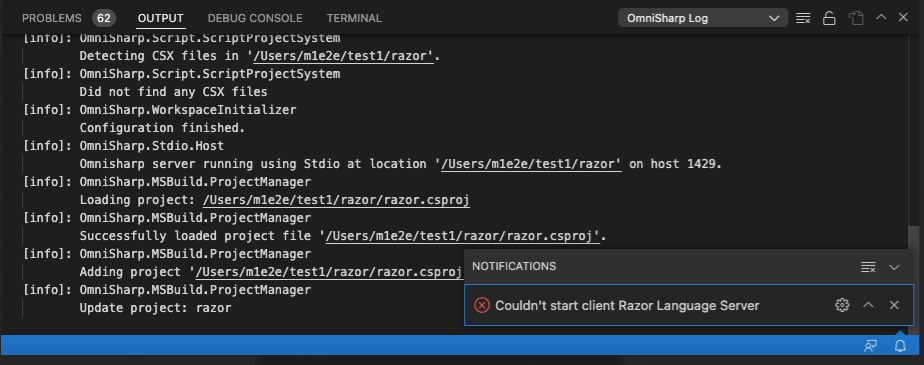
This is a dupe of AzDo: [Bug 1545938][WebToolsE2E] After installing SDK 7.0, there will be some errors when opening the .cshtml/.razor file in the project.

Looks like a fix has gone into Roslyn (https://github.com/dotnet/roslyn/pull/61675). This should be resolved after we take a new build of O#.
When creating a blazor project, there will be some different errors.
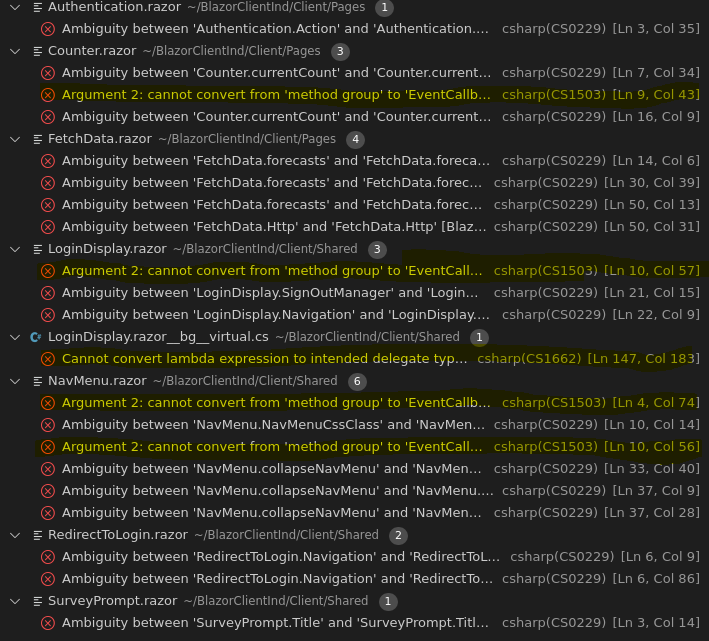 Error Log:
[{
"resource": "/home/aapt/BlazorClientInd/Client/Pages/Counter.razor",
"owner": "csharp",
"code": "CS1503",
"severity": 8,
"message": "Argument 2: cannot convert from 'method group' to 'EventCallback' [BlazorClientInd.Client]",
"source": "csharp",
"startLineNumber": 9,
"startColumn": 43,
"endLineNumber": 9,
"endColumn": 57
}]
[{
"resource": "/home/aapt/BlazorClientInd/Client/Shared/LoginDisplay.razor__bg__virtual.cs",
"owner": "csharp",
"code": "CS1662",
"severity": 8,
"message": "Cannot convert lambda expression to intended delegate type because some of the return types in the block are not implicitly convertible to the delegate return type [BlazorClientInd.Client]",
"source": "csharp",
"startLineNumber": 147,
"startColumn": 183,
"endLineNumber": 147,
"endColumn": 198
}]
Error Log:
[{
"resource": "/home/aapt/BlazorClientInd/Client/Pages/Counter.razor",
"owner": "csharp",
"code": "CS1503",
"severity": 8,
"message": "Argument 2: cannot convert from 'method group' to 'EventCallback' [BlazorClientInd.Client]",
"source": "csharp",
"startLineNumber": 9,
"startColumn": 43,
"endLineNumber": 9,
"endColumn": 57
}]
[{
"resource": "/home/aapt/BlazorClientInd/Client/Shared/LoginDisplay.razor__bg__virtual.cs",
"owner": "csharp",
"code": "CS1662",
"severity": 8,
"message": "Cannot convert lambda expression to intended delegate type because some of the return types in the block are not implicitly convertible to the delegate return type [BlazorClientInd.Client]",
"source": "csharp",
"startLineNumber": 147,
"startColumn": 183,
"endLineNumber": 147,
"endColumn": 198
}]

This issue does not repro on win arm64 and mac with sdk:7.0.100-preview.7.22358.13 + VScode:1.69.0 + C# Extension version:1.25.0
