dotnet
On-type formatting can move braces after the cursor
Originally posted by @michaelcsikos in https://github.com/dotnet/razor/issues/4336#issuecomment-1326010009
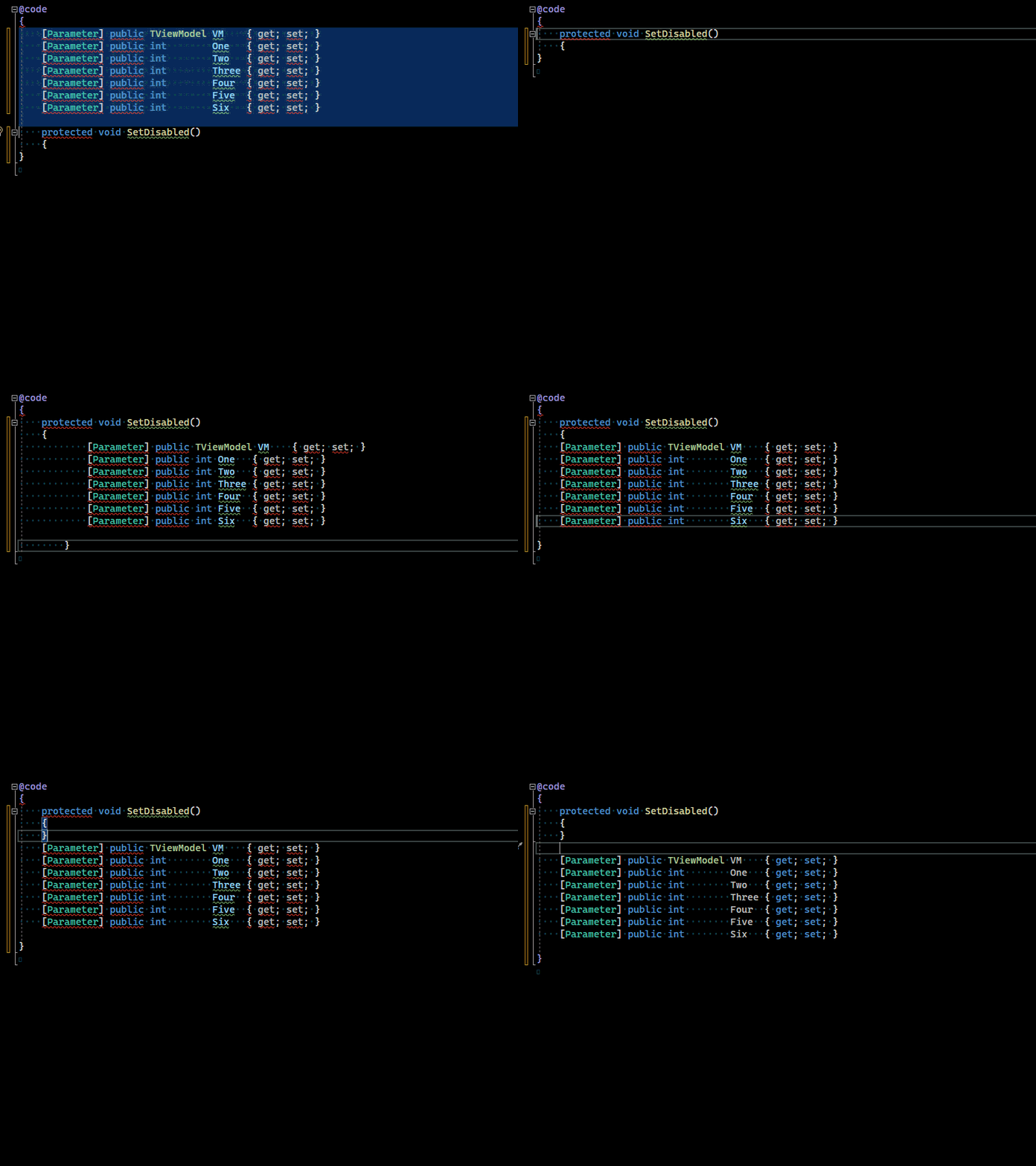
Here's an example of a very unhelpful automatic format. As you can see it happens on the Enter keystroke, requiring a Ctrl + Z to fix.
 I often close the
 } immediately, and then notice the mess. In this scenario, it actually takes 4x Ctrl + Z to undo.
Would be interesting to see how many tests break if we just throw away any on type formatting edits that appear after the cursor. This seems to be closer to what Roslyn does.

@davidwengier It's not just the lines after the cursor, it can move properties or methods much further up in the file, possibly out of sight which then goes unnoticed. In the following examples it's not consistent, either: in the first example the methods are not moved.
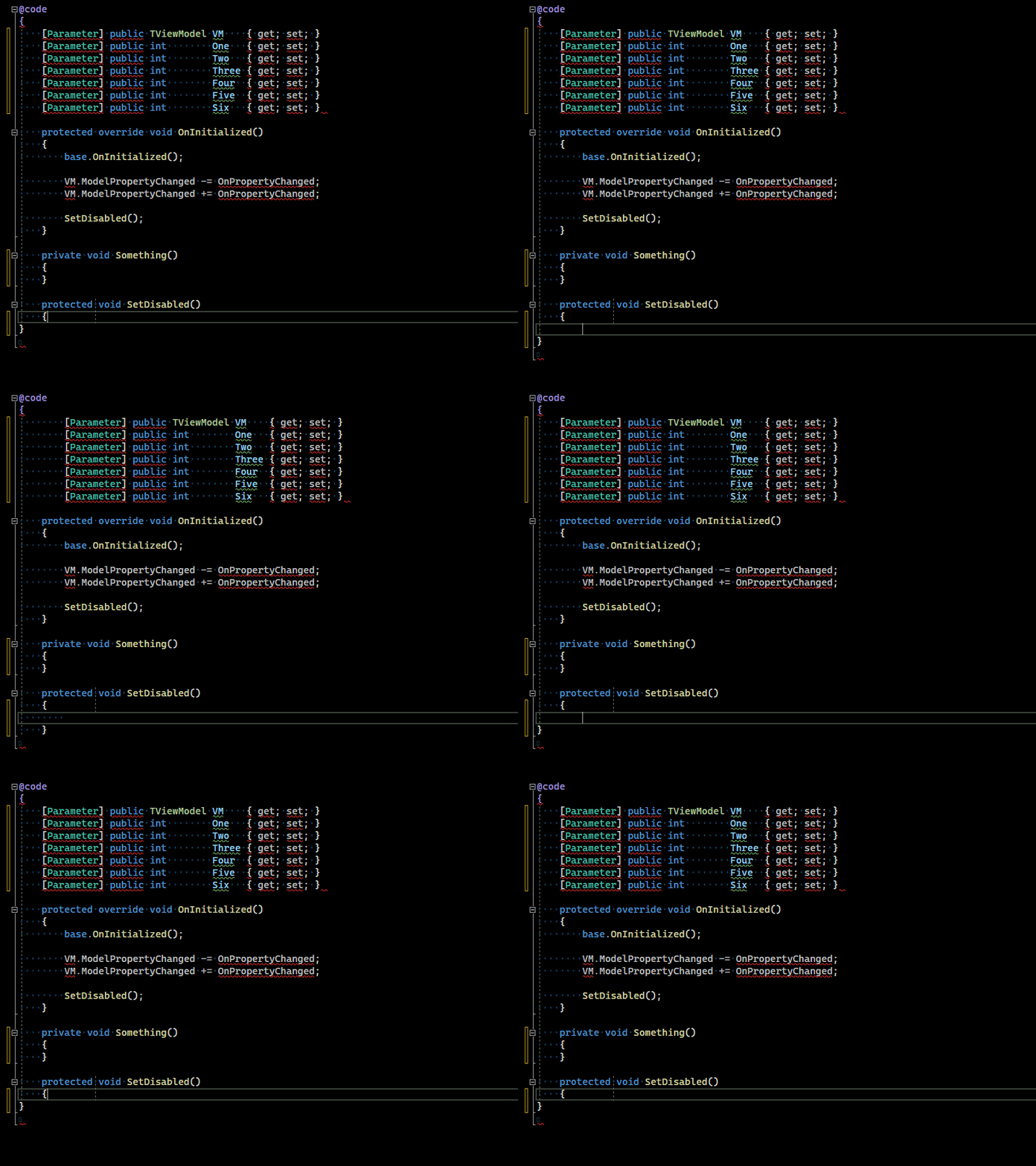
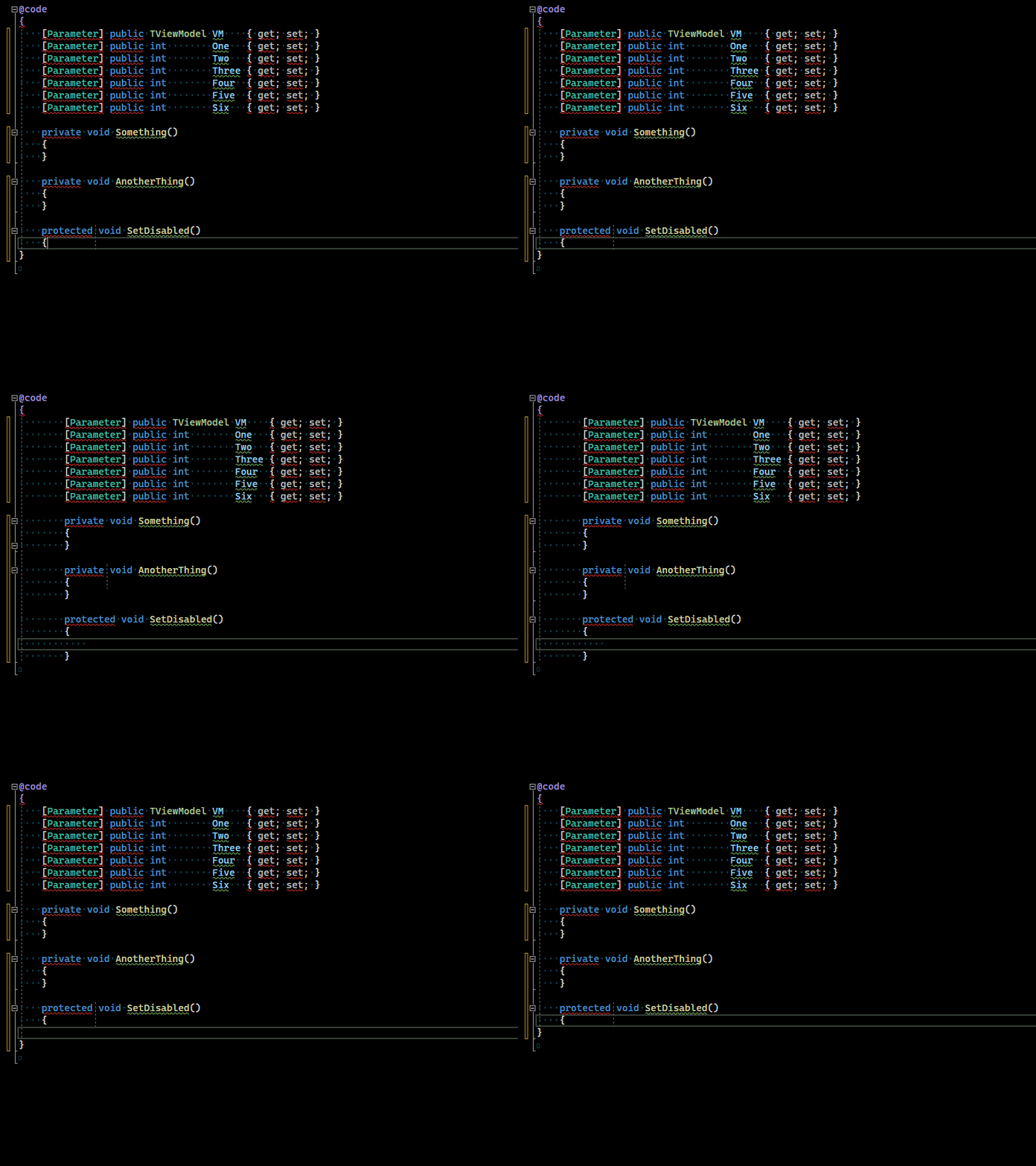

@michaelcsikos Just to be 100% clear, the format-on-type is moving the properties/methods, when you press Enter, to be indented by 8 spaces, correct?
And is your indentation settings (in Tools, Options, Text Editor, Razor) set to 4 spaces? or 8? or tabs?
@davidwengier Correct, it's happening on the Enter keystroke. Indentation is set to 4 spaces. Tabs are evil.
The worst case seems to be when you have a brace mismatch at the end of your file. This just happens to be where we do a lot of coding, though, working from top to bottom. Pasting can produce some wild results, too: