
razor
 razor copied to clipboard
 dotnet
Colourization issues on VS Mac
Version: 17.4.0.1343-pre.2-arm64
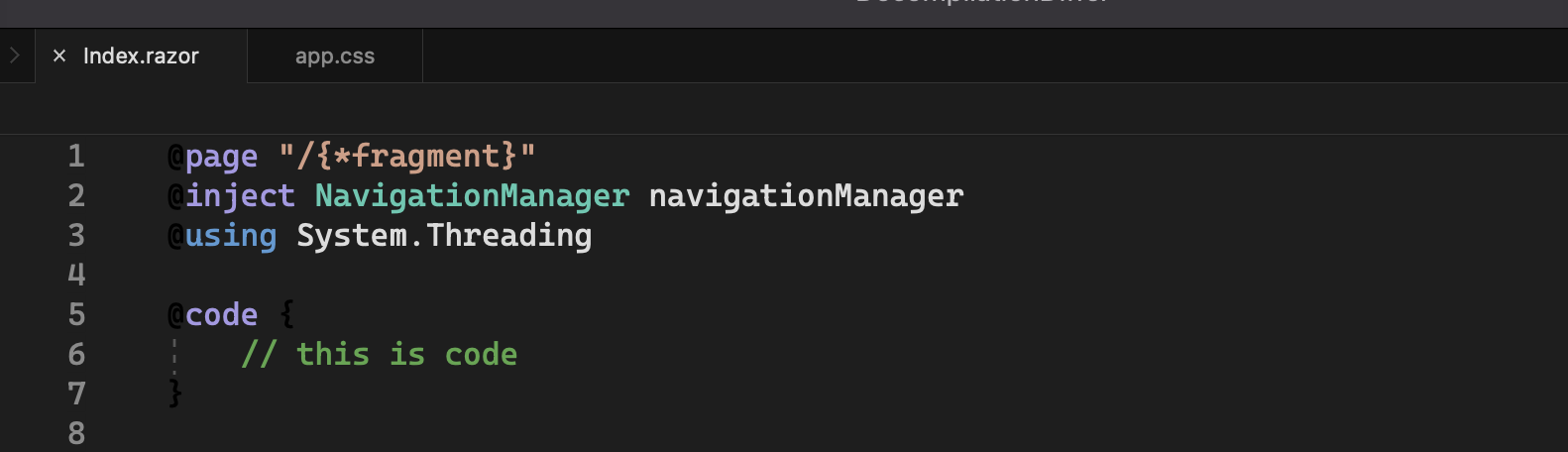
Dark theme, note the @ and { of the code block are black-on-black:
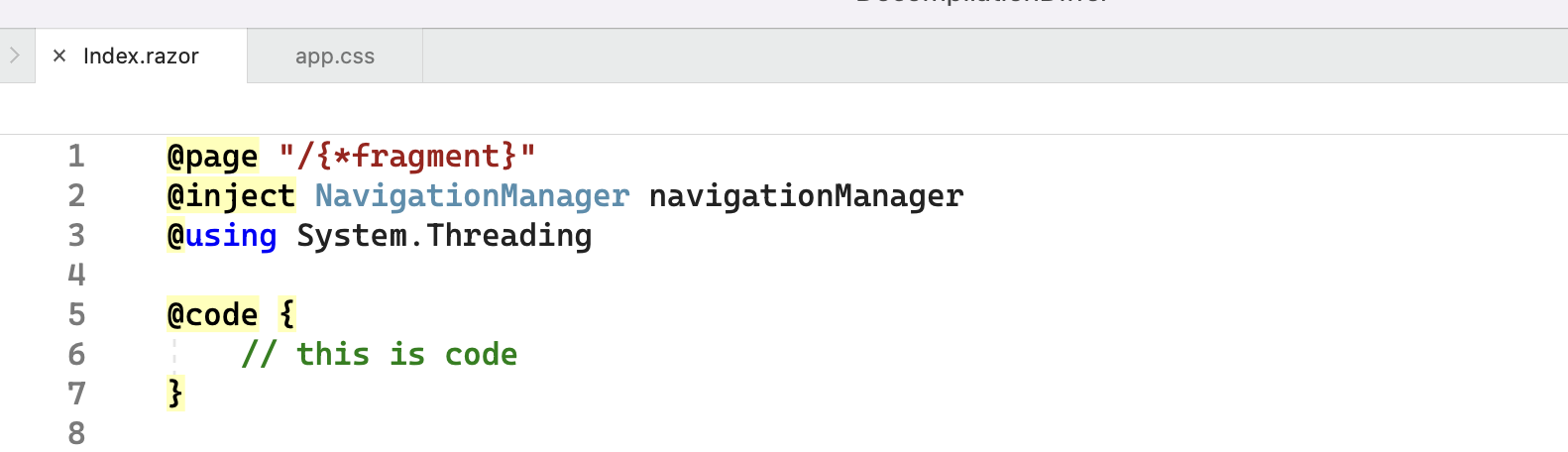
Light theme is fine:
Maybe related, Christian found that (what looks to be) textmate classification isn't working, but semantic maybe is?:
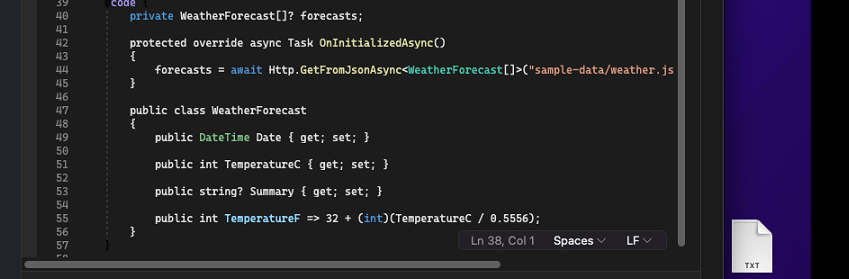
Not sure if this is us or VS Mac. Someone who knows classification better than me can probably explain :)

It definitely looks like TextMate isn't working, but I've debugged through and confirmed that our TextMate paths in our AddIn are getting found and loaded. Also, regarding the @code colourization, it looks right on first opening of the file, but then changes. It seems like semantic classification is working, and the theme is being applied, but then something is overriding it. Perhaps the (what I presume are classifications for the legacy editor) are being found and used?
Seems like maybe this is an editor issue @gundermanc? Or if not I would appreciate any tips you might have for where to investigate next. I admit my debugging skills on Mac are lacking :)
Ok I found at least one Editor issue: we're missing this change in the Mac renderer https://devdiv.visualstudio.com/DevDiv/_git/VS-Platform/pullrequest/430086
TextMate libraries on Mac + Windows are now almost identical so if there's a difference this would likely point to a configuration or theme difference.

Looks like Roslyn/Razor/VSMac cannot update a documents DocumentServiceProvider, which needs to happen for semantic colorization to be correct for Razor files (and has other affects too, like diagnostics etc.).
This will need a new EA API from Roslyn, which we respond to, then some more testing to see if there are other issues.