
razor
 razor copied to clipboard
 dotnet
Slow OnAutoInsert for brace completion
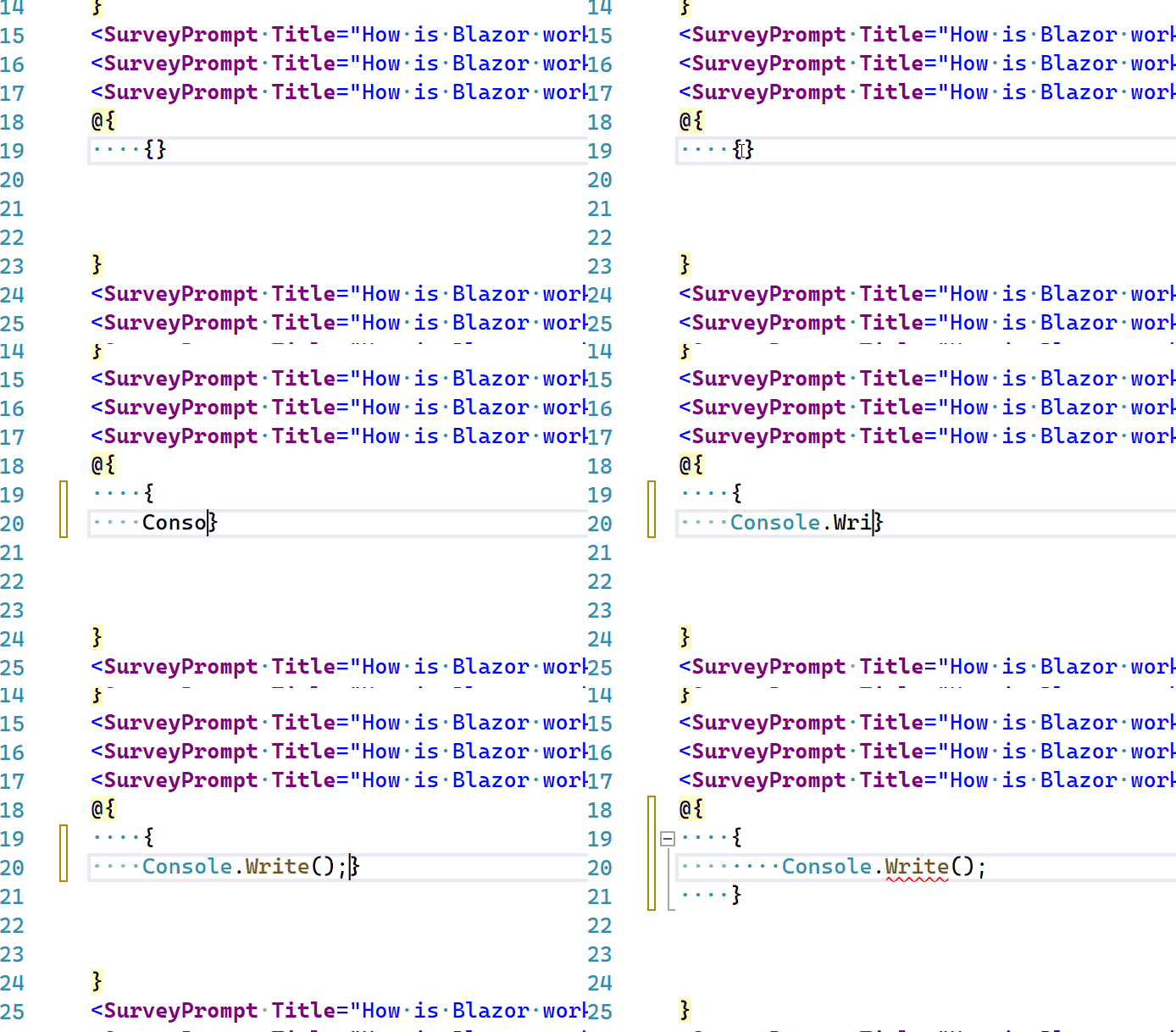
Describe the bug: Typing '\n' in a C# block in Razor results in slow brace completion edits, which can feel somewhat jarring.
Version used: e.g. VS2022 17.2 Preview 3
To reproduce: Steps to reproduce the behavior:
- Create a new Blazor app
- Open Index.razor
- Add a C# block
@{} - Type some
{}inside of the c# block. - Press ENTER
Expected behavior: Brace completion completes immediately.
Actual behavior: It seems to consistently take 1-2 seconds. Possib
 le dupe of #5617?

Related VS language server client protocol issue: https://devdiv.visualstudio.com/DevDiv/_workitems/edit/1488456.
@NTaylorMullen any recommendations on what to do when LS is slow like this?
- Option 1 - cancel if the caret has moved.
- Option 2 - cancel if some timeout elapses (1-2 seconds?)
- Option 3 - apply the edit anyways at the original location
- Option 4 - apply the edit anyways at caret position, but only if it got there via typing.
I'm leaning toward option 4, as scrolling away and seeing the text suddenly change 2-3 seconds later is a bit jarring.
**cc: ** @dibarbet
For whatever it is worth, Roslyn perf appears to be acceptable - with a p99.9 of 1.2-1.5s and p90 of 25ms
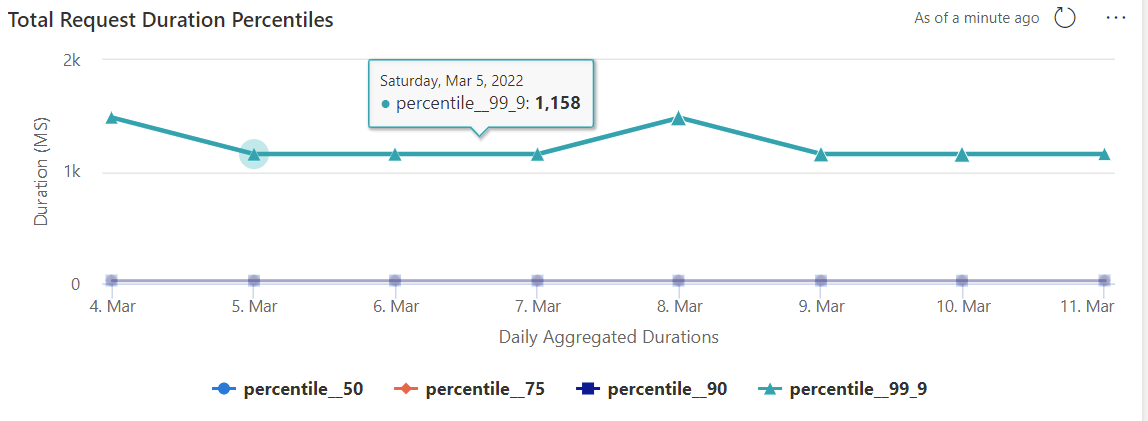

Razor definitely seem to be where the slowdown comes in but nothing like 1-2s. Based on telemetry the worst case scenario averages around 673ms but the 90th percentile is around 180ms. I wouldn't be surprised if it was Razor's formatting perf influencing this

nothing like 1-2s
The one other possibility is that our switch to main thread is so low priority it's delayed. I'll look into that..
