

 dotnet
Issue with Debugging VB applications after installing Version 17.3.0 Preview 4.0
Visual Studio Version
Version 17.3.0 Preview 4.0
Summary
The new designer at some point changes both check boxes to checked
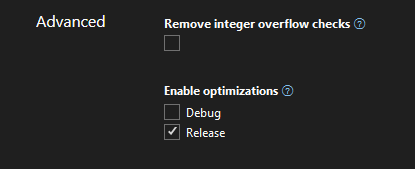
and changes the XML file to add Optimize true to both sections.
  <PropertyGroup Condition="'$(Configuration)|$(Platform)'=='Debug|AnyCPU'">
    <WarningsAsErrors>41999,42016,42017,42018,42019,42020,42021,42022,42032,42036</WarningsAsErrors>
    <PlatformTarget>x64</PlatformTarget>
    <Optimize>True</Optimize>
  </PropertyGroup>

  <PropertyGroup Condition="'$(Configuration)|$(Platform)'=='Release|AnyCPU'">
    <WarningsAsErrors>41999,42016,42017,42018,42019,42020,42021,42022,42032,42036</WarningsAsErrors>
    <Optimize>True</Optimize>
  </PropertyGroup>
after that symbol are not loaded. The real issue besides the value being set is the message you get don't help solve the problem. It points to 2 other areas that could also cause symbols not to load. I would also think that I should be able to debug an optimized application.
Steps to Reproduce
Just load a VB WinForms app and then open Properties
Expected Behavior
The value should not be set to true under debug section, the no symbols loaded error message should point to this change AND I should be able to debug an optimized application.
Actual Behavior
Symbols are not loaded AND message as to why is wrong
User Impact
Minor once you understand this issue a showstopper until you do and remove the optimize true line from debug section

Hi @paul1956, can you give more specific steps to reproduce? Here's what I get when creating a new VB winforms app then opening the project properties editor after setting target platform to x64, as you have:
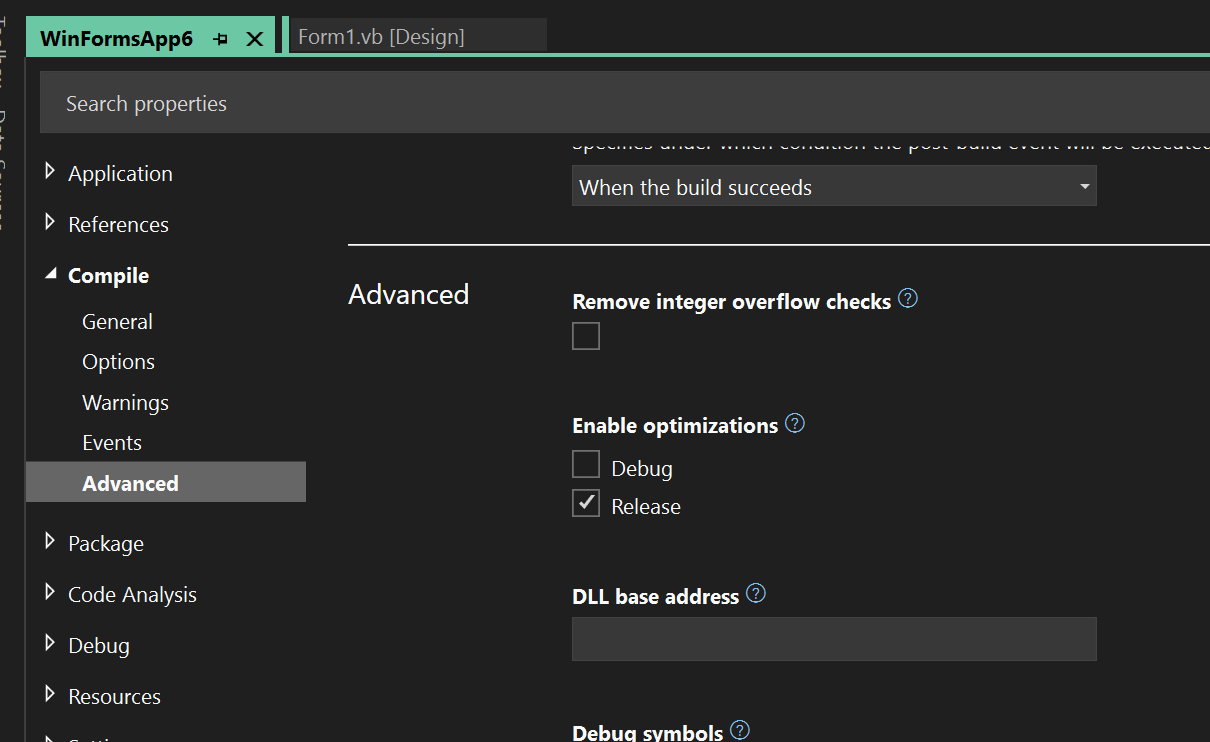
As you can see, optimization is set to false. I am also able to debug the optimized application if I set optimize code to true.
As this is not reproducible, can you please share the specific errors and windows that you are encountering, as well as your repro steps?

I did not create a new project I just opened the designer on two working projects from previous versions of Visual before the designer existed and noticed I couldn't debug because symbols were not loaded. When I compared the project files with git the Optimize setting was now true in the debug section. To me that is minor and even if you can't reproduce irrelevant. The issue is why when that is true are symbols not loaded and when symbols are not loaded the Visual Studio error message only list 2 causes and this one is not listed. Below are images of what I was seeing.
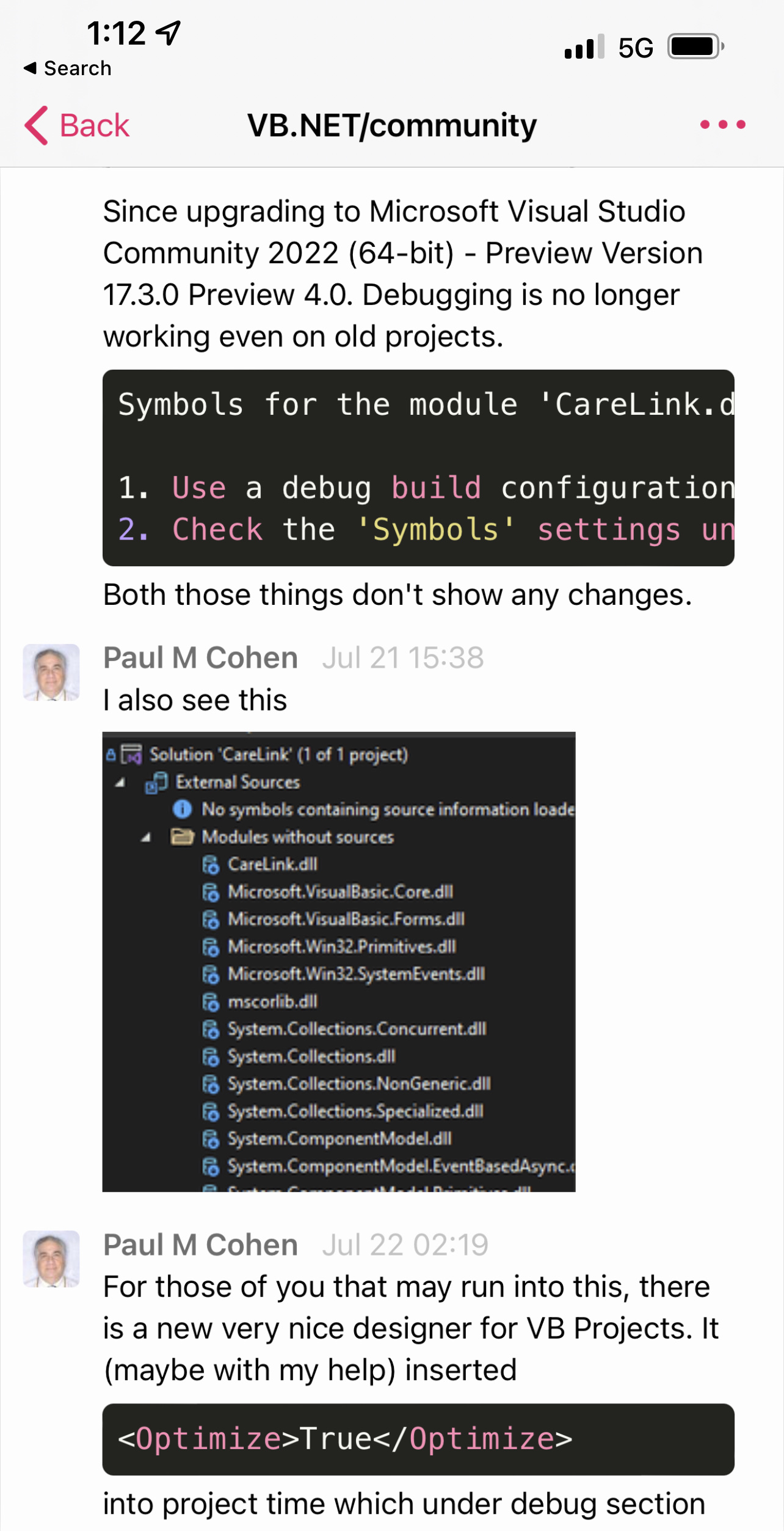
If you hover over yellow symbol it says "The breakpoints will currently not be hit, no symbols have been loaded for the document"
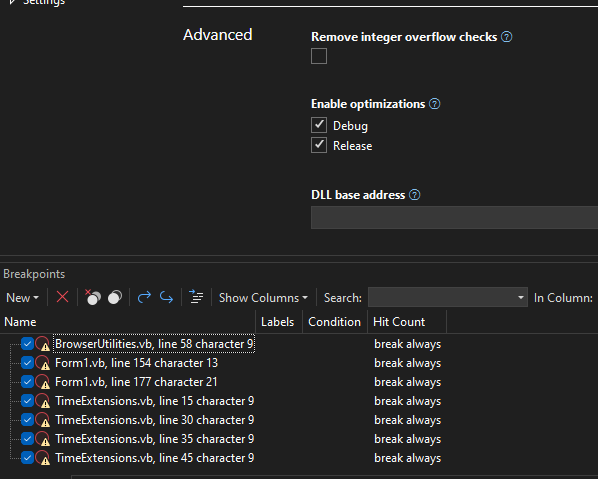 Only difference is the Enable Optimize setiting
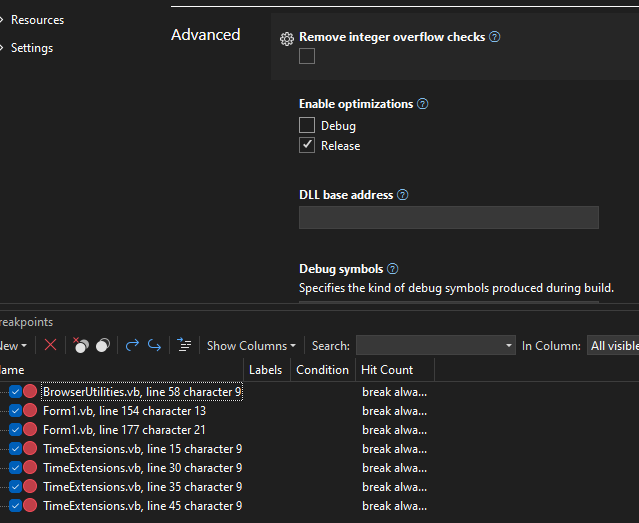 The only difference is

@paul1956 - can you try turning this setting off and validate please: Tools > Options > Debugger > Just My Code By default the debugger filters out any dlls that it considers are not "your code". The heuristic that the debugger uses to determine whether jmc is whether or not the optimize flag is set in metadata

@kvenkatrajan If I enable "Just my Code" then I can debug Optimized Debug and have symbols, otherwise in every project I checked optimized code does not load symbols.
This issue is the message and how to fix it. Once I understood that turning on optimizations in Debug turns off symbols it's an easy fix to not do that. Why the new designer turned them off is a mystery that I can't reproduce. Just fix the message so that it includes a 3rd reason to not have symbols.