

 dotnet
.PNG Tab Icons on iOS aren't scaled properly
Description
Tab Icons that are of type .png do not resize on iOS.
Steps to Reproduce
- New .NET MAUI App
- Add TabBar with .png icons in AppShell.xaml
- Launch app on iOS
- View the following screen

View from Android 12.0 - API 31

Code: TabIconTest.zip
Version with bug
6.0.400 (current)
Last version that worked well
Unknown/Other
Affected platforms
iOS
Affected platform versions
iOS 15.5
Did you find any workaround?
No response
Relevant log output
No response


Also experiencing this; my icons are not resized on the tabbar. and the 'More' page for items that don't fit on the bottom tabar, the icons also render very very large.
https://github.com/edgiardina/IfpaMaui

Have you tried with svg? it's the same problem. Works fine on Android. On iOS the icons look huge

Can the Maui team provide some insight into when this will be fixed? Critical issues such as this shouldn't take so long to be fixed.

I don't think we should be making demands of the team. There's lot of issues to address. All we can do is emphasize how severe the issue is. It's the biggest issue preventing us from migrating from Xamarin Forms at the moment. 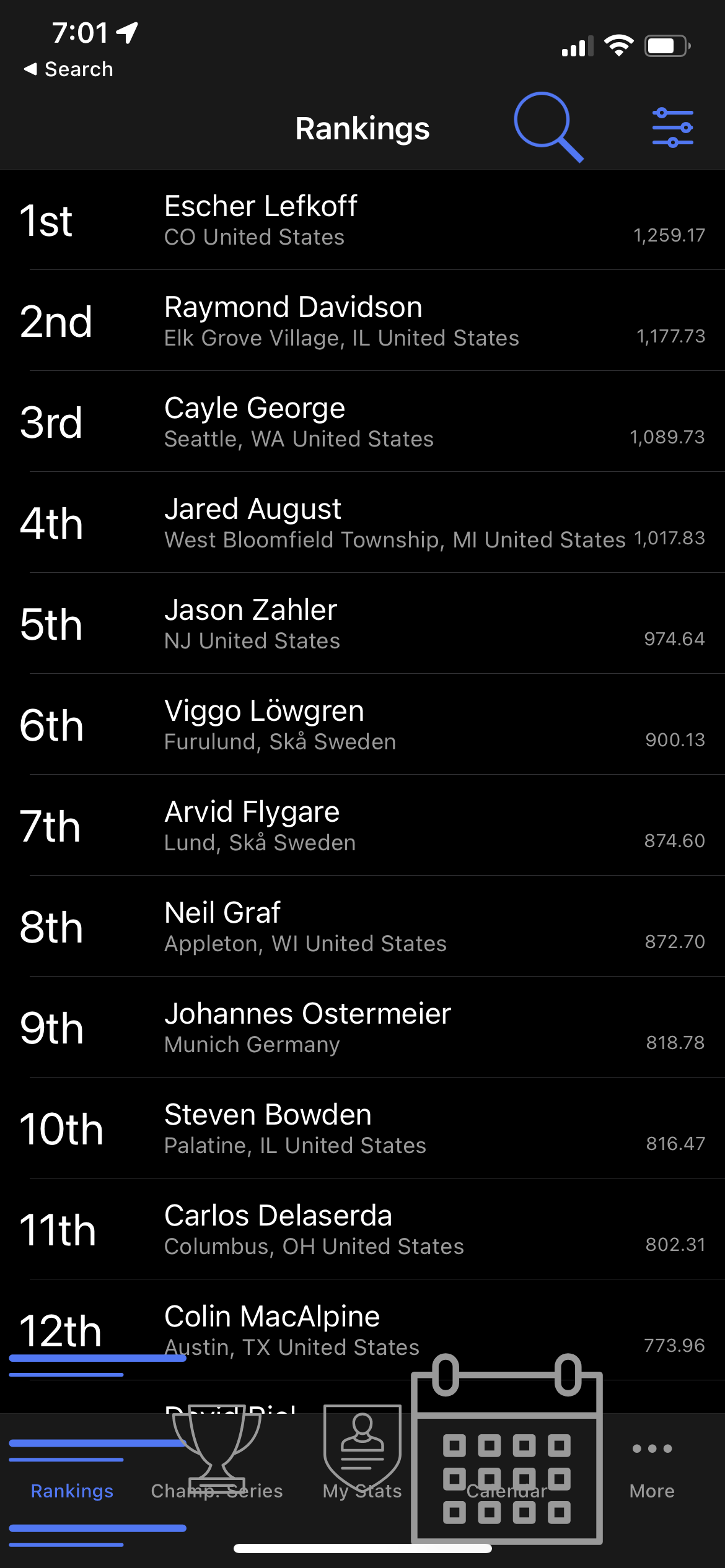
I own a small private app I want to migrate as well as running an enterprise app team. Both of those Xamarin Forms apps can't be migrated due to critical flaws in iOS at the moment (performance, image scaling, iOS internals crashing). Unfortunately I can't contribute to the MAUI main code base as we're busy shipping our own apps but I hope iOS gets prioritized. I am happy to provide my sample repo which is a real world migration I've done mostly by hand.
https://github.com/edgiardina/IfpaMaui

Joining in the chorus, I'm using .svg images and it's the same thing, the icons are huge.

As a workaround, for .png icons, you can resize those icons to 30 pixels and they will look good in both platforms.
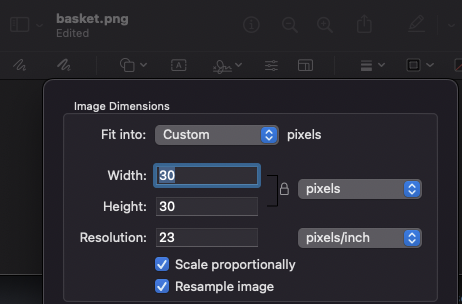
Result in iOS:


@MGohil I appreciate your workaround, I've tried using only 30x30 .png files and the icons are still showing up really large in the bottom tab for some reason. If I use the same file for the flyout icon, it looks perfect. I've also noticed that if I change the phone to be horizontal, the icon in the bottom tab will look correct, it's only in the vertical position where it looks to be really huge and obscures the bottom left corner of the screen. Any advice you or might have would be greatly appreciated.

The workaround I've found is to actually scale the svg to 30x30 and then it seems to work fine.
Valid point. However, I used some online service for it and then it at least works. edit: try iloveimg.com
Are you able to use the BaseSize on the relevant images?
For example, in the linked repro, you can just "update" the images with a base size:
<MauiImage Update="Resources\Images\groceries.png" BaseSize="20,20" />
<MauiImage Update="Resources\Images\shopping_cart.png" BaseSize="20,20" />
You can also use a sub-folder or a seprate folder and just do a bulk update/include. For example, if you have a new folder "TabIcons" inside "Images" (Resources\Images\TabIcons\*):
<MauiImage Update="Resources\Images\TabIcons\**" BaseSize="20,20" />

Hi @Core121. We have added the "s/needs-info" label to this issue, which indicates that we have an open question for you before we can take further action. This issue will be closed automatically in 7 days if we do not hear back from you by then - please feel free to re-open it if you come back to this issue after that time.

Are you able to use the BaseSize on the relevant images?
For example, in the linked repro, you can just "update" the images with a base size:
<MauiImage Update="Resources\Images\groceries.png" BaseSize="20,20" />
<MauiImage Update="Resources\Images\shopping_cart.png" BaseSize="20,20" />
You can also use a sub-folder or a seprate folder and just do a bulk update/include. For example, if you have a new folder "TabIcons" inside "Images" (
Resources\Images\TabIcons\*):<MauiImage Update="Resources\Images\TabIcons\**" BaseSize="20,20" />
The idea of setting the BaseSize worked very good for me on iOS and Android, I was facing this issue as well on RC2 .NET 7. Thanks for sharing this workaround @mattleibow .

Can confirm this works, thank you @mattleibow
<MauiImage Update="Resources\Images\groceries.png" BaseSize="20,20" />

Setting the BaseSize is not 100% a workaround but rather a feature.
The iOS OS has a bug/feature/support for any image size so providing a 100x100 image with just be used without question. Most other OSes are sane and realize that the tab icon should fit in the tab...
The correct way to do icons in iOS is to create smaller images - like mentioned here https://github.com/dotnet/maui/issues/8609#issuecomment-1282599646
And the correct way to do these tab icons in MAUI is to also set a base size.
And this is where doing things automagically is really deceiving: if you have a large image - say 1024x1024 (because you got that from a designer or that is just the size the drawing app used) - then you actually force the OS to load that HUGE image and then scale it down to 20x20 at runtime. This definitely impacts startup performance - even in release builds.
Your app will have several large image files (increasing file size) and then the app has to load those images (long load times) and then has to resize those image (even more load time).
I am going to close this issue "as designed" because the BaseSize attribute is specifically what it was designed for. Maui has no way of knowing what the image is going to be used for and thus it is up to you to create images or set scaling so that the tooling can generate the correct images.
I don't want to get into a fight about this, but ... we didn't have to set basesize in Xamarin Forms. My images are all tiny because they're SVGs, but because I sourced them from various places, they all have an SVG internal size or whatever, leading to the confusion. I think a lot of new developers aren't going to be aware of BaseSize and run into this issue. Can I ask what changed between XF and MAUI that image size matters for the tab icons?
Plus, is this bug still a factor? would basesize fix it if the image is an SVG?
https://github.com/dotnet/maui/issues/9716
FYI, the workaround on my issue was finding a bulk SVG resizer online and running all my assets through that.
@edgiardina you are correct that new devs will hit this. There is some docs: https://learn.microsoft.com/dotnet/maui/user-interface/graphics/images#resize-an-image
But I will open a new issue to discuss the best way to solve this for new devs: https://github.com/dotnet/maui/issues/11099
With Xamarin.Forms, I do not believe there was a feature that took svgs and converted them to pngs. Are you able to attach a repro to the new issue? https://github.com/dotnet/maui/issues/11099
And yes, BaseSize should work on SVGs - in fact they were first implemented for SVGs. There have been several bug fixes so the latest builds of MAUI should be working.
Marking this as a duplicate of https://github.com/dotnet/maui/issues/11099 so the issues prioritizer can link this.
Had the same problem. Resizer does not resizing the svg for iOS devices. I had to manually set to 30X30 for icons to show correctly in the tabs. Hope it will help someone.

Hello lovely human, thank you for your comment on this issue. Because this issue has been closed for a period of time, please strongly consider opening a new issue linking to this issue instead to ensure better visibility of your comment. Thank you!

Hello lovely human, thank you for your comment on this issue. Because this issue has been closed for a period of time, please strongly consider opening a new issue linking to this issue instead to ensure better visibility of your comment. Thank you!
@mattleibow How is this a duplicate? Why is the iOS layout allowed to have the image stretch beyond the limits of the tab bar area? Shouldn't it be confined?

I think @adegeo is correct here. Sure, resizetizer is not supposed to resize the image to the tab size as it has no way of knowing. And sure, apple is wrong.
But maybe we can do something with the tabs? @PureWeen not sure if there are things to force ios to be reasonable? If not, do we then go file a bug with Apple and everyone just has to live with it and manually set image sizes?
I added my 31x31 svg images and then in the icon property of the tab I just added the name of the image without the .svg extension.
That worked for me.
    <TabBar>
       <Tab Title="API"
            Icon="tab_report">
           <ShellContent
                ContentTemplate="{DataTemplate local:MainPage}"
                Route="MainPage"/>
       </Tab>
       <Tab Title="Timer"
            Icon="tabl_timer">
           <ShellContent
                ContentTemplate="{DataTemplate local:PageTimer}"
                Route="PageTimer"/>
       </Tab>
       <Tab Title="Settings"
            Icon="tab_settings">
           <ShellContent
                ContentTemplate="{DataTemplate local:PageSettings}"
                Route="PageSettings"/>
       </Tab>
    </TabBar>


@josueeap awesome. How can you set the size of an image svg? Could you share a file sample? Please. Also, does it work on iOS and Android?