dotnet
[Webview] height 0 when we inspect with google chrome
Description
I load one of my website into a webview on the main Page of my .net MAUI App
<Grid>
        <Grid.RowDefinitions>
            <RowDefinition Height="*" />
        </Grid.RowDefinitions>
        <controls:CustomWebView x:Name="webView" Grid.Row="0">

        </controls:CustomWebView>
    </Grid>

    public class CustomWebView : WebView
    {
        public CustomWebView()
        {
#if __ANDROID__
            global::Android.Webkit.WebView.SetWebContentsDebuggingEnabled(true);// enable remote device in chrome
#endif
        }
    }
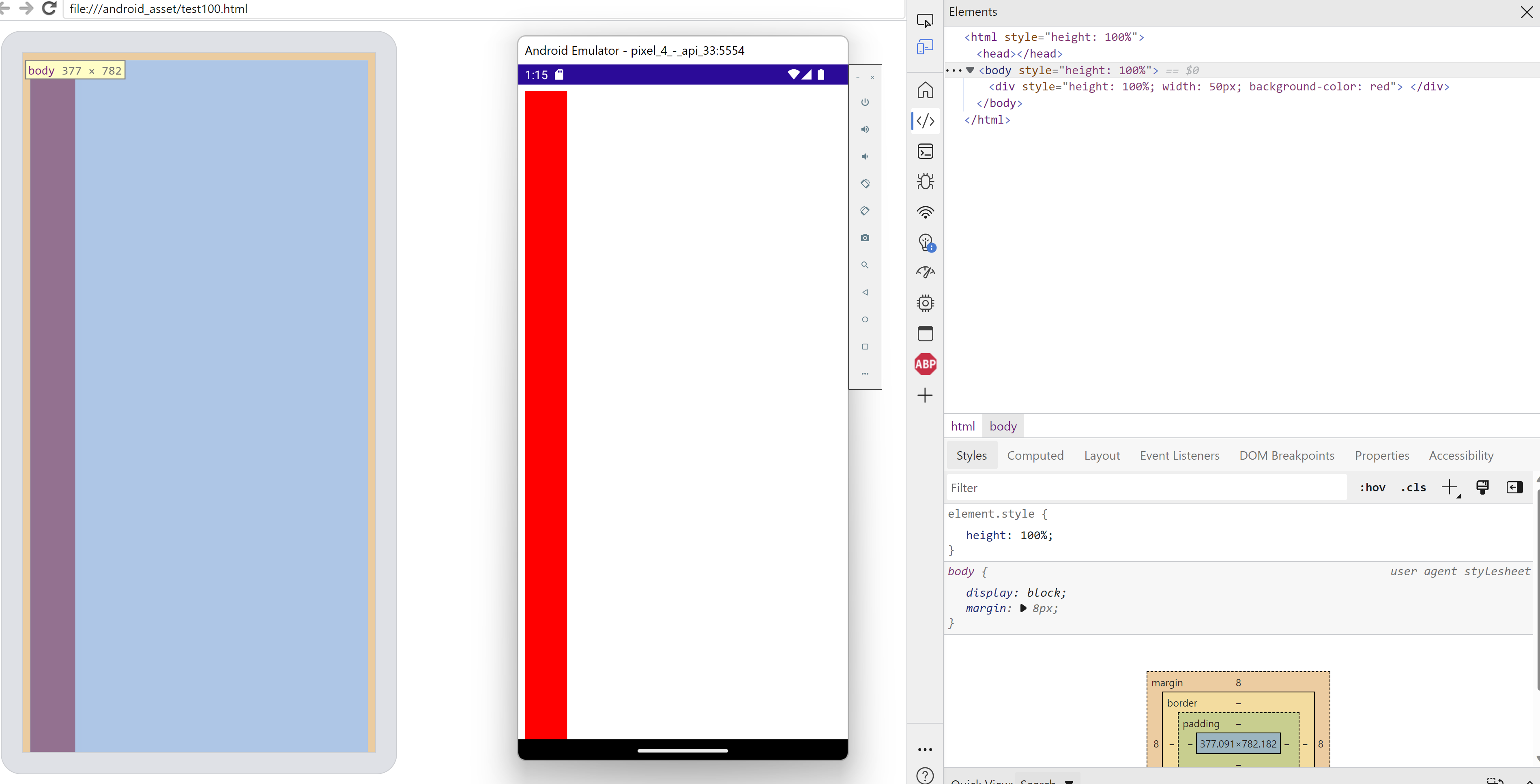
But my webapp inside the webview have a strange design. for example, height 100% are not respected load this simple html
<html style="height: 100%">
<body style="height: 100%">
<div style="height: 100%; width: 50px; background-color: red">
</div>
</body>
</html>
we actually see nothing in the webview, all elements have an height of 0px you Inspect the html node with chrome://inspect/#devices (debugging in android device with debugging usb enable) to verify it
when i load the webapp directly with chrome on the device, i don't have this problem. Same when i install it with PWA
Steps to Reproduce
- Create a .NET Maui App
- put a webview in the main page with any url which exist
- deploy on targeting android physical device
- inspect the webview with chrome, you will see the height of the html at 0px (put height 100%, i will change nothing)
Version with bug
Preview 12 (current)
Last version that worked well
Unknown/Other
Affected platforms
Android
Affected platform versions
Android 11
Did you find any workaround?
no, except force the height with javascript in my webapp, but i don't target all element so i still have strange design on layover, modals, this kind of stuff
document.querySelector("html").style.height =
                    document.querySelector("body").style.height =
                    document.querySelector(".app-loading").style.height =
                        window.innerHeight + "px";
Relevant log output
No response

verified repro with VS 17.2.0 Preview 3.0 [32315.370.main] on Android 11 repro demo: MauiApp4667.zip

We've moved this issue to the Backlog milestone. This means that it is not going to be worked on for the coming release. We will reassess the backlog following the current release and consider this item at that time. To learn more about our issue management process and to have better expectation regarding different types of issues you can read our Triage Process.

I can add that we observed the same behaviour with WebViews in an app that we're migrating from Xamarin to MAUI. With Xamarin the WebViews took full height but on MAUI the same webViews are "hidden" with a height of 0 px on Android.

I'm seeing slightly different behaviour. I have 2 separate issues, 1 an issue with the height of the control itself in the control tree (different from above), and 2 an issue with the reported content height within the WebView DOM (same as above).
- The WebView control in Android does not respect the height set (e.g. HeightRequest within a StackLayout), whereas the other platforms do. In this scenario it always appears full page size, drawing on top of other elements in the StackLayout, making it look like the other views are not there/visible. Using a Grid with row/column height/width works fine for constraining dimensions, as does wrapping in a view such as a Frame and giving that a fixed HeightRequest.
- Then additionally, despite the WebView often being full page in size, the document content height inside the WebView (checked using chrome://inspect) reports a height of 0, breaking pretty much everything in the web app. The workaround mentioned by @julienGrd (thanks!) has been working for me also, e.g.:
if (/Android/i.test(navigator.userAgent)) {
     document.querySelector("html").style.height =
                    document.querySelector("body").style.height =
                    document.querySelector("#layout").style.height =
                        window.innerHeight + "px";
}

If it can help anyone, I managed to patch this issue using the same approach as here: https://github.com/SKLn-Rad/Xam.Plugin.Webview/issues/11
Basically, you need to use a Android-specific webview handler and set the LayoutParameters property of your Android.Webkit.WebView to match the parent. For example :
var webView = new Android.Webkit.WebView(Context);
webView.LayoutParameters = new LayoutParams(LayoutParams.MatchParent, LayoutParams.MatchParent);

Might be related to https://github.com/dotnet/maui/issues/8241#issuecomment-1347454651
But not sure. That one had a stack layout and a webview with no contents. This is a grid that fills the screen.

This is no longer an issue. Tested with net6 and net7 and it all renders fine and has the correct heights everywhere: