dotnet
XML documentation in Visual Studio 2017
I would like to add a multi-line XML documentation that will appear in the Intelli-Sense bubble when my mouse hover over it. Please see the following post:
https://stackoverflow.com/questions/44565660/f-xml-multiline-documentation-visual-studio-2017
Repro steps
-
Use Visual Studio 2017.
-
Type the following code, and hover your mouse over it.

Expected behavior
In Visual Studio 2015, the following code works.

Actual behavior
In Visual Studio 2017, the following code does not work.

Known workarounds
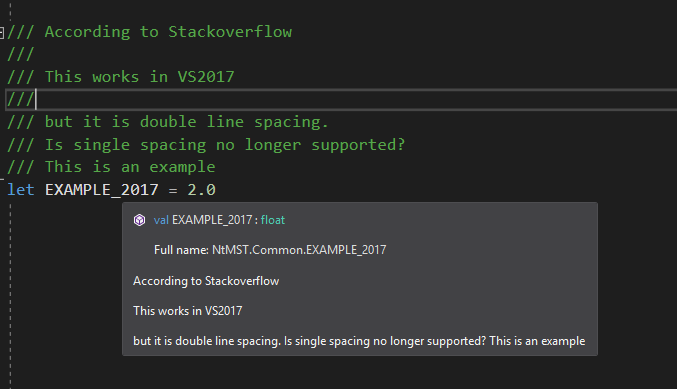
According to stack overflow answers, the following code works for getting double-spacing. Is single spacing no longer supported?
Thank you very much for your help.

Interesting. The XML parsing logic was changed along with a significant revamp of how textual information is represented in the language service. But I'm surprised that <para> tags are now ignored.

@cartermp Just to mention that there are different layout pathways for intra-assembly and inter-assembly XMLDocs. For example this means it is possible that <para> tags are being respected on one pathway but not another.

Just to mention that there are different layout pathways for intra-assembly and inter-assembly XMLDocs.
I can add that this (the ignored <para>) fails inter-assembly, even inter-source-file. Intra-assembly is broken completely (no XML is shown if different assemblies, but both sources are open), but @dsyme published a fix in master (I forgot where it was), which seems related to this discussion.