

 dotnet
IsRequired is ignored for common options when commands are specified
I have a global option that is required for all commands. But the required flag on the global option is ignored when specifying the command.
Project here: https://github.com/ptr727/PlexCleaner
Code snippets.
        private static int Main()
        {
            // Prevent sleep
            KeepAwake.PreventSleep();

            // TODO : Quoted paths ending in a \ fail to parse properly, use our own parser
            // https://github.com/gsscoder/commandline/issues/473
            RootCommand rootCommand = CommandLineOptions.CreateRootCommand();
            int ret = rootCommand.Invoke(CommandLineEx.GetCommandLineArgs());

            // Allow sleep
            KeepAwake.AllowSleep();

            return ret;
        }

    public class CommandLineOptions
    {
        public string SettingsFile { get; set; }
        public List<string> MediaFiles { get; set; }
        public string LogFile { get; set; }
        public bool LogAppend { get; set; }
        public bool TestSnippets { get; set; }
        public bool TestNoModify { get; set; }

        public static RootCommand CreateRootCommand()
        {
            // Root command and global options
            RootCommand rootCommand = new RootCommand("Utility to optimize media files for DirectPlay on Plex");
            AddGlobalOptions(rootCommand);

            // Create default settings
            rootCommand.AddCommand(CreateDefaultSettingsCommand());

            // Check for new tools
            rootCommand.AddCommand(CreateCheckForNewToolsCommand());

...
            return rootCommand;
        }

        private static void AddGlobalOptions(RootCommand rootCommand)
        {
            if (rootCommand == null)
                throw new ArgumentNullException(nameof(rootCommand));

            // Path to the settings file, required
            rootCommand.AddOption(
                new Option<string>("--settingsfile")
                {
                    Description = "Path to settings file",
                    IsRequired = true
                });

            // Path to the log file, optional
            rootCommand.AddOption(
                new Option<string>("--logfile")
                {
                    Description = "Path to log file",
                    IsRequired = false
                });

            // Append to log vs. overwrite, optional
            rootCommand.AddOption(
                new Option<bool>("--logappend")
                {
                    Description = "Append to the log file vs. default overwrite",
                    IsRequired = false
                });
        }

        private static Command CreateDefaultSettingsCommand()
        {
            // Create default settings file
            return new Command("defaultsettings")
            {
                Description = "Write default values to settings file",
                Handler = CommandHandler.Create<CommandLineOptions>(Program.WriteDefaultSettingsCommand)
            };
        }
Calling with command specific help:
pieter@DESKTOP-UUIL10M:~/PlexCleaner/PlexCleaner/bin/Debug/net5.0$ ./PlexCleaner --help defaultsettings
defaultsettings:
  Write default values to settings file

Usage:
  PlexCleaner defaultsettings [options]

Options:
  -?, -h, --help    Show help and usage information
Calling with no arguments correctly shows that --settingsfile is required:
pieter@DESKTOP-UUIL10M:~/PlexCleaner/PlexCleaner/bin/Debug/net5.0$ ./PlexCleaner
Required command was not provided.
Option '--settingsfile' is required.

PlexCleaner:
  Utility to optimize media files for DirectPlay on Plex

Usage:
  PlexCleaner [options] [command]

Options:
  --settingsfile <settingsfile> (REQUIRED)    Path to settings file
  --logfile <logfile>                         Path to log file
  --logappend                                 Append to the log file vs. default overwrite
  --version                                   Show version information
  -?, -h, --help                              Show help and usage information

Commands:
  defaultsettings    Write default values to settings file
  process            Process media files
  monitor            Monitor and process media file changes in folders
  remux              Re-Multiplex media files
  reencode           Re-Encode media files
  deinterlace        De-Interlace media files
  verify             Verify media files
  createsidecar      Create sidecar files
  getsidecar         Print sidecar file attribute information
  gettagmap          Print attribute tag-map created from media files
  getmediainfo       Print media file attribute information
  getbitrateinfo     Print media file bitrate information
Calling with any command ignores the --settingsfile is required option:
pieter@DESKTOP-UUIL10M:~/PlexCleaner/PlexCleaner/bin/Debug/net5.0$ ./PlexCleaner defaultsettings

12/16/2020 15:11:46 : Writing default settings to ""
Unhandled exception: System.Reflection.TargetInvocationException: Exception has been thrown by the target of an invocation.
 ---> System.ArgumentNullException: Value cannot be null. (Parameter 'path')
Expected behavior is that any global options with required flags still be honored for commands.


@ptr727 @asasine What versions of System.CommandLine are you using?
The code provided isn't complete enough for me to reproduce the issue and at least as of 2.0.0-beta1.21308.1, my attempt at a minimal repro seems to work as expected. What detail am I missing?
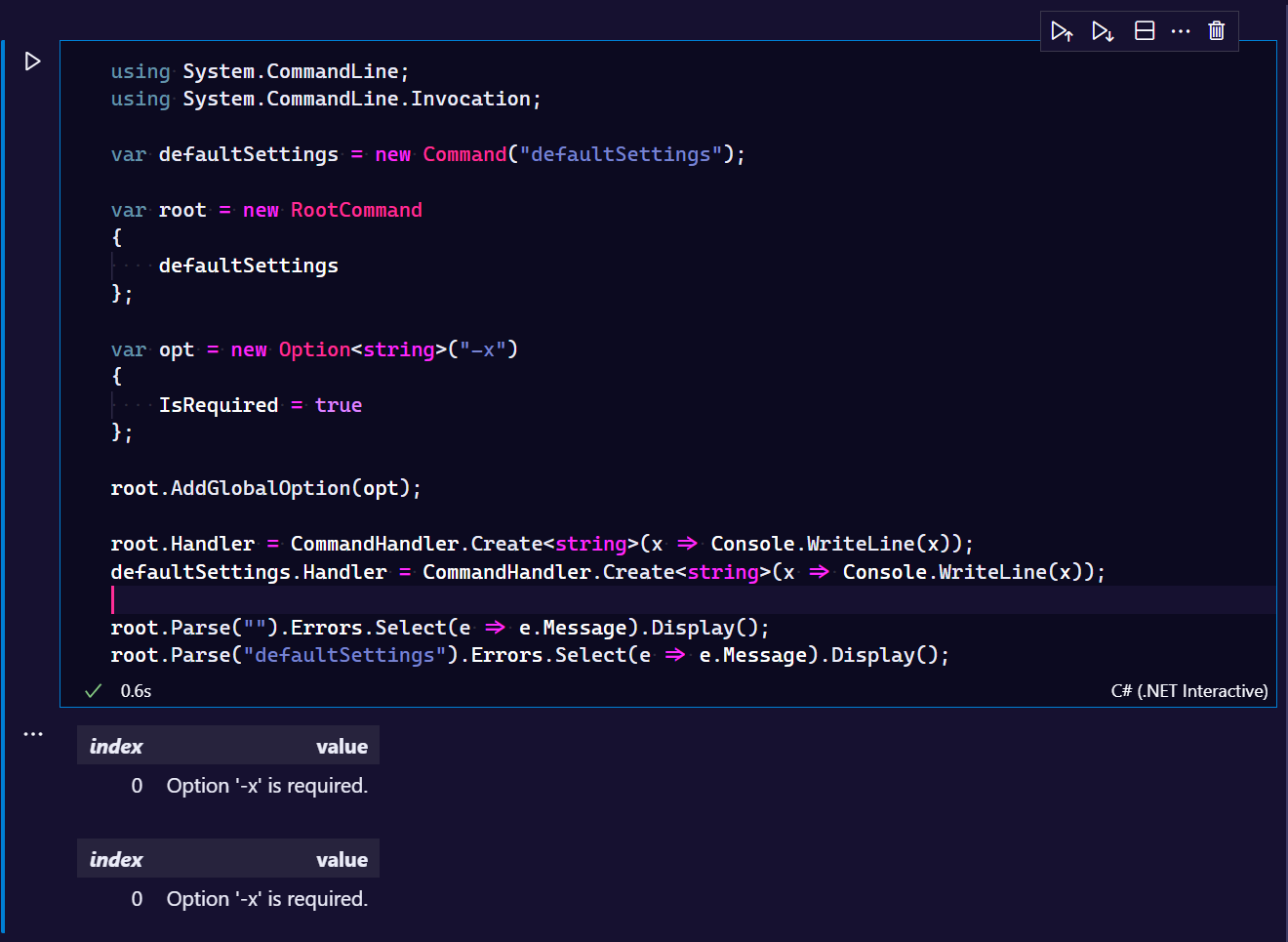
using System.CommandLine;
using System.CommandLine.Invocation;

var defaultSettings = new Command("defaultSettings");

var root = new RootCommand
{
    defaultSettings
};

var opt = new Option<string>("-x")
{
    IsRequired = true
};

root.AddGlobalOption(opt);

root.Handler = CommandHandler.Create<string>(x => Console.WriteLine(x));
defaultSettings.Handler = CommandHandler.Create<string>(x => Console.WriteLine(x));

root.Parse("").Errors.Select(e => e.Message).Display();
root.Parse("defaultSettings").Errors.Select(e => e.Message).Display();

Still happens with latest (2021-11-17) 2.0.0-beta1.21308.1 and .NET 6.
But your code uses a command I did not previously see, AddGlobalOption()?
Looks like AddGlobalOption(): https://github.com/dotnet/command-line-api/blob/main/src/System.CommandLine/Command.cs#L77
Was added in January 2020: https://github.com/dotnet/command-line-api/commit/2db5ead8ecab56205f0293346f0284d6de832f4e#diff-f893b7b8175140676b5c4bd6a5aecd55ac4d2d179afa8fd01640426eeab49c28
Fixed in July 2020: https://github.com/dotnet/command-line-api/pull/958
But I can't find it in any docs?
Anyway, I changed my global options to use AddGlobalOption() instead of AddOption(), and the output is as expected.
My code: https://github.com/ptr727/PlexCleaner/blob/develop/PlexCleaner/CommandLineOptions.cs
Before:
PS C:\Users\piete\source\repos\ptr727\PlexCleaner\PlexCleaner\bin\Debug\net6.0> ./PlexCleaner --help defaultsettings
defaultsettings
  Write default values to settings file

Usage:
  PlexCleaner [options] defaultsettings

Options:
  -?, -h, --help  Show help and usage information
After:
PS C:\Users\piete\source\repos\ptr727\PlexCleaner\PlexCleaner\bin\Debug\net6.0> ./PlexCleaner --help defaultsettings
defaultsettings
  Write default values to settings file

Usage:
  PlexCleaner [options] defaultsettings

Options:
  --settingsfile <settingsfile> (REQUIRED)  Path to settings file
  --logfile <logfile>                       Path to log file
  --logappend                               Append to the log file vs. default overwrite
  -?, -h, --help                            Show help and usage information
Can you provide a small and complete repro of the issue, ideally in the form of a test with an assertion showing the expectation?
Apologies, maybe my last comment was not clear?
I changed my code to use AddGlobalOption() instead of AddOption(), and the behavior is now as expected.
My code (develop branch): https://github.com/ptr727/PlexCleaner/blob/develop/PlexCleaner/CommandLineOptions.cs
Do note, that until you presented your snippet of code, I had never seen, and I still see no documentation or reference of AddGlobalOption().
If anything, then the solution to this issue is to document AddGlobalOption().
I understood that AddGlobalOption gives the desired behavior. The way this works is that it effectively adds the specified option as a child of the Command you invoke it on and all of its child commands.
What I'm wondering is whether there's a bug when not using AddGlobalOption. If so, a more concise demonstration of that bug would be helpful. Otherwise, feel free to close this.
I went to reproduce my error, but discovered the .UseParseErrorReporting() extension on CommandLineBuilder in the process. Once I added this to my builder, the program works as desired.
Hi, i have a same problem.
using System.CommandLine;

var cmd = new RootCommand("Test application");

var optHost = new Option("--host", "hostname");
optHost.IsRequired = true;
cmd.AddOption(optHost);

var optPort = new Option<int>("--port", "Port");
optPort.IsRequired = true;
cmd.AddOption(optPort);

var cmdSend= new Command("send","Send mail");
cmd.Add(cmdSend);

await cmd.InvokeAsync(args);
if esecute without option the result are
#  dotnet run --
Required command was not provided.
Option '--host' is required.
Option '--port' is required.

Description:
  Test application

Usage:
  TestConsole [command] [options]

Options:
  --host (REQUIRED)         hostname
  --port <port> (REQUIRED)  Port
  --version                 Show version information
  -?, -h, --help            Show help and usage information

Commands:
  send  Send mail
If specify the command send without parameter not receive error
# dotnet run -- send
#
I a my problem?
best regards

@franklupo What you're seeing is because your required options were only added to the root command. This means they're only required when invoking the root command.
If you add them as well to send you'll see the error on invocations of send as well. Or if you add them to the root as global options (cmd.AddGlobalOption(optHost)) then the error will be shown for all subcommands unless the options are provided.
ok, if add AddGlobalOption the message is unclear. The parameters refer to the root
#  dotnet run -- send
Option '--host' is required.
Option '--port' is required.

Description:
  Send mail

Usage:
  TestConsole send [options]

Options:
  --host (REQUIRED)         hostname
  --port <port> (REQUIRED)  Port
  -?, -h, --help            Show help and usage information
If the option is global then it can be specified in either position. Either of these would be valid:
> myapp --port 123
> myapp send --port 123
new case
using System.CommandLine;

var cmd = new RootCommand("Test application");

var optHost = new Option("--host", "hostname");
optHost.IsRequired = true;
cmd.AddGlobalOption(optHost);

var optPort = new Option<int>("--port", "Port");
optPort.IsRequired = true;
cmd.AddGlobalOption(optPort);

var cmdSend = new Command("send", "Send mail");
cmd.Add(cmdSend);

var optEmail = new Option("--email", "email");
optEmail.IsRequired = true;
cmdSend.AddOption(optEmail);

var cmdVerify = new Command("verify", "verify");
cmdSend.Add(cmdVerify);

await cmd.InvokeAsync(args);
Add option on send and new sub command.
execute partial send
dotnet run --  send --host myhost --port 123
Required command was not provided.
Option '--email' is required.
Unrecognized command or argument 'myhost'.

Description:
  Send mail

Usage:
  TestConsole send [command] [options]

Options:
  --email (REQUIRED)        email
  --host (REQUIRED)         hostname
  --port <port> (REQUIRED)  Port
  -?, -h, --help            Show help and usage information

Commands:
  verify  verify
execute sub command without --email
dotnet run --  send --host myhost --port 123 verify
Unrecognized command or argument 'myhost'.

Description:
  verify

Usage:
  TestConsole send verify [options]

Options:
  --host (REQUIRED)         hostname
  --port <port> (REQUIRED)  Port
  -?, -h, --help            Show help and usage information
it is no longer clear what the problem is
Best regards
I notice that you're using a number of non-generic Option instances. This class has been made abstract.
Try changing new Option to new Option<string> for the name and email options and see if the behavior is what you're looking for.
using System.CommandLine;

var cmd = new RootCommand("Test application");

var optHost = new Option<string>("--host", "hostname");
optHost.IsRequired = true;
cmd.AddGlobalOption(optHost);

var optPort = new Option<int>("--port", "Port");
optPort.IsRequired = true;
cmd.AddGlobalOption(optPort);

var cmdSend = new Command("send", "Send mail");
cmd.Add(cmdSend);

var optEmail = new Option<string>("--email", "email");
optEmail.IsRequired = true;
cmdSend.AddOption(optEmail);

var cmdVerify = new Command("verify", "verify");
cmdSend.Add(cmdVerify);

await cmd.InvokeAsync(args);
change host and email to string option
dotnet run --host myhost --port 123 send
Required command was not provided.
Option '--email' is required.

Description:
  Send mail

Usage:
  TestConsole send [command] [options]

Options:
  --email <email> (REQUIRED)  email
  --host <host> (REQUIRED)    hostname
  --port <port> (REQUIRED)    Port
  -?, -h, --help              Show help and usage information

Commands:
  verify  verify
this is ok
dotnet run --host myhost --port 123 send verify
no error message. --email is required. This is an error
bets regards
I'm still not clear what the issue is. What are you seeing and what are you expecting to see? If you're expecting to see an error on send verify because --email is missing, then you would need to use cmd.AddGlobalOption(optEmail) instead of AddOption.
Currently you've only added it to the send command so it is only required when the send command is the one being invoked. But once you specify verify, then send is no longer being invoked.
Making it global would mean --email is an option for both send and verify.
I do not think it works correctly. If mandatory it should ask. It is currently not possible to verify that the data is entered correctly.
Best regards
If anything, then the solution to this issue is to document AddGlobalOption().
@ptr727, the documentation for this feature can now be found here: https://docs.microsoft.com/en-us/dotnet/standard/commandline/define-commands#global-options
If mandatory it should ask.
@franklupo A required option is only required when it's in scope. Take this example:
var root = new RootCommand("myapp")
{
    new Command("one"),
    new Command("two")
    {
        new Option<int>("-x")
        {
            IsRequired = true
        }
    }
};
Commands one and two are mutually exclusive. This is pretty universal subcommand/verb behavior. Running myapp one two is not valid.
Option -x is only defined under command two, so running myapp one -x 123 is also not valid. But it's required if I want to run the subcommand two.
If I want option -x to be valid everywhere, I could add it directly to each command, something like this:
var optionX = new Option<int>("-x")
{
    IsRequired = true
};

var root = new RootCommand("myapp")
{
    optionX,
    new Command("one")
    {
        optionX
    },
    new Command("two")
    {
        optionX
    }
};
AddGlobalOption is essentially a shorthand for that approach. It lets you get this behavior more succinctly:
var optionX = new Option<int>("-x")
{
    IsRequired = true
};

var root = new RootCommand("myapp")
{
    new Command("one"),
    new Command("two")
};

root.AddGlobalOption(optionX);