

 dotnet
ASP.NET Core 5 Standalone Blazor Webassembly Remote Register does not work
Describe the bug
A standalone Blazor app (eg. localhost:44399) that is not hosted with ASP.NET Core will mostly rely on external Identity provider for registration and login. The redirect to remote register URL does not work.
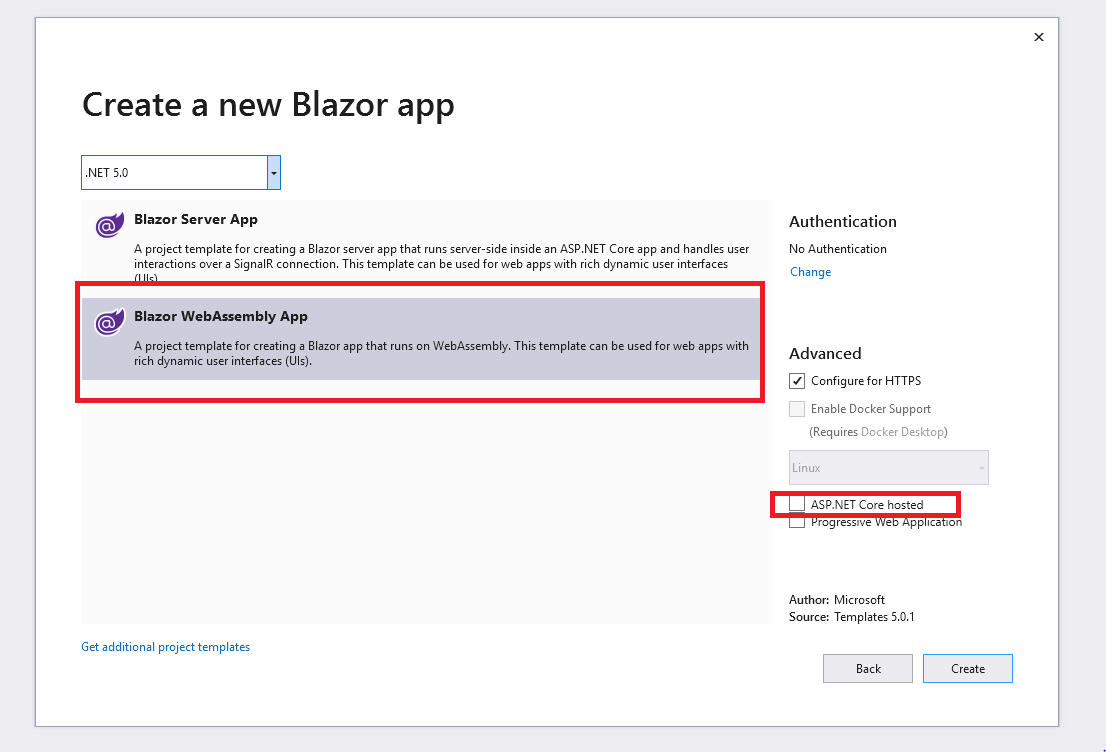
Lets assume localhost:44382 is the server that manage the authentication and profile management.
Now in the Client Standalone Blazor App (localhost:44399) I will configure the remote register and profile paths from server. Note there are external paths.
            builder.Services.AddOidcAuthentication(options =>
            {
               // Note this is the external absolute path of register and manage in server
                options.AuthenticationPaths.RemoteRegisterPath = "https://localhost:44382/identity/account/register";
                options.AuthenticationPaths.RemoteProfilePath = "https://localhost:44382/identity/account/manage";
            });
If I click on the Register on my client app, the code ignores the external server host localhost:44382 address tries to redirect to the relative register path of the client host address localhost:44399...

Obviously there is nothing there and registration fails. I think this is a major issue, basically due to this bug the Blazor standalone app cannot work with external Identity provider for user registration.
Further technical details
- ASP.NET Core version 5
- Visual Studio 2019
- Blazor Standalone Web Assembly (published statically - Not Hosted with ASP.Net Core)
- Blazor Server For Authentication and Profile management

Thanks for contacting us.
We're moving this issue to the Next sprint planning milestone for future evaluation / consideration. We will evaluate the request when we are planning the work for the next milestone. To learn more about what to expect next and how this issue will be handled you can read more about our triage process here.

@mkArtakMSFT @pranavkm thanks for prioritizing the issue. One more issue I found today while investigating this further.
As per official Microsoft documentation and RFC Open ID standard (See 4.2. OpenID Provider Configuration Response) The Open Id Configuration discovery endpoint can fully describe the login, registration and user management. The Open Id standard already provides authorization_endpoint, token_endpoint, userinfo_endpoint and registration_endpoint. So if an Identity Provider already provides you with a .well-known/openid-configuration and specifies the authorization, registration and user info end points then there should not be any need to provide RemoteRegisterPath and RemoteProfilePath again.
The Login workflow already honors this, and so should registration and user info endpoints.
So there are actualy 2 major issues as I see in the current workflow :
1. ASP.NET Core Blazor Webassembly should fully honor the RFC Open ID standard and endpoints provided by .well-known/openid-configuration and once the clients configure the open Id identity provider there should not be any need to specify remote AuthenticationPaths paths in the first place.
For e.g.
  builder.Services.AddOidcAuthentication(options =>
            {
                // Configure OIDC provider options.
               // Here https://localhost:44382 provides .well-known/openid-configuration and all the external endpoints
              // so there should not be any need to specify remote registration or user info paths at all.
                options.ProviderOptions.Authority = "https://localhost:44382";
                options.ProviderOptions.ClientId = "A0C77391-A240-4EAF-B9A5-736CA79ECA0F";
                options.ProviderOptions.DefaultScopes.Add("openid");
                options.ProviderOptions.DefaultScopes.Add("profile");
                options.ProviderOptions.PostLogoutRedirectUri = "authentication/logout-callback";
                options.ProviderOptions.RedirectUri = "authentication/login-callback";
                options.ProviderOptions.ResponseMode = "code id_token";
            });

2. If for some reason client does require a different RemoteRegisterPath and RemoteProfilePath then the issue described above should honor the external endpoints and redirect them correctly (original issue).
I think both these issues are important for a seamless external OIDC Identity provider integration. Also the documentation should be improved for the advanced use cases.
Again I appreciate you prioritizing this and thanks in advance. Feel free if more info is needed.
I also encounter this problem on aspnet core 3.1. The problem seems to be due to the use of PathAndQuery in RedirectToProfile and RedirectToRegister which doesn't include the base url.

Hello, @javiercn sorry to ping you but since you wrote the code in question, you may confirm that this is indeed a bug and that it is indeed in RedirectToProfile and RedirectToRegister.
@ameyasubhedar Just was wondering if you got any solution or any workaround until this is fixed.
I'm using a standalone Blazor app as well, but cannot configure the flow yet.
@mkArtakMSFT @pranavkm Any update on this would be much appreciated. Thanks!

@abdu292, not yet I am also working on this issue and evaluating any potential workaround. Will keep you posted.
We've moved this issue to the Backlog milestone. This means that it is not going to be worked on for the coming release. We will reassess the backlog following the current release and consider this item at that time. To learn more about our issue management process and to have better expectation regarding different types of issues you can read our Triage Process.

@ameyasubhedar took another look at this issue and there are some things to point out.
In general, when you are dealing with a third-party provider the register process goes through the login step (that's for example what Azure AD B2C does with policies).
The remote register here refers to Remote to the Blazor app, but still in the same origin.
You can have full control of the register flow by overriding OnParametersSetAsync() on RemoteAuthenticatorView and handling the case Action == "RemoteAuthenticationActions.Register"
There is no contract for an IdP to redirect you back to a given url unless the user starts an OIDC login flow. In our RemoteRegister case we pass in the return URL as a query string parameter and Microsoft.AspNetCore.Identity happens to use that and return back to the login page (after which we do a login and since the user authenticated during registration, it succeeeds).
With the suggestion above (overriding OnParametersSet and taking control of the register action) you should be able to implement this.

This issue has been resolved and has not had any activity for 1 day. It will be closed for housekeeping purposes.
See our Issue Management Policies for more information.