

 dotnet
Where is gui generator with p/invoke to cs file?
Hello Tanner , I would like to know since I read CppSharp that's correct you mean p/invoke generation editor can generate header files to public methods into dllimport, definitions and structures and writes a generated file.cs if I understand correctly. I really want to know how do I use ClangSharp. But I am new for generation. I thought you can conjure finished structures, definitions and methods. Right? Welcome witch Tanner on our earth!

The basic instructions for using ClangSharp are here: https://github.com/dotnet/ClangSharp#generating-bindings There is not any public facing UI for it today, its all command line support.
As per the instructions above, https://github.com/dotnet/ClangSharp/blob/main/sources/ClangSharpPInvokeGenerator/Properties/GenerateClang.rsp is an example of how ClangSharp itself is generated.
A more complex example covering D3D12 is here: https://github.com/terrafx/terrafx.interop.windows/blob/main/generation/DirectX/d3d12/d3d12/generate.rsp. Neighboring files also cover a large portion of the Windows SDK.
https://github.com/terrafx/terrafx.interop.xlib/blob/main/generation/Xlib/X11/X/generate.rsp and neighboring files covers Xlib https://github.com/terrafx/terrafx.interop.vulkan/blob/main/generation/Vulkan/vulkan/vulkan/generate.rsp and neighboring files covers Vulkan

Hi Tanner, thanks for explanation! I have tried but ClanSharpPInvokeGenerator throws exceptions and errors cause DLLNotFOUNDEXCEPTION
ClangSharpPInvokeGenerator @generation.rsp
Unhandled exception: System.Reflection.TargetInvocationException: Exception has been thrown by the target of an invocation.
 ---> System.DllNotFoundException: Unable to load shared library 'libClangSharp' or one of its dependencies. In order to help diagnose loading problems, consider setting the LD_DEBUG environment variable: liblibClangSharp: cannot open shared object file: No such file or directory
   at ClangSharp.Interop.clangsharp.getVersion()
   at ClangSharp.PInvokeGenerator..ctor(PInvokeGeneratorConfiguration config, Func`2 outputStreamFactory) in /_/sources/ClangSharp.PInvokeGenerator/PInvokeGenerator.cs:line 80
   at ClangSharp.Program.Run(InvocationContext context) in /_/sources/ClangSharpPInvokeGenerator/Program.cs:line 562
   --- End of inner exception stack trace ---
   at System.RuntimeMethodHandle.InvokeMethod(Object target, Span`1& arguments, Signature sig, Boolean constructor, Boolean wrapExceptions)
   at System.Reflection.RuntimeMethodInfo.Invoke(Object obj, BindingFlags invokeAttr, Binder binder, Object[] parameters, CultureInfo culture)
   at System.Reflection.MethodBase.Invoke(Object obj, Object[] parameters)
   at System.CommandLine.Invocation.ModelBindingCommandHandler.InvokeAsync(InvocationContext context)
   at System.CommandLine.Invocation.InvocationPipeline.<>c__DisplayClass4_0.<<BuildInvocationChain>b__0>d.MoveNext()
--- End of stack trace from previous location ---
   at System.CommandLine.Builder.CommandLineBuilderExtensions.<>c__DisplayClass23_0.<<UseParseErrorReporting>b__0>d.MoveNext()
--- End of stack trace from previous location ---
   at System.CommandLine.Builder.CommandLineBuilderExtensions.<>c__DisplayClass16_0.<<UseHelp>b__0>d.MoveNext()
--- End of stack trace from previous location ---
   at System.CommandLine.Builder.CommandLineBuilderExtensions.<>c__DisplayClass25_0.<<UseTypoCorrections>b__0>d.MoveNext()
--- End of stack trace from previous location ---
   at System.CommandLine.Builder.CommandLineBuilderExtensions.<>c.<<UseSuggestDirective>b__24_0>d.MoveNext()
--- End of stack trace from previous location ---
   at System.CommandLine.Builder.CommandLineBuilderExtensions.<>c__DisplayClass22_0.<<UseParseDirective>b__0>d.MoveNext()
--- End of stack trace from previous location ---
   at System.CommandLine.Builder.CommandLineBuilderExtensions.<>c__DisplayClass11_0.<<UseDebugDirective>b__0>d.MoveNext()
--- End of stack trace from previous location ---
   at System.CommandLine.Builder.CommandLineBuilderExtensions.<>c.<<RegisterWithDotnetSuggest>b__10_0>d.MoveNext()
--- End of stack trace from previous location ---
   at System.CommandLine.Builder.CommandLineBuilderExtensions.<>c__DisplayClass14_0.<<UseExceptionHandler>b__0>d.MoveNext()
I already installed libclang-14, libclang-14-dev and libclang1 and more and I use Ubuntu 22.04 LIBRARY_PATH uses /lib/x86_64-linux-gnu because Ubuntu 22.04 has new changes since Ubuntu 21.04 uses /usr/lib/x86_64-linux-gnu
Thanks!
UPDATE:
I have tried download from ClangSharp repository and uninstall official dotnet tool and change to downloaded ClangSharp from repository and I want build as release version and publish into linux-x64 and I set export path to ClangSharpPInvokeGenerator's publish directory
And I tried to use with Xlib by TerraFX.Interop.Xlib and I tried to rsp but it is same exception and error. I don't understand why does ClangSharpPInvokeGenerator throw?
And I have tried cmake but I don't have to install what does it mean?
CMake Error at sources/libClangSharp/CMakeLists.txt:36 (find_package):
  Could not find a package configuration file provided by "Clang" with any of
  the following names:

    ClangConfig.cmake
    clang-config.cmake

  Add the installation prefix of "Clang" to CMAKE_PREFIX_PATH or set
  "Clang_DIR" to a directory containing one of the above files.  If "Clang"
  provides a separate development package or SDK, be sure it has been
  installed.
I have instaled sudo apt install -fy clang clang-14 llvm-14 clang-14-dev but where is Clang_DIR?
ClangSharp provides its own native library, libClangSharp, to help fill the gap on APIs that libClang doesn't expose.
You can find a pre-built copy of libClangSharp on NuGet. Manually extracting the .so file next to the executable should allow it to be resolved: https://www.nuget.org/packages/libClangSharp.runtime.ubuntu.20.04-x64/14.0.0-beta1
- Unfortunately this isn't a "just work" scenario on Linux due to some various issues that exist with NuGet today
Building ClangSharp requires first building Clang as per https://github.com/dotnet/ClangSharp#building-native
Hey Tanner,
I found solution.
for Linux: It looks wrong because I made easy
git clone https://github.com/dotnet/clangsharp
cd clangsharp
mkdir artifacts/bin/native
cd artifacts/bin/native
cmake -DPATH_TO_LLVM=/usr/lib/llvm/14/ ../../..
make
with
git clone https://github.com/dotnet/clangsharp
cd clangsharp
mkdir -p artifacts/bin/native
cd artifacts/bin/native
cmake -DPATH_TO_LLVM=/usr/lib/llvm-14/ ../../..
make -j32
Copy 2 so files and past to lib/x86_64-linux-gnu:
sudo cp -p ~/clangsharp/artifacts/bin/native/lib/libClangSharp.so ~/clangsharp/artifacts/bin/native/lib/libClangSharp.so.14.0.0 /lib/x86_64-linux-gnu
Note for Ubuntu 22.04
Wait why do we not copy to /usr/lib/x86_64-linux-gnu because it has new version of Ubuntu 22.04 and they found so files since I can't find libgtk-4.so in directory and I try ldd with HelloWindow with Gtk4 and I am surprised why do developers build and release in /lib directory and I find other like SDL2 or GLFW3 and they are sitting in directory lib .
Screenshot:
 Download libClangSharp.so for Ubuntu 22.04 x64 only
libClangSharp.zip
Download libClangSharp.so for Ubuntu 22.04 x64 only
libClangSharp.zip
And try with ClangSharpPInvokeGenerator with version and it works fine. :D
Because errors from Ubuntu 20.04 libClangSharp.so can't work with latest version of Ubuntu cause Kernel version very latest and has higher level.
It works fine now. I would like to close issue :)
// EDIT but @generate.rsp then it looks weird:

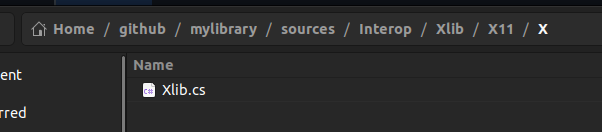 Oh why Generator can't make completely?
@DeafMan1983 could you clarify what the current issue is?
It looks like you might be in -config single-file rather than -config multi-file mode.
I'm running into this DLL missing issue as well (on MacOS):
Unhandled exception: System.DllNotFoundException: Unable to load shared library 'libclang' or one of its dependencies.
In order to help diagnose loading problems, consider setting the DYLD_PRINT_LIBRARIES environment variable: dlopen(liblibclang, 0x0001):
tried: 'liblibclang' (no such file),
'/usr/local/lib/liblibclang' (no such file),
'/usr/lib/liblibclang' (no such file), '/Users/kyle/Workspace/ClangSharp/artifacts/bin/sources/ClangSharpPInvokeGenerator/Release/net6.0/liblibclang' (no such file)
I've got libClangSharp extracted from the NuGet package here: https://www.nuget.org/packages/libClangSharp.runtime.osx-x64/14.0.0-beta1 And have placed it next to the (built from source) ClangSharpPInvokeGenerator.
I've tried symlinking in to Clang on the system via xcode's path and the usr/bin/ clang version to no avail. Not totally sure what's missing here, would love any additional help. Also weird that it's looking for liblibclang and not just libclang, but idk if that's relevant.
