

 dosbox-staging
Homebrew build failing under 10.14.6 Mojave + problem with Meson build
Are you using the latest Dosbox-Staging Version?
- [X] I have checked releases and am using the latest release.
Different version than latest?
0.80.0-alpha
What Operating System are you using?
Mac OS
Whats your question and how can we help?
The homebrew build process seems to be failing again under macOS Mojave (10.14.6). Despite wiping the older version entirely from my system, and using the brew install command, build errors still resulted (which was not happening as of a few months back - no settings changes on my side). It is also still defaulting to DOSBox Staging 0.78.
I do not know what might have changed there, and I understand that the homebrew project maintains its own separate build scripts and will apparently/hopefully fix these problems as part of supporting DOSBox Staging 0.79?
The specific build error was:
==> Downloading https://github.com/dosbox-staging/dosbox-staging/archive/v0.78.1.tar.gz
Already downloaded: /Users/almeath/Library/Caches/Homebrew/downloads/a6977d5263127128bddb6990e8f729fd235068735839177bb149dc6ef177aab1--dosbox-staging-0.78.1.tar.gz
==> meson --prefix=/usr/local/Cellar/dosbox-staging/0.78.1_1 --libdir=/usr/local/Cellar/dosbox-staging/0.78.1_1/lib --buildtype=release --wrap-mode=no
==> ninja -v
Last 15 lines from /Users/almeath/Library/Logs/Homebrew/dosbox-staging/02.ninja:
undef: _deflateInit2_
undef: _deflateReset
undef: _deflate
Undefined symbols for architecture x86_64:
  "_deflateEnd", referenced from:
      CAPTURE_VideoEvent(bool) in lto.o
  "_deflateInit2_", referenced from:
      RENDER_EndUpdate(bool) in lto.o
  "_deflateReset", referenced from:
      RENDER_EndUpdate(bool) in lto.o
  "_deflate", referenced from:
      RENDER_EndUpdate(bool) in lto.o
ld: symbol(s) not found for architecture x86_64
clang: error: linker command failed with exit code 1 (use -v to see invocation)
ninja: build stopped: subcommand failed.

Do not report this issue to Homebrew/brew or Homebrew/core!

These open issues may also help:
dosbox-staging 0.79.0 https://github.com/Homebrew/homebrew-core/pull/111072
That point aside, I used the instructions on the Github page to build using Meson and this did successfully produce an executable under Mojave. However, when running it, I get the following error in the terminal (see the last line - it actually repeats a few hundred time and then ends with segfault):
2022-09-20 18:07:55.033 | dosbox-staging version 0.80.0-alpha
2022-09-20 18:07:55.033 | ---
2022-09-20 18:07:55.033 | LOG: Loguru version 2.1.0 initialized
2022-09-20 18:07:55.079 | SDL: version 2.24.0 initialized (cocoa video and coreaudio audio)
2022-09-20 18:07:55.080 | CONFIG: Loaded primary conf file /Users/almeath/Library/Preferences/DOSBox/dosbox-staging.conf
2022-09-20 18:07:55.080 | RENDER: Using GLSL shader 'none'
2022-09-20 18:07:55.080 | DISPLAY: Accepted fullscreen resolution 5120x2880 despite exceeding the 2560x1440 display
2022-09-20 18:07:55.080 | DISPLAY: Initialized 1280x960 window-mode using Nearest-neighbour scaling on 1440p display-0
2022-09-20 18:07:55.567 | OPENGL: Vendor: unknown
2022-09-20 18:07:55.567 | OPENGL: Version: 0.0.0
2022-09-20 18:07:55.567 | OPENGL: GLSL version: unknown
2022-09-20 18:07:55.567 | OPENGL: Pixel buffer object: available
2022-09-20 18:07:55.567 | OPENGL: NPOT textures: supported
2022-09-20 18:07:55.567 | SDL: Mouse will move seamlessly: left and right button clicks won't capture the mouse
2022-09-20 18:07:55.567 | SDL: Middle mouse button will capture/release the mouse (clicks not sent to the game/program)
2022-09-20 18:07:55.567 | LANG: Using internal English language messages
2022-09-20 18:07:55.567 | VIDEO: Using the DOS video mode's frame rate
2022-09-20 18:07:55.582 | MEMORY: Base address: 0x1096ff000
2022-09-20 18:07:55.582 | MEMORY: Using 4096 DOS memory pages (16 MiB)
2022-09-20 18:07:55.583 | VIDEO: Initialized S3 Trio64 VESA 2.0 compatible with 4-MiB of FP DRAM supporting 86 modes
2022-09-20 18:07:55.608 | MIXER: Negotiated 2-channel 48000-Hz audio in 512-frame blocks
2022-09-20 18:07:55.608 | MIXER: Reverb disabled
2022-09-20 18:07:55.608 | MIXER: Chorus disabled
2022-09-20 18:07:55.608 | MIXER: Master compressor enabled
2022-09-20 18:07:55.615 | MIDI: Opened device: coreaudio
2022-09-20 18:07:55.616 | OPL: Operating at 48000 Hz without resampling
2022-09-20 18:07:55.616 | OPL: Using OPL mode OPL3
2022-09-20 18:07:55.616 | SB16: Sound Blaster 16 OPL output filter enabled
2022-09-20 18:07:55.616 | SB: Operating at 22050 Hz and upsampling to the output rate
2022-09-20 18:07:55.616 | SB16: Modern DAC output filter enabled
2022-09-20 18:07:55.616 | SB16: Running on port 220h, irq=7, dma8=1, dma16=5
2022-09-20 18:07:55.616 | SB16: @SET BLASTER=A220 I7 D1 H5 T6
2022-09-20 18:07:55.616 | PCSPEAKER: Operating at 48000 Hz without resampling
2022-09-20 18:07:55.616 | PCSPEAKER: Initialized discrete model
2022-09-20 18:07:55.616 | PCSPEAKER: Highpass filter enabled (18 dB/oct at 120 Hz)
2022-09-20 18:07:55.616 | PCSPEAKER: Lowpass filter enabled (12 dB/oct at 4800 Hz)
2022-09-20 18:07:55.616 | MOUSE (PS/2): Standard, 3 buttons
2022-09-20 18:07:55.617 | SLIRP: Slirp version: 4.7.0
2022-09-20 18:07:55.617 | SLIRP: Successfully initialized
2022-09-20 18:07:55.617 | NE2000: Base=0x300 irq=3
2022-09-20 18:07:55.617 | CONFIG: Loaded drive conf file /Users/almeath/Desktop/DOSBox Staging.app/Contents/MacOS/../Resources/drives/y.conf
2022-09-20 18:07:55.637 | MAPPER: no joysticks found
2022-09-20 18:07:55.637 | MAPPER: Loaded default key bindings
2022-09-20 18:07:55.638 | SHELL: Redirect output to NUL
2022-09-20 18:07:55.638 | MOUNT: Path 'Desktop/DOSBox Staging.app/Contents/Resources/drives/y' found
2022-09-20 18:07:55.639 | SDL:OPENGL: No support for texture size of 640x400, falling back to surface
This error occurs no matter what fixed resolution I use, such as '5120x2880' (my native resolution) or 2560x1440.
If I use 'desktop' as the resolution, then the app launches in a maximized window (not proper full screen) and displays the DOS window in a tiny portion of the center of the screen (see attached image).
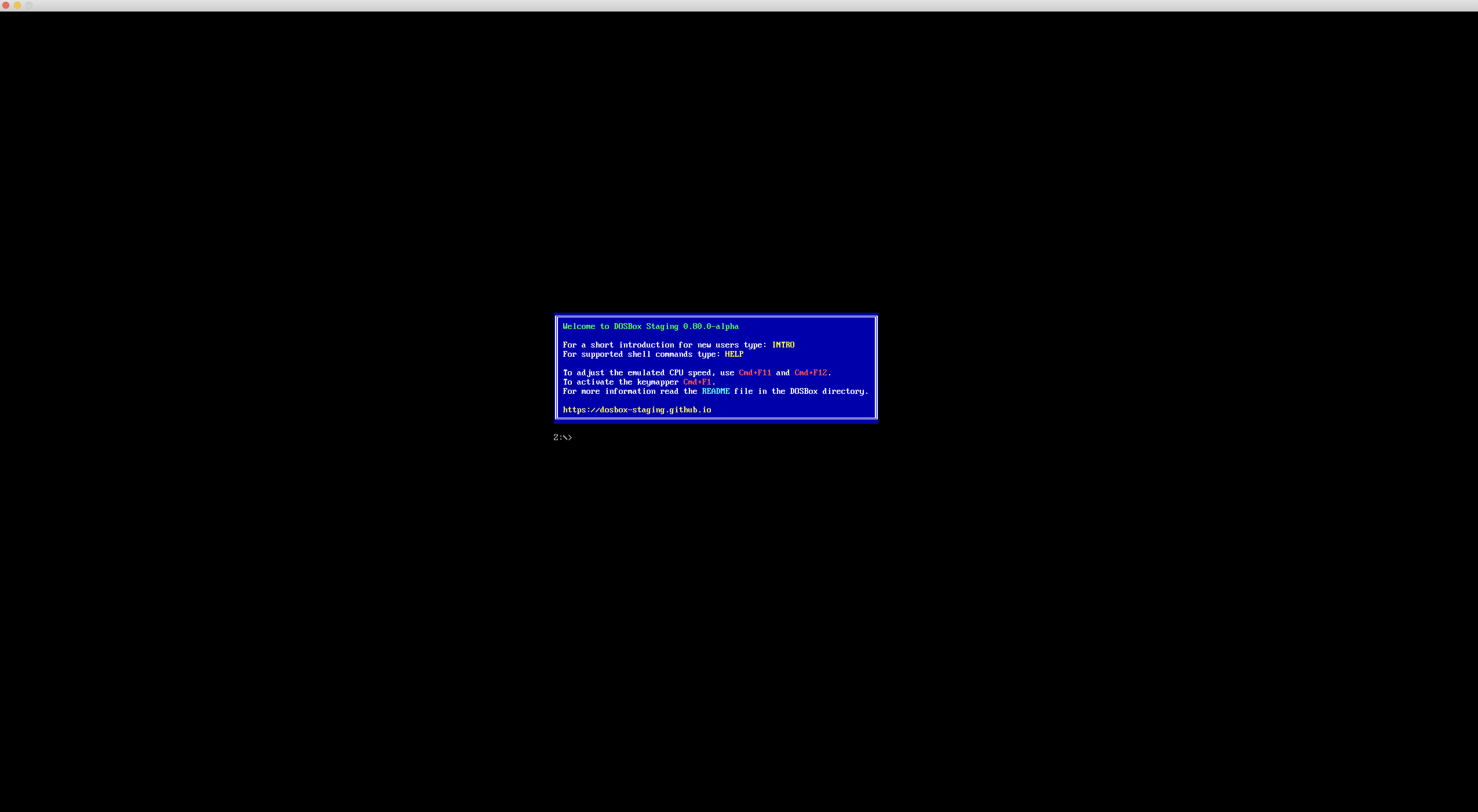
Is there any hope of getting either Homebrew or Meson to produce a properly functioning Mojave-compatible build? I cannot use the pre-built app as it demands Catalina or higher.
Code of Conduct & Contributing Guidelines
- [X] Yes, I agree.

Thanks for the detailed report, @almeath.
Looks like the homebrew package isn't being linked with zlib. I would suggest filing an issue at the homebrew page, and just paste your content from here.
For you local meson build, the log shows that the OpenGL drivers or libraries are somehow present enough to be found and linked during the build process, but that they're actually in a broken or unusable state, functionally:
OPENGL: Vendor: unknown
2022-09-20 18:07:55.567 | OPENGL: Version: 0.0.0
2022-09-20 18:07:55.567 | OPENGL: GLSL version: unknown
So when SDL attempts to make GL API calls, it gets errors back: so Staging then falls back to the non-accelerated, non-scaled software surface output mode.
Maybe other users here can help with some tips how to fix/activate/reinstall Mojave's OpenGL drivers?
(Even if homebrew fizes the zlib link issue, this OpenGL issue will still be a problem).
You can try using output = texturenb (or texturepp), however there might still be hardware acceleration issues, so I highly suggest digging into how to fix/reinstall your video driver stack.

Thanks for those pointers @kcgen. The OpenGL issue is very puzzling, as my install of Mojave is very stable - installed since 2019 and Apple ceased all updates (even security fixes) around a year go. I have not experienced issues with updating most of my homebrew packages, and other versions of DOSBox such as SVN and X both build without any problems. I cannot think of anything I have done to my system that would have altered OpenGL default settings.
Further to your suggestion, I changed the output to texturenb and that appears to work, in that when I launch the executable I now get a proper full screen (no menu) and it outputs the proper resolution. It works with either my fixed 5120x2880 resolution or 'desktop'. Of course, that will not really get me a practical outcome since I cannot use GL shaders with that setting.
Looks like my best bet is to do some research on this Open GL issue, as it is the first time I have seen this. I will also try building on a separate Mac with a different (but equivalent version) of Mojave - 10.14.6. That will shed some light on whether this issue is specific to the install of Mojave on my iMac, or if it appears to affect all Mojave systems.
I will also try building on a separate Mac with a different (but equivalent version) of Mojave - 10.14.6.
Great idea; very curious what you find!
On the other system, I am trying to overcome a build error:
[253/332] Compiling C++ object src/hardware/libhardware.a.p/lpt_dac.cpp.o
FAILED: src/hardware/libhardware.a.p/lpt_dac.cpp.o
ccache c++ -Isrc/hardware/libhardware.a.p -Isrc/hardware -I../src/hardware -I../include -I. -I.. -Isrc/libs/ghc -I../src/libs/ghc -Isubprojects/iir1-1.9.3 -I../subprojects/iir1-1.9.3 -Isrc/libs/loguru -I../src/libs/loguru -Isubprojects/speexdsp-1.2.1 -I../subprojects/speexdsp-1.2.1 -Isubprojects/speexdsp-1.2.1/include -I../subprojects/speexdsp-1.2.1/include -Isubprojects/speexdsp-1.2.1/include/speex -I../subprojects/speexdsp-1.2.1/include/speex -I/usr/local/Cellar/libslirp/4.7.0/include/slirp -I/usr/local/Cellar/glib/2.74.0/include/glib-2.0 -I/usr/local/Cellar/glib/2.74.0/lib/glib-2.0/include -I/usr/local/opt/gettext/include -I/usr/local/Cellar/pcre2/10.40/include -I/usr/local/Cellar/libpng/1.6.38/include/libpng16 -I/usr/local/include -I/usr/local/include/SDL2 -fcolor-diagnostics -DNDEBUG -Wall -Winvalid-pch -Wnon-virtual-dtor -Wextra -Wpedantic -std=c++17 -O3 -Wno-unknown-pragmas -fno-math-errno -fno-signed-zeros -fno-trapping-math -fassociative-math -freciprocal-math -ffinite-math-only -ffunction-sections -fdata-sections -D_THREAD_SAFE -MD -MQ src/hardware/libhardware.a.p/lpt_dac.cpp.o -MF src/hardware/libhardware.a.p/lpt_dac.cpp.o.d -o src/hardware/libhardware.a.p/lpt_dac.cpp.o -c ../src/hardware/lpt_dac.cpp
../src/hardware/lpt_dac.cpp:46:11: error: no member named 'merge' in 'std::__1::set<ChannelFeature, std::__1::less<ChannelFeature>, std::__1::allocator<ChannelFeature> >'
        features.merge(extra_features);
        ~~~~~~~~ ^
1 error generated.
[258/332] Compiling C++ object src/gui/libgui.a.p/render_scalers.cpp.o
ninja: build stopped: subcommand failed.
Very interesting, @almeath -
The error, no member named merge in std::set says that the compiler doesn't have the merge member function for the std::set class, however we know it should be there: https://en.cppreference.com/w/cpp/container/set/merge
This tells me that this machine's C++17 compiler is missing baseline functionality (this can be true for experimental features, but this isn't one of them).
If you run: clang++ --version, what do you get from both of your Mojave machines?
Would it be possible to upgrade this older Mojave compiler to the latest xcode?

Ref: https://developer.apple.com/support/xcode/
@almeath - were you able to compare clang versions on both these systems?
And are you able to upgrade them to the latest Xcode (atleast, as far as Mojave can go?)
I fixed the build issue by removing the command line tools folder from Library/Developer, and then downloading and re-installing them from the Apple Developer website.
I then downloaded the pre-built DOSBox Staging app, and replaced the dosbox binary inside it with the one I built using Meson. The resulting app runs perfectly under Mojave on both my systems.
This will now be my preferred method for updating DOSBox Staging, as it is not reliant on homebrew (which warns me it does not support macOS 10.14 every time I use it, as if I need to be reminded I am not using the latest version of macOS).
@kcgen , to answer your question about the clang version, once I updated Xcode command line tools on both machines, the clang version was listed as:
Apple clang version 11.0.0 (clang-1100.0.33.17) Target: x86_64-apple-darwin18.7.0
The latest version of Xcode that can be installed on Mojave is 11.3.1 (January 2020).
Good to know; was the second machine able to get a usable OpenGL driver state at runtime? Hopefully better than:
2022-09-20 18:07:55.567 | OPENGL: Vendor: unknown
2022-09-20 18:07:55.567 | OPENGL: Version: 0.0.0
2022-09-20 18:07:55.567 | OPENGL: GLSL version: unknown
On the iMac with a 5120x2880 display, I see this in full screen mode:
2022-09-23 06:12:35.364 | RENDER: Using GLSL shader 'crt-easymode-flat' 2022-09-23 06:12:35.367 | DISPLAY: Accepted fullscreen resolution 5120x2880 despite exceeding the 2560x1440 display 2022-09-23 06:12:35.367 | DISPLAY: Disabled resizable window, only compatible with 'sharp' and 'none' glshaders 2022-09-23 06:12:35.367 | DISPLAY: Initialized 1280x960 window-mode using Nearest-neighbour scaling on 1440p display-0
The only error displayed is about the window not being re-sizeable with the currently specified shader.
And then this when switching to a window:
2022-09-23 06:12:38.743 | DISPLAY: Text 640x400 (3h) at 70.087 Hz VFR, scaled by 2.0x2.4 to 1280x960 with 1.2 pixel-aspect
Seems normal?
On the MacBook, with a 2560x1600 resolution:
2022-09-23 06:16:42.704 | DISPLAY: Accepted fullscreen resolution 2560x1600 despite exceeding the 1280x800 display 2022-09-23 06:16:42.704 | DISPLAY: Initialized 640x480 window-mode using Nearest-neighbour scaling on 800p display-0
And windowed mode:
2022-09-23 06:16:46.594 | DISPLAY: Text 640x400 (3h) at 70.087 Hz VFR, scaled by 1.0x1.2 to 640x480 with 1.2 pixel-aspect
Yes, seems normal.
@GranMinigun , you asked about logging: it's good to see this from @almeath (I don't recall others with hiDPI macbooks reporting these). Definitely think we should improve the logging, and go with the canvas size like you mentioned.
@kcgen, would you like me to keep this issue open for now, or leave it closed? I am happy to contribute more logs or do more testing on either of my machines if it will be of assistance.
I think we can leave it closed, with the issue now solved. Thanks for the logs too -- helps to see what's happening on these different hidpi systems :👍
@GranMinigun , you asked about logging: it's good to see this from @almeath (I don't recall others with hiDPI macbooks reporting these). Definitely think we should improve the logging, and go with the canvas size like you mentioned.
I'm pretty sure John Novak had the same issue with exceeding client size, so it's definitely something to check. My question was more about, should we show client sizes or physical sizes, because users input client sizes in the configuration.

@almeath would you be able to send me your Mojave build of the app? I am having trouble also.

@jowtron, sorry for over-looking your request. I will shortly provide a link to the Mojave build I compiled on my MacBook Pro, which at least works normally in full screen mode.
However, I am also going to re-open this discussion and provide some further details, as I seem to have an optimization problem with the build from my MacBook Pro. It appears to get about half the graphics performance of the binary I compile on my iMac (according to dosbench). However, on my iMac, it seems to still persist in showing me a 'small' centered screen in full-screen mode, despite the ostensibly successful compilation process. The iMac build does not seem to suffer from the graphics performance problem. At the moment I am stumped, so I am making sure I first get my homebrew installations fully up-to-date on both machines, then I will try re-compiling on both.
Perhaps I will provide both binaries + terminal logs, to see if anyone can help me test this further. More detail to follow..
OK, so I determined that the cause of the 'small screen' issue was the fact that the iMac had the mesa (22.1.7) library installed, which was overriding the in-built OpenGL when compiling DOSBox Staging on that machine. After removing mesa, the resulting binary now works correctly in fullscreen mode.
However, I have not been able to determine the cause of the reduced graphics performance. I used dosbench (Chris's 3d benchmark) to compare performance between the 0.80 alpha binary versus an older 0.77.1 binary that I had compiled via homebrew late last year. The difference was huge. The meson compiled binary is, on average, performing around 50-60% worse than the homebrew compiled binary. The only benchmark affected is when using 3d graphics. For example, the Quake demo benchmarks perform equally well, in line with the results I get from SVN.
I have no idea why there is such a big reduction in graphics performance in the binaries I am compiling via Meson. Unfortunately, I cannot perform further tests because homebrew is still stuck on Staging version 0.78 (and is otherwise failing to compile, per my original post). There is nowhere online where I can download a pre-built Mojave-compatible binary of DOSBox Staging.
Can anyone help me out with some performance tests to validate my findings? I do notice the reduced graphics performance in real world use, in particular when running Win9x in Staging vs SVN. It feels more sluggish and there is audio clipping and graphical lag in more demanding games.
@jowtron, I have attached a binary of 0.80 (meson compiled) and 0.77.1 (homebrew compiled).
https://www.dropbox.com/s/3e189rur9noq0hj/staging_0.80_meson.zip?dl=0
https://www.dropbox.com/s/snas0u9skkhho2y/staging_0.77.1_brew.zip?dl=0
(just replace the binary inside the downloadable build of the app and it should work)
@almeath , with your drivers sorted out, I suspect the performance drop you're seeing in the latest builds is due to the hardware backend having to work a bit harder to scale the VGA resolution up to the full hiDPI resolution.
jordie on discord had a similar situation on his circa-2015 macbook, and when comparing 0.78.x to latest, he got these numbers:
[sdl]
fullresolution = desktop
output = opengl

[render]
glshader = default (or sharp)
Here's the results.
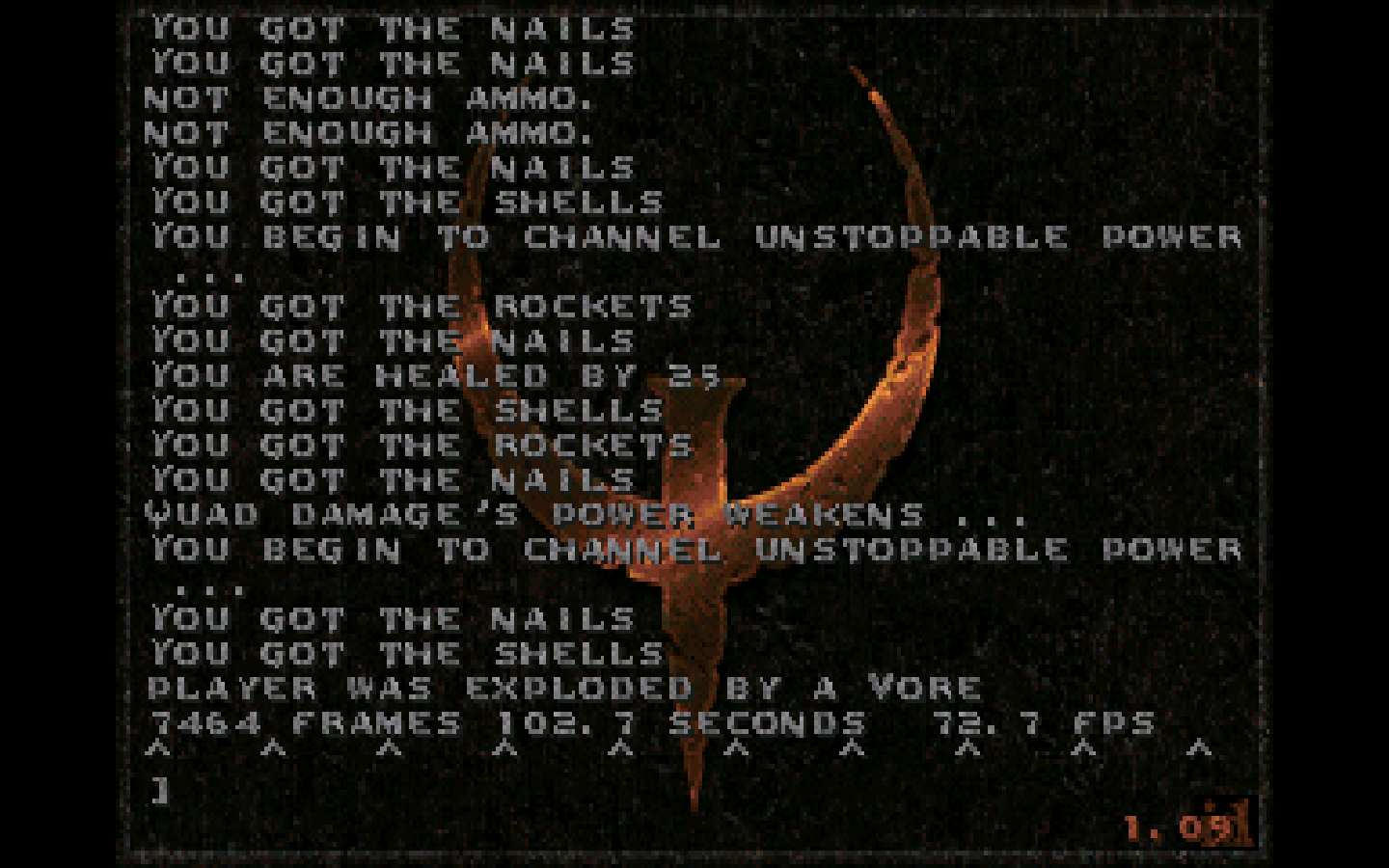
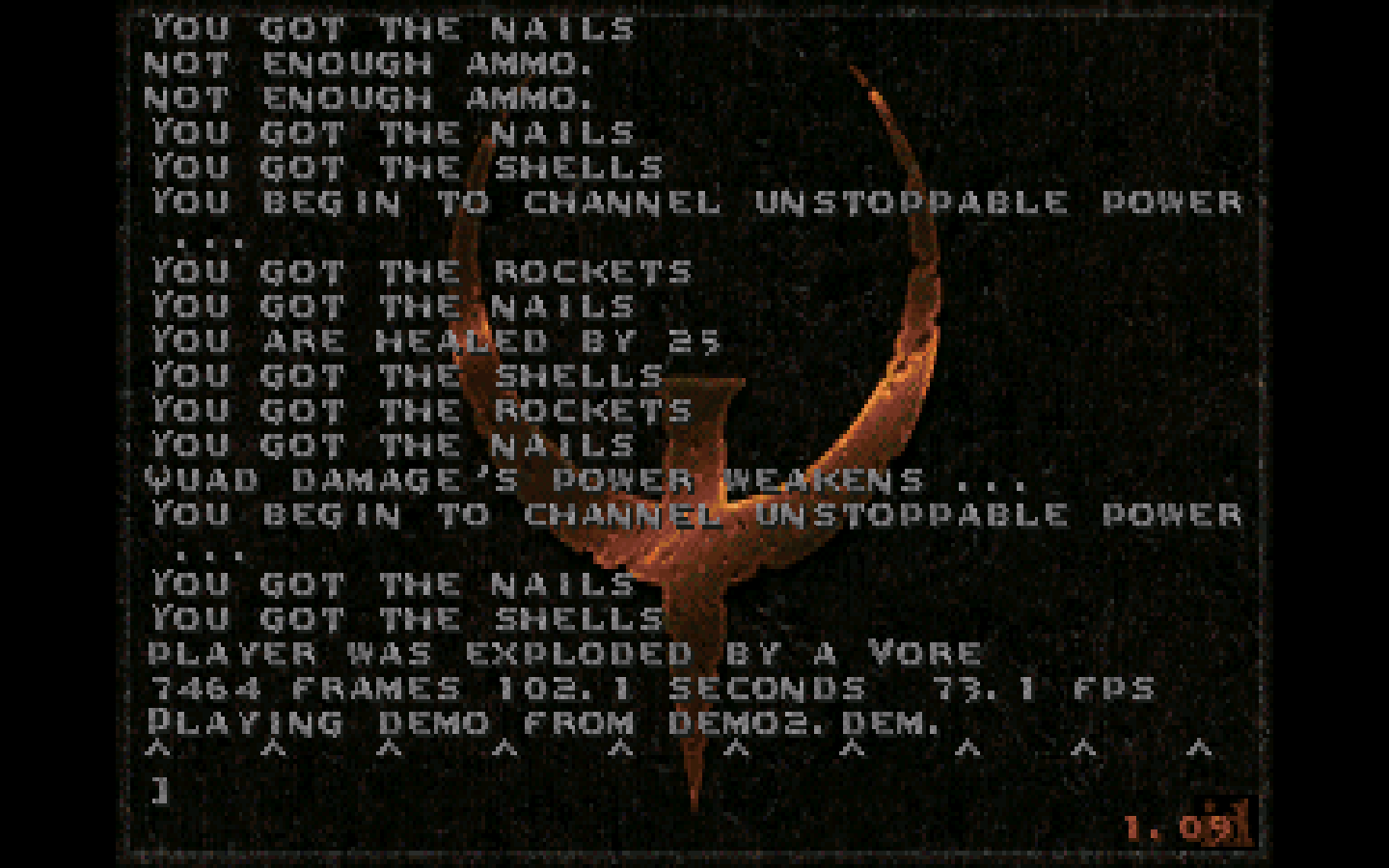
First image is 0.78.1, second image is the latest Dev Build downloaded from the site. Using OpenGL as the renderer.
0.78.1: 72.7 fps
0.78.1: 2022-09-12 21:52:51.008 | DISPLAY: Disabled resizable window, only compatible with OpenGL output
2022-09-12 21:52:51.008 | DISPLAY: Initialized 800x600 window-mode using Nearest-neighbour scaling on 900p display-0
2022-09-12 21:52:51.431 | DISPLAY: Unknown 640x400 (mode FFFFh) scaling by 2.2x2.2 to 1440x900 with 1.00 pixel-aspect
Latest Dev Build: 73.1 fps
2022-09-12 21:44:01.991 | DISPLAY: Disabled resizable window, only compatible with OpenGL output
2022-09-12 21:44:01.991 | DISPLAY: Initialized 800x600 window-mode using Nearest-neighbour scaling on 900p display-0
You can "backout" the hiDPI flag if you cherry pick this commit into your local repo:
git checkout main
git checkout -b test/no-hidpi-1
git cherry-pick c37c3ae
meson compile -C build
And compare that against the default 0.80-alpha build.
To go back to the main 0.80-alpha branch (with hiDPI support):
git checkout main
meson compile -C build
@kcgen, thanks for that suggestion. I built again under Meson without hiDPI support, and then conducted some tests with Chris's 3D benchmark. All variations of DOSBox used the following 'standard' settings for my setup:
fullscreen = true fullresolution = 5120x2880 output = openglnb machine = svga_s3 scaler = normal3x core = dynamic cputype = auto cycles = max
The results were as follows (over 5 consecutive tests):
SVN 4481
Score: 1569.2, 1610.7, 1583.4, 1516.3, 1579.5 FPS: 941.5, 966.4, 950.0, 909.8, 947.7
Staging 0.77.1 (Homebrew)
Score: 1603.9, 1586.1, 1558.3, 1625.9, 1490.8 FPS: 962.3, 951.7, 934.9, 975.5, 894.5
Staging 0.80.0 (Meson - without hiDPI)
Score: 960.6, 992.3, 1008.3, 1004.5, 999.5 FPS: 576.3, 595.4, 604.9, 602.7, 599.7
Staging 0.80.0 (Meson - standard build)
Score: 964.5, 1040.3, 902.4, 829.9, 1000.4 FPS: 578.7, 624.1, 541.4, 497.9, 600.2
As can be seen, only Staging 0.77.1 built via Homebrew comes close to SVN in terms of performance (in fact it seems equal or better). As for the difference between the hiDPI-disabled and regular builds of 0.80.0, the difference seems negligible. They appear to be hitting similar highs and lows, and are both performing substantially worse than SVN and Staging 0.77.1.
This suggests that whatever is causing the noticeable performance drop, it is not related to hiDPI.
I am not sure if I should branch this off into another conversation thread. So far, I can only assume these results are isolated to Meson and Homebrew builds under macOS 10.14.6, so I understand this may be a niche issue.
Does homebrew provide a binary or compile locally?
Would you be able to compile 0.77.1, 0.78.1, and 0.80-alpha locally (to eliminate brew from the equation).
Also, prior to running meason in your shell, unset all build-tool environment overrides:
unset CC CXX CPP AR LD RANLIB NM LDFLAGS AR_FLAGS CFLAGS CXXFLAGS CPPFLAGS LDFLAGS
(Otherwise meson will use those flags instead of the default flags used by CI and homebrew).
This should work for all three:
git clean -fdx
meson setup -Dbuildtype=release -Db_lto=true build
meson compile -C build
With these newly compiled binaries, would you be able to run Phil's benchmark, with Quake time demo on 320x200, with these SDL settings:
fullscreen = false
windowresolution = 640x480
output = openglnb

machine = svga_s3

scaler = none
glshader = none

core = dynamic
cputype = auto
cycles = max
(Best of 5 like you've done, idle system no browser, etc.. ) 👍
From there, maybe we can narrow down what's happening.
@kcgen , I have isolated the cause. It is nothing to do with Staging builds per se, but rather how it responds to what I was using as the default shader. The reason I did not identify this sooner is that for some unknown reason, DOSBox SVN is not impacted by this shader at all, but its use with Staging results in the large graphical performance drops. As soon as I disabled it in Staging, the benchmark results reached full speed (i.e. averaging 1800+ scores in the 3D benchmark - better than SVN).
It seems I will have to forgo the use of this shader in Staging if I want peak performance, but I am still curious as to why it has zero performance impact on DOSBox SVN. Maybe it is something to do with SDL1 vs SDL2? To further add to my confusion, it does not have a performance impact on the Homebrew build of 0.77.1 (or earlier), anymore than it affects SVN.
I have attached the shader here.
Right on, @almeath - for two reasons:
- Very nice to hear DOSBox SVN is still blazing along; it's lean and mean, and gets the job done :rocket:
- Also good to confirm Staging has not introduced performance regressions.
Very interesting: can you save/post your log output when using this shader under 0.78.x and 0.80-alpha? Maybe there's something the team can spot.
As for other shaders: they don't produce regressions?
Yes, I will get some logs together soon as possible. I am definitely keen to pinpoint exactly what is going on here. I edited my post above, noting that whatever this shader is doing, it does not seem to impact 0.77.1 (or earlier) any worse than it does SVN.
I've done some further careful testing of a series of shaders in 0.79.1 (Meson), 0.80.0 (Meson) and 0.77.1 (Homebrew).
Firstly, I can confirm that only the "crt-lottes.tweaked.glsl" shader is causing any appreciable slow-down. I tested all other bundled/in-built shaders as well as all the "CRT" shaders in this repository of SVN-compatible shaders:
https://github.com/tyrells/dosbox-svn-shaders
The extra load is caused by something specific to that one shader.
Secondly, both Meson builds of 0.79.1 and 0.80.0 are equally affected. The 0.77.1 Homebrew build is not affected.
In 0.80.0, I see this in the terminal when running the binary:
2022-10-04 20:09:06.305 | SDL: Using standard SDI (auto) display refresh rate of 60 Hz
2022-10-04 20:09:06.305 | DISPLAY: Text 640x400 (3h) at 70.087 Hz VFR, scaled by 2.0x2.4 to 1280x960 with 1.2 pixel-aspect
(the logs are identical when running any shader)
When I perform the 3d benchmark, I see this come up:
2022-10-04 20:09:29.456 | DISPLAY: VGA 960x600 8-bit (13h) at 70.086 Hz VFR, scaled by 2.7x3.2 to 2560x1920 with 1.2 pixel-aspect
2022-10-04 20:09:30.502 | DISPLAY: Text 640x400 (3h) at 70.087 Hz VFR, scaled by 4.0x4.8 to 2560x1920 with 1.2 pixel-aspect
Under 0.77.1 the logs look different. I see this when starting the binary:
MAIN: Draw resolution: 640x400, pixel aspect ratio: 1.20
And this when running the benchmark:
MAIN: Draw resolution: 960x600, double-width, double-height, pixel aspect ratio: 1.20
MAIN: Draw resolution: 640x400, pixel aspect ratio: 1.20
I do notice that the test results are worse (i.e. slower speeds) in fullscreen mode vs. windowed mode, so the shader appears to be extremely taxing on DOSBox Staging (but so far only verified since 0.79.1). I have not been able to get 0.78 to build either under Homebrew or Meson so it is unclear if the issue started with that build or 0.79. As mentioned above, SVN appears to absorb the performance hit without any noticeable difference in test results.
One big thing that comes to mind regarding video pipeline changes is the introduction of sRGB framebuffer in 0.79. If that's somehow the cause of severely lowered performance, then 0.78.x shouldn't be affected. Wonder if we're hitting some issue with Apple's drivers and GL compatibility profile.
I wish I could test 0.78 but I currently cannot get it to build from source. It gives me a linking error, all of a sudden (just like the failed Homebrew build). I think “unsetting the build-tool environment overrides” is perhaps what did it - but I have no idea what overrides I had originally set. :(
Is there a way I can extract and build 0.78 directly from the terminal? I have been downloading the source in a zip file from the GitHub site, and then running the specific meson build commands that @kcgen recommended above.
Linking errors were usually due to not finding static libraries when they were expected (that behaviour was changed back in the current versions). Try adding -Ddefault_library=shared to the meson setup / meson configure flags.
I tried the above suggestion (-Ddefault_library=shared) with the 0.78 source, but it still results in a build error:
[217/268] Linking target dosbox
FAILED: dosbox
c++  -o dosbox dosbox.p/meson-generated_.._version.cpp.o dosbox.p/src_main.cpp.o dosbox.p/src_dosbox.cpp.o -Wl,-dead_strip_dylibs -Wl,-headerpad_max_install_names -Wl,-undefined,error -Wl,-rpath,/usr/local/lib -Wl,-rpath,/usr/local/Cellar/opusfile/0.12/lib -Wl,-rpath,/usr/local/Cellar/libslirp/4.7.0/lib -Wl,-rpath,/usr/local/Cellar/glib/2.74.0/lib -Wl,-rpath,/usr/local/opt/gettext/lib -Wl,-rpath,/usr/local/Cellar/libpng/1.6.38/lib src/libs/ghc/libghc.a src/libs/loguru/libloguru.a src/libs/whereami/libwhereami.a src/cpu/libcpu.a src/debug/libdebug.a src/dos/libdos.a src/libs/decoders/libdecoders.a src/fpu/libfpu.a src/gui/libgui.a src/libs/ppscale/libppscale.a src/hardware/libhardware.a src/libs/nuked/libnuked.a src/libs/residfp/libresidfp.a src/ints/libints.a src/midi/libmidi.a src/misc/libmisc.a src/shell/libshell.a /usr/local/lib/libSDL2.dylib -ldl /usr/local/Cellar/opusfile/0.12/lib/libopusfile.dylib -framework OpenGL /usr/local/Cellar/libslirp/4.7.0/lib/libslirp.dylib /usr/local/Cellar/glib/2.74.0/lib/libglib-2.0.dylib /usr/local/opt/gettext/lib/libintl.dylib /usr/local/Cellar/libpng/1.6.38/lib/libpng16.dylib /usr/local/lib/libSDL2_net.dylib /usr/local/bin/fluidsynth /usr/local/lib/libmt32emu.a -framework CoreAudio -framework AudioUnit -framework AudioToolbox -framework CoreMIDI -framework CoreFoundation -framework CoreFoundation
ld: can't link with a main executable file '/usr/local/bin/fluidsynth' for architecture x86_64
clang: error: linker command failed with exit code 1 (use -v to see invocation)
[234/268] Compiling C++ object tests/string_utils.p/.._subprojects_googletest-release-1.11.0_googletest_src_gtest-all.cc.o
ninja: build stopped: subcommand failed.
The latest fluidsynth was installed in my system as follows (via Homebrew):
/usr/local/bin/fluidsynth (alias to binary) /usr/local/Cellar/fluid-synth/2.3.0/bin/fluidsynth (binary)
Just to reiterate, I do not experience this build error with 0.79.1, using the same configure/setup parameters.
FluidSynth 2.30 changed its default target from libfluidsynth to its executable, so code that pre-dates it (like 0.78.x) won't be able to handle it.
@almeath , try this meson line with 0.78.1:
meson setup \
  -Ddefault_library=static \
  --wrap-mode=forcefallback \
  -Dfluidsynth:try-static-deps=true \
  -Ddefault_library=static \
  -Dtry_static_libs=opusfile,sdl2,sdl2_net \
  -Dfluidsynth:try-static-deps=true \
  build
This is how the 0.78.1 CI releases were built. It avoids all host-provided add-on libraries and instead builds version-specific dependencies from source (like fluidsynth).
Hopefully this gives you a binary (it will take a while to build though).