

 doomemacs
Vanilla Doom Can't Find Fonts Stored Under $HOME
What did you expect to happen?
Vanilla Doom to do the following:
- Find my fonts stored under
$HOME/.local/share/fonts - Render the all-the-icons-related fonts.
I'm running on WSL2 on Windows 10 with VcxSrv.
What actually happened?
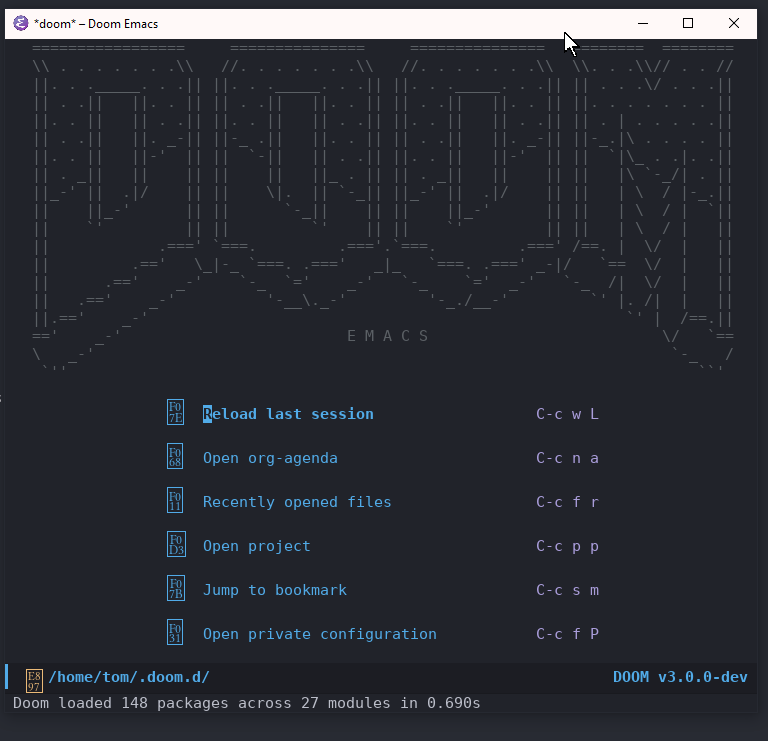
Here's an error message that I get when I try to load a local font:
custom-initialize-reset: Font not available: #<font-spec nil nil ETBembo nil nil nil nil nil 13 nil nil nil nil>
Describe your attempts to resolve the issue
I tried running the following command in Vanilla Emacs, which was configured with only Melpa, use-package and all-the-icons:
(insert (all-the-icons-icon-for-file "foo.js"))
In vanilla emacs the character rendered correctly. In vanilla Doom it prints an invisible character.
I then wanted to make sure the fonts were in my cache:
fc-list | grep "all-the-icons"
/home/tom/.fonts/all-the-icons.ttf: all\-the\-icons:style=Regular
/home/tom/.local/share/fonts/all-the-icons.ttf: all\-the\-icons:style=Regular
...
➜ fc-list | grep "ETBembo"
/home/tom/.fonts/et-book-display-italic-old-style-figures.ttf: ETBembo:style=DisplayItalic
/home/tom/.local/share/fonts/et-book-semi-bold-old-style-figures.ttf: ETBembo:style=SemiBoldOSF
/home/tom/.fonts/et-book-bold-line-figures.ttf: ETBembo:style=BoldLF
/home/tom/.local/share/fonts/et-book-roman-line-figures.ttf: ETBembo:style=RomanLF
/home/tom/.local/share/fonts/et-book-bold-line-figures.ttf: ETBembo:style=BoldLF
/home/tom/.fonts/et-book-semi-bold-old-style-figures.ttf: ETBembo:style=SemiBoldOSF
/home/tom/.fonts/et-book-roman-line-figures.ttf: ETBembo:style=RomanLF
/home/tom/.local/share/fonts/et-book-roman-old-style-figures.ttf: ETBembo:style=RomanOSF
/home/tom/.fonts/et-book-roman-old-style-figures.ttf: ETBembo:style=RomanOSF
/home/tom/.local/share/fonts/et-book-display-italic-old-style-figures.ttf: ETBembo:style=DisplayItalic
Doom doctor says that the fonts are available:
> Checking Doom Emacs...
  ✓ Initialized Doom Emacs 3.0.0-dev
  ✓ Detected 27 modules
  ✓ Detected 95 packages
  > Checking Doom core for irregularities...
    Found font material-design-icons.ttf
    Found font weathericons.ttf
    Found font octicons.ttf
    Found font fontawesome.ttf
    Found font file-icons.ttf
    Found font all-the-icons.ttf
I've also run 'fc-cache -f -v` about 100 times :-)
I also installed the fonts under Windows 10 (outside of WSL) to see if that would help.
Steps to reproduce
- Install Vanilla Doom
- Open Doom Emacs
System Information
https://pastebin.com/nJaye9Jz

I have the same issue except I'm on Linux using Doom Emacs.
nvm, the font wasn't installed. Directed towards a solution by this post: https://old.reddit.com/r/emacs/comments/sy122l/setting_fonts_doom_emacs/
