

 dnnsoftware
Cannot combine Journal and Social Groups Module on the same page
Description of bug
The Journal module stays empty when placed on a page that also contains the Social Groups module
Steps to reproduce
List the precise steps to reproduce the bug:
- On a page, place the Journal module
- Enter something in the Journal
- Now place the Social Groups module on the same page
- Click auto configure
Current behavior
The journal is empty
Expected behavior
The Journal should just work.. :-)
Screenshots
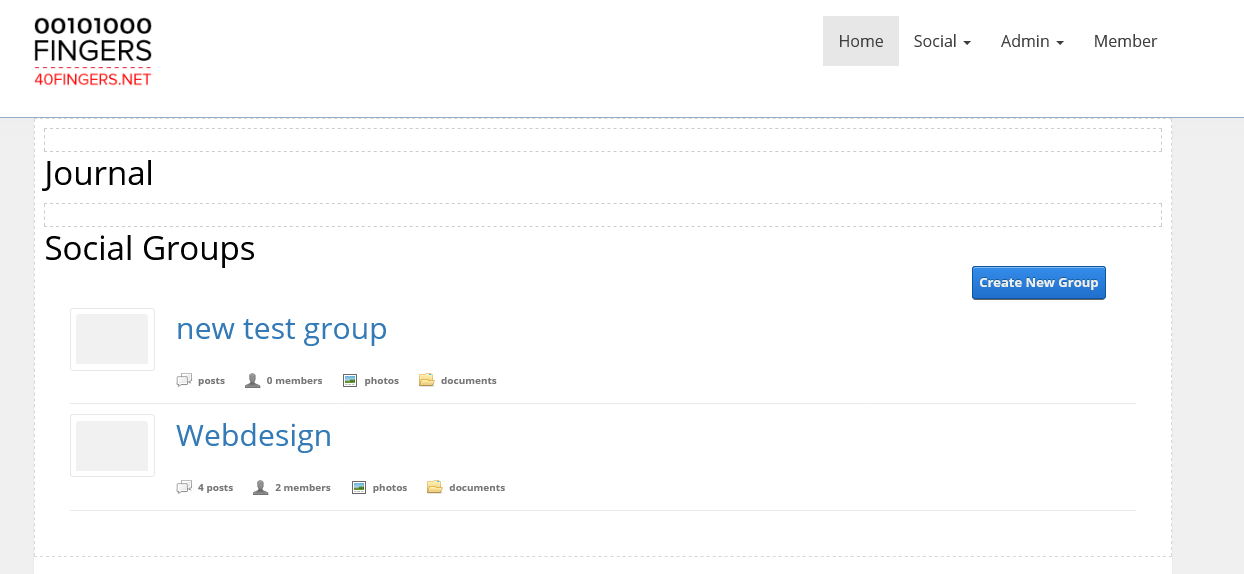
Error information
No Console errors
Additional context
I noticed that even if you delete the Social Groups module, the Journal stays empty. You have to move the Social Groups module to another page or empty the Bin for the journal to work.
Affected version
- [x] 09.09.01 latest supported release

When a journal module is on a page with a social group module exists on the same page it will show only posts related to a GroupId by design.
You want a journal module to show like an activity feed on the same page as a newly configured group module? I believe I was trying this once before as well and ran into an issue similar.
I am working in this same area currently if you need some help let me know. I may be able to help come up with a solution.

@thabaum but shouldn't the Journal just show all items when there is no GroupId in the URL? IMO it's weird (& confusing) that all items disappear as soon as you place the Social Groups module
Once you created the social group module, I believe that is what it is testing for, maybe I am wrong I will double check this later. I believe it looks for a group module exists on the page. This puts the module in "group journal mode" so to speak. Maybe we can add a setting that allows you to turn that off, or if there is no groupID on the page it acts normal. And maybe the fact there are links to the groups on the page such as the first one this could trigger it as well.
To reproduce you just have to put the journal module on the same page having a social module that is configured.
There is another issue I had with two journal modules on the same page, I wanted one showing just the pictures and another with videos. I will revisit that later. I am here to help right now over the next month I am guessing before my next "major" PR could be ready unless I have a breakthrough with my allowed time. I am going to wrap all of these issues into one major PR that resolves them all. I did fix the journal links Urls but this Social Group posts has opened up a basket case of issues. So I somewhat broke them down so we can hold discussions on each with the community whomever wants to put down some thoughts before I put together something concrete for us.
I am going to have to look at this more. I did not have anything showing up in the journal module when on same page as journal groups, but then after going into settings and browsing around a bit the journal populated. I will try your steps out next see what I notice.
The image below shows a page with autoconfigure, the journal is blank and the social module is not configured. I have many items populated already in groups and normal journal activity feed posts.
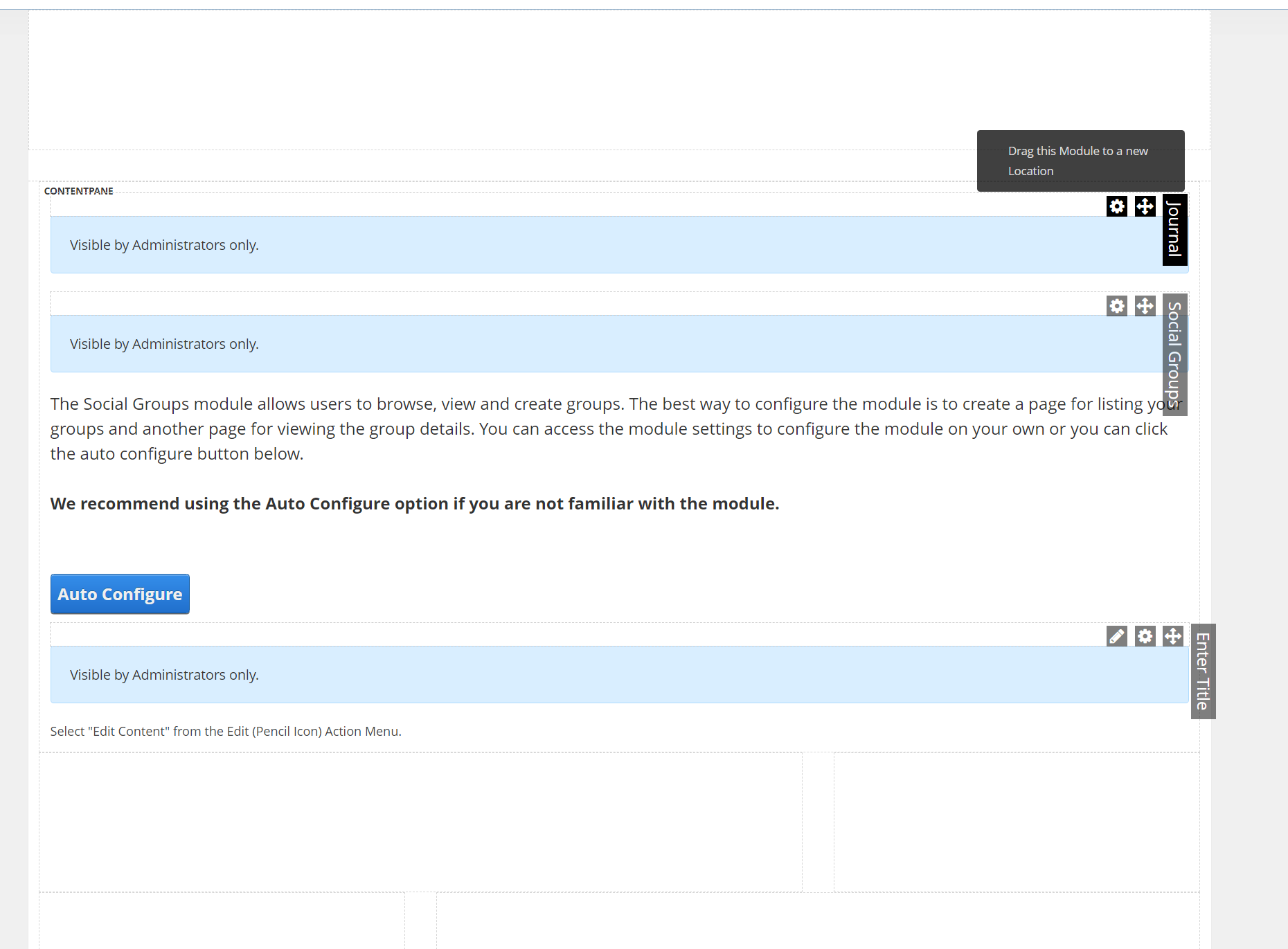
To get the journal to work again I did the following:
- I open a group,
- I edited the group (not really)
- clicked save.
- Navigate back to journal module on the home page of the social module.
- Journal Activity feed works again.
- Leave website or go to other pages not related to the journal and do step 4 again.
- Journal activity feed is blank.
- Not sure if you have to edit a group even as visiting a group and going back to social groups using the breadcrumb the journal will populate again as well.
- I noticed when you do this it populates with the last group you visited still in the Url
https://devsite.local/Second-Group/GroupId/6on the Social Groups module home.
There must be a "GroupID" being assigned to the page for social groups, you can probably post and it will show it is part of some group and only show up here potentially and not on a journal activity feed that does not display group posts.
I would make a post when it is blank but no place to comment in order to see if I can tell if the Group Module itself gets assigned a groupID of it's own. I do know that if you create a second page for social groups and autoconfigure you show the same groups as the other one
I did your reproducing above, but then the journal entries appeared. I was able to reproduce bringing back the journal as described above for some reason.
As soon as you leave the website or pages with social groups and revisit, it is blank again.
I would love to have an activity feed for only Social Group activity here as an option for sites without a lot of groups.
Maybe we need to look more at the configuration type of the module such as module if module view = list act normal or else act as a social group journal module.
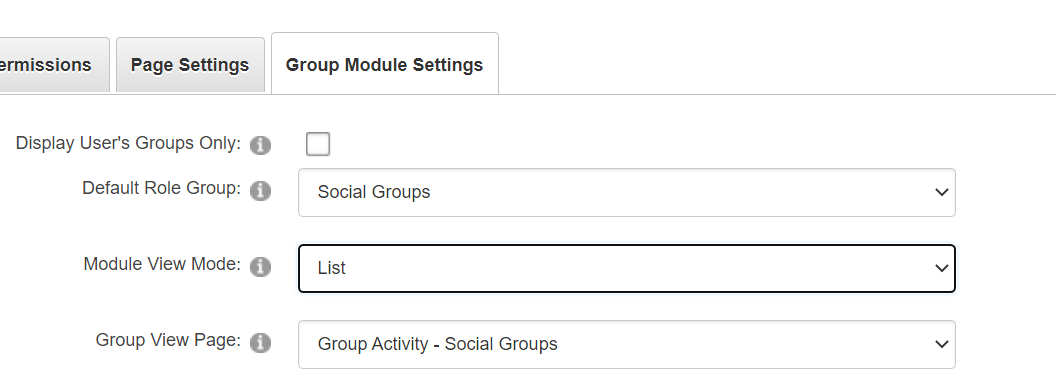
For a solution I think we can go off this group view mode type list to set the journal to normal mode instead of social group mode OR put an option in the journal not to act like a social module and have it set in the Edit Settings for the Journal Module itself.