
Dnn.Platform
 Dnn.Platform copied to clipboard
 dnnsoftware
SSL offloading on site does not load User profile view
Description of bug
With a Dnn 9.6.1 site using SSL offloading, the User Profile view does not load when clicking the user profile icon in the Dnn Users list from the persona bar. The browser console logs this:
Blocked loading mixed active content "http://mysite/admin/user-accounts/ctl/edit/mid/377/userid/58/editprofile/true?popUp=true" index.html
It should be loading from https.
We have the "SSL Offload Header Value" set in Security as the rest of the site works correctly apart from this page.
Steps to reproduce
List the precise steps to reproduce the bug:
- Go to Dnn Users list from Persona bar
- Click on the Profile icon for any user
- The expect profile data area is blank
- View browser console to see stated error
Current behavior
Currently the User Profile option display a blank area.
Expected behavior
It should display the selected user profile data
Screenshots
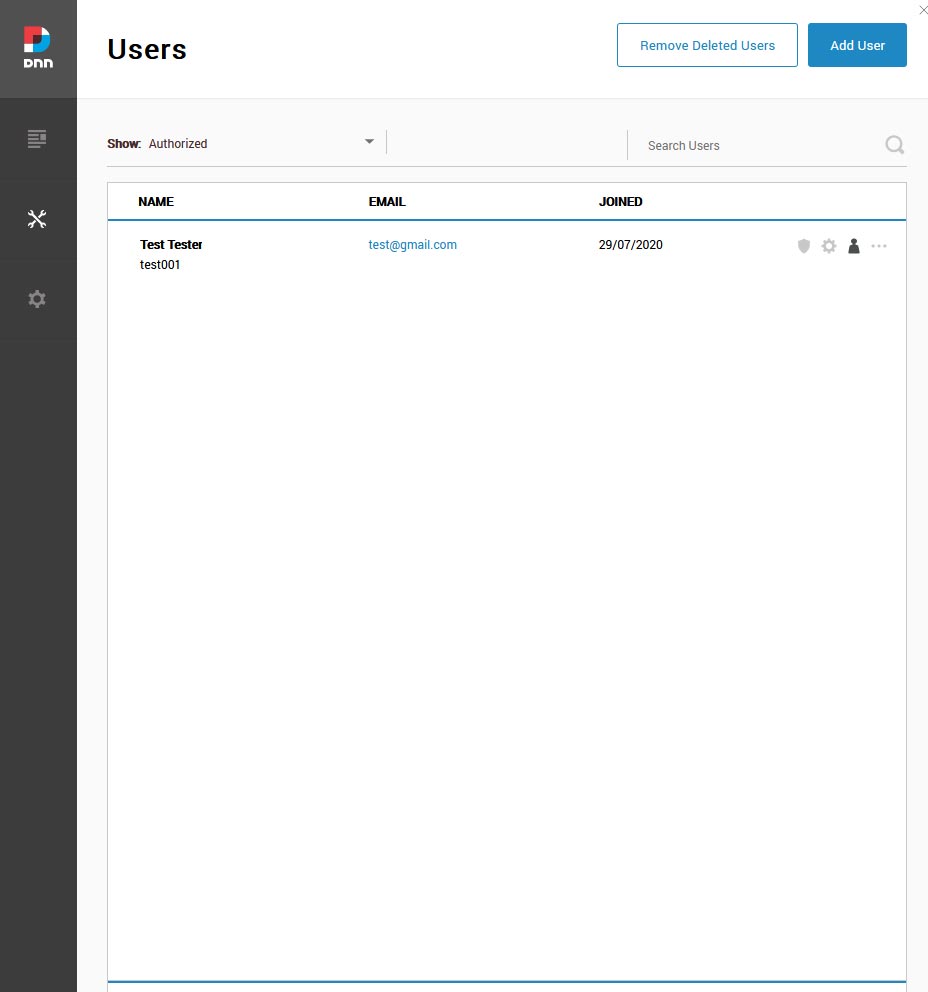
Error information
Browser console error: Blocked loading mixed active content "http://mysite/admin/user-accounts/ctl/edit/mid/377/userid/58/editprofile/true?popUp=true" index.html
Additional context
Provide any additional context that may be helpful in understanding and/or resolving the bug.
Affected version
09.06.01 (Haven't yet tested on 09.07.01 as it breaks some 3rd party modules.)
Affected browser
- [x] Chrome
- [x] Firefox
- [x] Safari
- [x] Internet Explorer 11
- [x] Microsoft Edge (Classic)
- [x] Microsoft Edge Chromium

There has been a couple of reported issues about similar situations.
First, let's confirm a couple of things:
- Can you try disabling popups (in the PortalSettings Table, change EnablePopUps from True to False, then clear cache and try again.
- Just to confirm, you have your ssl termination on the load balance or reverse proxy and then for Dnn itself it is http only correct?

Thanks, to confirm:
- We've made this settings change and retested with the same results.
- We are terminating SSL on a load balancer and Dnn is HTTP only.
🤔 Anyone else on SSL Offloading environment can reproduce this? I am wondering what is common between the people that experience this issue and those who don't...
The only thing that comes to mind would be a typo in the SSL Offload value or some such...
If the offload value is wrong then much of the site doesn't work as expected. So we are confident this is setup correctly.
yeah, makes sense... Maybe something with friendly url settings ?
I know I have a couple of local dev sites here behind a dynamic IP and need to use a reverse proxy to access them from outside the LAN and I am not experiencing the issue, guess we need to figure out what makes it happen in some situations. Would you be able to do the same setup on a clean install with all defaults and see if that still happens, if not then I guess you would need to start comparing settings until you figure out what setting makes it happen...
We could do a fresh 9.7.1 install on the same platform and test and report back.
We've tested on a clean 9.7.1 install and these are the findings:
-
We are now able to view the users profile info via the Persona Bar->Users view when EnablePopUps is set to both True and False.
-
Clicking the Update button in the above view still generates a blocked mixed content console error when EnablePopUps is set to both True and False. Clicking Update shows this in the console:
POST https://mysite/Admin/User-Accounts/ctl/Edit/mid/377/UserId/2/editprofile/true?popUp=true  Status200  OK

Blocked loading mixed active content "http://mysite/Admin/User-Accounts/ctl/Edit/mid/377/UserId/2/editprofile/true?popUp=true" index.html
So it appears that the View Profile is fixed in this version but not the Update action. The other 9.6.1 site is in staging and so hasn't had much done to it.
Let me know if you want us to do anymore testing.
We have detected this issue has not had any activity during the last 90 days. That could mean this issue is no longer relevant and/or nobody has found the necessary time to address the issue. We are trying to keep the list of open issues limited to those issues that are relevant to the majority and to close the ones that have become 'stale' (inactive). If no further activity is detected within the next 14 days, the issue will be closed automatically. If new comments are are posted and/or a solution (pull request) is submitted for review that references this issue, the issue will not be closed. Closed issues can be reopened at any time in the future. Please remember those participating in this open source project are volunteers trying to help others and creating a better DNN Platform for all. Thank you for your continued involvement and contributions!
![stale[bot] avatar](https://avatars.githubusercontent.com/in/1724?v=4 "Published by a pub.dev verified publisher")
Is there any update on this report as there still seems to be issues with various Dnn "pages" not serving on HTTPS.
Could we get this investigated please so it can be resolved as it affects several Dnn persona pages, HTML editor, etc, so it makes the site unusable.
Well, until we have some accurate way to make it happen, it's hard to resolve. I was not able to make it happen myself behind a reverse-proxy. If anyone has accurate steps to make it happen please add that and we can dig further...
What settings in Dnn did you change/set to make it work behind your reverse proxy so we can compare?
simply x-forwarded-for in the SSL Offload header setting. My reverse proxy is Squid, maybe that value is different from other reverse-proxies or load balancers, but in my case this one did it.
We have detected this issue has not had any activity during the last 90 days. That could mean this issue is no longer relevant and/or nobody has found the necessary time to address the issue. We are trying to keep the list of open issues limited to those issues that are relevant to the majority and to close the ones that have become 'stale' (inactive). If no further activity is detected within the next 14 days, the issue will be closed automatically. If new comments are are posted and/or a solution (pull request) is submitted for review that references this issue, the issue will not be closed. Closed issues can be reopened at any time in the future. Please remember those participating in this open source project are volunteers trying to help others and creating a better DNN Platform for all. Thank you for your continued involvement and contributions!
This issue has been closed automatically due to inactivity (as mentioned 14 days ago). Feel free to re-open the issue if you believe it is still relevant.
@valadas Can this ticket be reopen? We are having this exact issue as well. I have verified that meta tag Content-Security-Policy is present in the header, which fixes all other issues except this one. I have noticed that this seems like the only area that is loaded as a iframe inside an iframe.
We are on a couple versions DNN but i can confirm this is happening in v09.11.02 and earlier. You can reproduce this in AWS pretty easily by setting up CloudFront and pointing it to a load balancer that points to a EC2 that hosts DNN. SSL cert is setup on Cloudfront and Load balancer, but load balancer routes traffic over http to none ssl target group.

We are still seeing this issue on DNN v9.12.00. If we edit a user profile from the persona bar->Users, click the Update button and it sits there with the spinner. In the browser console we see:
Blocked loading mixed active content "http://aaa.bbb.ccc/Host/Superuser-Accounts/ctl/Edit/mid/353/UserId/1/editprofile/true/portalid/0?popUp=true" index.html