

 dnfield
Strange appearances and disappearances of SVG pattern-filled elements
HI,
I notice some instability in fill or stroke SVG with patterns. After countless tests I have reduced the problem to the bone. Earlier I thought that using multiple patterns creates problems since even using only one strange things happen.
In the example below I'm interested in filling the last shape, but if I don't put something else first it won't let me do it. So for testing I put circles.
Try removing one or two magic circles and refreshing a few times (try both hot reloading and not) and the item I want to fill will disappear as unfilled.
Now I'm doing the circles example, but sometimes it's enough for me to make a change to the code (not necessarily SVG but DART) and it disappears, then reappears. Then you think you have to go eat and put the pot on the stove and it disappears, but you take it off the stove and it reappears.
See for yourself with this simple code and let me know. I'm in debug mode but I've tried with release version too.
import 'package:flutter/material.dart';
import 'package:flutter_svg/flutter_svg.dart';

void main() {
  runApp(const MyApp());
}

class MyApp extends StatelessWidget {
  const MyApp({super.key});
  @override
  Widget build(BuildContext context) {
    return MaterialApp(
      home: Container(
        color: Colors.white,
        child: Stack(
          children: <Widget>[
            SizedBox(
              width: 221.0,
              height: 305.0,
              child: SvgPicture.string(
                testCode,
                allowDrawingOutsideViewBox: true,
              ),
            ),
          ],
        ),
      ),
    );
  }
}

const String testCode =
    '<svg viewBox="0.0 0.0 200.0 200.0" ><defs><pattern id="test" patternUnits="userSpaceOnUse" x="0.0" y="0.0" width="200.0" height="80.0" viewBox="0.00000 0.00000 200.00000 80.00000"><rect width="300" height="100" fill="#123456"/></pattern></defs><circle cx="40" cy="0" r="30" fill="url(#test)"/><circle cx="100" cy="0" r="30" fill="url(#test)"/><path transform="translate(203.86, -507.37)" d="M -88.59816741943359 815.8993530273438 C -145.8555908203125 726.7476806640625 -145.19189453125 726.8890380859375 -144.5281524658203 726.8890380859375 L 10.64076614379883 718.7666015625 L 18.28900909423828 764.06298828125 L -88.59816741943359 815.8993530273438 Z" fill="url(#test)" stroke="none" stroke-width="1" stroke-miterlimit="10" stroke-linecap="butt" /></svg>';
Thank you.
current environment Flutter_svg 2.0.0+1 Flutter SDK 3.8.0-10.0.pre.13 Dart SDK 3.0.0-218.0.dev (Flutter)

I'm not sure I understand what the bug you're reporting is. I ran the sample project and it seems to render?

I'm not sure I understand what the bug you're reporting is. I ran the sample project and it seems to render?
Well, if you used the example code it's possible that it rendered because, as I said, I made sure that by adding elements (circles) the filling of the last element was done. I don't know why this happens but after many tests I have seen that doing so works.
However, I asked to test by removing a circle from the SVG code and reloading. And maybe even remove the other one because I'm not interested in them and they're the only way I've found to fix the situation but which obviously can't be solved like this.
If you have the same result that I get you will see that the last element (ie the one that should be the useful one) is not filled and disappears.
This is what I see if I start debugging using the code with the three elements (the two circles and a shape) and restarting with hot restart (not hot reload).
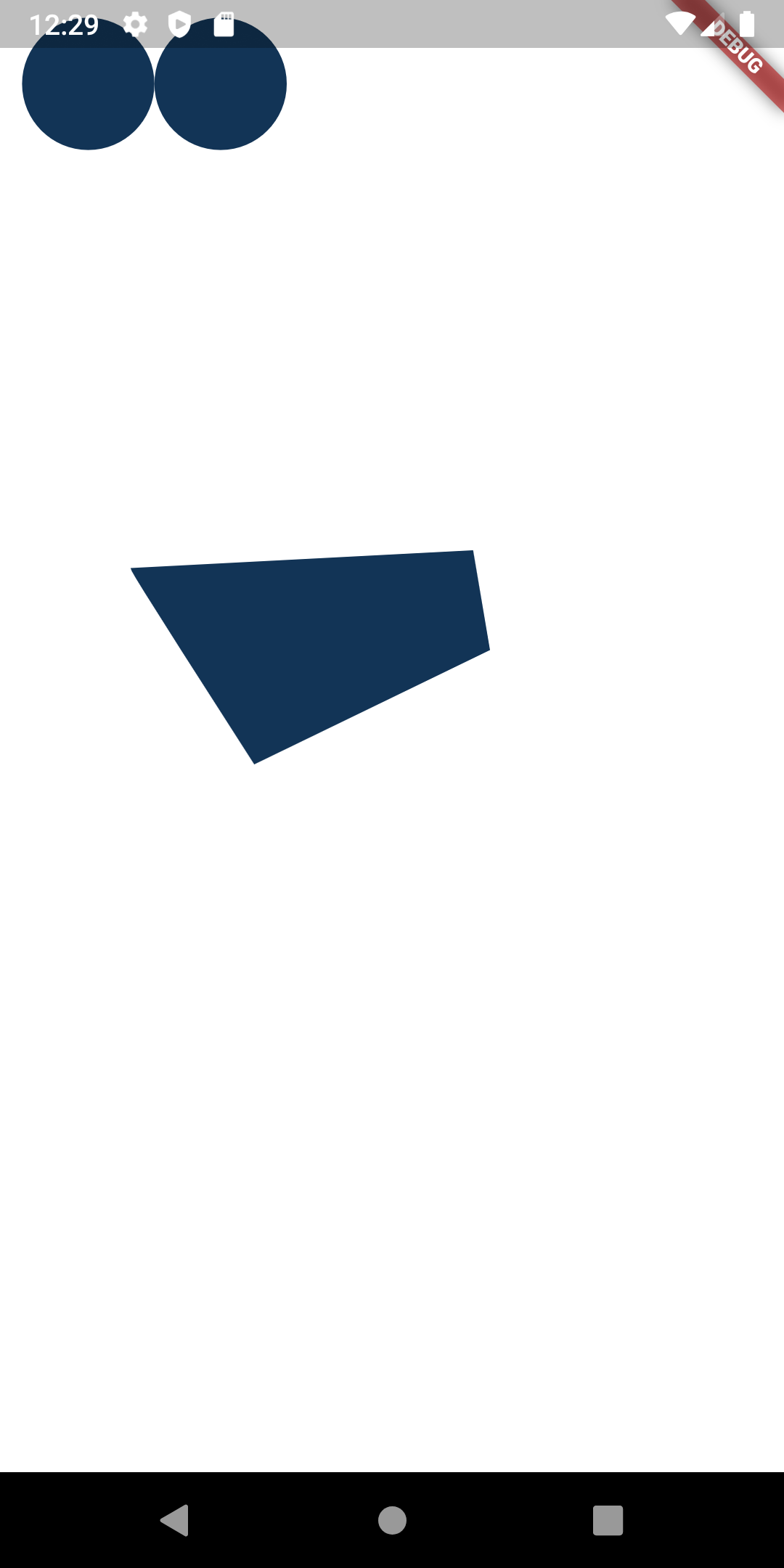
This is what I see if I start debugging using the code with the two elements (I took off the second circle and kept the shape I REALLY care about filling even though all elements have the same filling) and restarting with hot restart (not hot reload). The shape is gone, yet it's there and if I fill it with a color code WITHOUT using the pattern as a fill I see it just fine with or without circles or other elements.

In other circumstances if I use hot relaod then it appears (but not in this example).
I add that even doing so many times when loading the page in filling it is still not executed except after a hot reload (which obviously I do only for testing).
So for now I have this unstable behavior. I prepared the example code just to get out of my app and avoid having doubts about dependencies that could create problems.
In the meantime I also switched to the stable channel from the master but still the same happens to me. Sounds like a cache and/or load times issue. I also tried with your new 2.0.1 version but it's the same. The upload in debug mode without the isolates is much better. :-)
I don't know why it happens and that's why I'm bothering you.
I hope that I can carry out the operations that I recommended to find the problem.
Thanks.