dkanada
Add mp3 embedded album art option
Instead of showing album art stored in the folder add a setting to show the album art thats embedded in the mp3 file instead. Jellyfin native android app shows the art in the mp3 file.

Yeah Jellyfin has a strict folder structure for you music and if you dont follow it, then your library gets messed up. So mine is messed up and I get weird mixed album art, I'd appreciate this feature as well

I'll need more information on this issue, I have absolutely no idea what you're referencing at the moment. Screenshots would be extremely helpful.

The album art is shown from the folder.jpg in each album folder. MP3 files can also have album art embedded in the file itself as metadata. Gelli ignores the art that is embedded in the mp3.
If this feature exists on any other clients, could I have an example screenshot or steps to reproduce the behavior? I'm not sure what exact situation is required to make it happen yet.
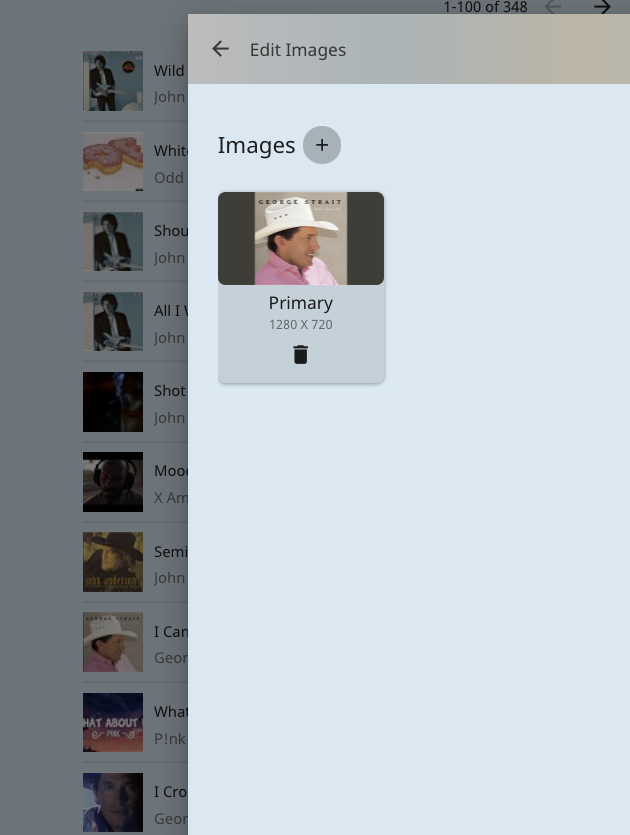
I cant do a screenshot of the Jellyfin Android app. But attached is a screenshot of the embedded art thats in this mp3 file from the Jellyfin web GUI. I selected a song then 'Edit Images'. Does this help?
Notice all of these songs are in the same folder but Jellyfin shows each individual embeddedart thats in the file itself.