

 django
Menu button is not a button
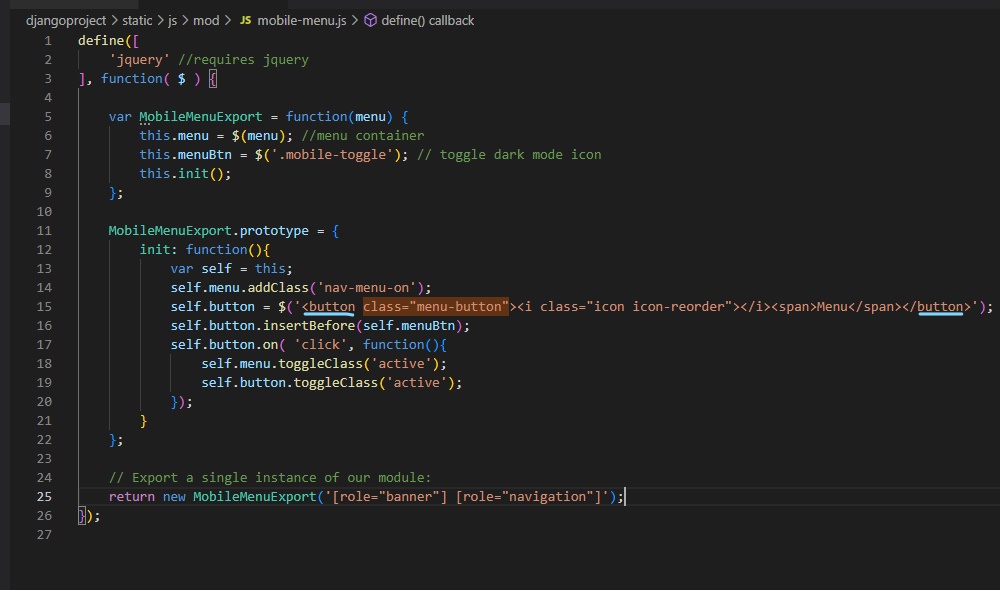
The menu button for the mobile navigation is not accessible by keyboard because it is a <div> instead of a <button>

How can your reporting of yours be verified in concrete? How would you change the button?

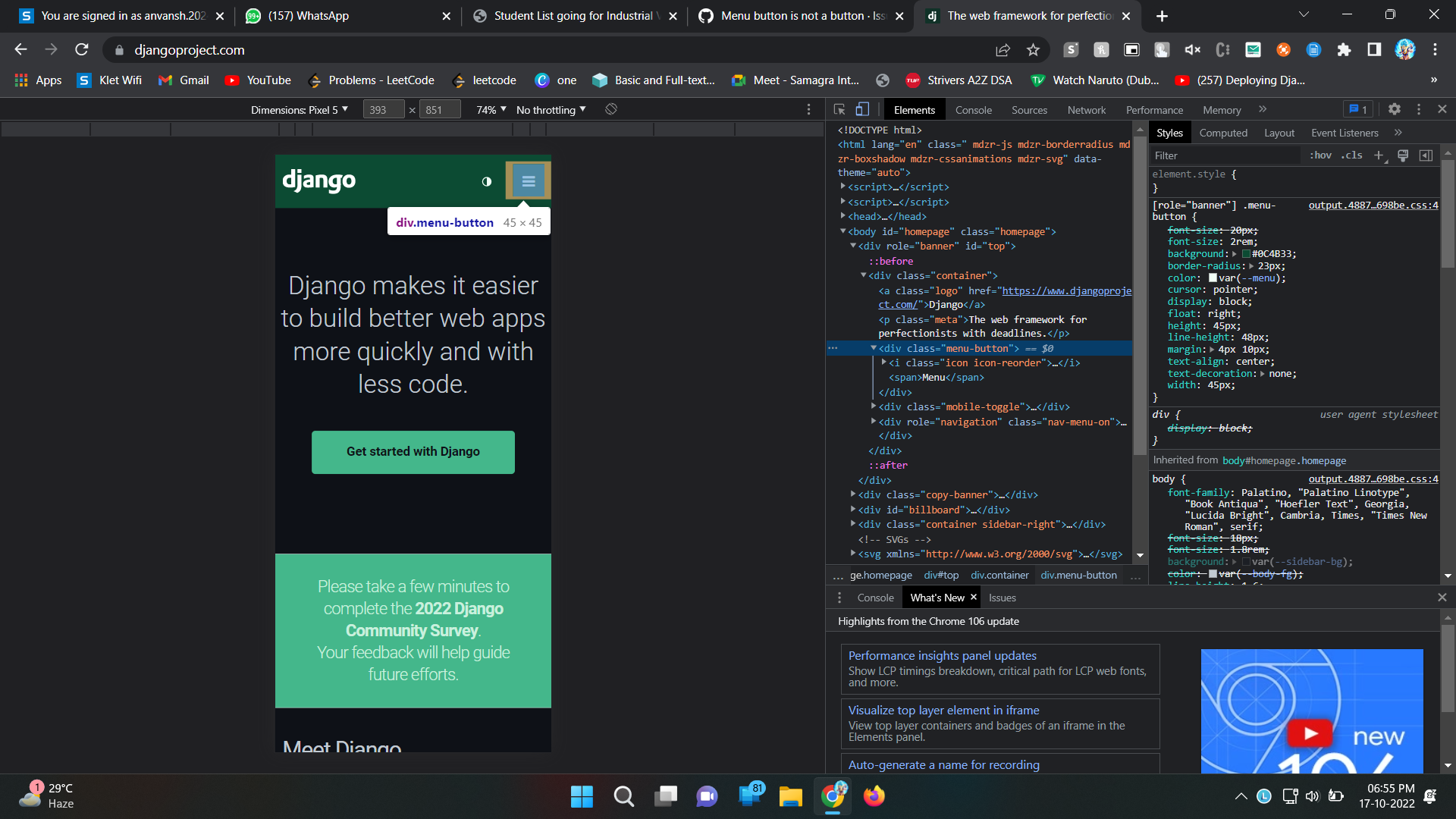
@pauloxnet The menu button is indeed a div , yet it works perfectly , I faced no issue as the button not being clickable .I tested the website on multiple mobile browsers but didn't find any such problem.Attaching screenshot for refrence.

Let me be more specific about the steps to reproduce the issue:
Imagine you are a user with bad sight and bad hand-eye coordination. So you zoom in 400% and use the keyboard to navigate.
Expected experience: I can use the tab key to get to the menu button, and use the space key to open the menu.
What happens instead: The menu button is skipped. Instead the focus moves directly to the (invisible) menu.



 A "menu button" can refer to a specific type of button that is used to access a navigation menu on a website. This type of button is typically represented by an icon with three horizontal lines, often referred to as a "hamburger menu" icon.
So, in this context, the statement "menu button is button in website" would be correct. A menu button on a website is a type of button that is used to access a navigation menu, and it is an important element of website design and user experience.


@kaushal-malpure feel free to work on this, no need to be assigned to work on an issue :)
Hey @pauloxnet ,
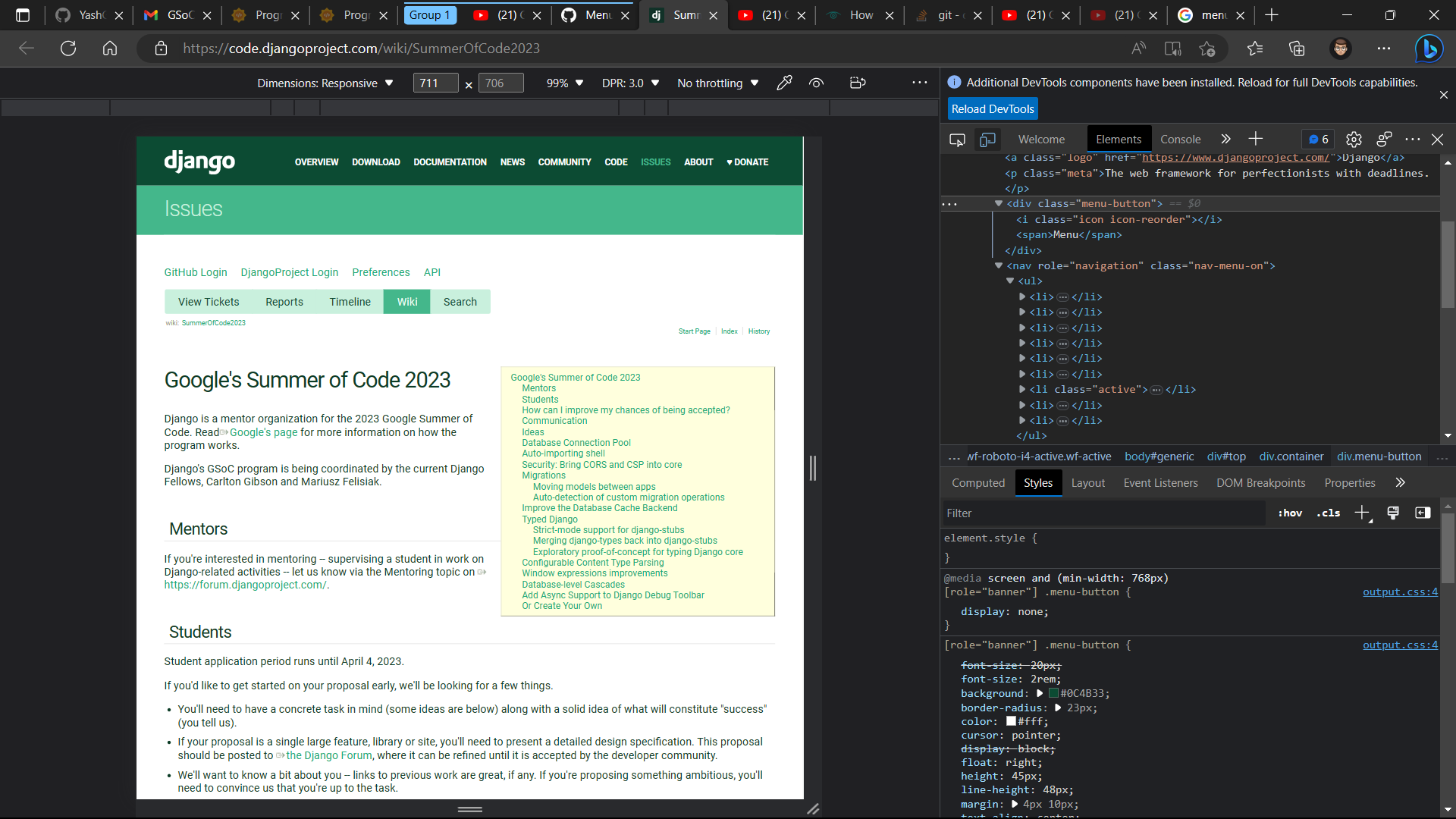
As per issue raised menu button div tag changed to button tag (PR#1402).
Below is the attached screenshot for the same.