

 district10
HOWTO: Use Qt Creator to Open CMakeLists.txt directly (will generate proper project files)
Linux
1. Use qt-creator to Open CMakeLists.txt

2. Set Project Output Directory

3. Run CMake
Unix Generator (qt4)? It generates a .cbp project (CodeBlocks Project) actually.

4. Build & Run

You can also/actually use code blocks to open this project.

Windows
1
Downloaded Qt5.6 for windows VS2015 from http://mirrors.ustc.edu.cn/qtproject/official_releases/qt/5.6/5.6.0/qt-opensource-windows-x86-msvc2015_64-5.6.0.exe.
2
Install it and then goto C:\Qt\VS2015x64\Qt5.6.0\Tools\QtCreator\bin to open qtcreator.exe:

In qt creator, hit Ctrl+o, to open a CMakeLists.txt:

3
Configure it.

4
cmake it:

Run it:

Sadly, seems not work on Ubuntu (or maybe, not work with newer Qt Creator?).
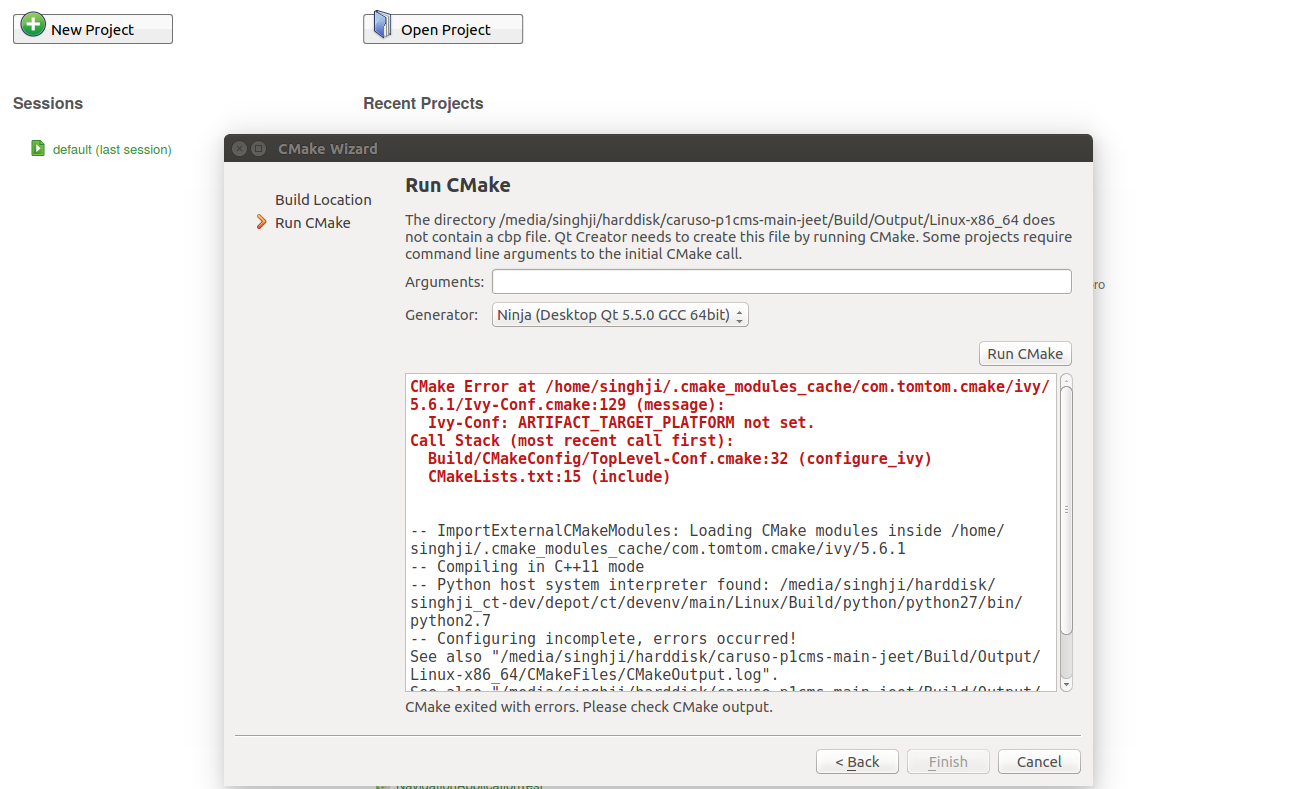
Have anyone encountered this situation? It seems that it can't find one of CMake variable while generating Qt project. Any help will be appreciated.
