

 disneystreaming
Adding a base path prefix to API routes causes UI not to load
Hi everyone 👋
There is probably an easy solution to this but I can't seem to figure it out.
When the server is behind a proxy which routes requests with a specific prefix to the root of the server (i.e., the server will not see the prefix in the request path), the Swagger UI no longer loads and fails with a 404 error. Note that the API routes still work as expected.
I was wondering, is there a setting where I can define a prefix to the API routes or to make the UI work based on the relative path instead of the absolute path?
Please let me know if my explanation is unclear and I'll put together an example

Okay it seems I was mistaken, it's not just a 404 error. Let's assume that the docs endpoint on the server are served on /docs, and that the proxy routes /admin/docs to the server as /docs.
When opening https://some-domain.com/admin/docs on the browser, the server issues a 302 response and then the browser changes to https://some-domain.com/docs which then returns a 404.
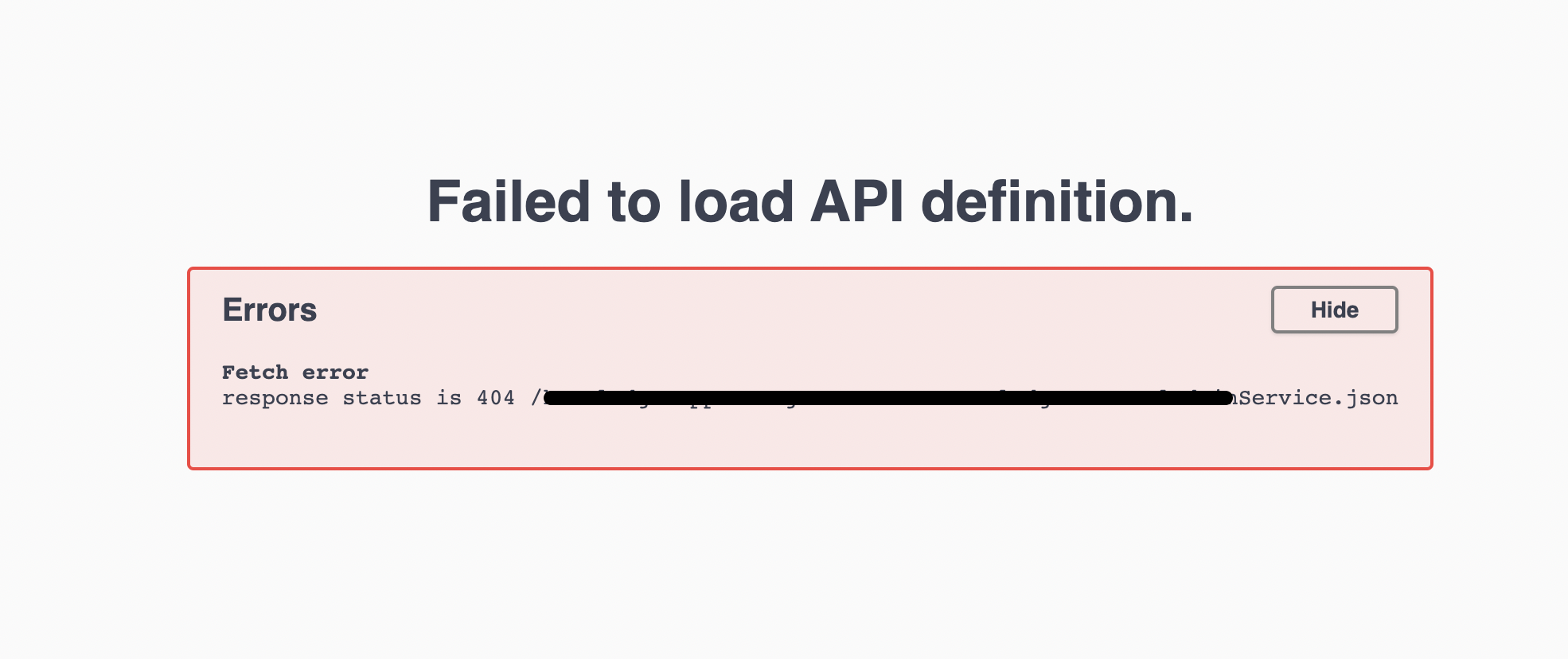
More interesting is that if we add index.html to the path above (i.e., https://some-domain.com/admin/docs/index.html), the page loads and displays an error instead:
Let's make sure we understand each other. In the following, we can assume proxy is something like nginx and app is the app you build with smithy4s (I'd assume a http4s server).
- you have a proxy in front of the app
- when you hit
/admin/*you expect your request to be redirected to the_app_ - as such, a request on the proxy at
/admin/docsshould result in a request to the app at/docs
Is that what you mean?
if we assume the above is true, I did some testing. set up an nginx locally along with an app and here's what I see. I can confirm what you see:
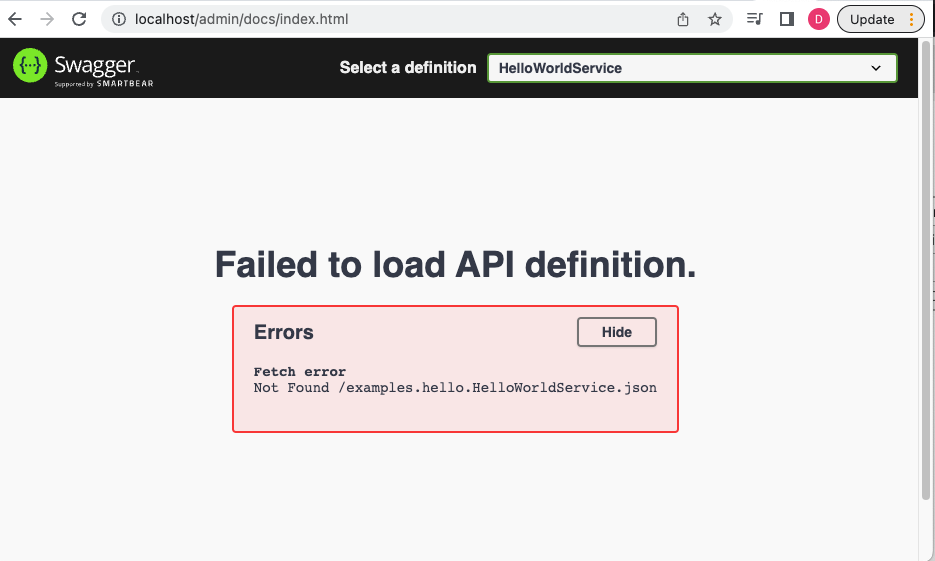
Hitting: http://localhost/admin/docs sends me to my http://app:8080/docs correctly, but the response is a redirect, which is expected:
curl -v 'http://localhost/admin/docs'
*   Trying 127.0.0.1:80...
* Connected to localhost (127.0.0.1) port 80 (#0)
> GET /admin/docs HTTP/1.1
> Host: localhost
> User-Agent: curl/7.79.1
> Accept: */*
>
* Mark bundle as not supporting multiuse
< HTTP/1.1 302 Found
< Server: nginx/1.23.1
< Date: Wed, 07 Sep 2022 18:52:51 GMT
< Content-Length: 0
< Connection: keep-alive
< Location: /docs/index.html
<
* Connection #0 to host localhost left intact
With the way this is currently implemented, I was not able to write a nginx configuration to do the redirecting/rewriting correctly. I will work on an improvement.
Thanks for reporting this

Is that what you mean?
Yes that is correct
Thank you very much for looking into this!
So after further investigation, I've got a solution that works (at least using nginx). To reproduce your issue, I've created the following setup.
Using docker compose, I build:
- my app ( a simple http4s hello world build with smithy4s). This app runs in a container and exposes port 8080. so I can do
curl http://localhost:8080/docsand get a 302Location /docs/index.html. This is expected and it's fine by itself. - a proxy using nginx. this proxy routes all traffic on
/admin/to `http://localhost:8080 (config available below)
Here is the docker-compose:
version: "3.9"
services:
  web:
    image: "app:dev-SNAPSHOT"
    ports:
      - "8080:8080"
  proxy:
    build: ./nginx/
    ports:
      - "80:80"
The content of ./nginx is as follow:
Dockerfile:
FROM nginx:1.23.1-alpine
COPY default.conf /etc/nginx/conf.d/default.conf
default.conf:
server {
    listen       80;
    listen  [::]:80;
    server_name  localhost;

    location /admin/ {
        proxy_pass http://web:8080/; # web matches the name of the other container in docker-compose
    }

    error_page   500 502 503 504  /50x.html;
    location = /50x.html {
        root   /usr/share/nginx/html;
    }

}
With all that, my reproduction is complete.
Now, it is my belief that if you run a proxy in front of an app, you're kind of taking the responsibility of rewriting things that you play with. In this case, we're routing a different path so I would expect nginx to rewrite the redirect response, otherwise it can't work. So I looked into it. It turns out that proxy_pass automatically rewrite such header using a default proxy_redirect configuration. So if the header was Location http://web:8080/docs/index.html nginx would rewrite it.
So I gave that a spin, I've adjusted the implementation of the endpoint to return http://web:8080/docs/index.html instead of /docs/index.html and gave it a spin:
curl -v 'http://localhost/admin/docs'
*   Trying 127.0.0.1:80...
* Connected to localhost (127.0.0.1) port 80 (#0)
> GET /admin/docs HTTP/1.1
> Host: localhost
> User-Agent: curl/7.79.1
> Accept: */*
>
* Mark bundle as not supporting multiuse
< HTTP/1.1 302 Found
< Server: nginx/1.23.1
< Date: Thu, 08 Sep 2022 18:24:54 GMT
< Content-Length: 0
< Location: http://localhost/admin/docs/index.html
< Connection: keep-alive
<
Success. So the fix is easy: rewrite the redirect to have full URL instead of a relative path.
Turns out it's not that easy with http4s. I've discussed with maintainers and we'll come up with a good way to do that.
In the meantime, I think we can just avoid the redirect and return the index.html on the call to /docs and that will work.
Also, the path to the specification will change from root relative /path/to/spec.yml to document relative: ./path/to/specs.yml so that fixes that second issue where the spec could not be fetched.
Turns out returning the index.html content breaks all the document relative link in the html itself so it's not viable. We'll update the Docs endpoint implementation when https://github.com/http4s/http4s/issues/6658 is resolved

After refreshing my memory, I don't think we can. If I recall correctly, I just want my http4s implementation to do the following:
get a request on http://localhost:8080/hello
return a redirect to http://localhost:8080/docs/hello not /docs/hello
I was unable at the time to implement that, maybe I could revisit and pull it off