
discourse-plugin-discord-auth
 discourse-plugin-discord-auth copied to clipboard
 discourse
A Discourse plugin to login over Discord
Discord OAuth Login Plugin
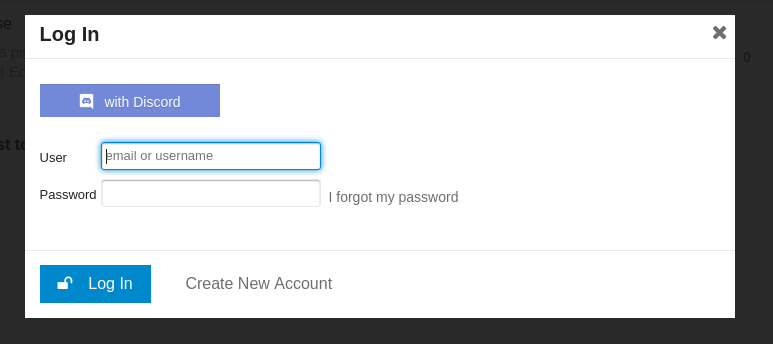
This plugin adds support logging in via Discord.
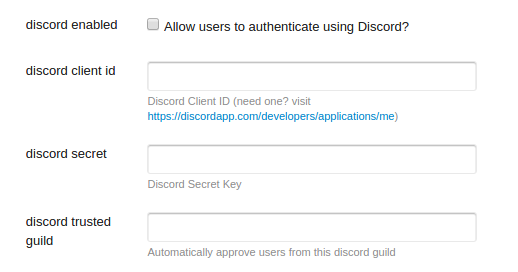
Admin Settings
Login Screen
How to Help
- Create a PR with a new translation!
- Log Issues
- Submit PRs to help resolve issues
Installation
- Follow the directions at Install a Plugin using https://github.com/featheredtoast/discourse-plugin-discord-auth.git as the repository URL.
- Rebuild the app using
./launcher rebuild app - Generate the application here, and copy the Client ID and Client Secret.
- Add the your website to the
REDIRECT URI(S)using
https://example.com/auth/discord/callback
(replacing the https with http and example.com with your full qualified domain/subdomain) - Update the plugin settings in the Admin > Settings area with the Client ID and Client Secret from step 3.
Authorize login from a single guild
WARNING: THIS SITE SETTING WILL AUTO-APPROVE USERS! HANDLE WITH CARE!
The discord trusted guild setting allows for automatic approving of users for a single guild. Its intent is to be used in conjunction with the must approve users setting.
To configure this setting, find the guild id. This is a portion of the URL when you are in a chat channel.
Discord URLs are of the form https://discordapp.com/channels/{guild id}/{channel id}. Enter the guild id value in the discord guild setting.
EG, say you were logged in and viewing the #general channel of the desired server, which corresponds to the url https://discordapp.com/channels/123/456. You would copy/paste 123 into the discord guild plugin setting.
Enabling this setting will ask for the user's guild list as an additional scope.
Authors
Jeff Wong
License
GNU GPL v2
 discourse