
LoveIt

LoveIt copied to clipboard
 dillonzq
[Question] How to disable featuredImage on home page
Describe the question 描述你遇到的错误
I would not like to have my posts featuredImage on home一page. Though, it should display on posts.
Expected behavior 期待的行为
Homepage should display posts without featuredImage

hi @maheshvra
based on exampleSite folder, i see this config
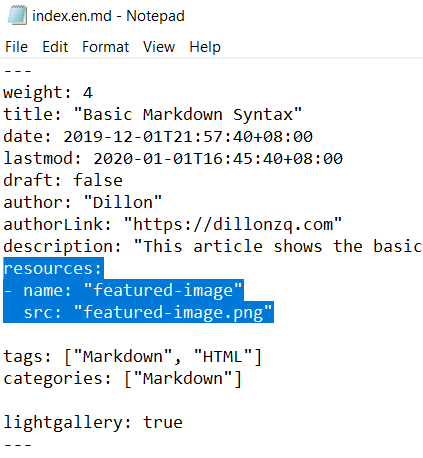
try to remove it, maybe can solve your problem

Describe the question 描述你遇到的错误
I would not like to have my posts
featuredImageon home一page. Though, it should display on posts.Expected behavior 期待的行为
Homepage should display posts without
featuredImage
I approve, homepage not need display this image.

What about this as an option:
- Disable
featuredImageandfeaturedImagePreviewwithin the front matter of your post.- This ensures an image for this post does not display on the homepage of your site.
- Add an image shortcode as the first element in your post:
{{< figure src="/images/lighthouse.jpg" title="Lighthouse (figure)" >}}
So your index.md would look something like:
 ---
title: "My Post Title"
subtitle: ""
date: 2020-10-09
lastmod: 2020-10-09
draft: false
author: "  Ben Chapman"
hiddenFromHomePage: false

# featuredImage: ""
# featuredImagePreview: ""
---

{{< figure src="/images/lighthouse.jpg" title="Lighthouse (figure)" >}}

This is the content of my article...
