

 diegomura
Possible bug in transform translate
Hi guys, I think I found a possible bug in transform translate.
I want to line up a text and an arrow so it's on top of a bar and based on the input, this arrow moves on the bar, from 0 to 100.
I did it using CSS grid, using translate(-50%, 0) to leave the middle of the arrow at the beginning of the bar, but in the PDF I'm having some difficulties.
Current: You can find part of my code in REPL.
Expected:
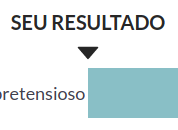
The translate behavior is weird, it doesn't seem like it's shifting just 50% to the left.
Desktop:
- OS: Ubuntu 20.04
- Browser Brave
- React-pdf version 2.0.20
Thanks for your help and for this amazing project!

It seems that in the transform operation the unit % is not supported, so this is not a bug, it's a new feature.
Any idea how I can do this?
https://github.com/diegomura/react-pdf/blob/5afedfe22dc133e3a27a1e5ec0b9197df7bd6dc1/packages/stylesheet/src/transform/units.js#L28-L45

Looks like you'd have to:
- Carry
nodethrough the@react-pdf/layout->@react-pdf/stylesheetboundary here. Currently computing the style resolution for transform doesn't get any information about the node to be able to compute this. - Pass
node.box.x(or y or z depending on which scalar is transformed) into thetransformUnitcall here. (TODO: Not sure if node.box.x has final actual node dimensions yet by this point, but I saw it mentioned in other places) - Then you should be able to add a
case '%'that would allow you to returnscalar.value / 100 * xxxwhere xxx is the passednode.box.xor y or z
