dicengine
Calibration process writes insane number of temporary files
Dear all,
It seems that the stereo calibration process does something funky. As I start the calibration and look from the task manager the write speeds, the DICe calibration tool has 1GB/s write speeds and writes the C:\Users<username>\AppData\Local\Temp folder full of temporary files.
I actually managed to write 300 GB's worth of temporary files there before killing the process through task manager.
However, I have sometimes managed to perform the calibration as it should, but most of the times the calibration tool writes lot of temporary files.
I used Version 2.0 of DICe.
EDIT: Seems that for Version 3.0-Beta3, the calibration works fine. However, I do not like the way how ROI:s are done compared to the Version 2.0
Br, Ilari

It could be that the temp files were showing up because the calibration tool was outputting debugging images in version 2 that it shouldn't have been outputting. I'm glad to hear that version 3 does not have this problem.
What is it about version 2 that you liked better than 3 with regards to drawing ROIs?

Hi and thank you for your answer.
I used the .exe installer in the Version2.0 release to install DICe, and I got the calibration working once, and I'm not sure how. In all other cases, large number of temporary files were written. But like I said, in Version 3.0 it worked fine.
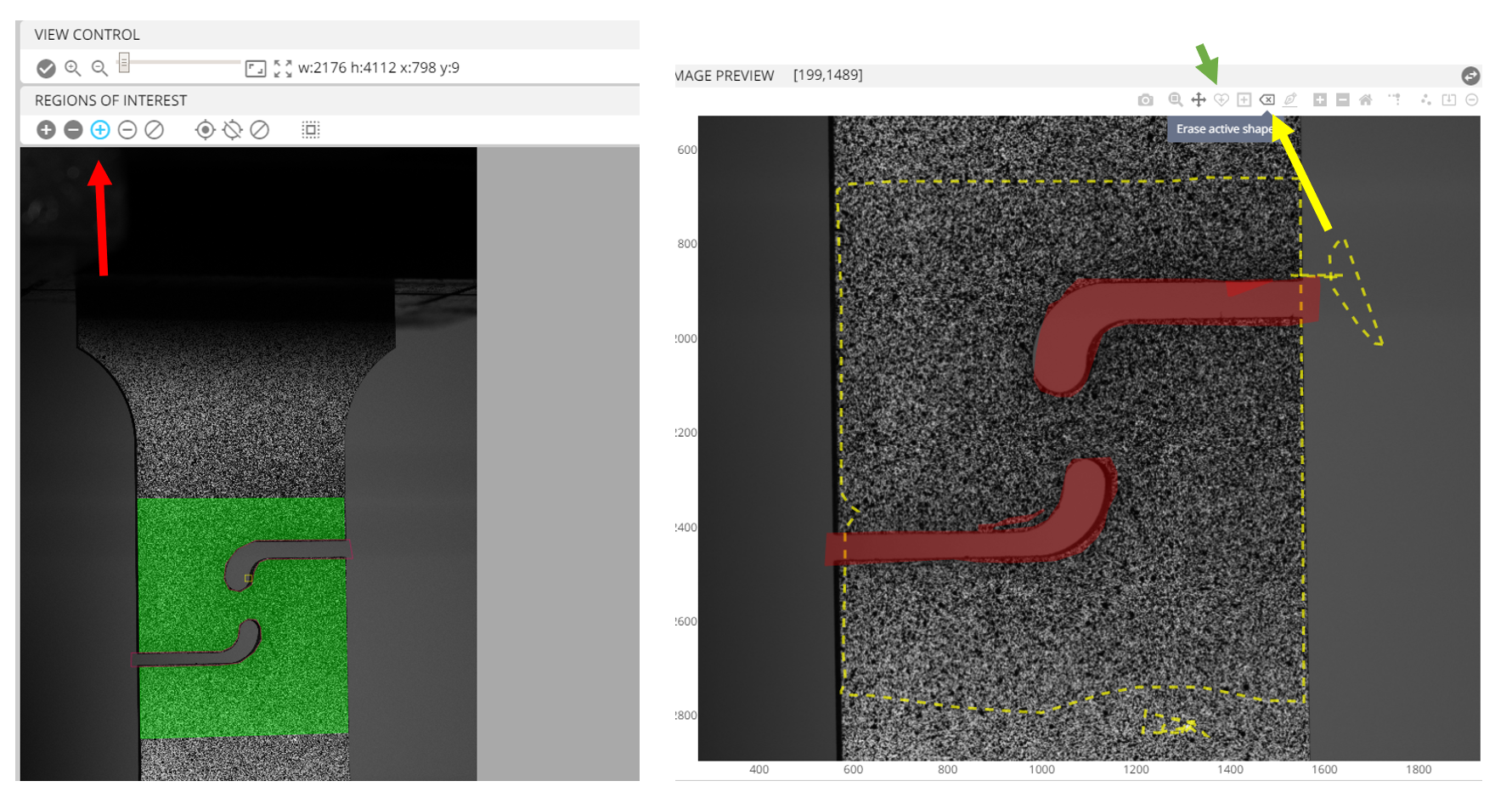
But about the drawing ROI's in GUI, I really liked the simple and intuitive way in version 2.0. The buttons were responsive and did what I wanted. I liked how the ROI's were defined as polygons and you could choose what points to use. See figure below, red arrow.
However, something is changed in version3.0-beta3, as the pictures are now represented as figures (maybe to enable contour plotting during DIC calculations?). As a result, the buttons are now very different what they used to be. The ROI's are now drew using pen-like tool (green arrow on right), which is prone to hand jitter. If your hand jitters even slightly, the ROI will go wrong. Also, I do not get how do I remove the ROI shapes I do not want to use. There is this "Erase active shape" button (yellow arrow), but it is totally unresponsive.
Same thing goes to all live plot points, live plot lines, best fit plane lines etc. They all seem really unresponsive. I do not know if this is the issue only with the Windows version of DICe though.
I would prefer having the old way of drawing ROI's, and having the contour's plotted maybe on separate window during the DIC calculations. And it would be really cool if the contours during the DIC analysis would be updated to always show the most recent contour plot.