

 dicengine
Is there an alternative to paraview?
Hi, I am unable to load the DICe_solutiom.e file in paraview. Is there an alternative software to view the strain and displacement of the specimen? Thank you.

Hi, if Python and Jupyter notebooks are your thing you can try these step-by-step examples I released time ago. It is a pet project of my own and it is far from complete but they can help you get started if you want to use Python for post-processing DICe data.
https://marcoalopez.github.io/Jupyter4DICe/ or here: https://github.com/marcoalopez/Jupyter4DICe
Cheers, Marco
PS. It's strange that you can't open those files in Paraview, which is otherwise a very handy tool to visualise the results quickly.

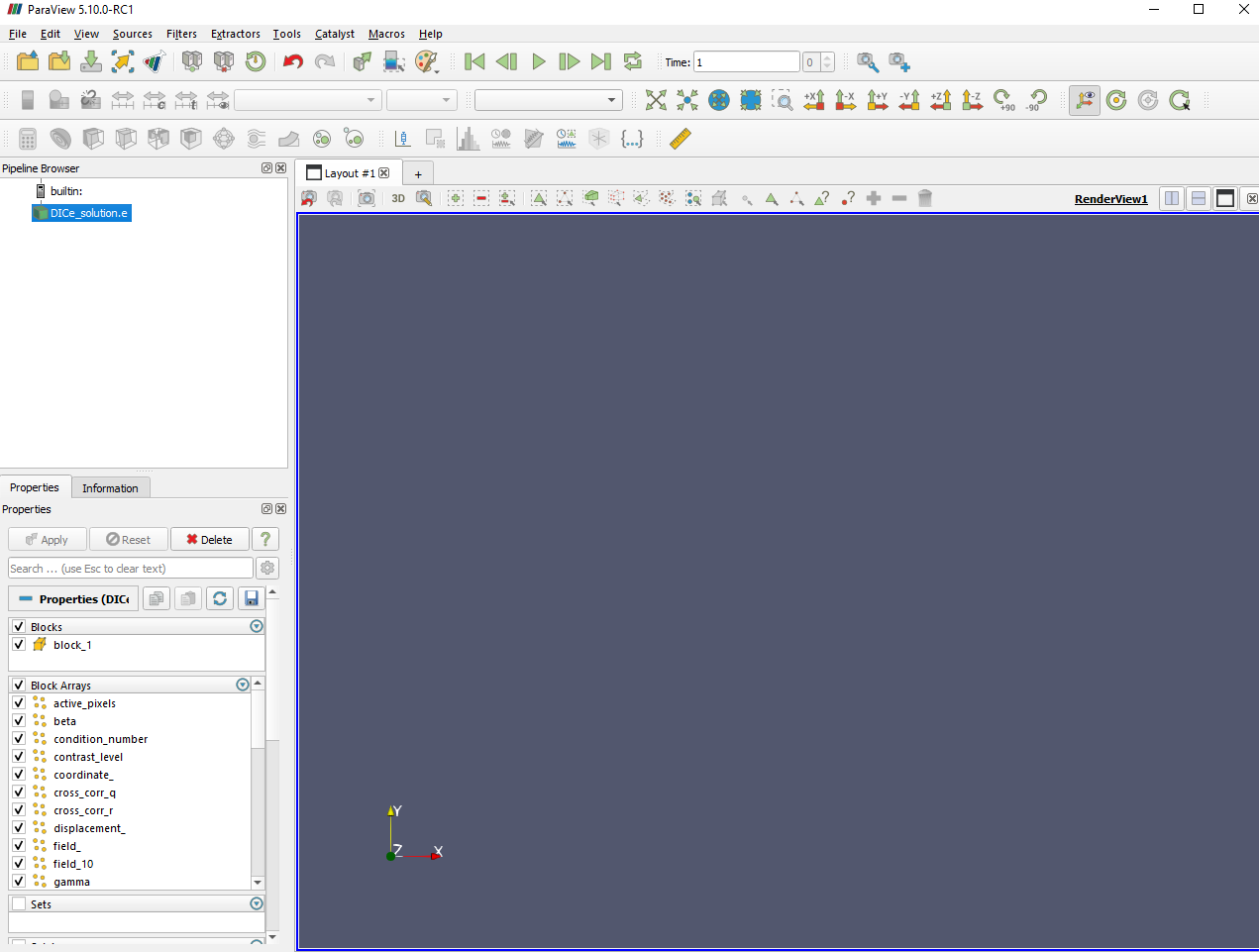
Could it be that there is a version of Paraview that works with DICe files, this is a screenshot of the interface after following the instructions from the video
Could it be that there is a version of Paraview that works with DICe files, this is a screenshot of the interface after following the instructions from the video
same as my situation!

I would suggest viewing the results as a table in ParaView to make sure that the DICe solution is reasonable (for example, to make sure that all points didn't fail the correlation) You can also check this by looking at the sigma values in the .txt files. If the sigma value is -1, the point failed for some reason.

If you only have a few points with sigma = -1 the rest of the points should show up fine in ParaView. Are you able to post your DICe_solution.e file here so I can take a look at what's going on?
I'm not sure what's going on with ParaView for you. The results file you sent opens just fine for me (see image below). I am using ParaView v5.5.2.
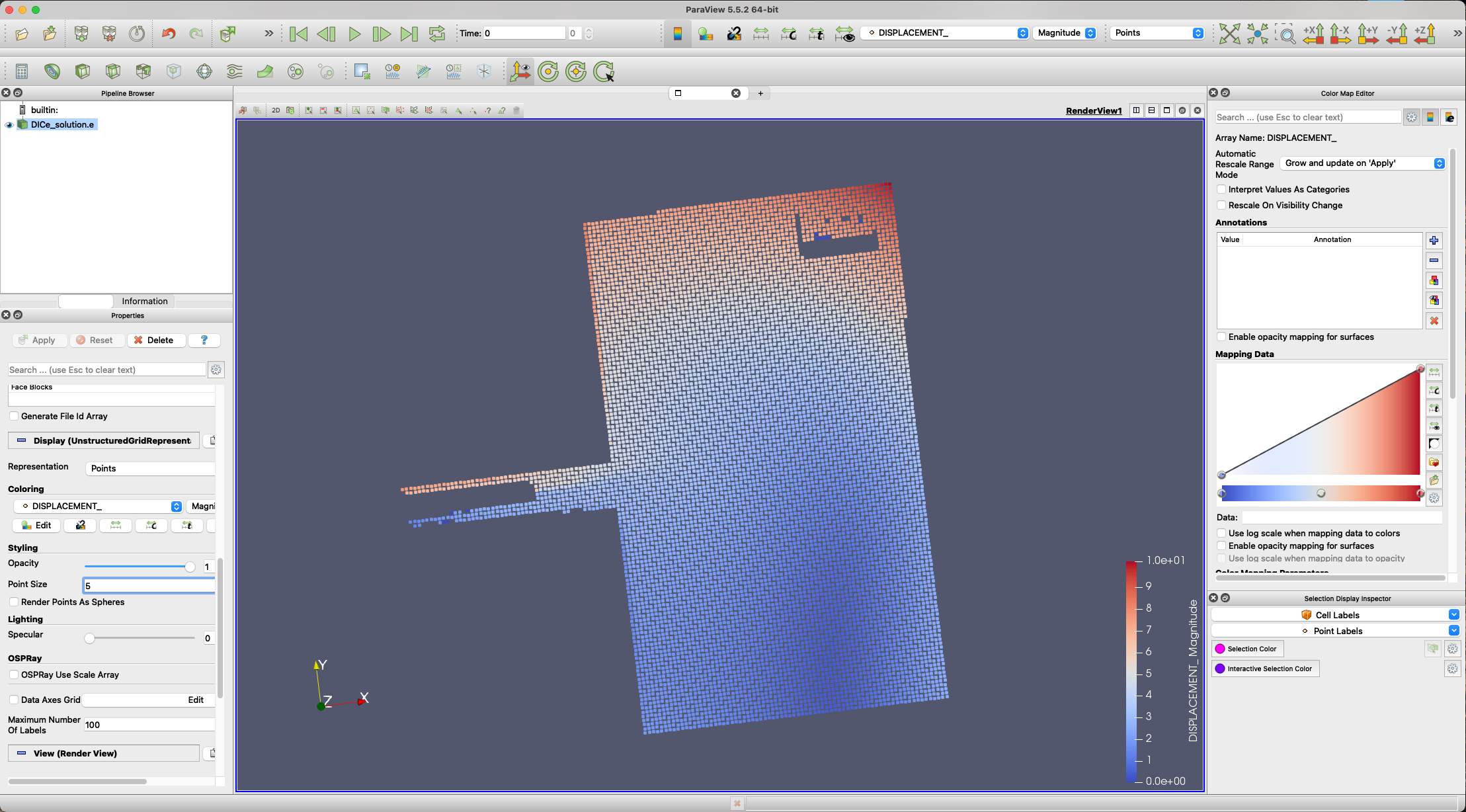
Thank you for your help. I have downloaded paraview 5.5.2 and I can view the displacement contours now. They displacement units are in pixel right?
Yes, DISPLACEMENT is in pixels MODEL_DISPLACEMENT is in physical units if you are using stereo.
Thanks, I am try to further manipulate my displacement data. Is it possible to get a displacement field data from paraview that can be exported to matlab?
One option would be to use the DICe_solution_[step].txt files which are CSV and should be able to be easily read into matlab.
Yeah, I tried that. It reads has a column vector. I want to get the displacement as a array where each displacement value are present their exact location. I mean the values that produce the visualization on paraview.
I know I have done that in the past with Matlab, but I think I had to interpret the .txt input as scatter data rather than a grid. The contour(X,Y,Z) function in matlab should work with scattered x,y points.
Thank you. After calling the contour(X,Y,Z) in matlab where X= Coordinate_X value, Y= Coordinate_Y value and Z in this case is the Displacement_Y value. I keep getting this error prompt: Input arguments must be numeric or objects which can be converted to double.. Which i think it's because X,Y are column vector and not a double matrix. Is there a way to fix this? Thank you once again.
You might have to take out the headers in the first line that define the fields for each column.
Read up on the documentation for Matlab, there are lots of functions in Matlab where z can be a vector like x and y, and doesn't have to be a matrix corresponding to regular grid point.
Hi there, thanks for developing such a great open source resource, that's really appreciated. I have also been struggling with viewing the results in paraview (I am currently using version 5.10.0 for Mac). Let me better explain my process:
- I import the solution.e
- Normally, I use the preview command "extract block" to see the solution in terms of graphics
However, this might not work the first time. If I close paraview and open it again, it might work. So I end up spending few minutes opening/closing until it does work. However, I cannot explain myself why it does happen. How could paraview interpret the solution file only sometimes? Am I missing something? Any help is really appreciated.
Solution files can be downloaded here https://www.dropbox.com/s/yzqluwx718h65rq/results%202.zip?dl=0
Thanks a lot for any tips!

The Paraview team provided a solution here https://gitlab.kitware.com/paraview/paraview/-/issues/21469