

 diasurgical
Rendering does not resume after switching window with Upscaling turned off
Operating System
Windows, Linux (arm64 & amd64)
DevilutionX version
b0cb925a5e892a3d831e1a42392fce9412fe92e4
Describe
When in game switching to desktop and back will cause the game to stop rendering. The game is still responsive and running so only graphics output appears to be affected. Note: this does not happen if switching during a video or the menus.
To Reproduce
- Disable Upscale (need restart to take effect currently)
- Start a game
- Switch to the desktop
- switch back to the game
- The game is no longer updating the screen.

Probably it's related to system driver issues and the use of Upscale=0. What hardware is this running on?

Probably it's related to system driver issues and the use of Upscale=0.
This seems to be correct. I previously had a jerky framerate with other than normal game speed (v1.4.1) and switching to 1920x1080 resolved that. After just trying with a new diablo.ini file, the issue seems to be gone (v1.4.1). I even have a smooth framerate, which I don't have with 1920x1080, except using the test builds.
Turning Upscale back to On results in an error message after which the game exits:

What hardware is this running on?
Pinebook Pro
SDL is not properly terminating the old rendere on the platform, this needs to be reported to who ever is responsible for the video driver I think.
There's no hardware scaler on ARM, except for Apple Silicon AFAIK (not sure about the others). Can this be the problem?
My Raspberry Pi 3b has one, so does my Samsung S40. In fact I think I have to go back to my QTek 9000 from 2005 before any of my ARM based systems didn't have a hardware scaler. Feel free to let us know what device you are messing around with here.
My Raspberry Pi 3b has one, so does my Samsung S40. In fact I think I have to go back to my QTek 9000 from 2005 before any of my ARM based systems didn't have a hardware scaler. Feel free to let us know what device you are messing around with here.
From what I was told, scaling is handled by the display (not the hardware) on Rockchip. This is because Android up to recently haven't used non-native resolutions (which Android 13 changes), so I assume this is done in software like on my device (xrandr).
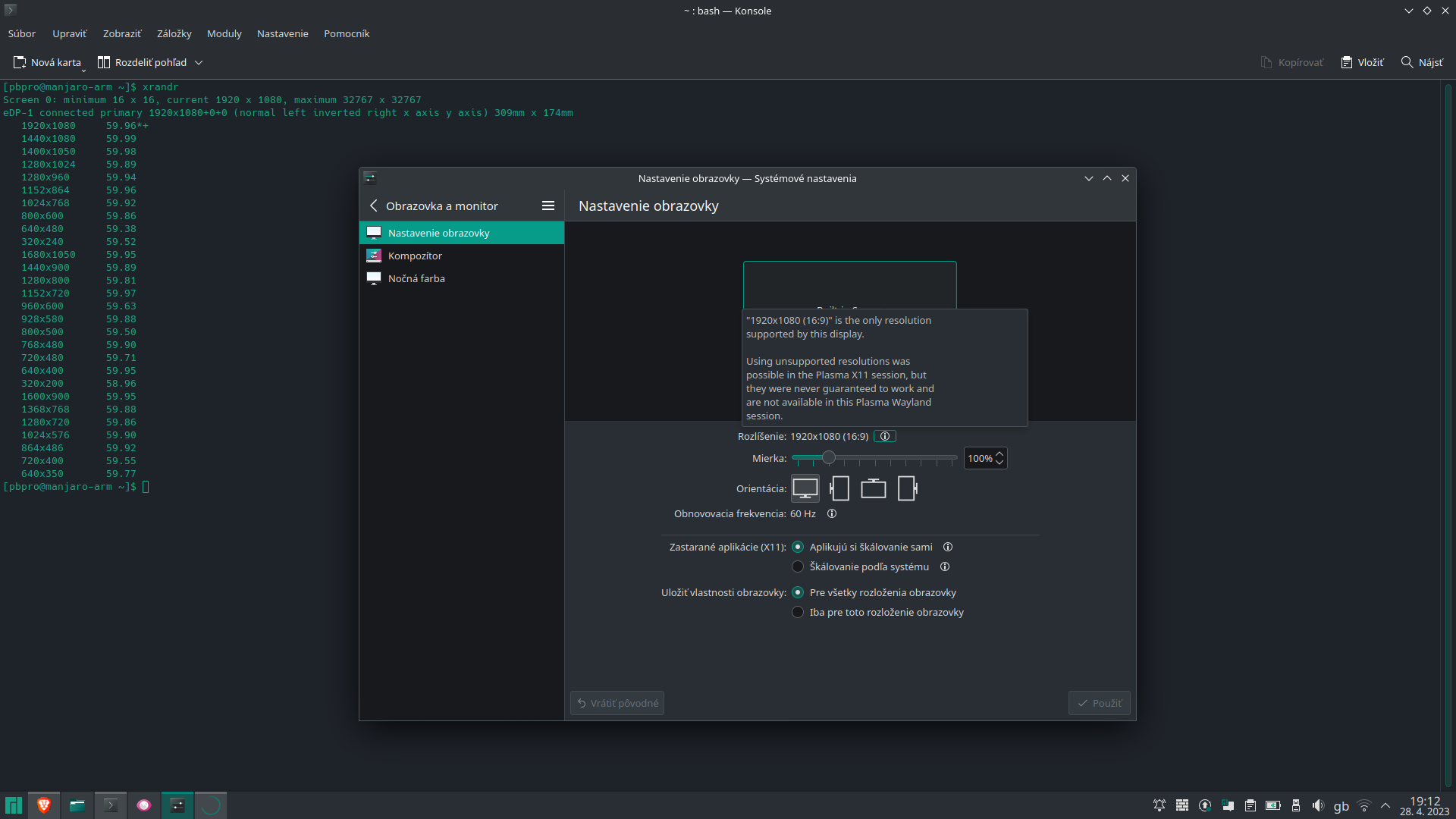
Rockchip is a CPU brand, not a specific device or even CPU.
It sounds like you are still trying to run the game with Upscale=0 and expecting things to work despite your platform having limited support for this mode of operation. If you instead set it to Upscale=1 you allow the application to handle upscaling via the GPU. That your firmware don't do this on it's own isn't much relevant for there being hardware capable of upscaling or not.
It sounds like you are still trying to run the game with
Upscale=0
No :smile:. I was actually asked on Discord so I'm doing this on behalf of the devs.
Which devs? Can you ask ?them? what Rockchip system they have?
This was discussed yesterday in #loot-showcase on DevilutionX Discord server with @wkdgmr (wkdmod) and @StaphenCWillis:
https://discord.com/channels/518540764754608128/989475136614850570/1101172998100222044
I don't see any mentioning of Rockchip or ARM CPUs in that chat. Do you not know what system this issue is related to? Can you ask the person that is having the issue so that information can be included.
I don't see any mentioning of Rockchip or ARM CPUs in that chat. Do you not know what system this issue is related to? Can you ask the person that is having the issue so that information can be included.
Upscale=1 (default) fixes the issue on my device. Chibi Maxpire mentioned Windows, and haven't confirmed if my solution is working or not. I'll ask.
What is your device? Is it state secret or something? Maybe just tell me if you don't want to share that information.
I think he said Pinebook Pro earlier (although not sure if that's enough info to go by)

What is your device? Is it state secret or something? Maybe just tell me if you don't want to share that information.
Haha.
It's an ARM laptop based on Rockchip RK3399 with Mali T860 GPU driven by Mesa Panfrost. You remember my overheating laptop unable to run Discord properly? Well, it had its last breath (I assume the charging connector broke) and I replaced it with this one (it cost me exactly 1/10 of the previous one).
The T860 should be plenty capable of upscaling, is there an issue with running with Upscale=1 on your device?
The T860 should be plenty capable of upscaling, is there an issue with running with
Upscale=1on your device?
Not one bit ~(provided either that I'm running it on 640x480 in v1.4.1 or test builds as I don't get smooth FPS otherwise).~
Edit: I've noticed the bug reappearing today (with Upscale=1) after being a while in game, when switching back and forth with Alt+Tab, minimizing/maximizing the window gets it transparent and black (with "glove" cursor) at full screen (Alt+Enter)