
SHADERed
 SHADERed copied to clipboard
 dfranx
Display #included shaders in project / edit in IDE
Shaders that are included are not listed in the pipeline or object tabs or in the shader pass properties. It would be good to have an "Add Shader" option, and to be able to click on them to edit in the IDE. It would also be good to click on the #include "my_shader.hlsl" line in the top-level shader and open the included one that way.
Sorry if this already exists and I just haven't found it yet. I scanned the docs but didn't see this feature.

Thank you for the suggestion. I will try to add the ability to CTRL + click on the #include line in the upcoming update.
As for the "Add shader" option, I would love to add that especially since it would greatly benefit the web version of SHADERed. Though, I am not sure yet what that should look like UI-wise. Maybe as an object in the "Objects" window?

The ability to CTRL+click on the #include line has been implemented with commit 0131425dd61cd772c7710a5e2b53f9954c2d9bea .
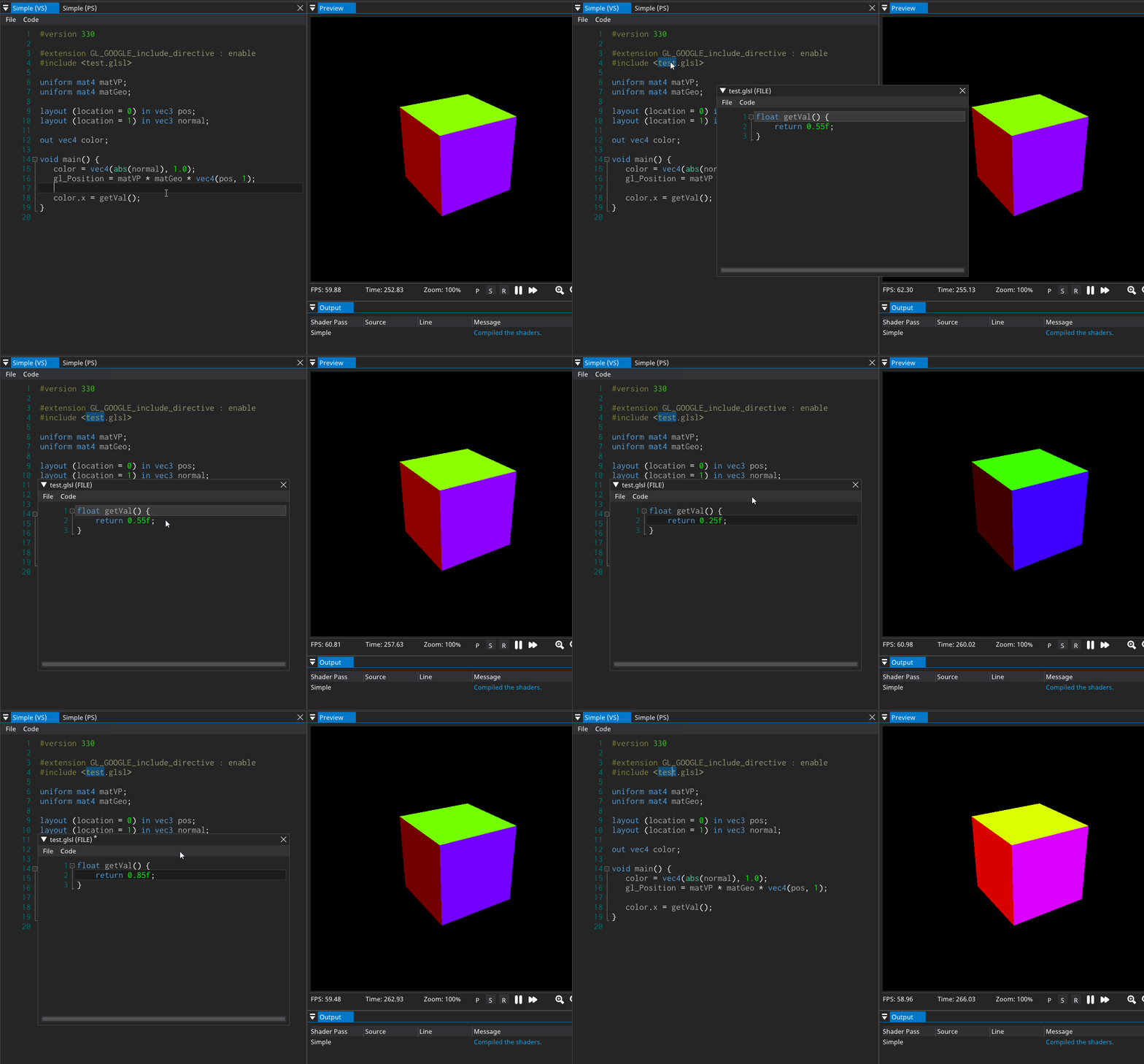
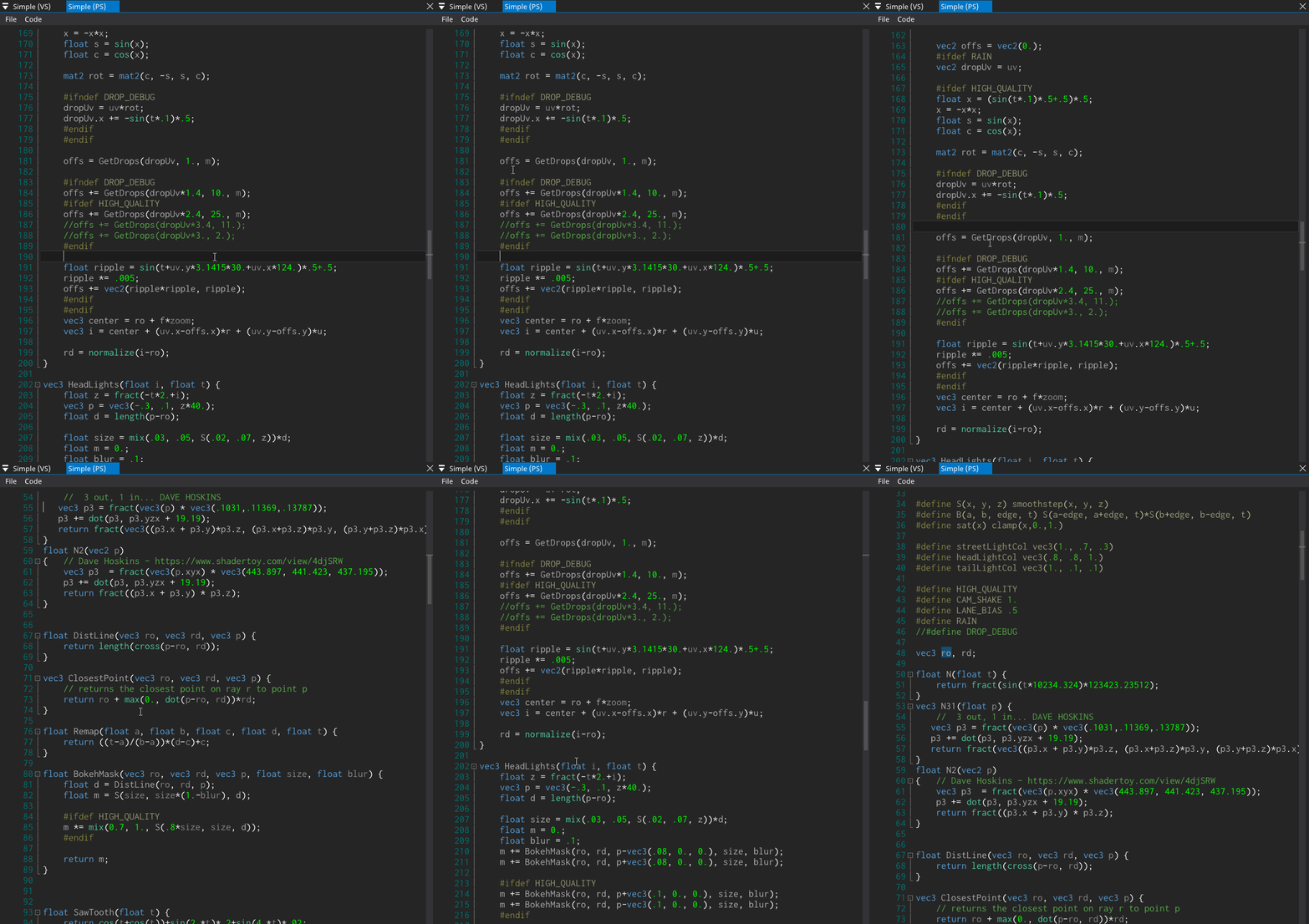
I've also expanded this idea and now if you CTRL+click on the variable names, function names, etc... SHADERed will take you to their definition:
I'll leave this issue open though since I would like to expand this feature so that "common" shader files can easily be added to the project (basically I'd like to add the "Add shader" feature somehow). Thank you once again for the suggestion!
Breakpoints are not working for me in an included file.
Start the debugger, Step, the included file opens successfully in a new window, but any breakpoints in that file are ignored. Even if the file is already opened before starting the debugger, the breakpoints inside it still fail to work.
Also, if the file is not in the same directory as the project file, Ctrl + Click doesn't work. A window opens with the file name, but the window is blank, has no code in it. If the debugger is started though like I explained above, the file contents open correctly, no matter where the file is.
Is this a known behavior?
