deseven
Mouse buttons

Why? I honestly see no point in developing such a functionality...
But! You can use Karabiner to assign any mouse button to any key (F13-F19 are perfect for that) and then just press that mouse button in iCHS hotkey selector.

I'll look into karabiner again. I need it to switch workspaces faster with my extra side mouse (4 & 5) buttons.
Hmm... Even if i'll be able figure out how to grab mouse buttons i'm not sure how to test is reliably, my mouse only have 2 (well, actually 3) buttons. I'll see what i can do, but for now your best bet is to assign your mouse buttons to some keys via Karabiner.
Wait a sec, i found my old mouse and it has 2 additional buttons. So, what you need to do is:
-
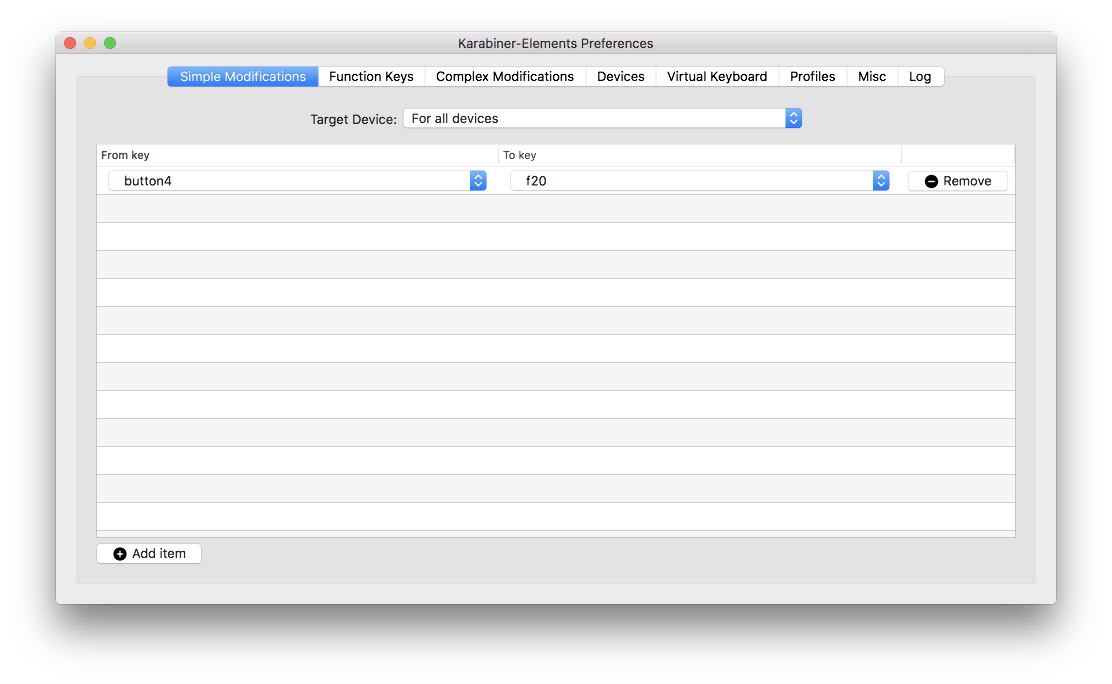
Assign button4 to some free unused key, for example F20:
-
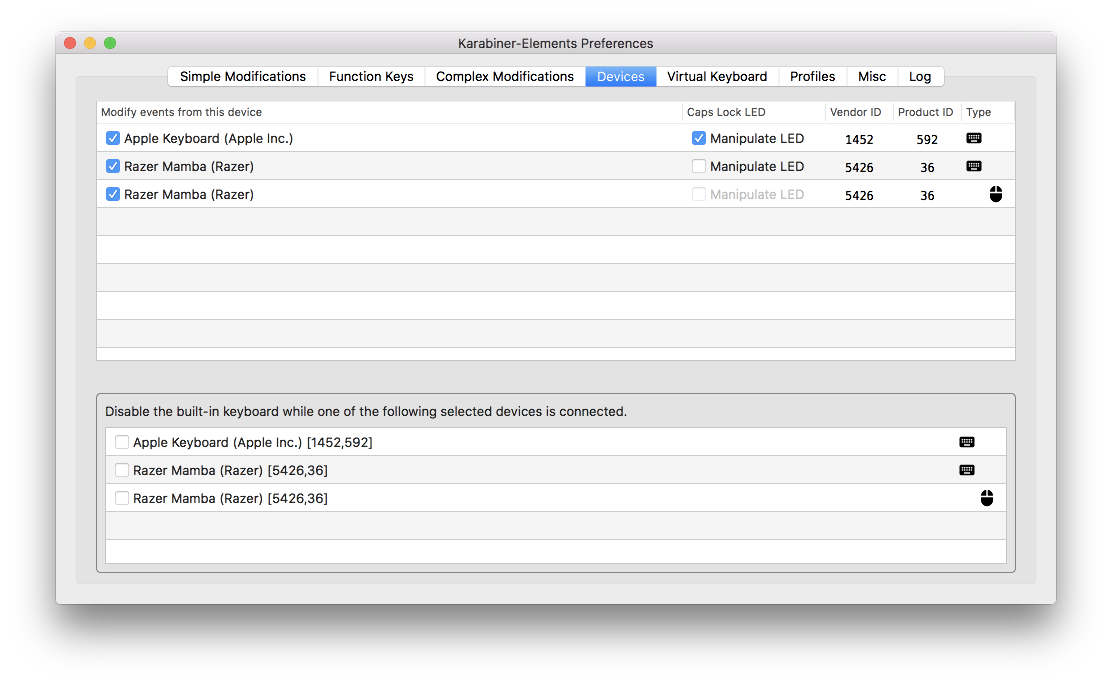
Make sure that your mouse is enabled in Devices tab:
-
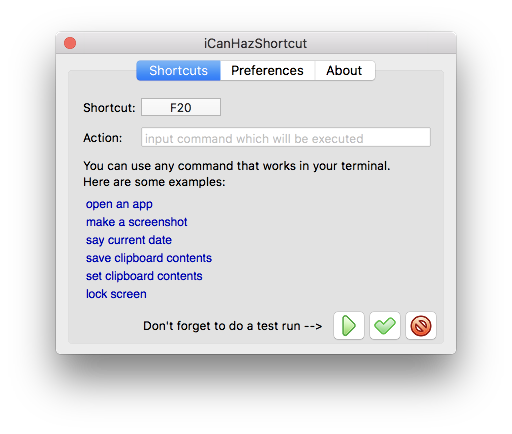
Create a shortcut as usual, press your mouse button with active shortcut selector:
And that's it.
SOOOO glad Karabiner works on the Mac again... It's control and command swapping feature is better than the mac's built in.
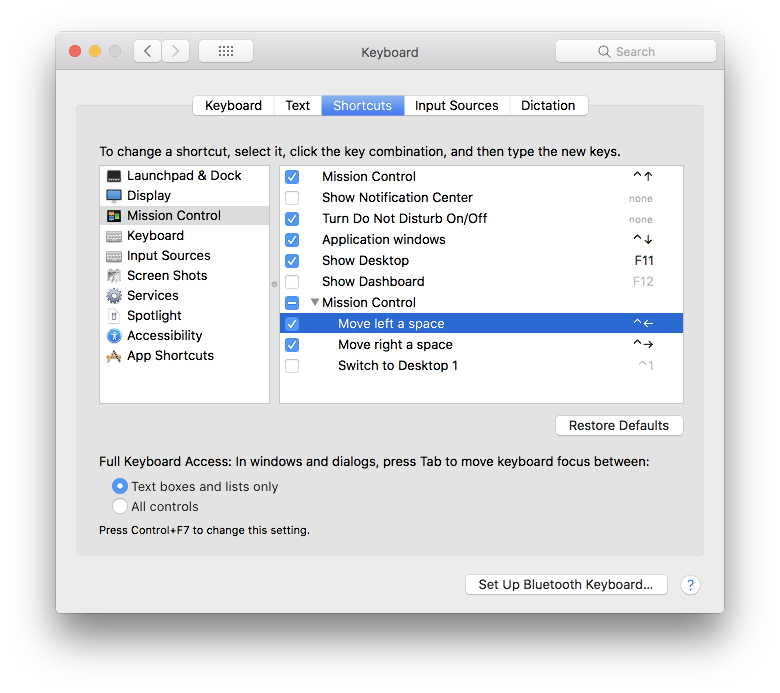
Actually there is no point to use iCHS for that at all. Karabiner is all you need, since those are system-level shortcuts anyway, you can simply redefine them in system shortcuts: