

 desec-io
Include alternative view for DNSKEY/DS records
When adding a new domain you currently show the DNSKEY/DS records. However, the UIs for domain sellers absolutely differ on how to enter this data and it almost always is not a simple line where you can copy the data from deSEC. E.g. some have dropdowns and you need to select the algorithm from a list of algorithms etc. To find out what that (each number etc.) means I had to read through wiki's/Wikipedia etc.
Here an example.
Netim
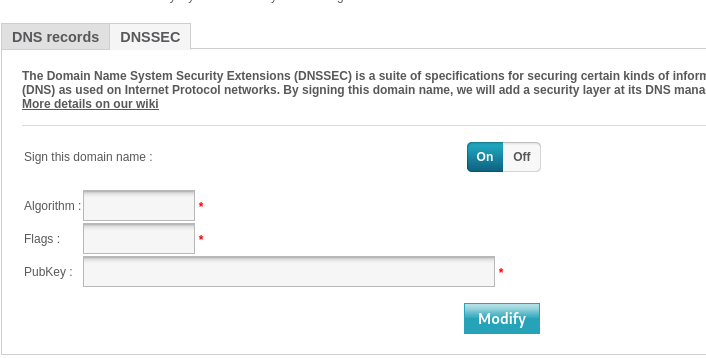
https://support.netim.com/en/wiki/Dnssecext


The solution I came up with looks like this

I was hoping that people read the text and be able to extract the needed information themselves. What do you think?

I think there are two different issues:
- switching between DS and DNSKEY
- switching between "plain record" (full length) and "structured" (field-wise) view
The first is a functionality requirement (because some people need one, some the other). As far as I understand, the second is the point of this issue.
I was hoping that people read the text and be able to extract the needed information themselves. What do you think?
It's better as it likely fixes the #491 issue and has a nice tabbed view, but IMHO not sufficient. The actual problem is I don't that 13 means ECDSA algorithm etc. Humans should not need to parse ("deserialize") that "single line" there in order to place it into some web application (domain name provider) that "serializes" it again (when saving).
Agreed. Being more detailed, we can split up the issue in three parts:
- get the DS/DNSKEY record set "on block", which we solve by showing the plain text and offer the clipboard button
- get the DS/DNSKEY records piecewise, which we solve by telling the user to split it up at the spaces (not nice, but works for those who take the time to read the description)
- get the DS/DNSKEY records piecewise with semantic interpretation.
Number 3 is where it get's tricky. Luckily, @peterthomassen has implemented a special input field that is able to achieve a similar thing: e.g. for MX records, it can split the "priority" and the "hostname" part, which is visualized like this:

This is also available in read-only version, but two things need to be done before it can be used for displaying DS/DNSKEY records:
a. DS/DNSKEY types must be implemented. Should be easy as @peterthomassen did all the heavy lifting already b. there needs to be some transition in between value and semantics, which is something that we do not have in other record types (like MX). I imagine a dropdown that lists the meanings for the values. What could really get nasty are the flags in the DNSKEY.
Doing a without b seems almost pointless, doing b will be an awful lot of work which I won't have time to get into. So let's leave it like it is?
FYI here another example on how it needs to be entered:
Netcup
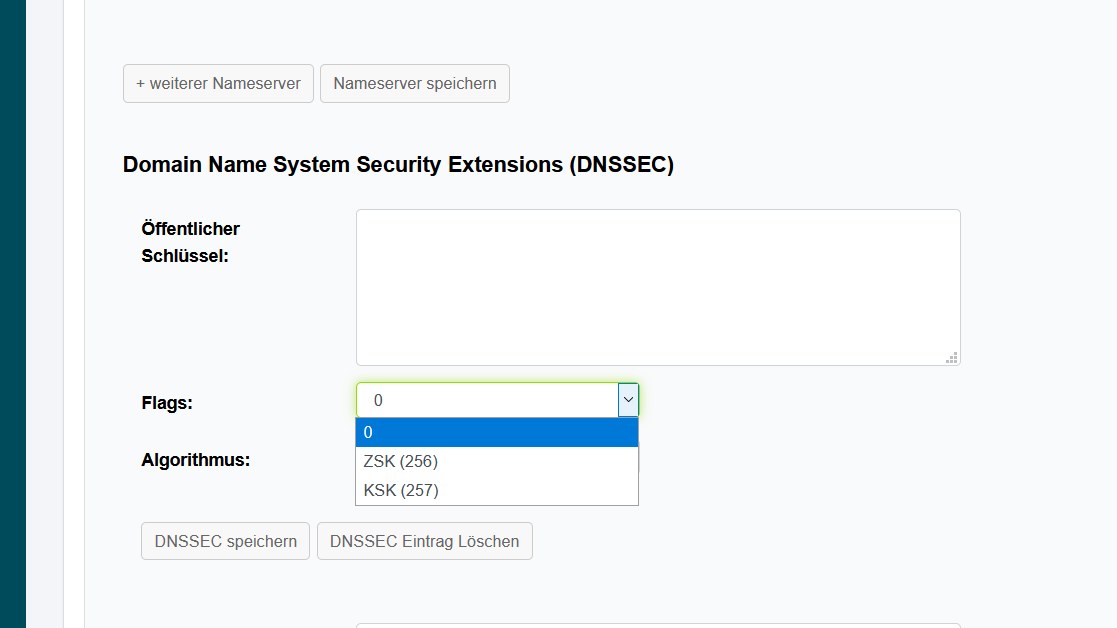
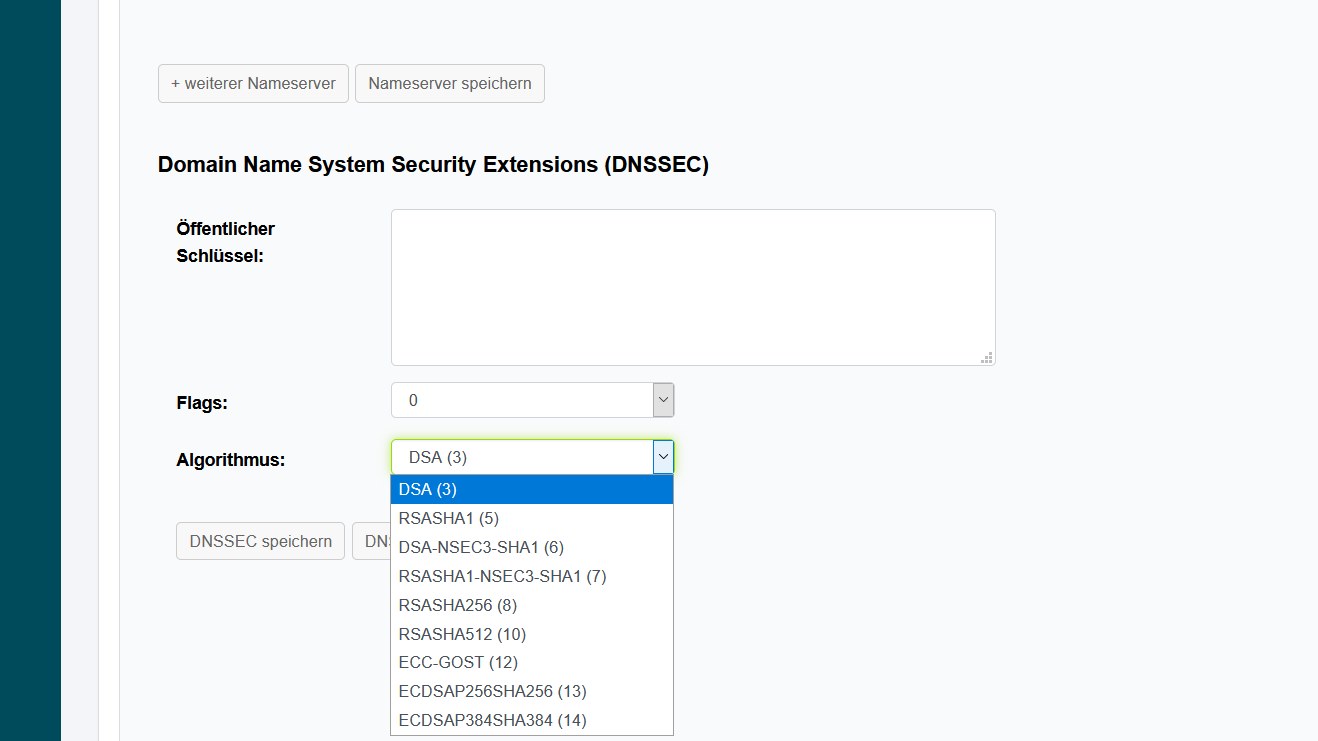
Also interesting that they all mix the order of the fields randomly… :laughing:
- get the DS/DNSKEY records piecewise with semantic interpretation.
Number 3 is where it get's tricky. Luckily, @peterthomassen has implemented a special input field that is able to achieve a similar thing: e.g. for MX records, it can split the "priority" and the "hostname" part, which is visualized like this:
This is also available in read-only version, but two things need to be done before it can be used for displaying DS/DNSKEY records:
a. DS/DNSKEY types must be implemented. Should be easy as @peterthomassen did all the heavy lifting already b. there needs to be some transition in between value and semantics, which is something that we do not have in other record types (like MX). I imagine a dropdown that lists the meanings for the values. What could really get nasty are the flags in the DNSKEY.
Doing a without b seems almost pointless, doing b will be an awful lot of work which I won't have time to get into. So let's leave it like it is?
I think we should do this, and start out without part "b", and later add "b". This will also come in handy for some record types (e.g. TLSA).
How do we switch between 'plain text view' of the records and 'field-based view'? The switch is required, as the 'field-based view' currently cannot:
- copy multiple fields at once
- copy and paste multiple lines at once
Since I do not expect we can resolve that easily on the 'field-based view', we must retain the 'plain text view' with copy functionality. That raises the question: how to switch between those two? I guess there needs to be some sort of button where the text is right now. Suggestions as to which UI element to use?
We may also just use the field-based view, with users being able to click into individual fields, which would yield a visual response that the field has been copied. In addition, we'd need an obvious widget offering to "copy the whole thing".
Well… judging from the screenshots #503 does not really solve this, does it? It also seems @peterthomassen wanted this as a temporary solution. Because i9t still does not explain the parameters. So can this issue be re-opened?
You're right, a more detailed view on the DS/DNSKEY records remains a valid point. I'd be happy to see a pull request regarding this; but currently do not have the resources to work on this myself