
explorerplusplus
 explorerplusplus copied to clipboard
 derceg
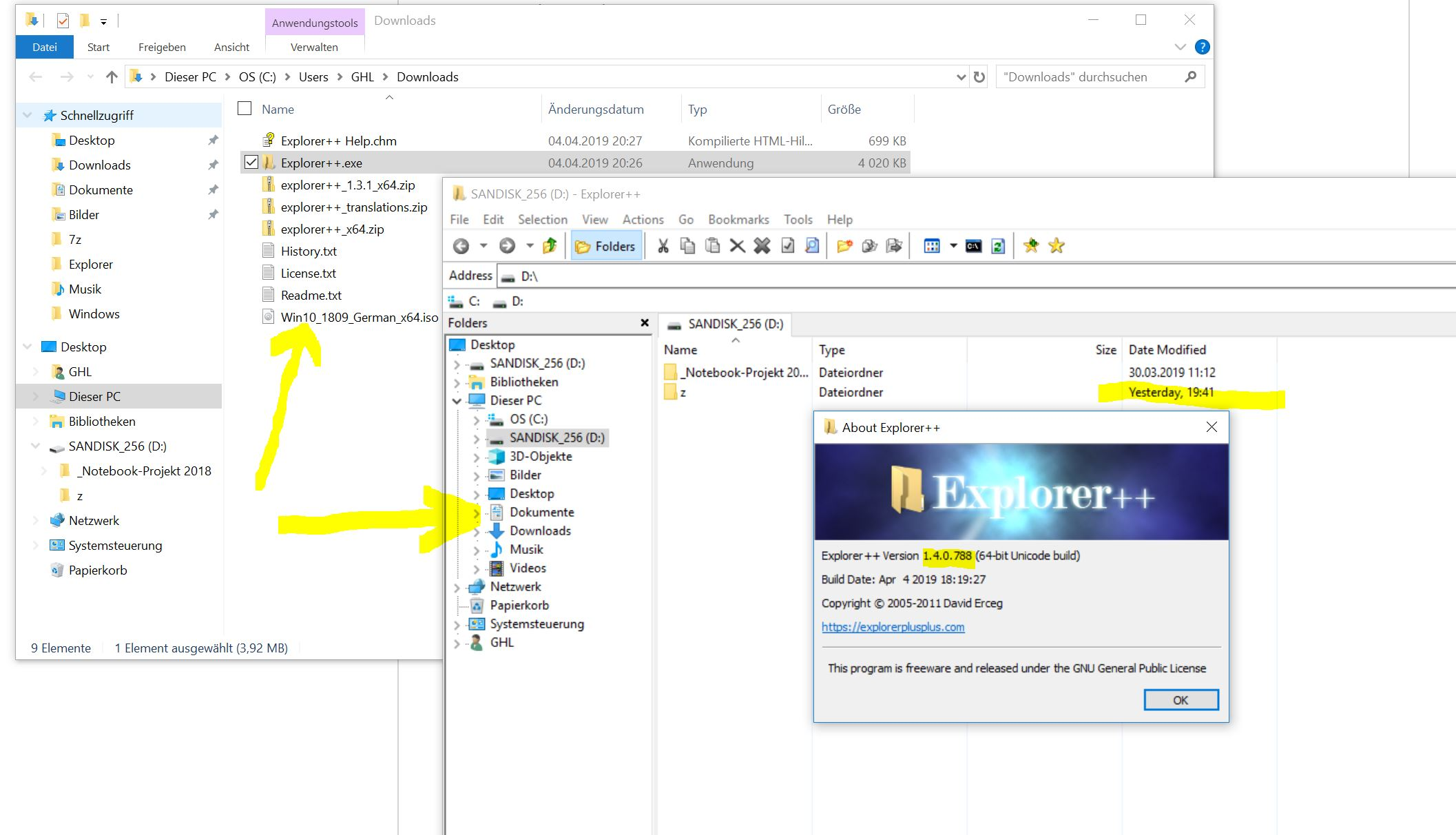
[1.3.+] Font used in Explorer++ seems somehow blurry
System: Windows 10 only Explorer Version: 1.3.x Behavior: Reproducable Priority: Minor Language: any
I can only reproduce this on Windows 10 ! On Windows 7, which I have been using on various PCs for years with Explorer++, the font displayed by Explorer++ always was as good and clear as the system fonts used by Windows.
Although this is only a minor issue in my opinion, I wonder if I am the only one realizing this and what may be the reason for it (and if there'd be a feasible resolution).
Remark: I have tried this out on various displays including a very new notebook PC using a 3000 x 1800 pixel hires iris display.
For illustration I attach a comparison of the Windows 10 system font shown next to the Exlorer++ and hope this is visible.

I encounted the same problem, and I resolved this by changing the DPI compatability option. sorry for the screenshot, hope you can find the setting in your system.


If you're testing on testing on a high DPI display, what's happening is that Windows is bitmap scaling the application, making it look blurry. There's a manifest property that applications can set to indicate that they're DPI aware and if that flag is set, Windows won't perform any scaling. Previous versions of Explorer++ didn't set that flag, but it is now set in 1.4 beta.
High DPI support is still partial, however. Most parts of the application will scale, but some things won't.
