
axe-core
 axe-core copied to clipboard
 dequelabs
axe-core and Axe extensions fail on pages with a "sandbox" CSP directive
Product
axe-core
Product Version
4.4.3
Lastest Version
- [X] I have tested the issue with the latest version of the product
Issue Description
Expectation
I expected Axe to audit a site that has a sandbox CSP directive, without an allow-scripts parameter.
Actual
axe-core-npm, Axe DevTools for Chrome, Axe DevTools for Firefox, and Webhint's Axe audits all fail to analyze the page.
How to Reproduce
All of the following test-cases involve running an audit on https://seirdy.one/
axe-core-npm
Run the the latest version of axe-core to get the following result:
Testing https://seirdy.one/ ... please wait, this may take a minute.
Error: TimeoutError: Waiting for at least one element to be located By(css selector, .deque-axe-is-ready)
Wait timed out after 10063ms
    at /home/rkumar/Executables/npm/lib/node_modules/@axe-core/cli/node_modules/selenium-webdriver/lib/webdriver.js:906:17
    at processTicksAndRejections (node:internal/process/task_queues:96:5) {
  remoteStacktrace: ''
}
Please report the problem to: https://github.com/dequelabs/axe-core-npm/issues/
Axe-DevTools for Chrome
Run the latest version of Axe Devtools for Chromium/Edge and get a "We're sorry, but axe DevTools was unable to analyze the current tab." message (see screenshot). The error remains with or without granting access to file:// urls.
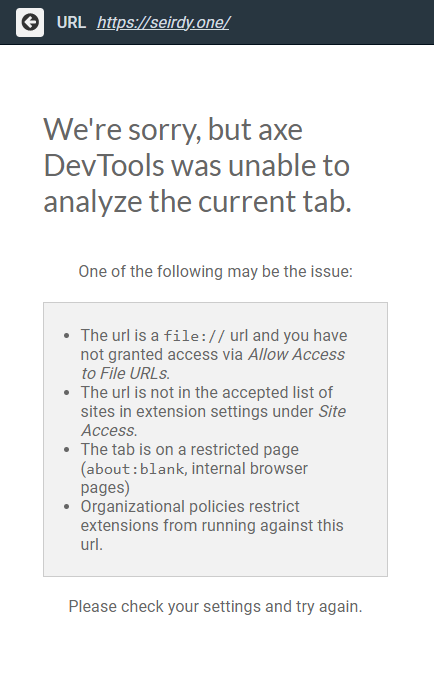
Axe-DevTools for Firefox
Run the latest version of Axe DevTools for Firefox and get the "analyzing your page" spinner. The spinner seems to persist indefinitely.
axe-core dependent: Webhint
Run Webhint with Puppeteer, Axe hints, and debug-logging enabled and receive the following output:
Debug logs
hint:engine Hint axe/parsing timeout +2m
hint:engine Total runtime 123003 +0ms
hint:path:to:@[email protected][email protected]:node_modules:@hint:connector-puppeteer:dist:src:connector Removing all pending event listeners (2) +2m
hint:path:to:@[email protected][email protected]:node_modules:@hint:connector-puppeteer:dist:src:connector Removing event listeners for error,pageerror +0ms
hint:path:to:@[email protected][email protected]:node_modules:@hint:connector-puppeteer:dist:src:connector Removing handler for event "error" +0ms
hint:path:to:@[email protected][email protected]:node_modules:@hint:connector-puppeteer:dist:src:connector Removing handler for event "pageerror" +0ms
hint:lifecycle Closing +2m
hint:lifecycle Closing page +0ms
hint:lifecycle Remaining pages: 0 +0ms
hint:path:to:@[email protected][email protected]:node_modules:@hint:formatter-codeframe:dist:src:formatter Formatting results +0ms
Running axe-core failed: Protocol error (Runtime.evaluate): Target closed.
ProtocolError: Protocol error (Runtime.evaluate): Target closed.
        at /home/rkumar/.local/share/pnpm/global/5/.pnpm/[email protected]/node_modules/puppeteer-core/lib/cjs/puppeteer/common/Connection.js:230:24
        at new Promise (<anonymous>)
        at CDPSession.send (/home/rkumar/.local/share/pnpm/global/5/.pnpm/[email protected]/node_modules/puppeteer-core/lib/cjs/puppeteer/common/Connection.js:226:16)
        at ExecutionContext._evaluateInternal (/home/rkumar/.local/share/pnpm/global/5/.pnpm/[email protected]/node_modules/puppeteer-core/lib/cjs/puppeteer/common/ExecutionContext.js:166:18)
        at ExecutionContext.evaluate (/home/rkumar/.local/share/pnpm/global/5/.pnpm/[email protected]/node_modules/puppeteer-core/lib/cjs/puppeteer/common/ExecutionContext.js:110:27)
        at DOMWorld.evaluate (/home/rkumar/.local/share/pnpm/global/5/.pnpm/[email protected]/node_modules/puppeteer-core/lib/cjs/puppeteer/common/DOMWorld.js:97:24)
        at runNextTicks (node:internal/process/task_queues:61:5)
        at processImmediate (node:internal/timers:437:9)
hint:cli:analyze Total runtime: 123159ms +2m
Additional context
Possibly-related issues in other/upstream projects:
- https://github.com/GoogleChrome/lighthouse/issues/11925
- https://bugs.chromium.org/p/chromium/issues/detail?id=1222763
In my tests, an allow-scripts parameter to the sandbox directive fixed Axe DevTools for Chrome, Axe DevTools for Firefox, and Webhint. However, the same issue was still present in axe-core-npm.
Current workarounds
My current workaround is to run axe-core-npm on a local version of my site without a sandbox CSP directive, and to run Webhint and Axe DevTools on a staging site that has the allow-scripts parameter.

Thank you for reporting this. Sandbox / CSP in and of itself should work, but I'm guessing there's something around allow-script that we may have overlooked.

This seems to be a chrome bug - at least for the extension https://bugs.chromium.org/p/chromium/issues/detail?id=1222763

On Wed, Aug 10, 2022 at 06:04:05AM -0700, Dylan Barrell wrote:
This seems to be a chrome bug - at least for the extension https://bugs.chromium.org/p/chromium/issues/detail?id=1222763
axe-core-npm with a headless Firefox and the Firefox extension also fail.
-- Seirdy (https://seirdy.one)
Could you help me understand something. When you say CSP with sandbox without the allow-script, you're saying that you are not allowing any scripts to run on the page correct? If that's the case I'm not sure what we can do about it as it's the browser itself that is blocking the script from running due to the CSP working as intended.
It does seem that the workaround is to either allow-scripts from a trusted origin which hosts axe code and lets axe load on the page and run, or provide another duplicate page with a less restrictive CSP that you can use for testing.

On Thu, Aug 11, 2022 at 10:27:06AM -0700, Steven Lambert wrote:
Could you help me understand something. When you say CSP with sandbox without the
allow-script, you're saying that you are not allowing any scripts to run on the page correct? If that's the case I'm not sure what we can do about it as it's the browser itself that is blocking the script from running due to the CSP working as intended.It does seem that the workaround is to either allow-scripts from a trusted origin which hosts axe code and lets axe load on the page and run, or provide another duplicate page with a less restrictive CSP that you can use for testing.
My current understanding is now that this is a browser bug in Chromium and Firefox (the spec explicitly states that the CSP shouldn't block browser extensions). That being said: it seems odd to me that adding "allow-scripts" fixed the browser extensions, but did not fix "axe-core-npm". Perhaps that could be a bug on the Axe end?
I think that's because the axe apis do not use browser extensions to run axe, but instead inject script elements into the page using the WebDriver api. I believe this action would still be blocked by the CSP.