

 dependency-check
Html report is broken as it creates frames
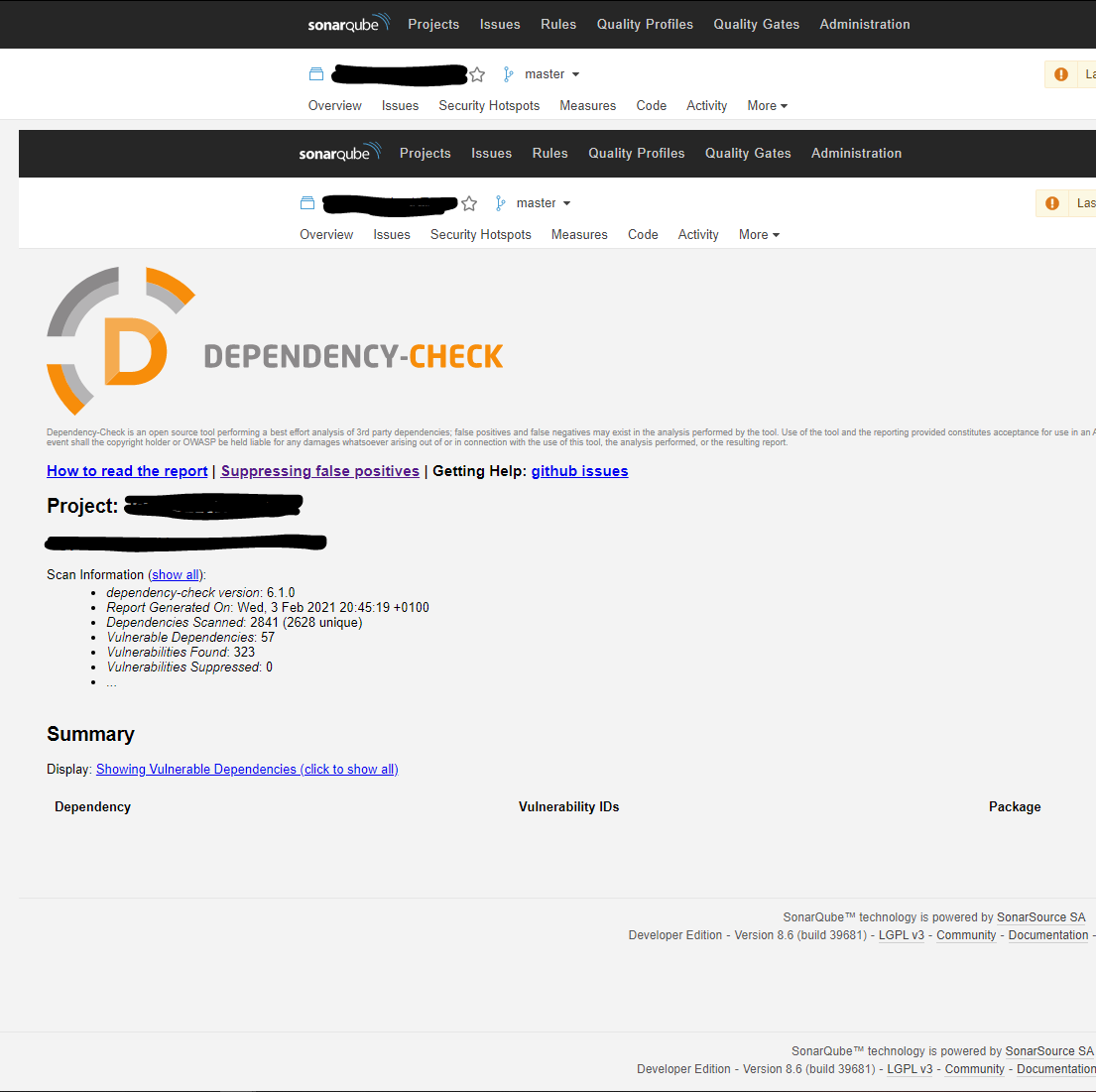
Describe the bug Html report is broken as it creates frames after clicking on an internal link
To Reproduce Steps to reproduce the behavior:
- Install Dependency Check 2.0.7 through Marketplace
- Run the dependency check on the product with passing correct link to the HTML report
- Login to Sonarqube, go to project and select More -> Dependency Check in menu
- Click on a link of a vulnerable Dependency entry
- Error
Current behavior An inner frame is created and it is not scrolled down to the selected vulnerable dependency details
Expected behavior No inner frame should be created, but the link should just scroll down in the HTML to the selected vulnerable dependency details
Screenshots
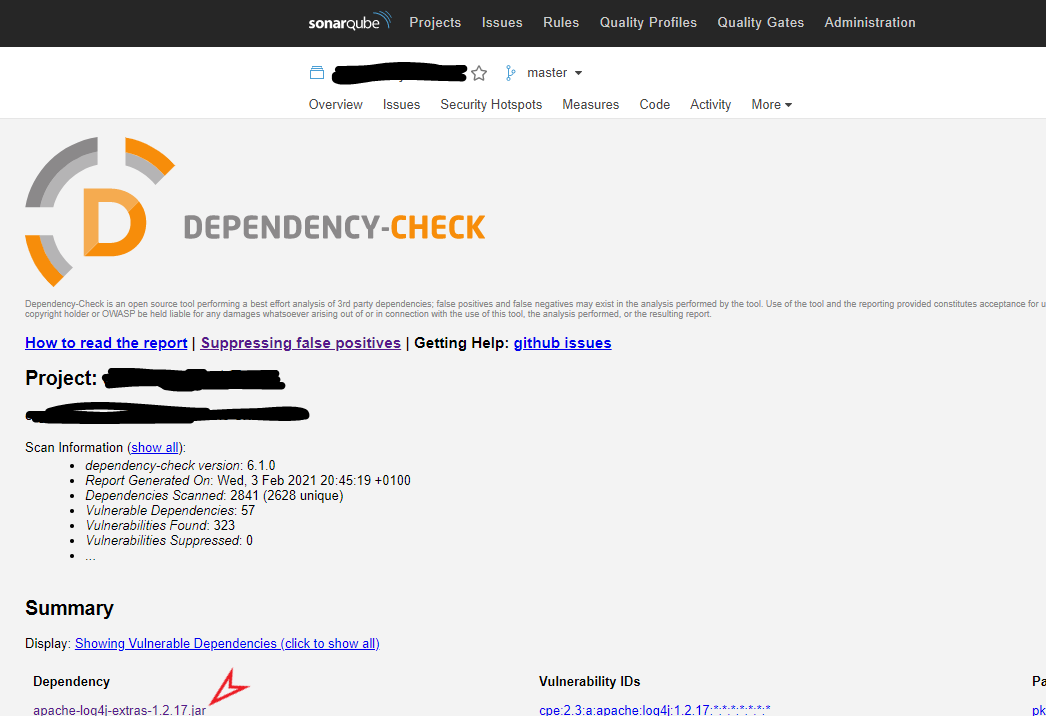 after clicking on the link indicated by red arrow, we see this:
Versions (please complete the following information):
- dependency-check version 6.1.0
- sonarqube Developer Edition Version 8.6 (build 39681)
- dependency-check-sonar-plugin 2.0.7
- tested and reproduced with Chrome 88.0.4324.150 and Firefox 85.0 (64-bit)
Additional context The problem seems to have been already reported once and closed - see #188 . It still happens with the latest version.

Thank you for your screenshots. I was able to reproduce your problem (thanks to the little red arrow).
Unfortunately, I don't know how to fix this. The whole injecting of the HTML-report is very hacky, that is why I would like to hold on to the iframe. You can find the discussion under https://github.com/dependency-check/dependency-check-sonar-plugin/pull/221

Would it be possible to just open the report in its own window or make it downloadable? I really like the functionality built into the report, but it is completely useless as it is now. Clicking any link causes a new frame, but still doesn't take you to the linked section of the report.
Thanks!

This can be done by altering the render() function in the file DependencyCheckReportApp.js to:
// IFrame for warnings, new tab when report available.
  if(!this.state.data.includes("Dependency-Check")){
      // IFrame
      return (<div className="page dependency-check-report-container" >
                <iframe sandbox="allow-scripts allow-same-origin" height={this.state.height} srcDoc={this.state.data} style={{border: "none"}} />
              </div>);
  } else {
        // Open in new tab (avoid endless 'loading...' and present the URL by using an Event Listener)
        const newWindow = window.open('#', "_blank");
        if (newWindow) {
          newWindow.addEventListener('load', () => {
            newWindow.document.open();
            newWindow.document.write(this.state.data);
            newWindow.document.close();
            newWindow.stop();
          }, true);
        }

      return (<center><h1 style={{padding: "250px 0 0 0"}}>Dependency-Check report opened in adjacent tab.</h1></center>);
  }
After that you can click through the anchors correctly.

This issue is stale because it has been open 60 days with no activity. Remove stale label or comment or this will be closed in 14 days.
![github-actions[bot] avatar](https://avatars.githubusercontent.com/in/15368?v=4 "Published by a pub.dev verified publisher")
I know this is an older issue, but I agree that it looks bad now. I also agree that opening the report in a new tab would be a much more usable situation.

I implemented the change @rupreck recommended above on my local test setup and it works well.
Thanks, @rupreck!
Can you open a pull request with your changes so that others can also benefit from the changes?
I think that @rupreck is no longer active. Is it possible to apply this change? @Reamer

You are welcome to take up the PR https://github.com/dependency-check/dependency-check-sonar-plugin/pull/765