
WebSocketListener
 WebSocketListener copied to clipboard
 deniszykov
Error accepting a Secure Websocket Connection
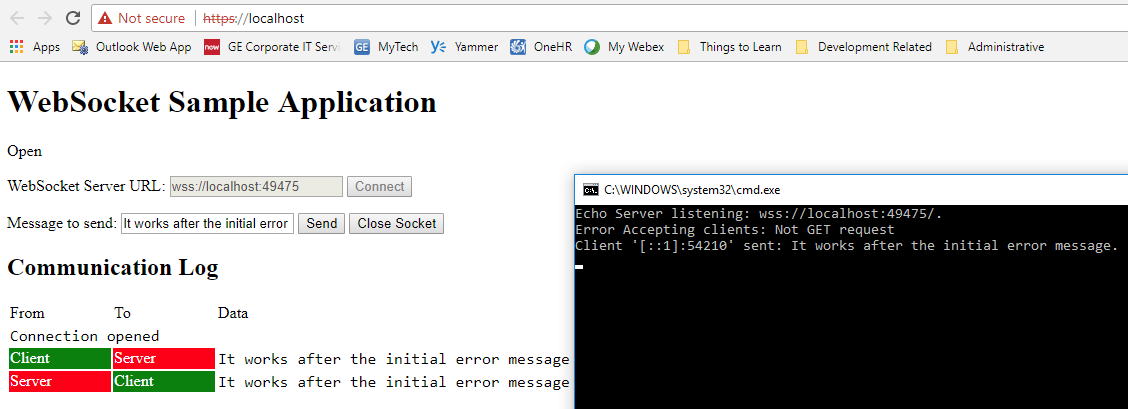
Whenever I try to establish a secure connection (wss://localhost:49475) the server shows this error:
Error Accepting clients: Not GET request
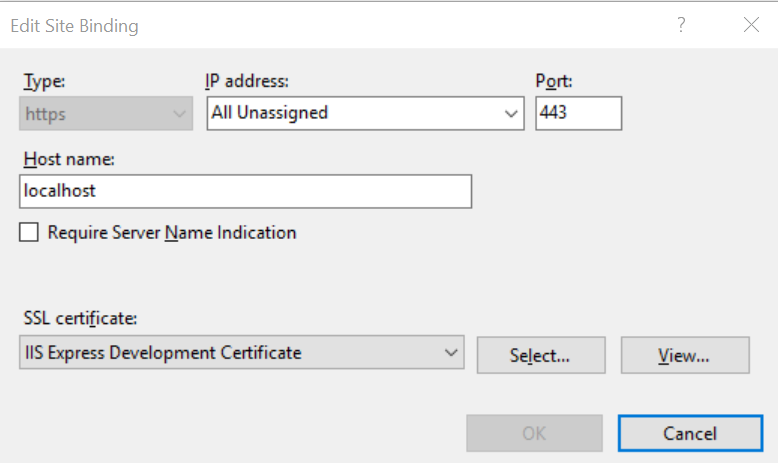
The server establishes the connection after that error, and I can send messages back and forth. I'm using the IIS Express Development Certificate for testing purposes, but even with another self signed certificate is behaving the same way. I'm using IIS, Chrome and WebsocketListener 4.1.3.
Any thoughts about this issue?

I think it is related to self-signed certificate. Here is another issue from original project https://github.com/vtortola/WebSocketListener/issues/104.
As for message. It is happens when connection hello part is not valid HTTP GET request. Probably it's browser attempts to negotiate protocol (SSL, TLS1, TLS1.3 ...).

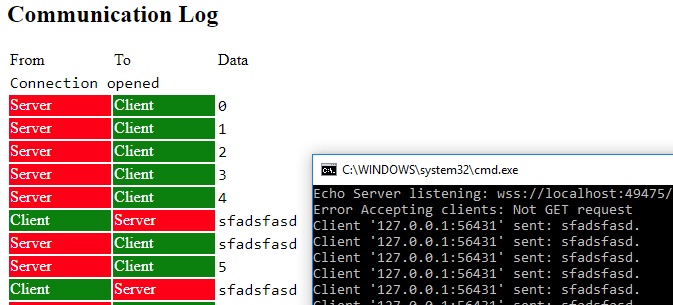
Well, it seems something similar, but with the key difference that I'm able to send messages from the server. In short words, the two way connection is successful, the server just gives the error and next time it establishes the connection smoothly.
Take a look at this image, I'm sending messages asynchronously from both ends:
Is there any way I could check if it is the browser negotiation? In that case, could I specify the protocol to avoid negotiation?
It's seems two different connections, one is ended with "Not GET request", and second one is connected fine. Browser could hide failed attempt from you because it's 'ok' to re-send GET requests. Try to set WebSocketListenerOptions.SupportedSslProtocols to Tls12.
Also is easier to publish your server behind reverse-proxy (nginx, HAProxy etc.) and do encryption tuning there.
You are right, the first attempt goes directly to the catch{} in AcceptWebSocketClientsAsync(...) method, now the second attempt connects like a charm, and to make things clear I'm not performing the second attempts, the browser is doing it by itself.
I have added to the options this:
options.SupportedSslProtocols = SslProtocols.Tls12;
The behavior is still the same :(. I'm aware of SSL-Termination but in my case it is not possible. Let's get this solved!
I have added 0b92673d83e7391e6c5d90cdb2604a92126122e6 better error messages when handshake error is occurring. But I can't find reason why it is happens.
Let leave it open. Maybe one day some one will explain why browser abort first connection :)
Some times i get this error, the problem is that once it occurs it just occurs on every connect and makes the application useless until restarted.
2018-03-19 11:02:45 WebSocketServer, Warn: Failed to accept socket
vtortola.WebSockets.WebSocketException: Not GET request
   at vtortola.WebSockets.WebSocketHandshaker.ParseGET(String line, WebSocketHandshake handshake)
   at vtortola.WebSockets.WebSocketHandshaker.ReadHttpRequest(NetworkConnection clientStream, WebSocketHandshake handshake)
   at vtortola.WebSockets.WebSocketHandshaker.<HandshakeAsync>d__6.MoveNext()
--- End of stack trace from previous location where exception was thrown ---
   at vtortola.WebSockets.WebSocketListener.<AcceptWebSocketAsync>d__27.MoveNext()
--- End of stack trace from previous location where exception was thrown ---
   at System.Runtime.CompilerServices.TaskAwaiter.ThrowForNonSuccess(Task task)
   at System.Runtime.CompilerServices.TaskAwaiter.HandleNonSuccessAndDebuggerNotification(Task task)
   at System.Runtime.CompilerServices.ConfiguredTaskAwaitable`1.ConfiguredTaskAwaiter.GetResult()
Any idea what is wrong?
(I'm not getting the exact same issue as this issue as i can't even connect, but it seems related) (I'm guessing this is a issue with this library as restarting Chrome does nothing and restarting the application solves the issue)

Are you using last version? Because there is no error "Not GET request" in last version and some error has been fixed.
I'm not using WebSocketDeflateExtension.
var options = new WebSocketListenerOptions();
options.Logger = new WebSocketLogger(logger);
options.PingMode = PingMode.Manual;
options.Standards.RegisterRfc6455();
if (certificate != null)
    options.ConnectionExtensions.RegisterSecureConnection(certificate);
server = new WebSocketListener(new IPEndPoint(IPAddress.Any, port), options);
await server.StartAsync().ConfigureAwait(false);
var client = await server.AcceptWebSocketAsync(cancellationToken).ConfigureAwait(false);
One more question. Do you CloseAsync() and then Dispose() connected clients? Even faulted during transmission?
I never disconnect the WebSocket i wait until it disconnects from the server, but i guess i could add CloseAsync() and then Dispose() it when that happens!
You should Close() and Dispose() WebSockets on both ends. No doing this lead to resource leaks. This probably cause SslStream malfunction (too many opened streams).