

 delta-io
While accessing the data on recipient side using delta_sharing.load_table_changes_as_spark(), it shows data of all versions.
When I tried to access specific version data and set the arguments value to the specific number, I get all version data.
data1 = delta_sharing.load_table_changes_as_spark(table_url, starting_version=1, ending_version=1)
data2 = delta_sharing.load_table_changes_as_spark(table_url, starting_version=2, ending_version=2)
Here data1 and data2 gives the same data. When I check the same version data using load_table_changes_as_pandas(), it gives specific version data.
data1 = delta_sharing.load_table_changes_as_pandas(table_url, starting_version=1, ending_version=1)
data2 = delta_sharing.load_table_changes_as_pandas(table_url, starting_version=2, ending_version=2)
In the pandas scenario, data1 is having version 1 data and data2 is having version 2 data. Both of these, data1 and data2, are having different data which was as expected.
What we have to do to get the specific version data in spark dataframe using load_table_changes_as_spark function?

Sorry for the delay. My local tests work well. Which version are you using? Could you update to the latest version and try again?
Could you paste the commands and results?

I was using 0.5.0 version. Now, I am using 0.6.2 version but got the same result.
url = "dbfs:/filestore/config.share" + "#{shareName}.{schemaName}.{tableName}"
df = delta_sharing.load_table_changes_as_spark(url, starting_version=2, ending_version=2)
df.count()
Output: 2343522
Expected output is 12 as in version 2 only 12 records are present. The above count (2343522) is the total count of the records present in the table. I tried with different starting_version and ending_version but the count is still the same.
I tried with pandas method, the output is as expected.
url = "/dbfs/filestore/config.share" + "#{shareName}.{schemaName}.{tableName}"
df = delta_sharing.load_table_changes_as_pandas(url, starting_version=2, ending_version=2)
df.count()
Output: 12
@linzhou-db Thanks! My local testing works well.
So I wonder if you copied the syntax of load_table_changes_as_spark from README directly, where there's a typo. start__version should be start_version.
I'll fix the README soon.
Only starting_version is working. I checked whether I am using double underscore in between starting and version words but there is only one underscore in between them. And it is giving me the unexpected Output which is mentioned in my previous comment.
When I am using other keywords (start_version) then there is a TypeError.
TypeError: load_table_changes_as_pandas() got an unexpected keyword argument 'start_version'
Interesting... Where's your server? Do you have your local delta sharing server?
This is super weird as my local testing all worked.
Do you have a screenshot?
@MaheshChahare123
I feel it's possible that your delta sharing package didn't upgrade to the latest version, could you try:
pyspark --packages io.delta:delta-sharing-spark_2.12:0.6.2
@linzhou-db Sorry for the delay. With all the possible ways, I tried the 0.6.2 version of the library but didn't get the desired output. I can't share the screenshot as it is in the client's system.

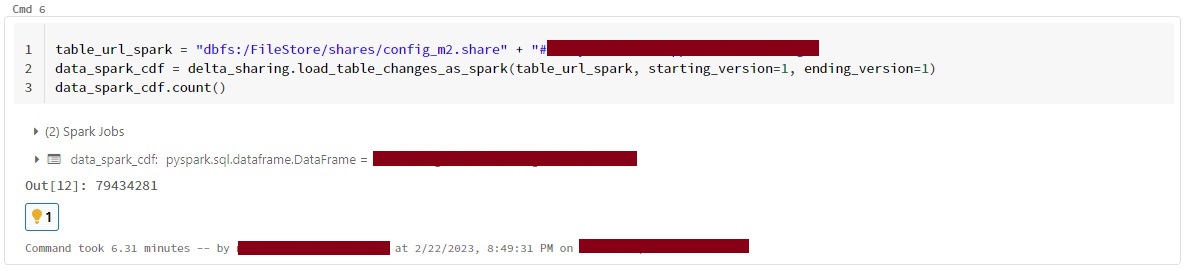
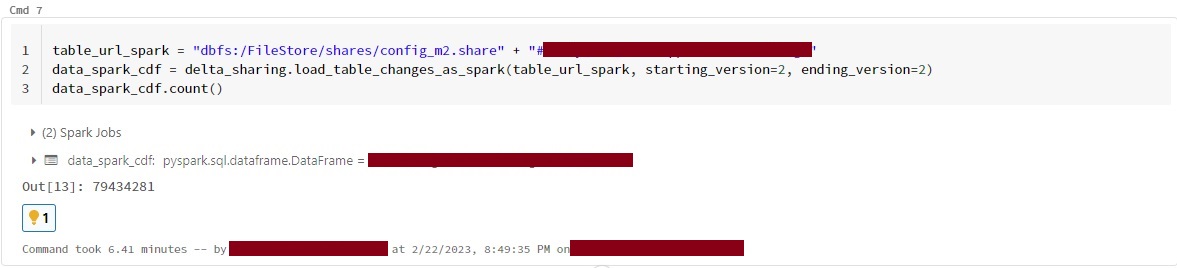
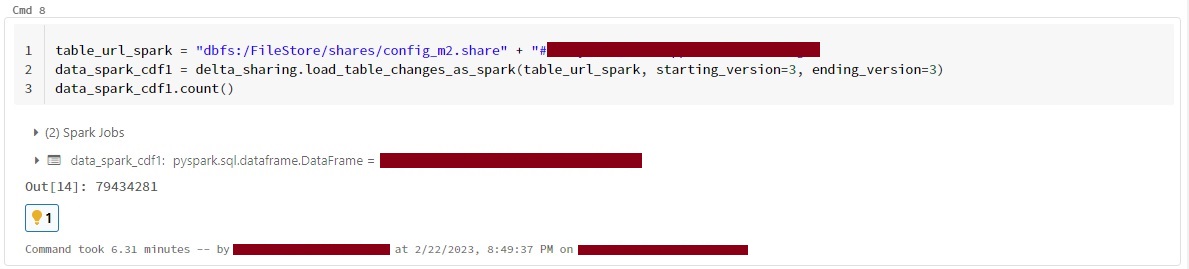
I am also facing the same issue while using load_as_spark and load_table_chnages_as_spark ,tried load_table_chnages_as_spark with different versions but getting the all versions data. @MaheshChahare123 @linzhou-db

@ParulPaul @MaheshChahare123 I think the reason is that you need to update to the latest version of delta-sharing-spark.