
djl
 djl copied to clipboard
 deepjavalibrary
Different output from PyTorch and with external pre-processing libraries
Description
- The output of YOLOv5 does not match/inaccurate if image is pre-processed using Python OpenCV instead of DJL.
 Pre-processing
Inferenceimg = cv2.imread("bus.jpg", cv2.IMREAD_UNCHANGED) img1 = cv2.resize( img, (640, 640), interpolation=cv2.INTER_LINEAR)int imageSize = 640; Pipeline pipeline = new Pipeline(); pipeline.add(new ToTensor()); Translator<Image, DetectedObjects> translator = YoloV5Translator .builder() .setPipeline(pipeline) .optSynset(synset) .optThreshold(0.8f) .build(); Image input = // load img1 Criteria<Image, DetectedObjects> criteria = Criteria.builder() .setTypes(Image.class, DetectedObjects.class) .optModelUrls("models/") .optModelName("best.torchscript") .optTranslator(translator) .optProgress(new ProgressBar()) .optEngine("PyTorch") .build(); // ... - The output of YOLOv5 in DJL does not match with PyTorch output, though the result is accurate.
DJL
int imageSize = 640;
Pipeline pipeline = new Pipeline();
pipeline.add(new Resize(imageSize));
pipeline.add(new ToTensor());

Image input = ImageFactory.getInstance().fromUrl("https://github.com/ultralytics/yolov5/raw/master/data/images/bus.jpg");
// ...
PyTorch4.6887908, 4.1429625, 8.429695, 11.674817, 2.1656386E-5, 0.083668396, .... // 85 10.586109, 4.994913, 21.406425, 9.826888, 7.2921566E-6, 0.11352375, ....img = # load image and resize using opencv model = torch.jit.load('best.torchscript') out = model(img)3.157222270965576, 6.349945068359375, 13.60713005065918, 31.837739944458008, .... // different from above 10.586109, 4.994913, 21.406425, 9.826888, 7.2921566E-6, 0.11352375, 0.004516989, ....
Expected Behavior
-
All 3 bounding boxes
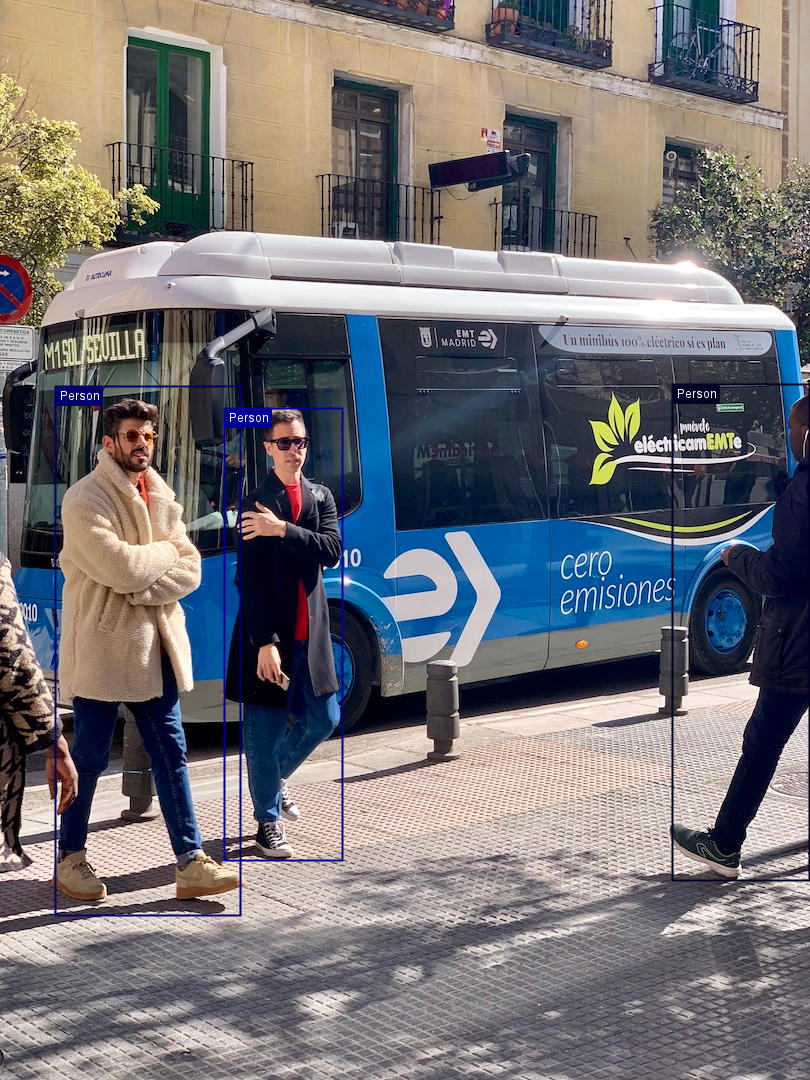
-
Both PyTorch and DJL output should match in ideal case.
Environment Info
Windows x86, OpenJDK, IJava,
ai.djl:api:0.21.0 ai.djl.pytorch:pytorch-jni:1.13.1-0.21.0 ai.djl.pytorch:pytorch-engine:0.21.0 ai.djl.pytorch:pytorch-model-zoo:0.21.0 ai.djl.pytorch:pytorch-native-cpu:1.13.1
Steps to reproduce
model #1563

If you use our built-in yolov5s model, it generate correct output:
        Image img = ImageFactory.getInstance().fromUrl("https://github.com/ultralytics/yolov5/raw/master/data/images/bus.jpg");

        Criteria<Image, DetectedObjects> criteria =
                Criteria.builder()
                        .setTypes(Image.class, DetectedObjects.class)
                        .optModelUrls("djl://ai.djl.pytorch/yolov5s")
                        .optArgument("threshold", "0.8")
                        .optEngine("PyTorch")
                        .optProgress(new ProgressBar())
                        .build();

If you use our built-in yolov5s model, it generate correct output:
        Image img = ImageFactory.getInstance().fromUrl("https://github.com/ultralytics/yolov5/raw/master/data/images/bus.jpg");

        Criteria<Image, DetectedObjects> criteria =
                Criteria.builder()
                        .setTypes(Image.class, DetectedObjects.class)
                        .optModelUrls("djl://ai.djl.pytorch/yolov5s")
                        .optArgument("threshold", "0.8")
                        .optEngine("PyTorch")
                        .optProgress(new ProgressBar())
                        .build();
What do you mean by correct output. I am also checking the values of the output. And what about using an external library for pre-processing?
I also tested your model with the following code, it find all three person:
        Criteria<Image, DetectedObjects> criteria =
                Criteria.builder()
                        .setTypes(Image.class, DetectedObjects.class)
                        .optModelPath(Paths.get("best.pt"))
                        .optEngine("PyTorch")
                        .optArgument("width", "640")
                        .optArgument("height", "640")
                        .optArgument("resize", "true")
                        .optArgument("rescale", "true")
                        .optArgument("optApplyRatio", "true")
                        .optArgument("threshold", "0.8")
                        .optTranslatorFactory(new YoloV5TranslatorFactory())
                        .build();
The image re-size algorithm has to match when the model was trained. If you want to use opencv for high performance, you can consider use our opencv extension: https://github.com/deepjavalibrary/djl/tree/master/extensions/opencv